
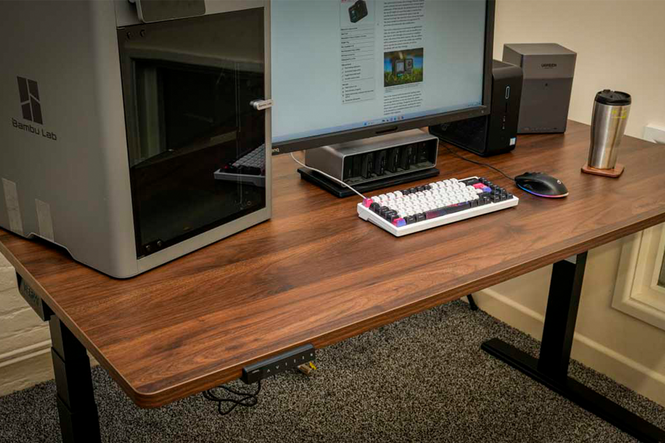
Most of us are familiar with being stuck behind a standard office desk with a fixed height and position, but the best standing desks offer more flexibility and comfort. After months of testing a wide range of standing desks, alongside researching their benefits, I can confidently say that working at a standing desk is far more comfortable than using a traditional desk. That said, I found the best approach was a mix of sitting and standing throughout the day.
If you’re wondering what the benefits of standing desks are compared with standard desks, research points to everything from improved posture to increased calorie burn. Having assembled and used every desk in this review, including models with solid wooden tops, I can attest that many of these benefits hold true.
What surprised me most, however, was the impact a standing desk had on focus and flow. Standing up often feels like a mental hurdle rather than a physical one, so already being on my feet meant I was less likely to break concentration. I also felt noticeably more alert when standing. That said, standing all day isn’t realistic and can be tiring, which is why it’s important to note that each desk here can be lowered, enabling you to sit and take the pressure off your feet when needed.
I’ve selected the standing desks in this article for their ability to support both sitting and standing positions, while offering plenty of surface space for a laptop, monitor and other essential work items.
Read more: Best ergonomic office chairs for a better WFH setup
The best standing desks for 2026 are:
- Best overall – Yo-Yo alert 2+: £982, Amazon.co.uk
- Best premium option – Humanscale efloat go 2.0: £799, Johnlewis.com
- Best for style – Herman Miller jarvis hardwood standing desk: £1,425, Hermanmiller.com
- Best for everyday use – Yo-Yo alert 2: £721.20, Amazon.co.uk
- Best for customisation – Vernal hard wood standing desk: £729.98, Vernalspace.co.uk
Read more: The best laptops, tried and tested by tech critics
Yo-Yo alert 2+
Best: Standing desk overall
Motorised: Yes
Height range: 61cm-126cm
Dimensions: 126cm x 180cm x 80cm
Weight supported: 120kg
Why we love it
- Great price
- Solid finish worksurface
- App connectivity alerts you when to stand
- Stable at full height
Take note
- The Bluetooth app is an addition cost
- Desk surface size test is small
In my tests, I found the Yo-Yo alert 2+ to be the best standing desk. It has an option that adds app connectivity to the mix, expanding on the usual feature of lowering and raising the standing height. The app essentially prompts you to move throughout the day.
The Bluetooth connectivity does cost £100, but it's an addition that I would highly recommend. Once connected, it enables you to connect to the “active working” app, which not only enables you to set working heights for sitting and standing, but it also gives you access to set automatic reminders for when you should sit and stand throughout the day. This promotes active working and has many health benefits, which are at the core of this system and the Yo-Yo desks.
For the test, I set the regularity of these to every 20 minutes, so my phone would alert me to change position. The app was surprisingly easy to navigate. The height adjustment is done with a tap on the phone, rather than adjusting the height automatically, but that prompt is surprisingly effective.
The desk itself arrived in three boxes: the worksurface, frame, cable and mechanism. I was initially exceptionally impressed. After checking over the build, even at this mid-range price point, there appeared to be more attention to detail and quality than I would have expected. The construction of the frame, for example, comes almost ready to go, and once lifted from the packaging, the legs fold down and secure. The build process is straightforward, as is configuring the wiring and adding the cable tidy.
The only complexity is that it does require a level of drilling and screwing to secure the desktop to the frame, but once aligned, the process is straightforward. For this review, I opted for the relatively small 120cm x 80cm design, with the legs lowering to 61cm and rising to 126cm with a maximum load of 120kg.
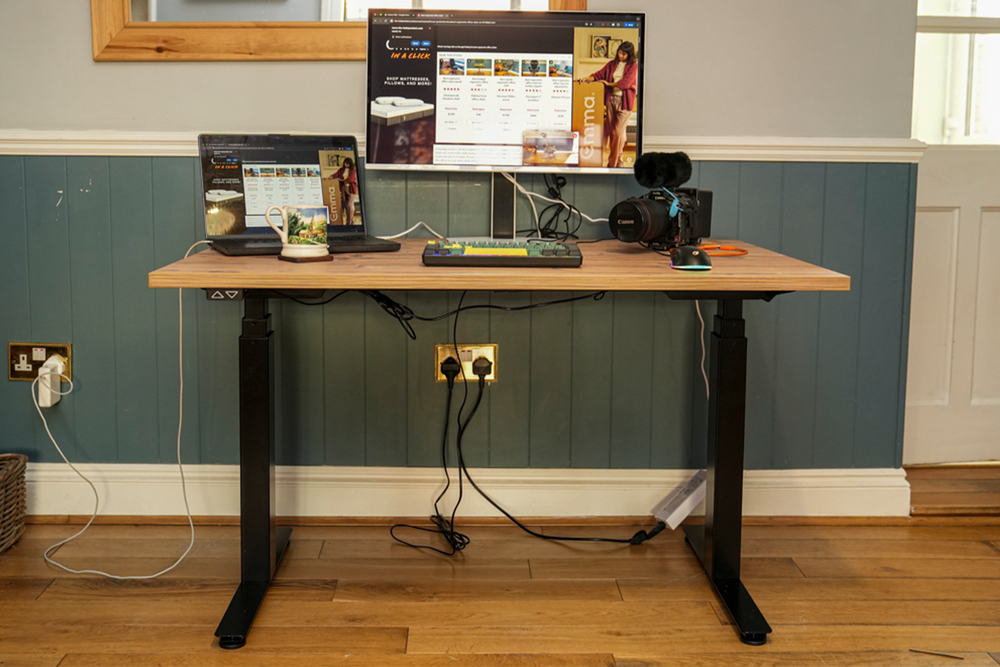
Once the desk was constructed, with a monitor and a few essentials for the week neatly positioned and ready to go, all felt extremely solid, and this sturdiness was consistent throughout the entire height range, whether typing or simply leaning on the desk in the standing position. The height adjustment control initially seemed more straightforward than most of the other desks on test. However, this is where the real uniqueness of this desk comes into play, and that control over the height is far from limited.
The desk and frames are solid and well-made, but the addition of the app and alert to position changing just elevates this desk to the best on test. I would, however, go for the slightly longer work surface as the 120cm length can be a little restrictive if you're using more than a single monitor.
Buy now £982, Amazon.co.uk
Desktronic homepro desk
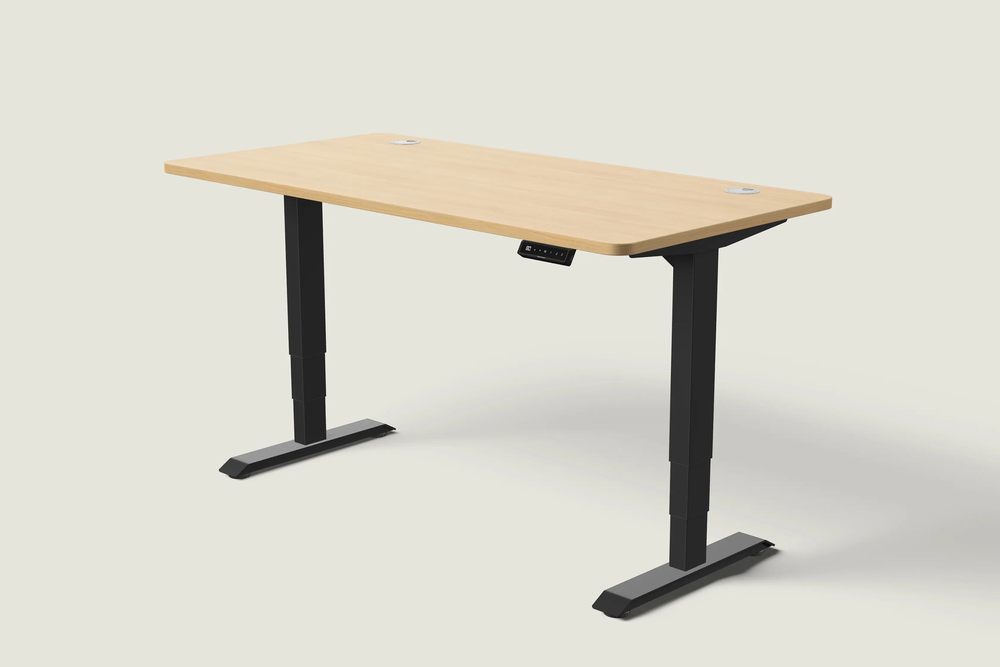
Best: budget standing desk
Motorised: Yes
Height range: 61cm-125.5cm
Dimensions: 125.5cm x 200cm x 80cm
Weight supported: 160 kg
Why we love it
- Great value
- Easy to assemble
- Simple operation
Take note
- Surface is simple
- No pre-drilled holes
The Desktronic homepro desk is a perfect example of what the best budget standing desk should be. It’s simple in design, easy to assemble and with a solid laminate surface, it feels robust. While many of the other desks on test are desirable, especially if you like your style, the homepro is more about supplying you with a straightforward working desk that will provide you years of use.
The desk arrives in two boxes with detailed instructions on how to assemble the frame and attach the surface. Through the construction, which took just over 20 minutes, a few DIY skills were required to align then secure the surface. Unlike other desks in the test, there are no guide or predrilled holes. Simply place the frame and bolt into place.
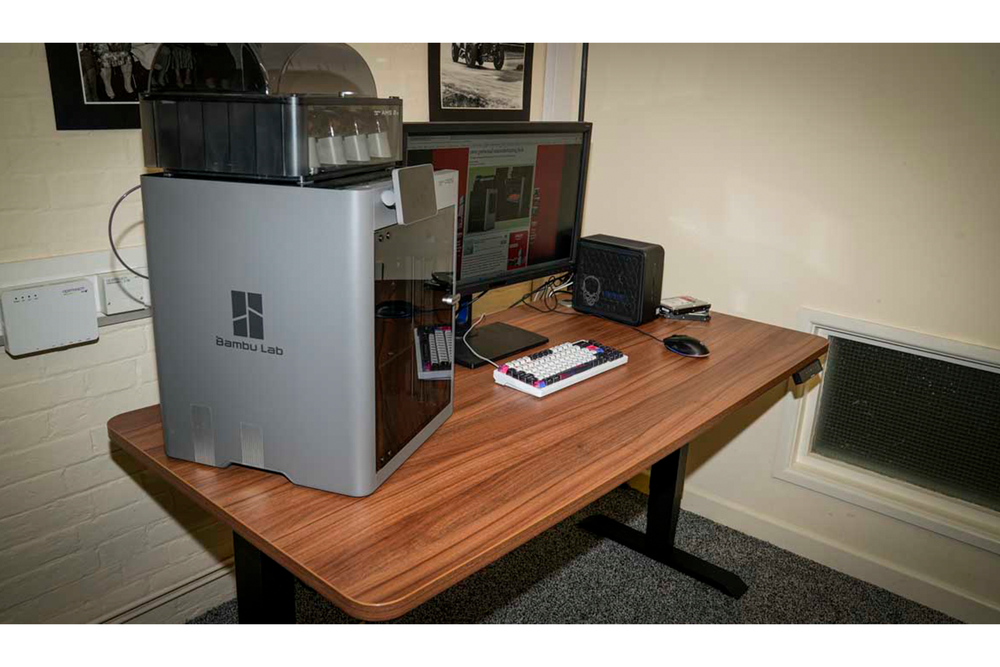
Once assembled the surface is nice enough, but instantly recognisable as laminate. However, through the months of testing, the laminate surface proved to be extremely durable with camera gear and 3D printers being regularly dumped on the surface. In use as a working surface, the desk provided a solid work area, and the ability to raise and lower the height with the small control panel was smooth, quick and relatively quiet.
While the homepro doesn’t quite have the appeal of some of the other premium options here, its straightforward and simplistic design has certainly exceeded expectations. It’s been well designed to be a functional part of your office, offering a a solid place to work with the easy ability to raise and lower the surface as you need.
Buy now £569, Desktronic.co.uk
Oakywood standing desk pro
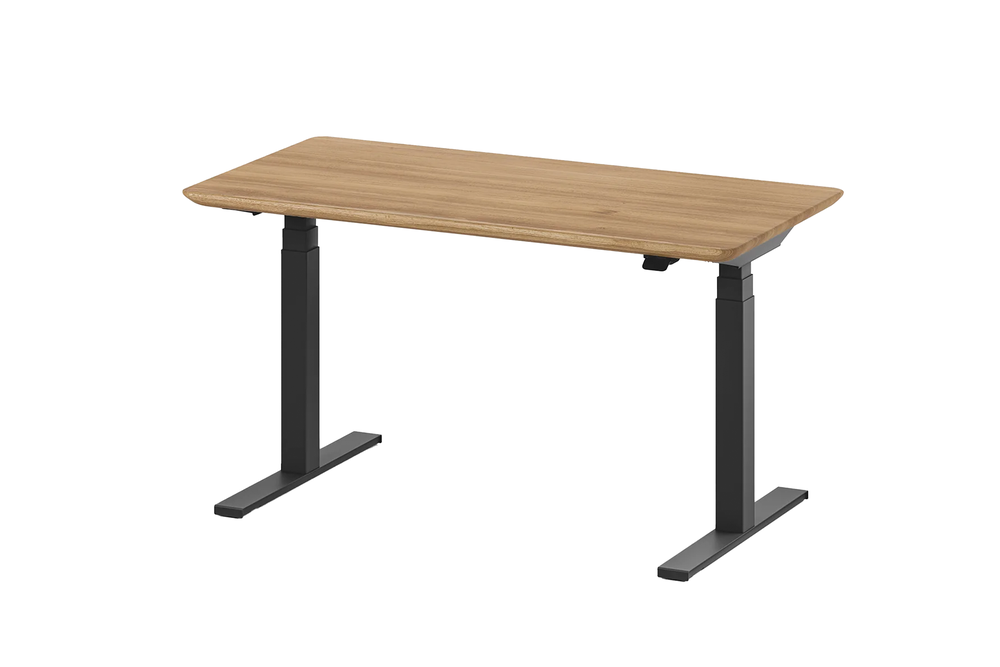
Best: Standing desk for natural wood effect
Motorised: Yes
Height range: 63cm-128cm
Dimensions: 128cm x 60cm
Weight supported: 70kg
Why we love it
- Beautiful finish
- Natural look
- Simple height adjustment
- Solid build
Take note
- Surface requires maintenance
- Incredibly heavy
- Once constructed difficult to unassemble
The Oakywood standing desk pro is the most beautiful of all the standing desks on test, and a real statement of quality and finish. The top oak surface is stunning, and although, like any wooden surface, it will require some level of care over the years, this desktop has been designed to last a lifetime.
The quality of the surface is matched by a set of legs, with the entire package arriving in two large boxes that will require additional help to move and construct. The instructions are relatively clear once you work out the diagrams, with everything slotting together neatly. The one standout feature here is that the construction process is one of the simplest, with the frame and surface all precision-engineered so that the frame and legs click into position, locking tight. Likewise, pre-drilled holes in the underside of the desk surface make it easy to position and accessible.
Once completed, the desk was good and solid, although initially, with a maximum height of 128cm, I felt a little wobble; this was because I’d not pushed in one of the locking wedges completely. Once the wedge was correctly inserted, the stability of the desk was absolute at both its lowest and maximum height. Considering the size and weight of the surface, this stability is impressive.
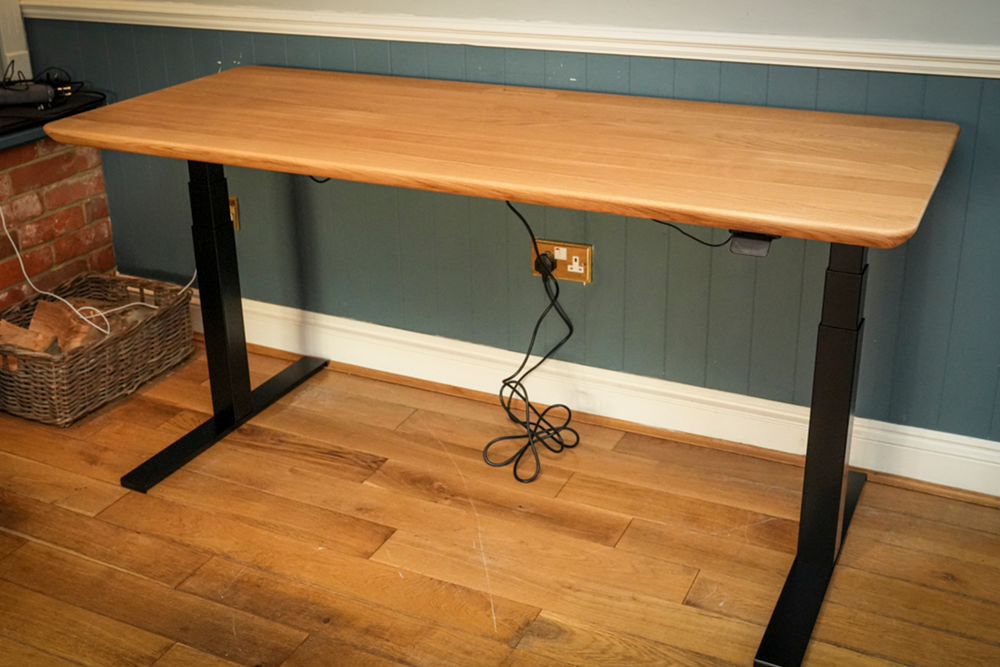
Setting up my monitor and a few other work accessories, the additional workspace offered by the length of the desk was handy, and with the cable hole at the back of the desk, everything was neatly finished, including the small wooden insert.
Once everything was in place, adjustments to the height could be made with the small lever at the front. This features a mono display that highlights the height measurement. It's simple but effective.
After a week of testing, the tactile feel and aesthetics of the desk won me over. While the solid wood surface of the Herman Miller stood out for its office chic, the craftsmanship of Oakywood just elevates it to a softer working environment. The 70cm depth of the desk was a little narrow, but if you're short on room depth, then the addition of the 170cm length is appealing.
The other point to note is that as this surface is oak, a hardwood, it is hardwearing and should last you for decades, if not centuries, and that quality can be felt throughout. However, like all wooden surfaces, it will need to be maintained and fed at least once a year with natural oils. While this is, for me, by far the best-looking desk in the test, it's also the only one that will require your love and attention to maintain its beauty.
Buy now £1224, Oakywood.shop
Vernal core3 standing desk
Best: spacious standing desk
Motorised: Yes
Height range: 60.8cm-125.5cm
Dimensions: 125.5cm x 200cm x 80cm
Weight supported: 160 kg
Why we love it
- High quality, spacious surface
- Quiet operation
- Easy assembly
Take note
- Takes time to tidy cables
- Laminate surfaces won’t appeal to all
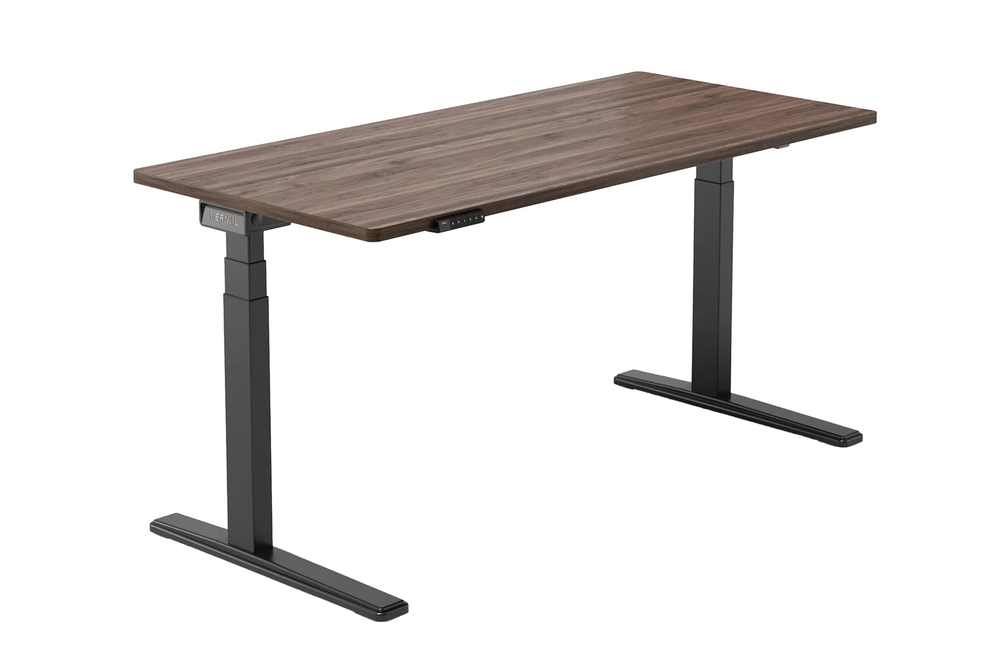
The basic design of the Vernal core3 standing desk might look like the standard Vernal hard wood standing desk that I have also looked at in this review, but in use it does feel superior. Everything from the moulded metal feet stands, to the increase in engineering quality show that this model is aimed at busy professional users who will be using this desk daily with an assortment of equipment.
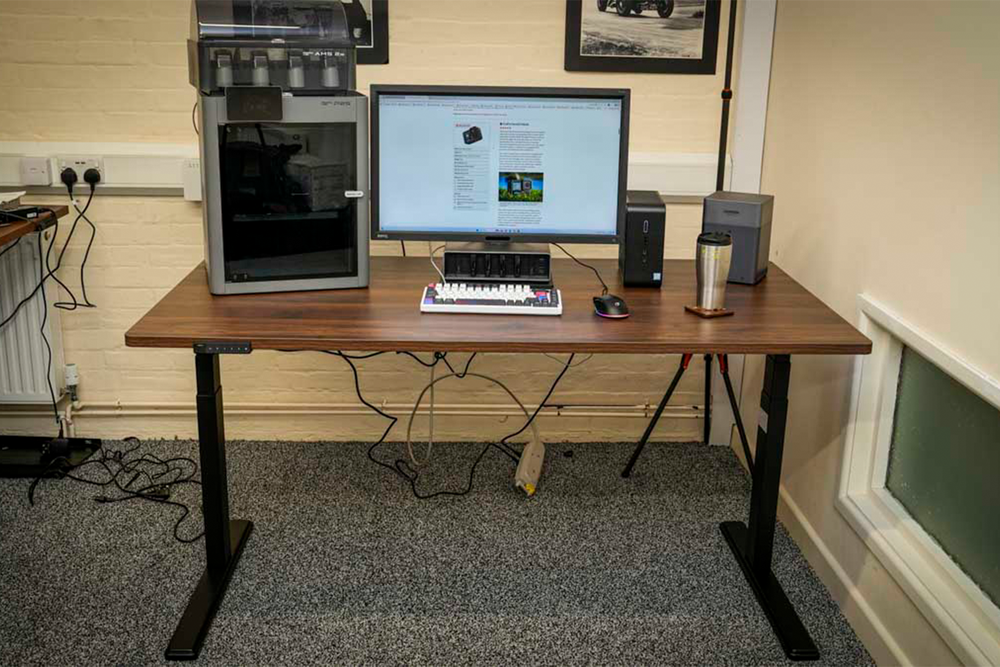
It’s the best spacious standing desk I tested as the desk surface, at 80cm, is one of the deepest on test. I found this additional depth useful, especially as you adjust from sitting to standing, where it’s nice to have the extra space for your monitor's position. As the desk height was adjusted, I was impressed with the smoothness and quietness of the motion. During the test period, I was using several 3D printers, so I found the solid base that this desk provided proved useful, too. While most two leg desks I’ve tested feel solid, the additional engineering around the legs and frame structure just gave it the edge.
As I saw with the previous model I tested from Vernal, this desk comes extremely well packed in an assortment of boxes. When you order, alongside the standard cable tidies, there’s also the option to add drawers and shelves, so the basic table is just the heart of a possible larger system.
What struck me about the desk as I built it was just how well everything, was laid out. The instructions were exceptionally easy to follow, with the full assembly completed within about 30 minutes. One of the reasons for this was that all holes in the work surface are pre-drilled with inserts, so it’s just a case of aligning everything and bolting it all together.
One of the features that I really liked was the small control panel, which sat neatly up against the side of the desk surface rather than protruding out. This means you’re far less likely to catch it when walking past or getting up from your seat. This control panel also offers plenty of adjustments over the desk height, as well as the ability to program in custom heights.
While the desk surface is laminate, the finish is exceptionally good. With the subtle control panel and smooth motion, this all comes together to make this a great option for everyday use in the office or home.
Buy now £469.98, Vernalspace.co.uk
Humanscale efloat go 2.0
Best: Premium standing desk
Motorised: Yes
Height range: 70cm-119cm
Dimensions: 76.2cm x 116.8cm x 58.4cm
Weight supported: 220lbs / 99.8kg
Why we love it
- Quiet motors
- Built-in USB-A and USB-C
- Sleek design
- Solid build
Take note
- Work surface size for review sample is small
- Office aesthetics
- Basic push button controls
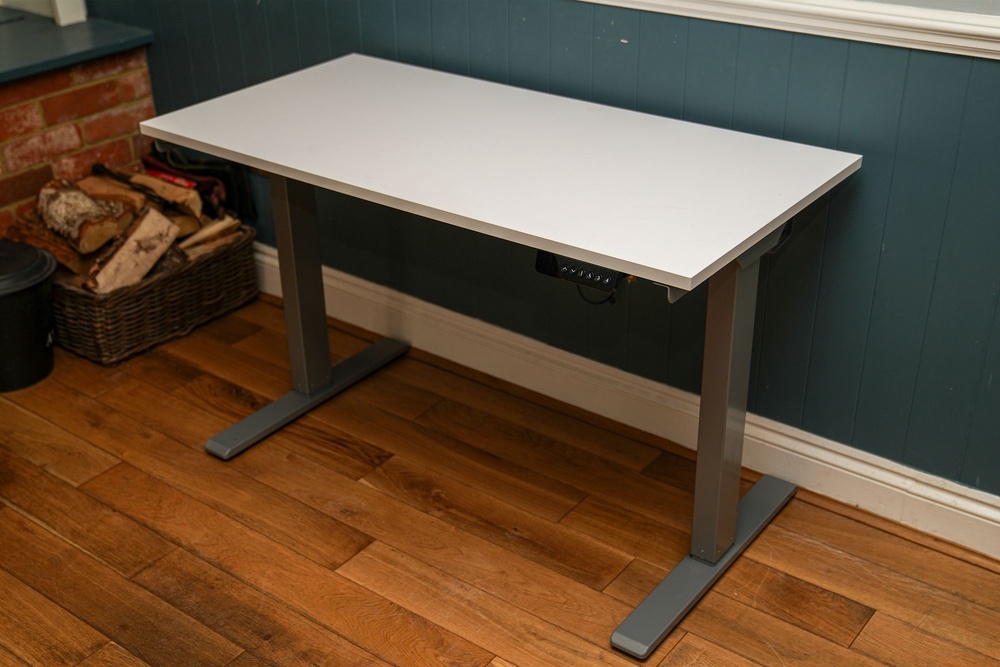
For a desk with a clean, minimalistic design and style from a desk that will look equally comfortable in your office, studio, or home office, I’d recommend the Humanscale efloat go 2.0. One of the features of the desk that I liked from the outset was the volume of customisable options available, enabling you to select the width as well as the depth of the work surface.
This volume of customisation was, however, balanced with far fewer options when it came to the colour choices for the work surface and legs, with the company seemingly deciding that offering a good selection of physical rather than aesthetic choices would be the best route.
The desk assembly is relatively straightforward, with a good set of instructions available that carefully guide you through the construction process. It is also possible for you to get a Human Scale engineer to assemble it for you, cutting out any issues with the construction. If you do find DIY a challenge as a self-build, the table will take you less than an hour.
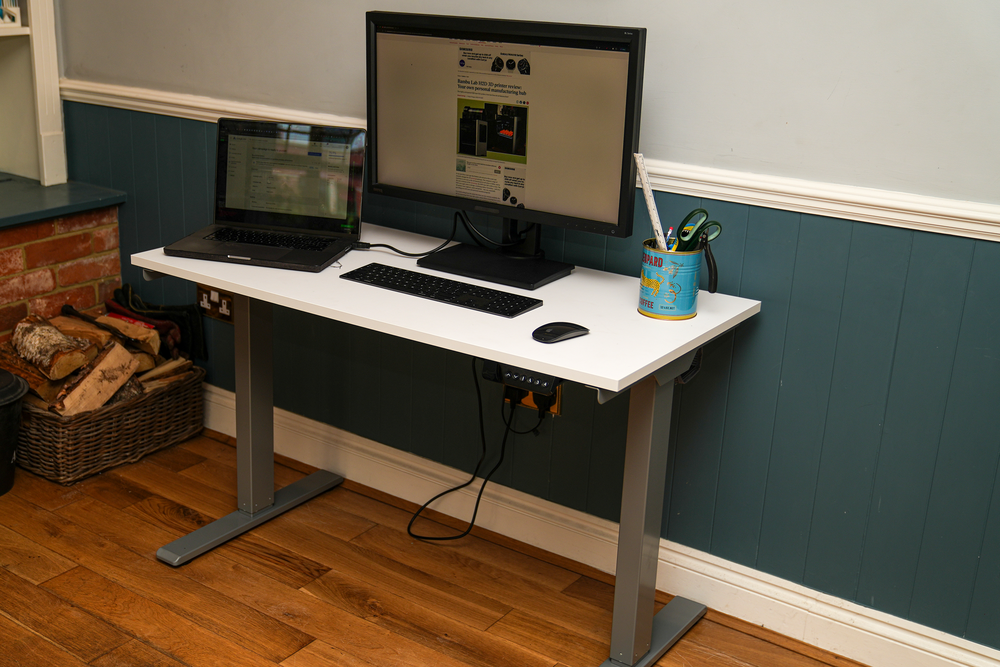
My review sample measured 117cm x 58.5cm with a motorised adjustable height range of 70cm to 119cm. Through the test, I found the 110cm height was ideal for everyday work for me at 5ft 10in, including writing this review.
The desk utilises a dual motor system that enables fast and relatively quiet height adjustment, taking 21 seconds to move through the full range.
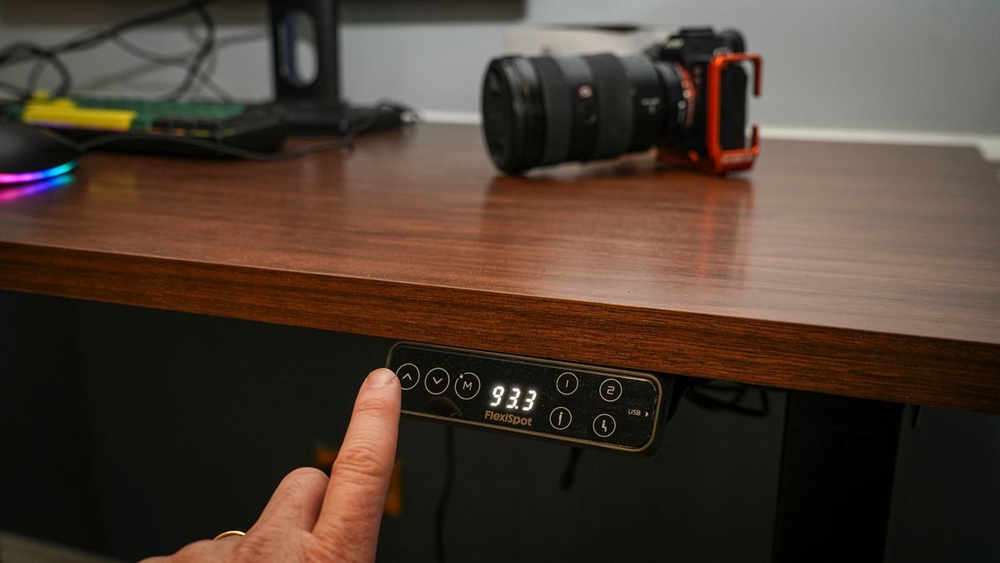
The desk features an electronic height adjustment, so there are two main presets for sitting and standing, with two further presets that can be set by raising or lowering the height using the two height adjustment buttons and then pressing the relevant button. A nice feature is the simple LCD screen that shows the height of the desk as you adjust it.
What makes this standing desk stand out is the pure stability and quality of the design. Typing on the desk at 110cm height provided a solid work surface with little monitor wobble and a comfortable working surface for a day's productive work.
Buy now £639, Johnlewis.com
Herman Miller jarvis hardwood standing desk
Best: Stylish standing desk
Motorised: Yes
Height range: 65.2cm-130cm
Dimensions: 120cm x 160cm x 8cm
Weight supported: 350 lbs / 158.76 kg
Why we love it
- Beautiful design and finish
- Simple control
- Solid build
- Upgrade options
Take note
- Basic lever control
- Expensive
- Wood surface requires care
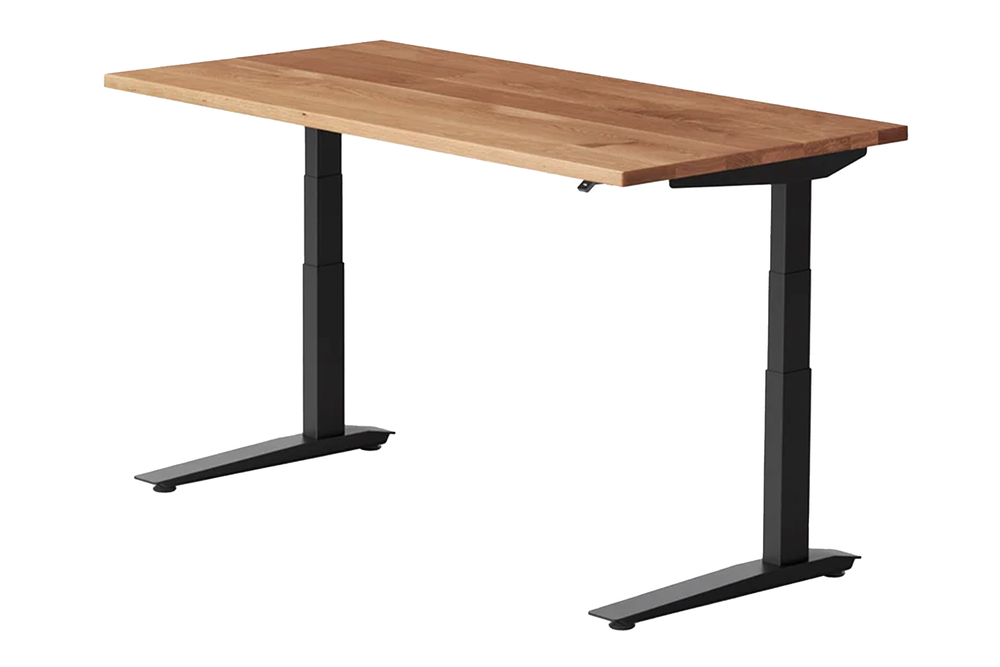
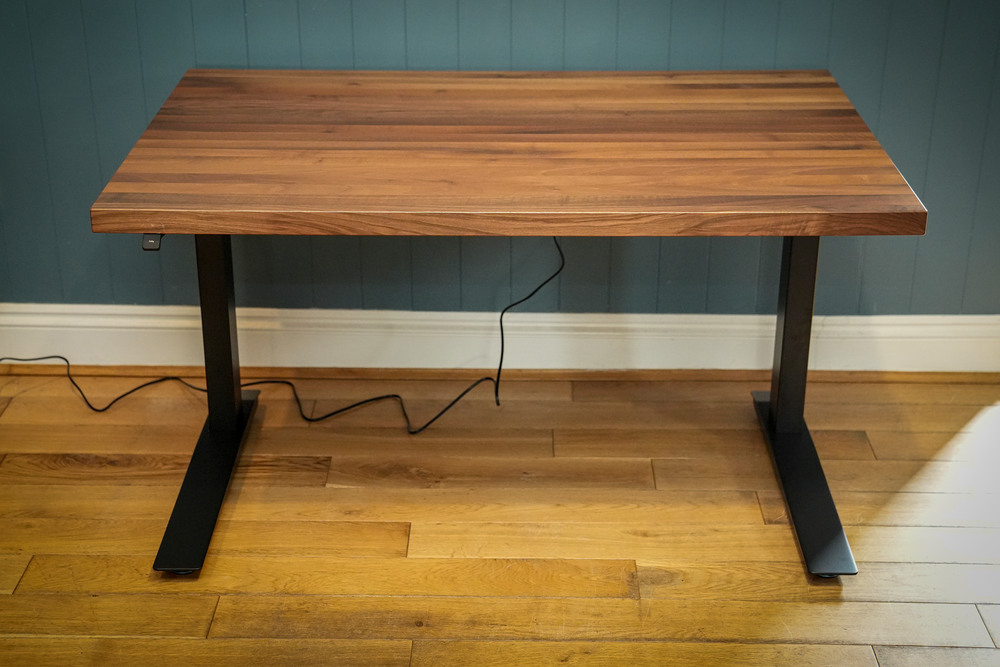
The design and style of this Herman Miller jarvis hardwood standing desk instantly reinforce the premium price point and quality. The solid wood walnut top and sturdy legs provide a weighty but incredibly stable work surface at all heights. The design and tactile feel of the top is something to behold, and while I went for the slightly deeper 80cm x 120cm work surface, there are plenty of other size options available.
The desk arrived in a variety of boxes, each one weighing more than the next, making it quite difficult to carry all parts to the studio for setup. Once unpacked, the instructions were clearly laid out, and the actual assembly, like the other desks in this test, took around an hour. One point of note is that all extras are extra, with cable management being an additional £65, as is the OLED controller.
The desk features a fully electric motorised mechanism which enables height adjustment between 65.2cm and 130cm, giving it one of the largest height spans in the test.
The motor mechanism is nice and quiet, and fast, covering the full height distance in 28 seconds. While there is an OLED touch screen control panel available as an extra, my review sample featured the simple toggle up-down pressure switch. It's simple by design, but it doesn't feature any preset positions, which is a shame.
In use, the desk stands out for its quality. The solid wood surface and sturdy design of the stand add to the rigidity, giving a solid foundation for you to work from. The stability ensures there is little monitor wobble, even at the height of today's productivity.
Buy now £1100, Hermanmiller.com
Vernal hard wood standing desk
Best: Standing desk for customisation
Motorised: Yes
Height range: 60.8cm-125.5cm
Dimensions: 125.5cm x 200cm x 69cm
Weight supported: 160kg
Why we love it
- Modular design
- Large button controls
- Large work surfce
- Well priced
Take note
- Surface can mark if not careful
- Slightly more complex build
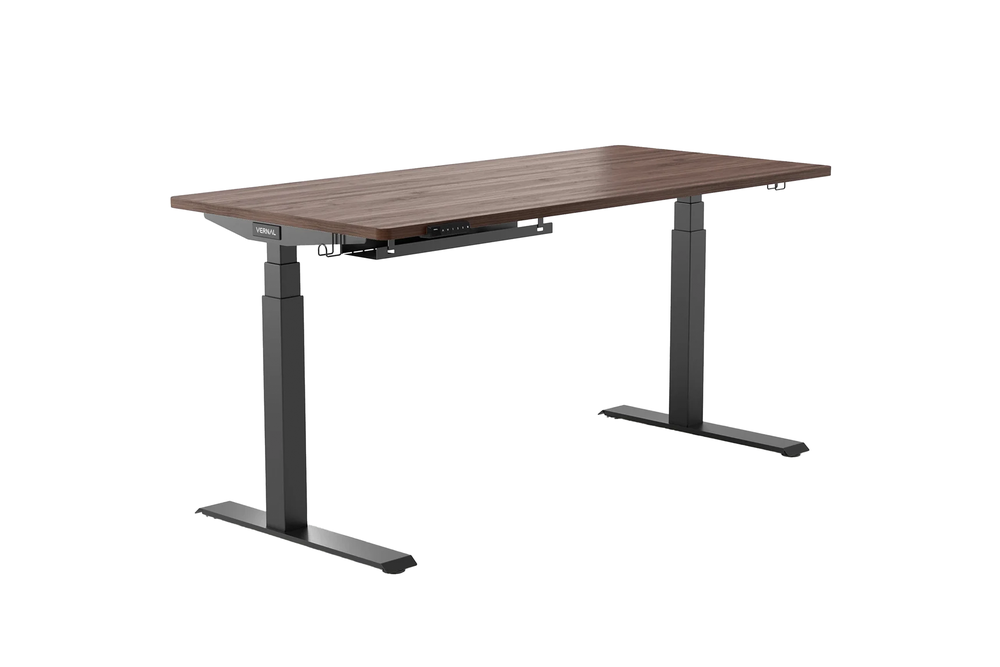
At the affordable end of the market, Vernal’s hardwood standing desk still features an impressive, sleek design with sturdy build and stylish overall look and finish. Compared with the two premium models in this test, the difference in the build quality and finish was apparent, with more engineering going into the mechanics and construction to compensate for the change in materials. Once constructed, the overall build was incredibly solid.
However, as a more affordable proposition, it also features a modular design with a wealth of accessories that will enable you to adapt and change the configuration of the desk as you need. I particularly liked the fact that there are additional monitor stands and drawers all available to slot or bolt on, enabling you to adapt the desk to your own needs and Workflow.
Construction was relatively straightforward, and while there are a few nuts and bolts to be fixed into place, the build was straightforward, helped by decent instructions and a generally simple design. However, it took me a good hour and a half to fully construct.
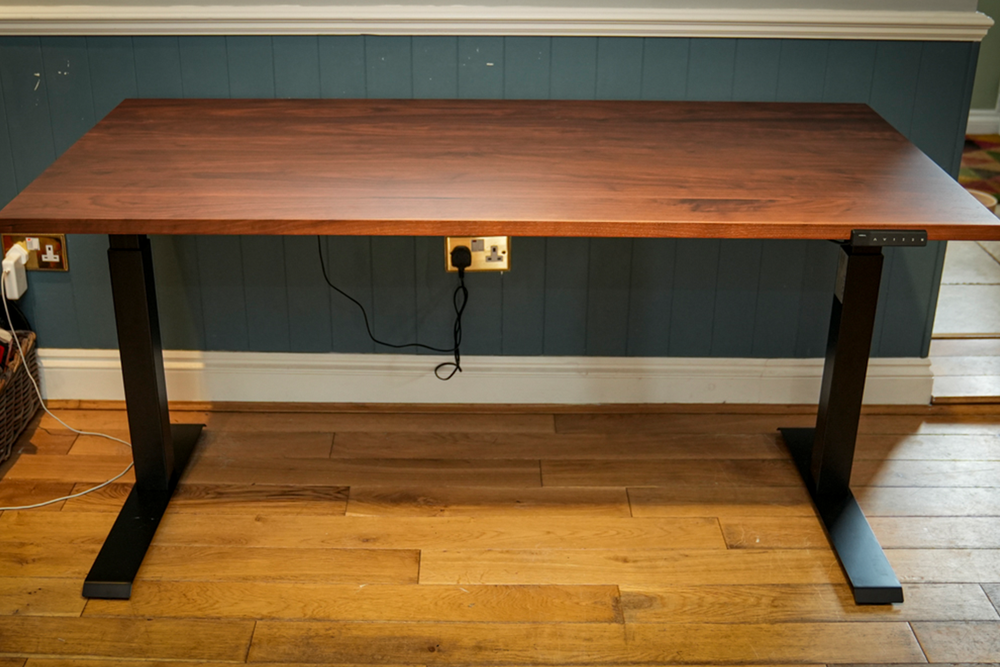
The rise is powered by a relatively quiet dual motor system that had enough power when moving between each of the end points, taking 17 seconds to go from the minimum height of 63.5cm to the maximum of 123.5cm.
I tested the 160cm x 80cm walnut surface, a slightly longer and deeper model. The additional length on the desk felt significant in use, especially with a large 27in monitor. The 80cm depth also enables you to set the monitor back a little further, which is handy when working while standing. There's also a decent cable management system, although it takes time to construct and isn't as easy to use as the more expensive models.
Like other motorised desks, the height adjustment is controlled through a touch panel on the front of the desk with an LED readout. While this interface and the design of the controls are simple for me, it's one of the most aesthetic and easiest to control, with large tactile buttons that are easy to navigate when you want to adjust the height. The panel also features preset heights, which are easy to program.
In use at a height of 110cm, the desk provided a good, solid base for work, and with the larger surface, for me at least, was one of my favourites in the test, especially considering the price.
Buy now £729.98, Vernalspace.co.uk
Flexispot E7 pro
Best: two-legged standing desk
Motorised: Yes
Height range: 63cm–129cm
Dimensions: 139cm x 190cm x 68cm
Weight supported: 180kg
Why we love it
- Well priced
- Easy assembly
- USB charging built-in
- Neat cable management
Take note
- Not all holes pre-drilled
- Ideally, two people needed for construction
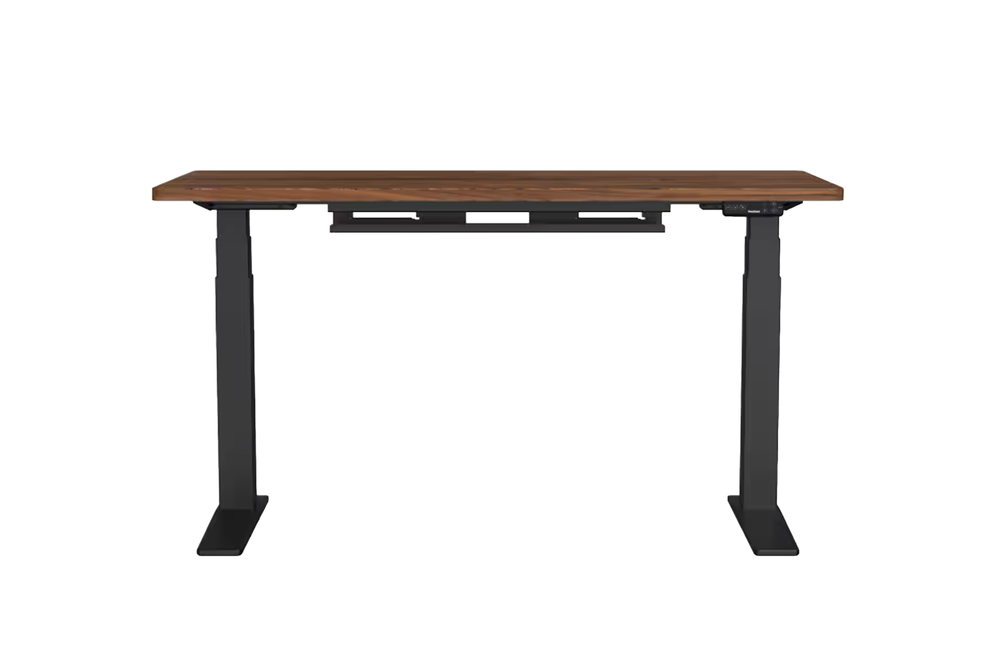
The latest standing desk from Flexispot, the E7 pro, has seen the company take stock with the design and build process of its desks. When it came to assembly, much of the complexity of the build that I experienced with the Flexispot E7 plus has been addressed. Although the E7 plus is a four legged model, the E7 pro features a more common two leg design that aims to match the plus’s rigid build.
The desk arrived in three heavy boxes and, as the parts are lifted out, everything was clearly labelled and exceptionally finished. Checking over the main legs and construction, you can see where the designer has focused their efforts, with the additional details around the legs and cable management. This focus on design pays off, with the construction being relatively quick, taking around 20 minutes, with nothing in the process, aside from pulling the desk upright, that couldn’t be handled alone.
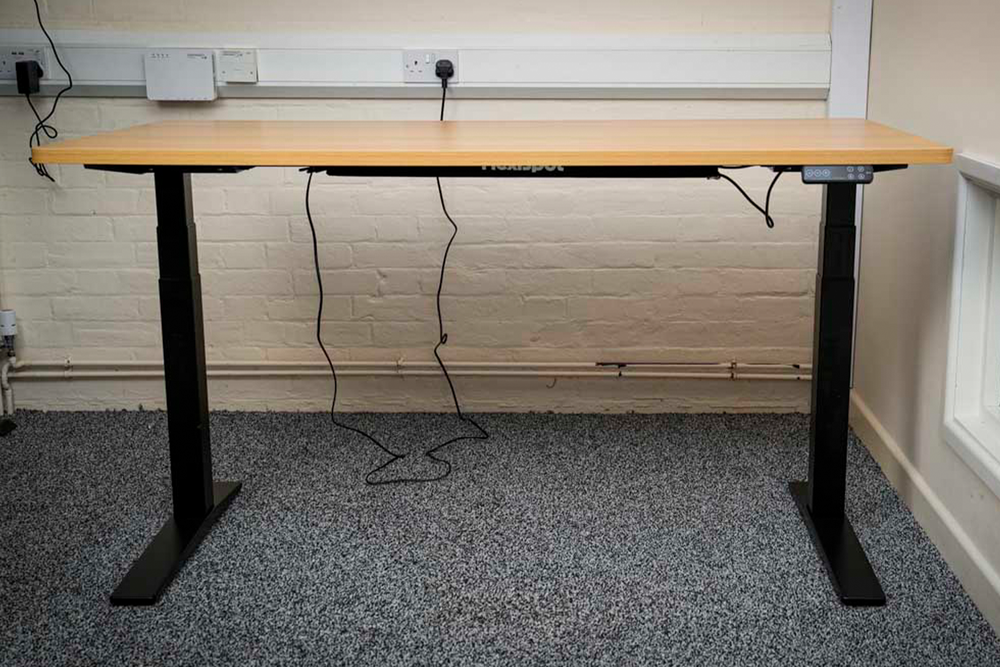
The leg design means that they’re extremely easy to fit; this is often a sticking point with standing desks, but here they simply slot into place. Likewise, the cable tidy looks great and uses a strong magnet to attach, enabling fast access when needed and a secure hold day to day. The only point where some complexity comes into the process is screwing in the metal cable tidy for your computer and accessories. In the instructions, this is shown to have pre-drilled holes; unfortunately, this is something that you must do yourself. It’s not a difficult task, but for some, it may be a little daunting.
Once together, the improvements to construction are obvious, and this is an extremely solid desk. The light maple surface brightens the room and was robust and resilient to scratches – through the test, it stood up to me dragging bits of kit across the surface without causing it any damage.
Control over the desk is accessed through the small front panel, and again, this is well designed and easy to use, with several programmable heights as well as the ability to fine-tune if you need. The speed of the rise is also relatively fast and, thankfully, smooth, so even with the desk weighed down with a computer, monitor and a few items of technology, the smooth motor ensured everything on the surface stayed in position, with nothing shaking or falling over.
With the attention to detail and construction in the design, the Flexispot E7 pro proved to be extremely solid rivalling it’s four leg sibling,the E7 plus, and is the best two-legged standing desk I tested.
Buy now £479.99, Flexispot.co.uk
Yo-Yo alert 2
Best: Everyday standing desk
Motorise: Yes
Height range: 65cm-112cm
Dimensions: 140cm x 8cm
Weight supported: 100kg
Why we love it
- Wood effect surface
- Lighter-weight design
- App integration
- Affordable
Take note
- Very careful assembly required
- ROL is an additional cost
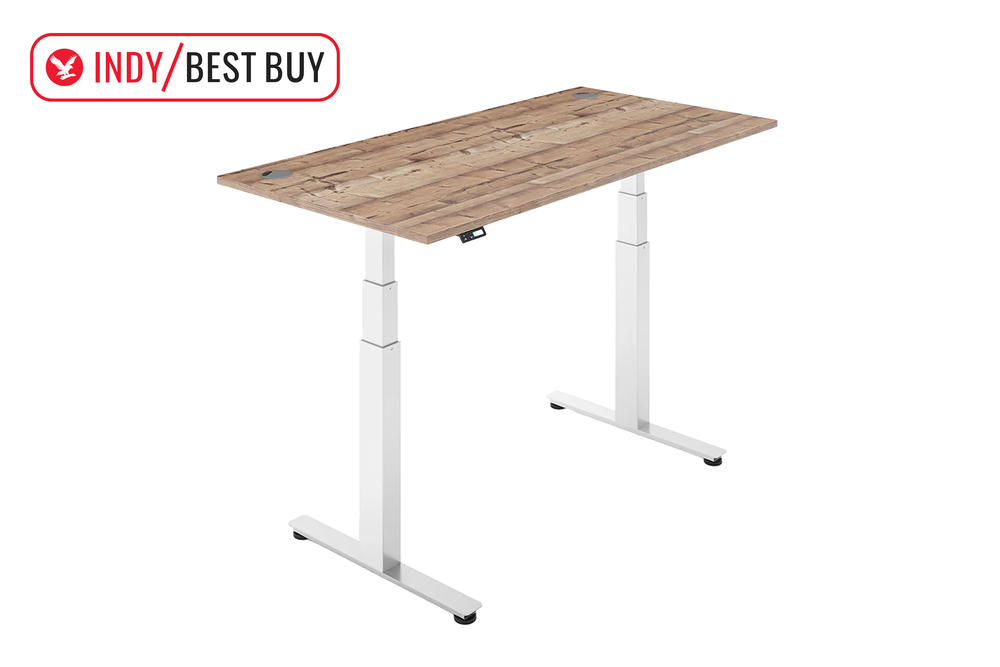
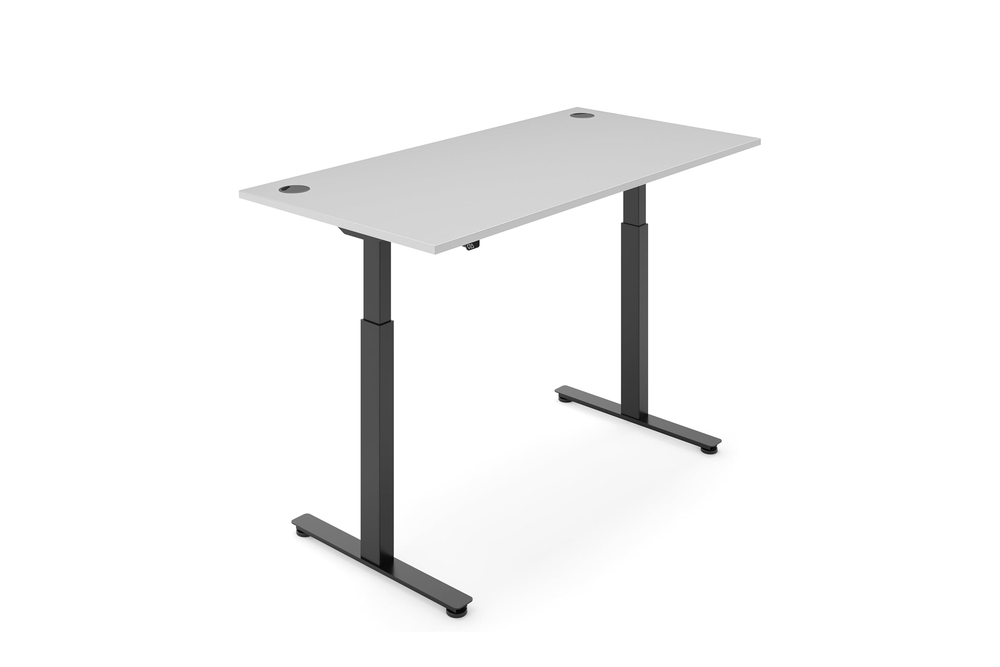
The Yo-Yo alert 2 is one of the cheaper mid-range desks on test. However, arriving in three boxes, the desktop surface I had selected for this review was the same as the more expensive alert 2+ with a veneered surface with an authentic wood look.
I opted for the active working app-enabled addition, which adds £100 to the overall price; however, it still offers exceptional value for money, especially considering the health benefits that a sit-and-stand desk can potentially offer, especially if you're prompted to use the feature. You can set the timer from one of the presets, and the app will send an alert to your phone, prompting you to go from sitting to standing. Once you have tapped to adjust your position, the timer restarts for the next alert and position change.
The app also enables you to control the desk remotely, raising and lowering as well as adjusting your active settings. What I really liked about the app is that it relies on a Bluetooth connection, which means that the alerts stop as soon as the Bluetooth connection is lost, and only restart when you reconnect, or you can opt for it to connect automatically when in range.
While the construction of the alert 2+ was one of the easiest on test, the alert 2, while not complex, did take a little longer. After the legs and surface had been drilled and screwed, a secondary check was needed to ensure that everything was tight.
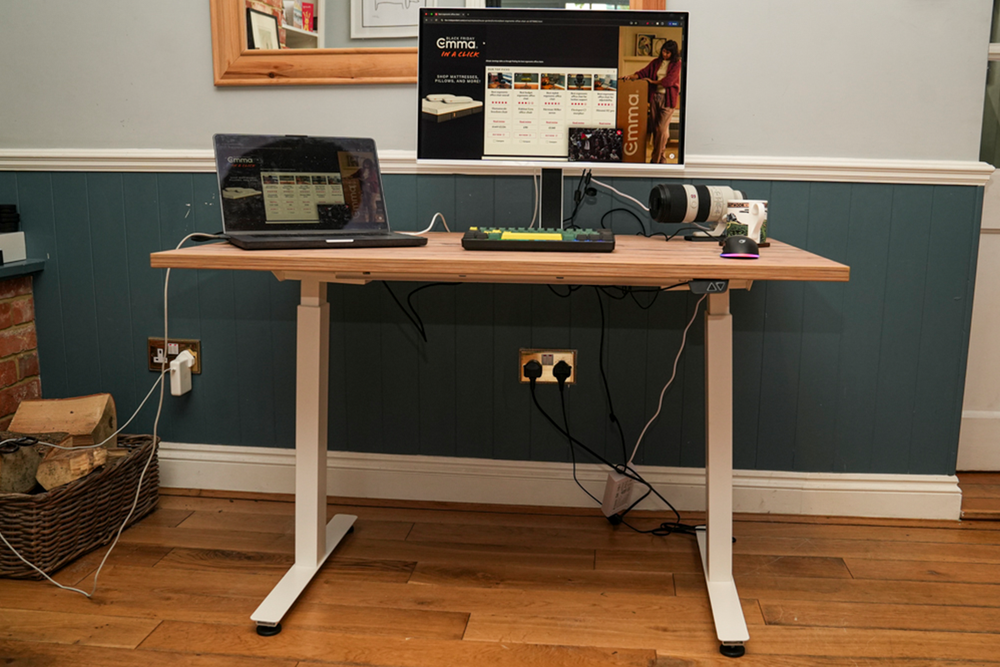
The 120cm x 80cm desktop surface is on the smaller side, but it’s fine for more compact locations. It has two cable holes and covers, helping to keep everything neat. There's the seemingly simple height control, and the ROL addition that enables you to connect with the Bluetooth app. This version is slightly different to the alert 2+ with different style connectors, but it essentially works in the same way once everything is connected.
When testing, the veneer surface proved to be hardwearing. As with the other veneered surfaces, I was far less worried about marks or damage compared with the wood options. If you're working in a busy office and want the wood aesthetic without the worry of wear, then a surface like this is a great option.
At the more affordable end of the market, this is one of the desks that I would recommend to home workers, with the alert 2+ just offering a little more stability for busy offices.
Buy now £721.2, Amazon.co.uk
Maidesite T4 pro plus standing desk
Best: standing desk for heavy equipment
Motorised: Yes
Height range: 70-118cm
Dimensions: 118cm x 180cm x 53.4cm
Weight supported: 240 kg
Why we love it
- Rock solid design
- Nice control style
- Discreet legs
Take note
- Takes time to assemble
- Noisy when in motion
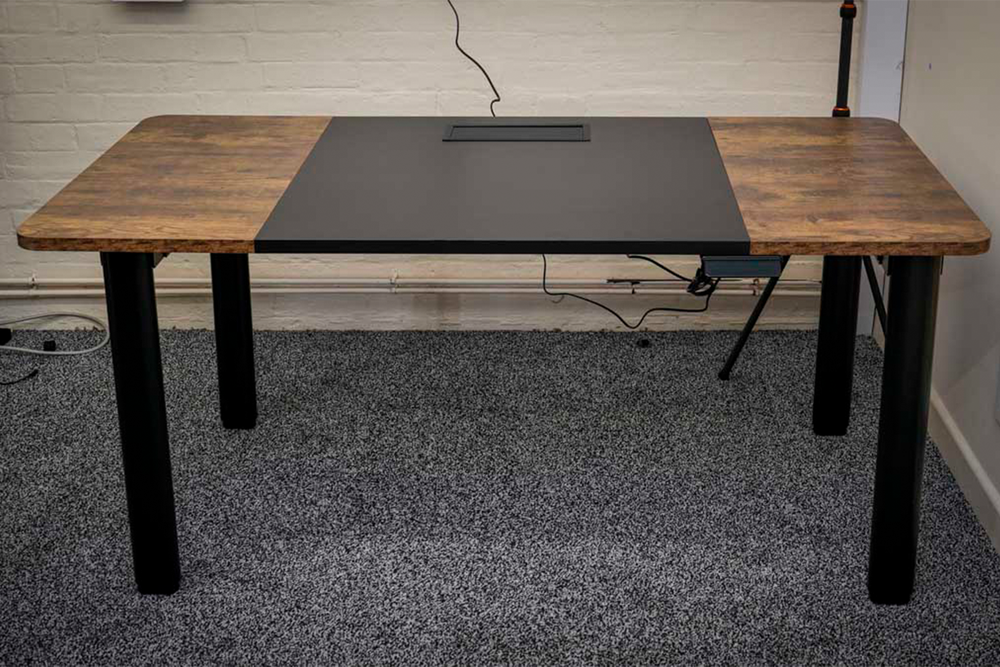
The Maidesite T4 pro plus standing desk takes a slightly different approach to design compared with the rest of the desks on test, with four motorised legs rather than the more standard two, and a two-tone surface. One of the most notable features is the four-leg design and this really does make for an extremely solid table. This robustness is complimented with one of the load capacities here, making this one of the best standing desks for heavy equipment such as 3D printers.
When I was ordering the desk, I noted that there was only a black frame option, however, there are plenty of surface options if you want to lighten things up. During the ordering process it’s important to pay attention to what surface you’re selecting, as while all surfaces will fit the T4 pro frame, the predrilled holes won’t always align. I found this out with the two tone surface that I’d selected, so a little DIY may be required.
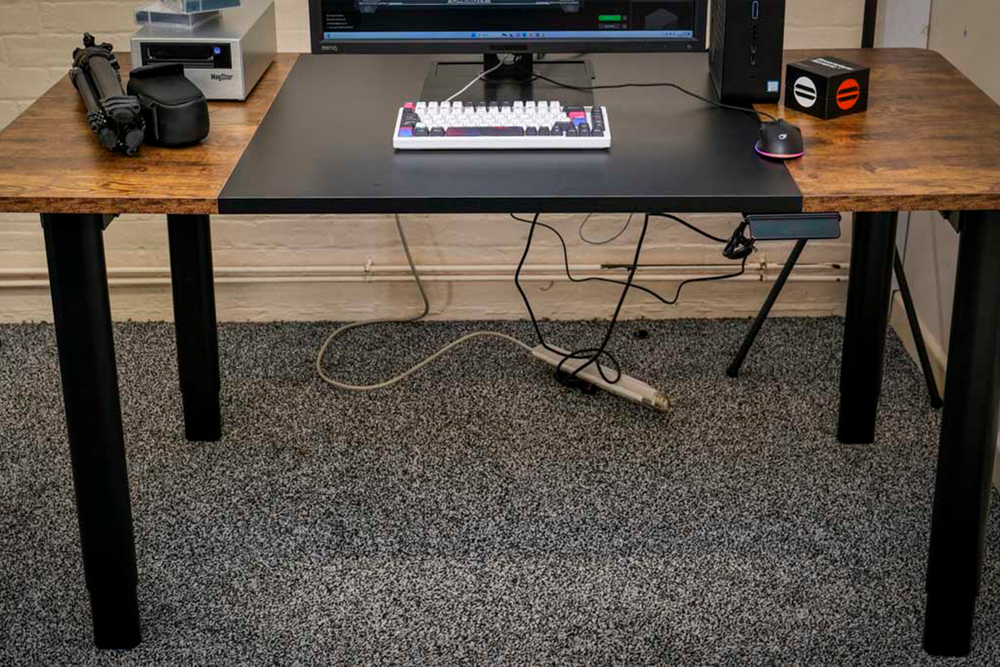
When the desk arrives, it’s packed into three separate boxes, more for weight reasons than anything else, with each leg set in a separate box, and the desk top arriving in the third. If you go for the two-tone option, then this needs to be assembled and is held together with wooden dowels which are simple push fit.
Assembly is a little more time consuming than some of the other desks on test, with more parts required to build the foundations. Once everything is bolted together, it all feels good and solid, but you do need to ensure all screws are tightly in place, especially if you are using the two-tone surface. There are a few quirks with screw positioning, and not all screws seem to be 100 per cent correct for the unit when it comes to screw length.
Getting started with the desk, there are no advanced features or app connection, but the control board is well thought through, with a simple ‘up’ and ‘down’ to take you from 70 to 118cm. You also have the option of programming in other heights if you wish, for quick access in the future.
Buy now £599, Maidesite.co.uk
Flexispot E7 plus
Best: Standing desk for stability
Motorised: Yes
Height range: 66cm-131cm
Dimensions: 131cm x 159cm x 68cm
Weight supported: 120kg
Why we love it
- Well priced
- Solid build once constructed
- USB charging built-in
- Plenty of desktop options
Take note
- Careful assembly required
- Control panel feels cheaper than rivals
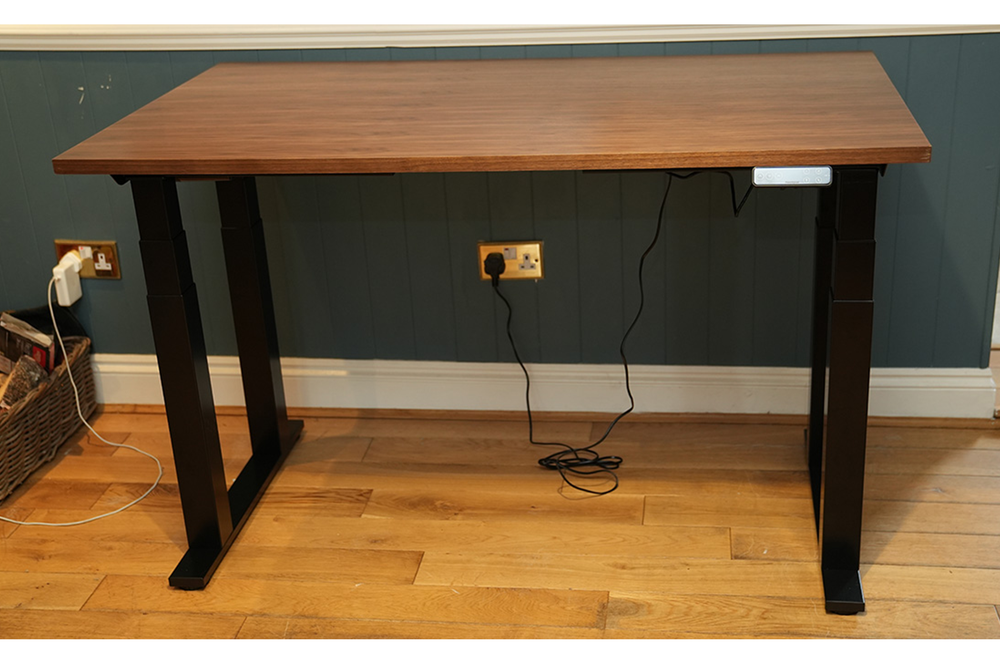
If you’re looking for a standing desk that offers the best stability, I’d recommend the Flexispot E7 plus. While the price of the desk is at the mid-range, the build quality and design felt at the upper end of the mid-range.
The desk arrived in three boxes, with the legs split between two (more for weight rather than bulk), and the table top arrived in the third. Inside, there's plenty of packing to keep everything safe during transit, and once all components were removed, it was time to start the construction. This took around an hour and a half, and unlike the other desks, there's a bit of drilling involved to secure the work surface to the legs.
The entire construction, once complete, felt extremely robust, and of all the desks on test, the weight and construction made this desk feel extremely sturdy and stable. There are, however, a couple of notes on the construction; the first is the coupling between the motors and the rise mechanism. During construction, there's a small grub screw that needs to be tightened fully; if not, the coupling will pop out, as I found out. It's worth making a cardboard jig just to help with the accuracy of the desktop placement before you start drilling to ensure the legs are absolutely in the right place.
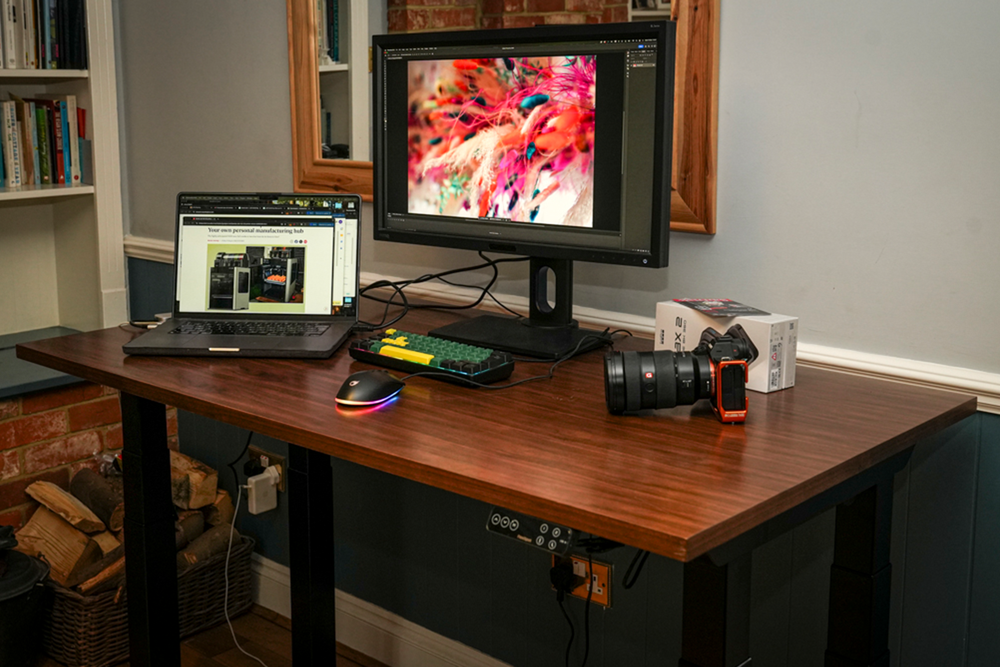
Once constructed, this is a great-looking desk – the dark walnut surface has a gloss finish that sets the look nicely. Rise times from the lowest to the maximum height were relatively quick at 26 seconds, and again, the control panel is programmable. Unlike the others, there are no pre-programmed presets. During the setup process, I added the heights that I wanted, and the instructions clearly show how to do this. The cable management system took a little time to sort out and wasn’t entirely straightforward either.
While the surface of the desk looked great, it scratched relatively easily, and placing an admittedly heavy camera rig weighing in at just over 2kg did leave a slight imprint. However, for general office work, it should be more than robust enough.
Of all the desks, the Flexispot E7 plus with its solid construction and four-pillar design felt the most stable and robust, so if you're not just typing at your desk and you need a solid, stable surface, especially if you work in the arts, then this could be a great option.
Buy now £549.99, Flexispot.co.uk
What is the best standing desk?
In my tests, I found the Yo-Yo alert 2+ to be the best standing desk, thanks to its style, design, cable management, and quality. While I preferred the wooden desk surfaces, when it came to a balance of all features, Yo-Yo stood out.
The Desktronic homepro desk simply offered the best value for money, and when it came to outright style, the Oakywood standing desk pro stands out for its quality and finish.
How I tested standing desks
A major consideration when testing was the overall build quality – after all, these are desks that we want to use every day, rather than being a stylish accessory, although, of course, aesthetics need to be considered. Then there is the standing mechanism and how much control you will actually have over the height adjustment. Are there additional or optional extras? Many desks come with either an electronic or mechanical option, and USB ports, cable tidies, and upgrade options for the future are all worth considering.
These tests were carried out over a number of months, with one desk assembled and used for a few days before the next was installed for use, to get an idea of how each desk would function in day-to-day life, and how each design compared.
Why you can trust IndyBest reviews
At IndyBest, every product we review is tested extensively in real-world conditions, and with as many different testers as possible. We only recommend products we rate highly or believe are the best in their respective class, based on a range of factors, including affordability, quality and durability. This keeps our reviews accurate, honest and unbiased.
Our tester for this review, Alastair Jennings, is a technology journalist with more than 30 years’ experience. He has carried out thorough, hands-on testing with countless pieces of kit, from cameras to laptops. And as a journalist, he’s a WFH pro and has tested the best ergonomic office chairs for IndyBest, meaning he understands what to look for in a practical standing desk solution. After hours of use, these are the models that passed his tests.
Want to upgrade your WFH setup? Check out our roundup of the best ergonomic office chairs