
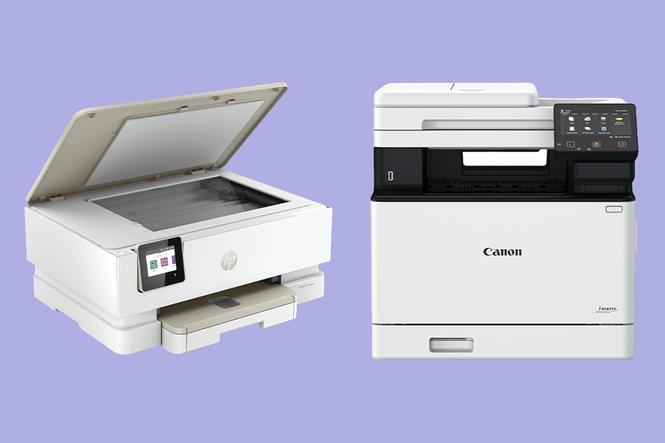
Apparently, the paperless future is still some way off. Despite doing most things online, there are still moments when you need to print a return label, concert ticket or a last-minute piece of homework. And that’s when you’re reminded of the humble home printer, a piece of tech that’s rarely anyone’s favourite, but can be surprisingly useful when you need it.
Printers have come a long way, with modern models offering wireless connectivity to your laptop or smartphone. But while they’re easier to use, ink costs can quickly add up. That bargain printer may not be such a bargain once you’re paying for pricey replacement cartridges.
There’s more to finding the right printer than picking the cheapest one and hoping for the best. Size, ease of use, print quality and, crucially, running costs can all make a difference. I’ve tested a range of models, from refillable ink-tank printers that help keep costs down to trusty laser machines designed for heavier workloads. So, if you’re ready to make peace with your printer, here are the best home printers for 2026.
Read more: Best laptops, tested
The best home printers for 2026 are:
- Best overall – Epson ecotank ET-8550: £679.99, Argos.co.uk
- Best budget buy – HP envy inspire 7220e: £94.99, Argos.co.uk
- Best office style - Canon i-SENSYS MF754Cdw: £371.99, Printerland.co.uk
Read more: 8 best robot vacuums for 2026
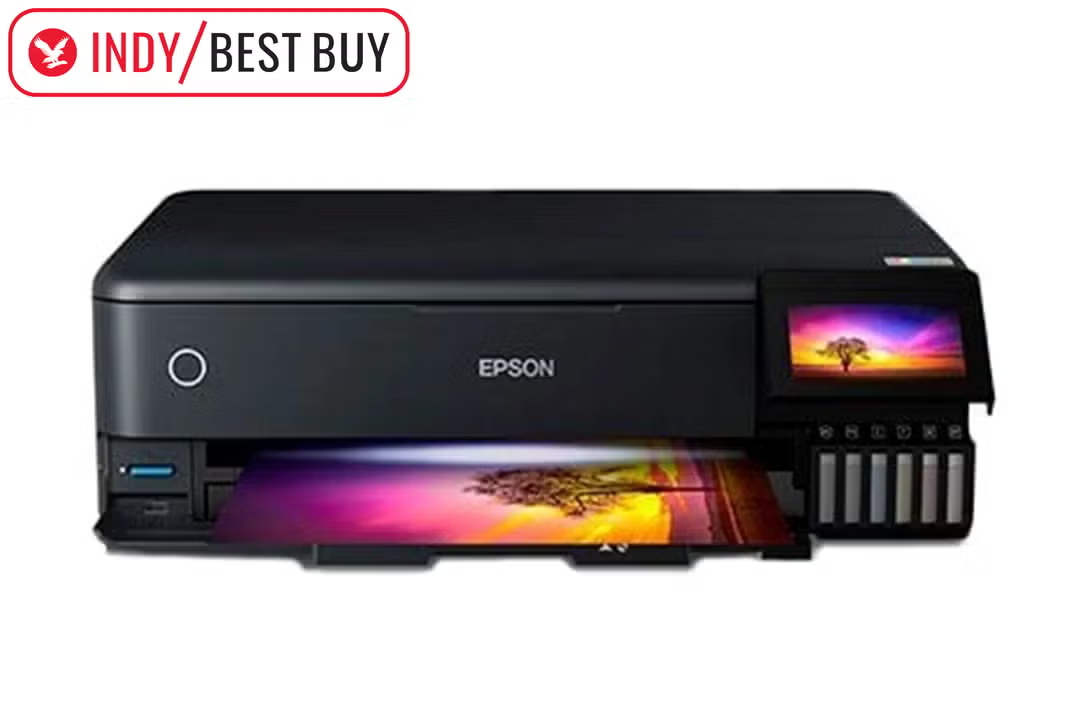
Epson ecotank ET-8550 home printer
Best: printer overall
Why we love it
- Extra black and grey ink tanks
- Cartridge-free
- Thousands of prints off a single ink tank
- Accurate colour reproduction
- Fast with minimal ink usage
Take note
- Expensive
The Epson ecotank ET-8550 is the artist of the printing world and the best home printer I tested. On top of the usual four ink tanks, the ET-8550 has extra black and grey tanks, providing an impressive depth to photo printing not really seen elsewhere. Colour balance stays pretty accurate on the whole, too, on a par with Canon’s photo offerings.
Basically, the ET-8550 produces some of the highest-quality photo prints I’ve tested, at a pacy rate and with minimal ink usage. Although the initial cost of the printer is pretty sizeable, the running costs make this easier to swallow: the range’s cartridge-free ink tanks lead to a more efficient printing process that’s not only better for the planet but also your wallet. The ET-8550’s print yield is fantastic, providing thousands of prints off a single ink tank to save users money and extra hassle.
Key specifications
Buy now £679.99, Argos.co.uk
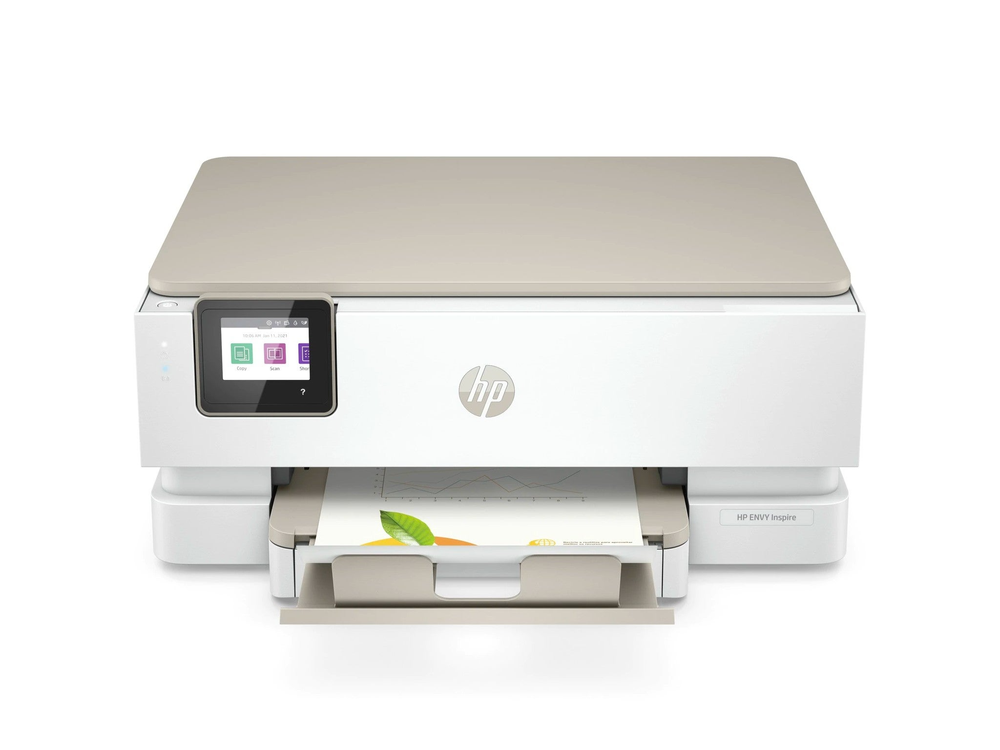
HP envy inspire 7220e home printer
Best: budget printer
Why we love it
- Solid printing speeds
- Impressive quality prints
- Great value
The envy inspire 7220e is a great value three-in-one machine that offers pretty much everything you need from a home printer for a lower price than many rivals. It performs admirably, with solid printing speeds and impressive quality prints. However, HP’s secret weapon takes its inspiration from the era of Netflix.
The HP+ system makes it easy to see how much ink you have left, and Instant Ink, HP’s subscription model, can work out as a long-term boon to your finances (with a saving of up to 70 per cent). It also means you don’t need to worry about traipsing out to a shop to find the right cartridges or refill bottles, as HP will send replacement ink directly to your door.
Key specifications
Buy now £119.99, Argos.co.uk
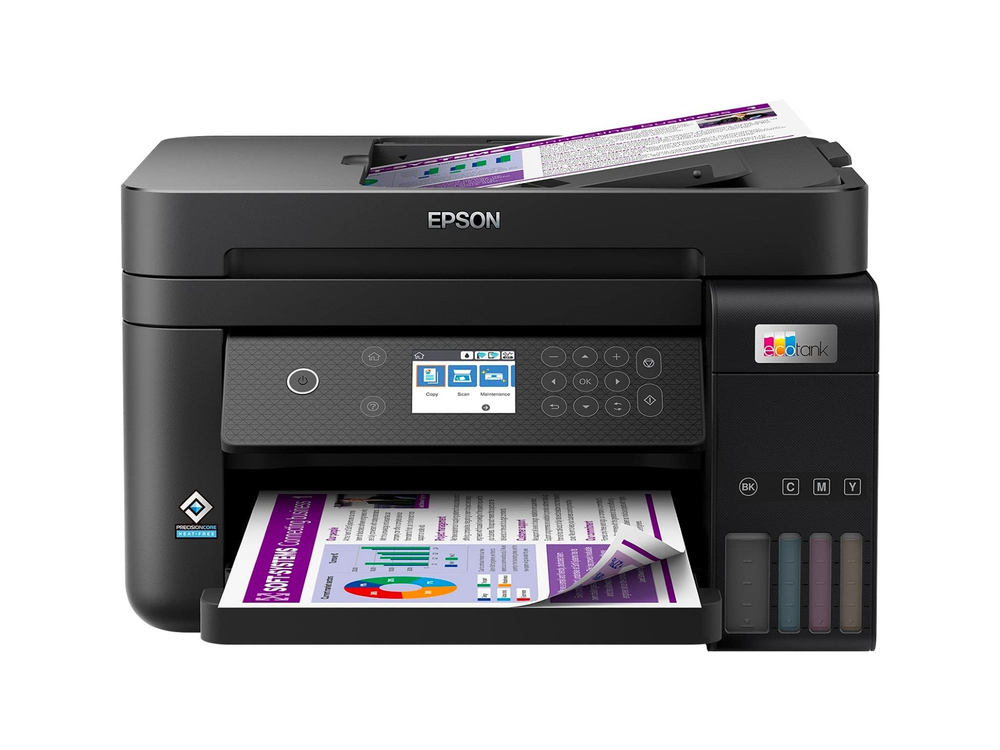
Epson ecotank ET-3850 home printer
Best: mid-range home printer
Why we love it
- Fantastic-value ink
- Quality prints with impressive consistency
For high-speed, business-quality printing at an ultra-low cost, Epson has the goods. While the ET-3850 doesn’t have a touchscreen (something you might expect at this price) and is a pretty standard mid-range printer, the real advantage is the fantastic-value ink. The ink that comes with the printer already has capacity to print 14,000 black-and-white pages (or more than 5,000 colour), and any refill bottles cost – according to Epson – about 90 per cent less than traditional cartridges.
Besides the great value, this three-in-one device does its job with minimal fuss, producing quality prints with impressive consistency. If you’re looking for a new printer for a small office or busy home (coursework won’t print itself), you won’t go far wrong with the ET-3850. Your bank balance will thank you.
Key specifications
Buy now £340.58, Amazon.co.uk
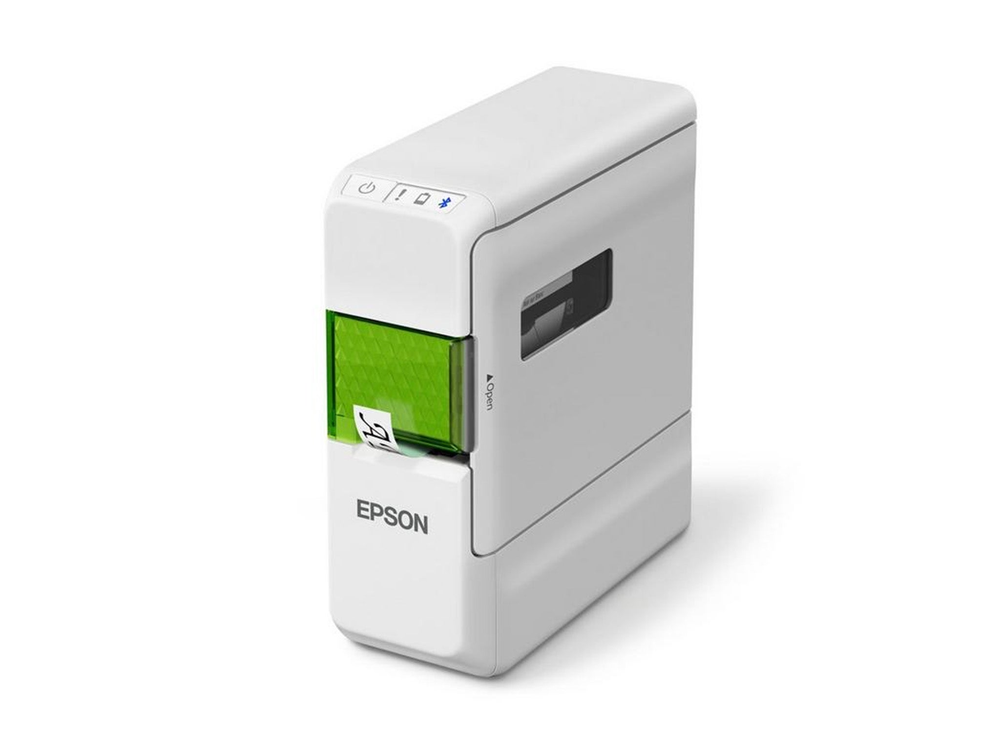
Epson LabelWorks LW-C410
Best: label printer
Why we love it
- Great-value label printer
- Lightweight
- Epson app is easy to use
- 36 different material options available, from matte tape to ribbon
- Auto-cutter margin tech reduces waste and costs
Take note
- Battery operated with no mains connectivity
Epson comes to the rescue once again, with a great-value label printer that will do the job in most situations. The lightweight LW-C410 is small but mighty, offering everything from QR codes and imagery to classic name tags and label designs from scratch. There’s an easy Epson app that has enough editing power for domestic and business tasks; there are 36 different material options available, from matte tape to ribbon, and Epson’s auto-cutter margin tech reduces waste and cost.
Be aware, however, that it’s battery-operated with no mains connectivity, meaning a potential trip to the shop after any particularly enthusiastic label-producing session.
Key specifications
Buy now £29.9, Amazon.co.uk
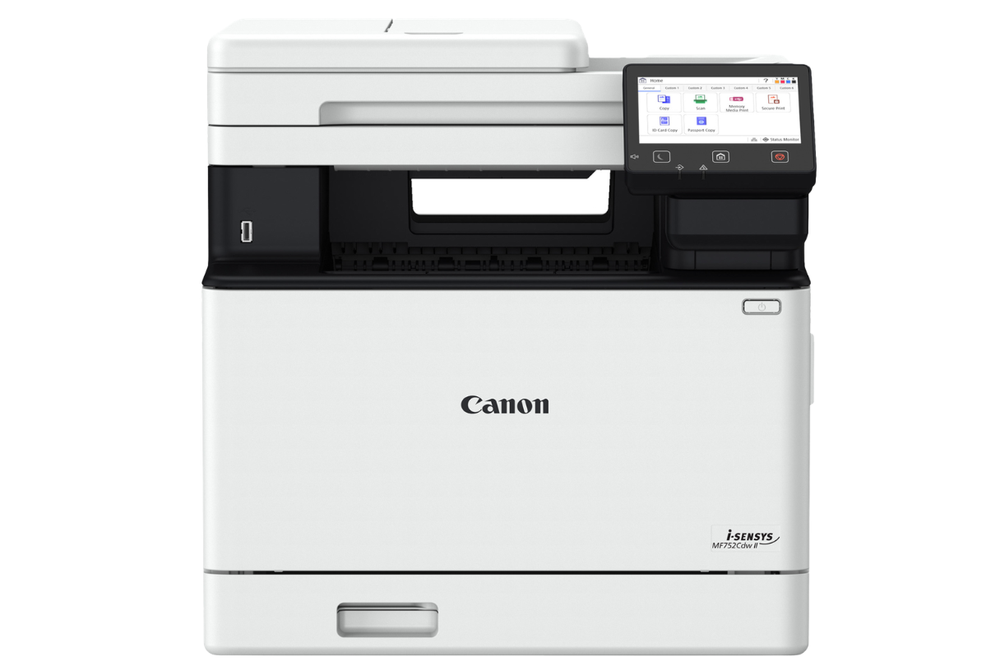
Canon i-SENSYS MF754Cdw
Best: office-style printer
Why we love it
- Rapid printing speed
- Quality black-and-white or colour prints
- Impressively high-quality photo reproduction
Take note
- Large size
The Canon i-SENSYS MF754Cdw (say that five times fast) is a beast – a printing leviathan that takes two sensible owners to take out of the box and set down in the right spot. What you get for this, however, is one of the best printing experiences on the market, with rapid printing speed, quality black-and-white or colour prints, and impressively high-quality photo reproduction.
The touch screen is brilliantly responsive, and, along with a huge range of printing and scanning options, little touches such as a crescent moon logo when in sleep mode elevate the i-SENSYS to the top table. The i-SENSYS is a cartridge printer, which adds a little to the ink premium, but if you’re looking for a no-nonsense printer that will handle pretty much anything a medium-sized office could throw at it, and you have a nice spot next to your desk, then you could do much worse.
Key specifications
Buy now £371.99, Printerland.co.uk
Your questions about home printers answered
What is the best home printer?
This list isn’t a matter of a straight-up comparison, as each of the printers included offers something slightly different. However, if you’re looking for a versatile, quick printer that produces quality prints of all types and has an eye on its eco credentials, I’m a big fan of the Epson ecotank-8550.
How I tested home printers
To find the best home printer, I subjected models from the biggest brands to a gauntlet of home office duties. I evaluated the entire experience, from unboxing and setup to the daily reality of printing reports, photos and shipping labels via their companion apps. Beyond speed and print quality, I measured the physical footprint to ensure they wouldn’t dominate a desk, and crunched the numbers on ink and toner costs to determine which machines are true bargains.
Do you need a single-function printer or an all-in-one?
If you’re working from home, an all-in-one (or multifunction) printer can save on precious desk space, but there are reasons why you might prefer a single-function printer.
If you’re planning on printing a large number of documents at once or printing very regularly, it could be quicker and more cost-effective to invest in a dedicated laser printer with no scanning or faxing capability. Also, bear in mind your smartphone can scan to PDF, and that you probably can’t remember the last time you needed to send a fax.
That said, most of the best consumer-level inkjet printers are now multifunction by default. Even if you never plan on scanning, it’s more useful to choose a printer based on its other features: its size, capacity, whether it’s front-loading (therefore requiring less room), and whether it can print on both sides of the page.
Should you buy third-party ink or refill kits?
Printer ink is infamously more expensive than gold, caviar, and vintage champagne, so it’s no surprise many consumers turn to cheaper third-party ink and compatible cartridges to keep their printer running for less. These are usually the very same branded cartridges, simply refilled with fresh ink and sold under a different name.
Just because they’re cheaper doesn’t mean they’re of inferior quality. Printer manufacturers might clutch their pearls and insist otherwise, but third-party ink from a reputable brand won’t damage your printer, void your warranty or impact the quality of your prints. In most cases, a third-party cartridge will perform just as well as a more expensive one bought from the printer’s manufacturer.
Amazon is a major retailer that sells refill ink, offering a multitude of options for Canon, HP, Lexmark, and other leading brands. If you’re signed up to a Prime membership, which costs £8.99 a month or £95 annually, you’ll have access to unlimited next-day delivery, which will come in handy if you run out of ink unexpectedly and need to print important paperwork.
There are also printer-specific retailers like as Cartridgepeople.com that are a one-stop shop for all your printer needs, so you can pick up new ink refills, paper and stationery in one shop. It also offers free delivery on everything.
Should you buy a refurbished printer?
You should avoid buying a refurbished printer if you can. Printers are complex machines with many moving parts, and every last one of them is looking for an excuse to jam. The insides become worn down or gummed up with toner or ink over time, even – or sometimes especially – if the printer isn’t being used.
Generally speaking, new printers are sold at a low price to lock customers into a brand of ink, so the cost savings of buying a refurbished, consumer-level printer aren’t worth the potential problems further down the line. If you do decide to buy a refurbished printer, check for a guarantee, recertification or fresh warranty from the manufacturer.
Why you can trust IndyBest reviews
David RS Taylor is a writer and editor who has been writing for The Independent since 2021, covering the latest and best in tech. Whether it’s advice on the best noise-cancelling headphones and budget speakers, or portable projects and smartwatches, the tried and tested features he writes for IndyBest make it easy to find tech that actually works.
Whether or not you’re working from home, these are the best laptops for all budgets
