

YTL Communications’ Yes 5G service is finally compatible with the Samsung Galaxy S21 series. Prior to this, you’ll need to use a Chinese-branded smartphone as both Samsung and Apple iPhone devices can’t connect to the 5G network. As mentioned previously, the 5G support requires a software update and Samsung has just pushed its new software update which carries the latest One UI 4.1 as well as support for Yes 5G.
Update your Samsung Galaxy S21 to get 5G on Yes
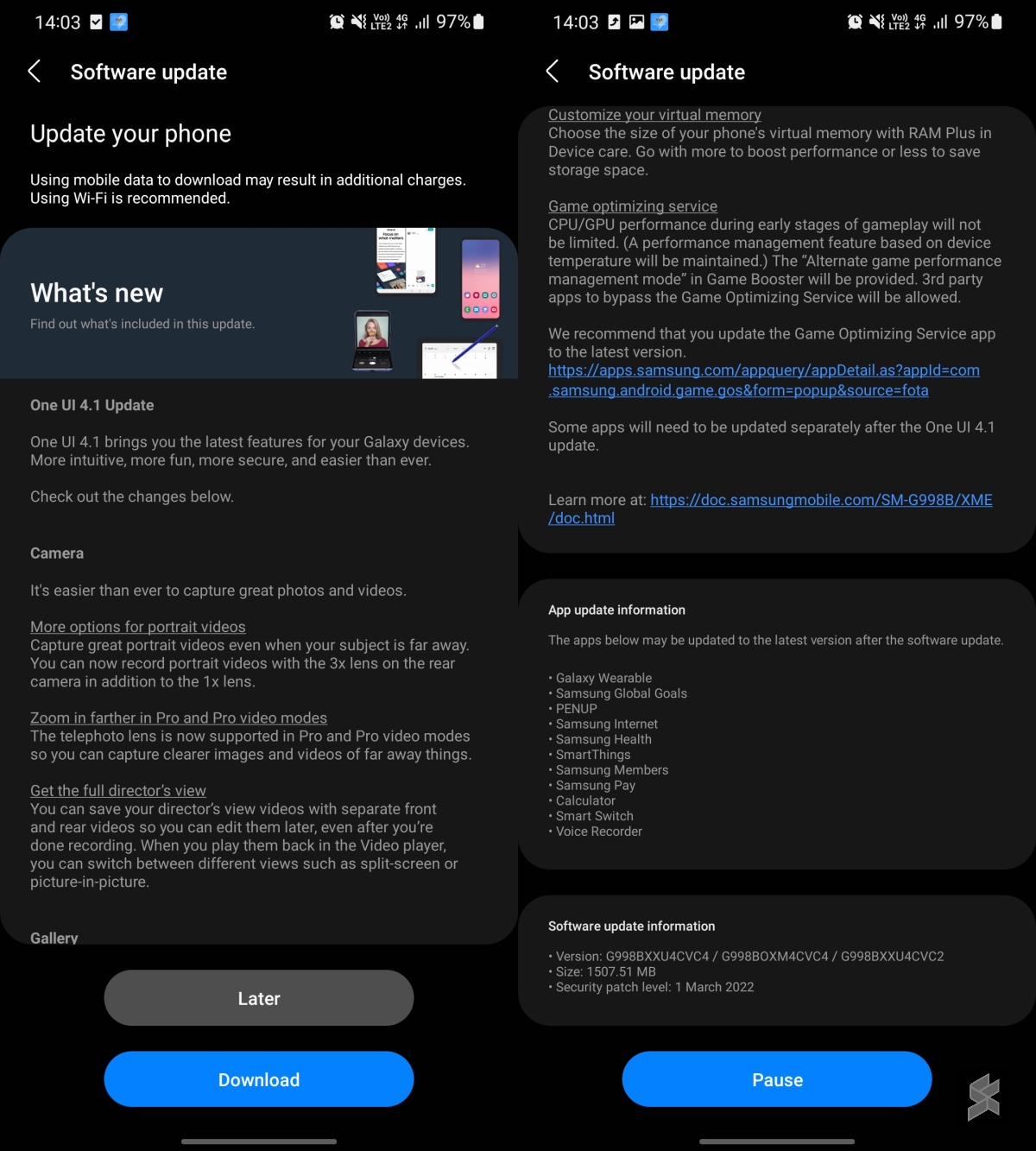
If you’re using a Samsung Galaxy S21, S21+ and S21 Ultra, you should have received a software update notification. Alternatively, you can check manually by going to Settings > Software Update. The file size is about 1.5GB and it carries the latest 1 March 2022 security patch. The update also gets the Game optimising service patch which addresses the controversial app throttling issue.
Once you’re done with the update, you should be able to connect to Yes 5G if you’re within Digital Nasional Berhad’s 5G coverage area. Make sure you’ve enabled 5G for your SIM by going to Connections > Mobile networks > Network mode SIM and select 5G/LTE/3G/2G (auto connect).
Almost 1.5Gbps download on the Galaxy S21 Ultra with yes 5G
We tried the Yes 5G SIM on our Samsung Galaxy S21 Ultra this afternoon at Lot 10, Bukit Bintang and we managed to get over 1.4Gbps downloads, 113Mbps uploads, and a ping of 13ms. Similar to the experience in our first impressions, the 5G coverage is still quite spotty and you might need to turn airplane mode on and off to get a 5G signal.
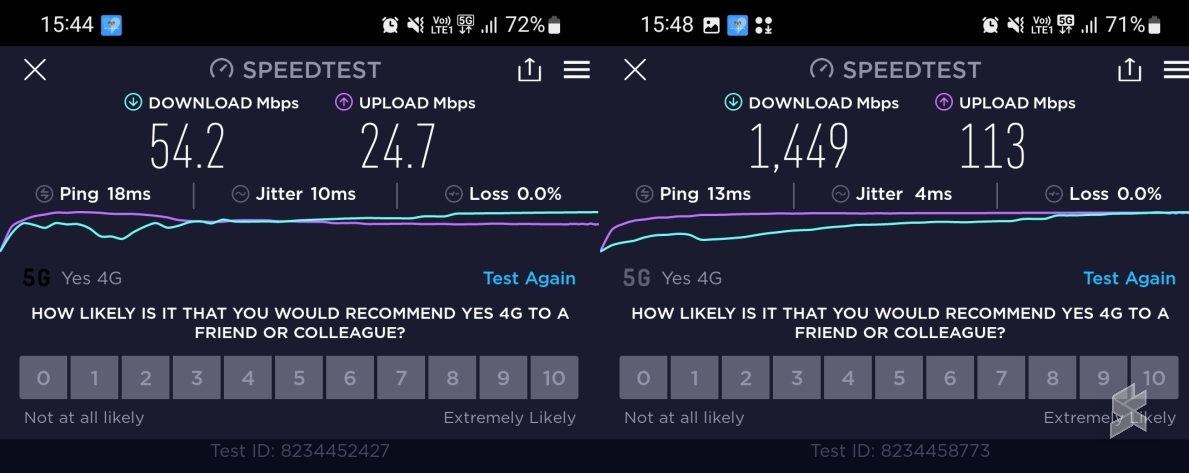
Another thing that’s worth pointing out is that Samsung’s 5G icon can be a little misleading. Initially, we got the 5G icon in a box that doesn’t seem to offer 5G speeds. When we tested it on the ground floor of Lot 10, we got slightly over 54Mbps downloads, 24.7Mbps uploads, and 18ms ping. After a short while, we noticed that the 5G icon became solid and that’s when we are really getting 5G performance. For some strange reasons, our 5G icon changes randomly and we need to turn on/off airplane mode to get the real 5G speed.
According to the official manual for the Galaxy S21 Ultra, the solid 5G icon means that the 5G network is connected. However, if you get a 5G icon with an outline, the manual says the “LTE network is connected in LTE network that includes the 5G network”. From what we understand, you’re connected to a network that has both 4G and 5G, but you’re only using 4G. After all, most DNB 5G sites right now are using the NSA (non-standalone) architecture, which means that the 5G network still uses 4G as an anchor.
Yes 5G is currently the first and only telco service in Malaysia to provide commercial 5G services. They currently offer free 5G SIM cards that offer unlimited downloads on 5G for 30 days. Following the government’s decision to continue the 5G rollout using the Single Wholesale Network model, DNB has announced an extension for its free 5G access to telcos until 30th June 2022.
At the moment, DNB’s 5G network covers selected areas in Kuala Lumpur, Cyberjaya and Putrajaya. They are currently rolling out 5G in Johor, and have marked Selangor, Penang and Perak as their upcoming coverage areas. DNB aims to achieve 40% 5G population coverage by end of 2022 and 80% population coverage by end of 2024.
Related reading
- Yes is offering 5G SIM packs for free, here's how to redeem yours
- Malaysia's 5G network first impressions: It still requires a lot of work
- Malaysia decides to continue 5G rollout with DNB as single wholesale network, offers 70% stake to telcos
- DNB extends free 5G network access to telcos until 30 June, encourages big four telcos to sign up