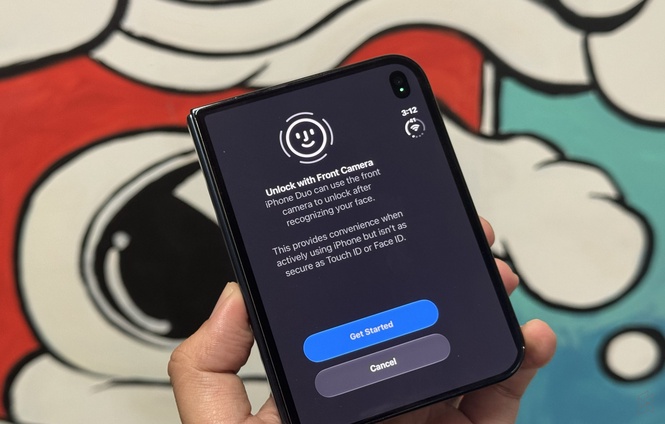
One of the biggest things I miss after switching to the iPhone Duo is Face ID. On “regular” iPhones, Face ID works so seamlessly and instantly that you barely realise it is there. You just pick up your phone, look at the screen, swipe up and you’re in.
Unfortunately, the iPhone Duo doesn’t come with Face ID. Instead, Apple’s first foldable iPhone relies on Touch ID, which is integrated into the side power button.
While Touch ID is a secure biometric authentication method, it isn’t quite as seamless. You have to consciously place your finger on the side button, and by default, the phone requires you to rest your finger on the sensor to unlock.
Now it appears that Apple has listened to user feedback, as it is finally introducing “face unlocking” for the iPhone Duo with its upcoming iOS 27.3 update.
However, there’s a catch. This isn’t the same as Face ID.
iPhone Duo gets Face Unlock using its front camera
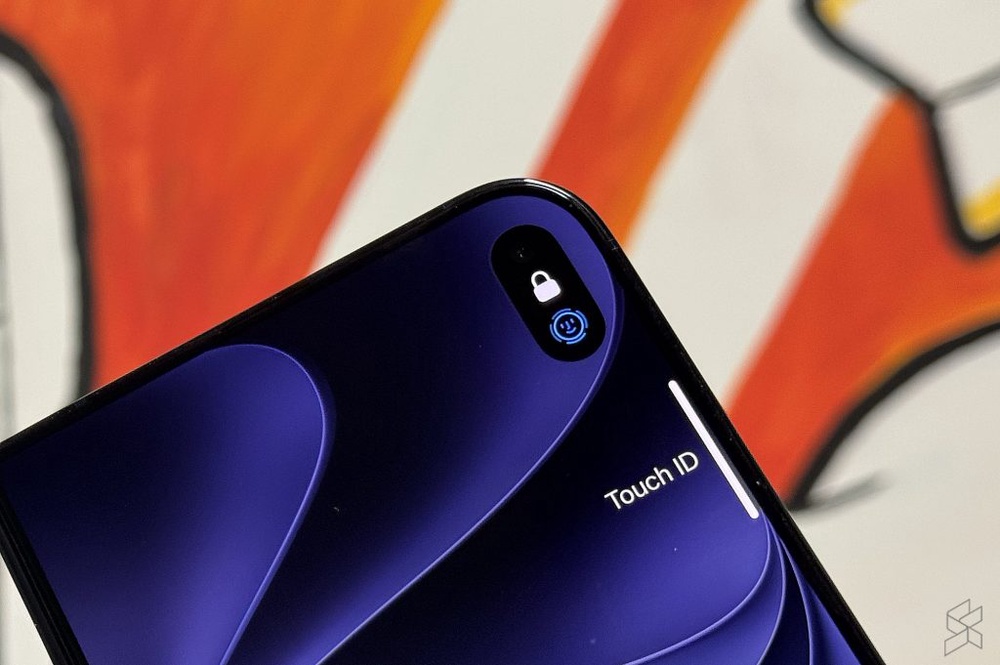
As spotted in iOS 27.3 Developer Beta 2, Apple has added a new option called “Unlock with Front Camera”, which can be found under Settings > Touch ID & Passcode.
Unlike other candybar iPhone models, the iPhone Duo doesn’t have the dedicated TrueDepth camera system required for Face ID. Instead, it only has a single punch-hole selfie camera located at the top right corner of its cover display.
The new feature uses this existing front camera to recognise your face and unlock the device. Since it doesn’t use the dedicated 3D depth-sensing hardware found on other iPhones, Apple makes it clear that this method isn’t as secure as Touch ID or Face ID.
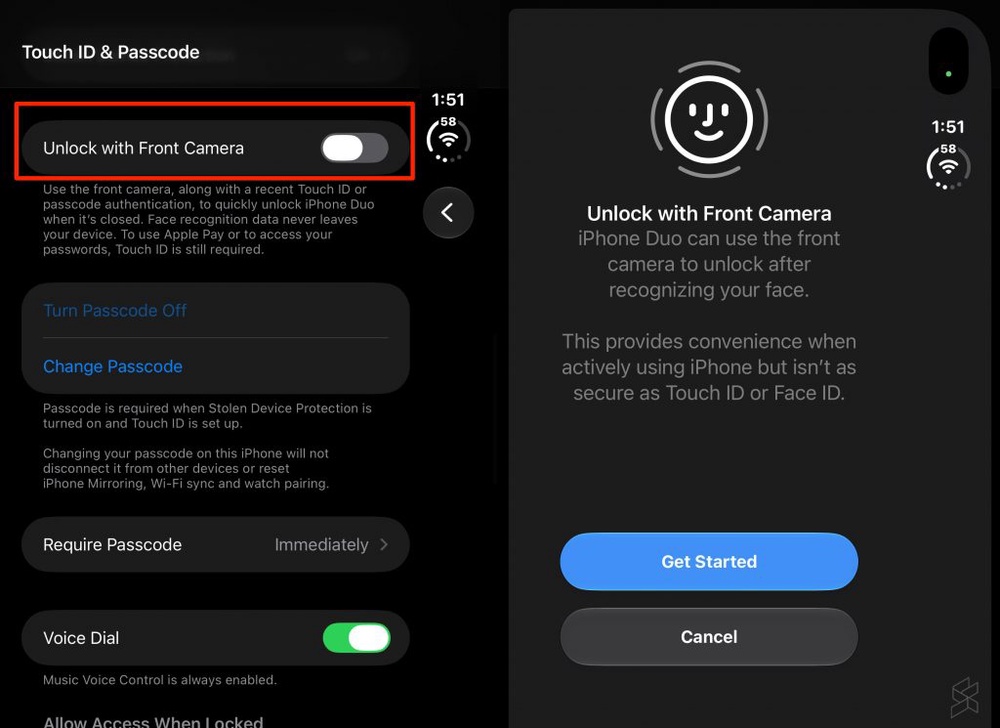
According to Apple, this feature is designed purely for convenience and it is mentioned that it isn’t as secure as Touch ID or Face ID.
It also mentions that face recognition data remains on the iPhone, but Touch ID is still required for security-sensitive functions, including Apple Pay and accessing saved passwords.
There’s also another restriction. Face Unlock only works on the front camera when the iPhone Duo is folded. It doesn’t work with the under-display selfie camera on the larger inner screen.
In addition, Face Unlock requires a recent Touch ID or passcode authentication. This means you’ll still need to authenticate using Touch ID or your passcode periodically for face unlocking to be available.
Once enabled, you can simply wake the cover display and look at it to unlock the phone and view your notifications. Alternatively, you can swipe up to unlock using your face, similar to how you would on a regular iPhone.
Although this isn’t a complete replacement for Face ID, it should make the iPhone Duo more convenient for everyday use, especially when you just want to check something quickly without having to reach for the fingerprint sensor.
iOS 27.3 also adds Close to Lock for iPhone Duo
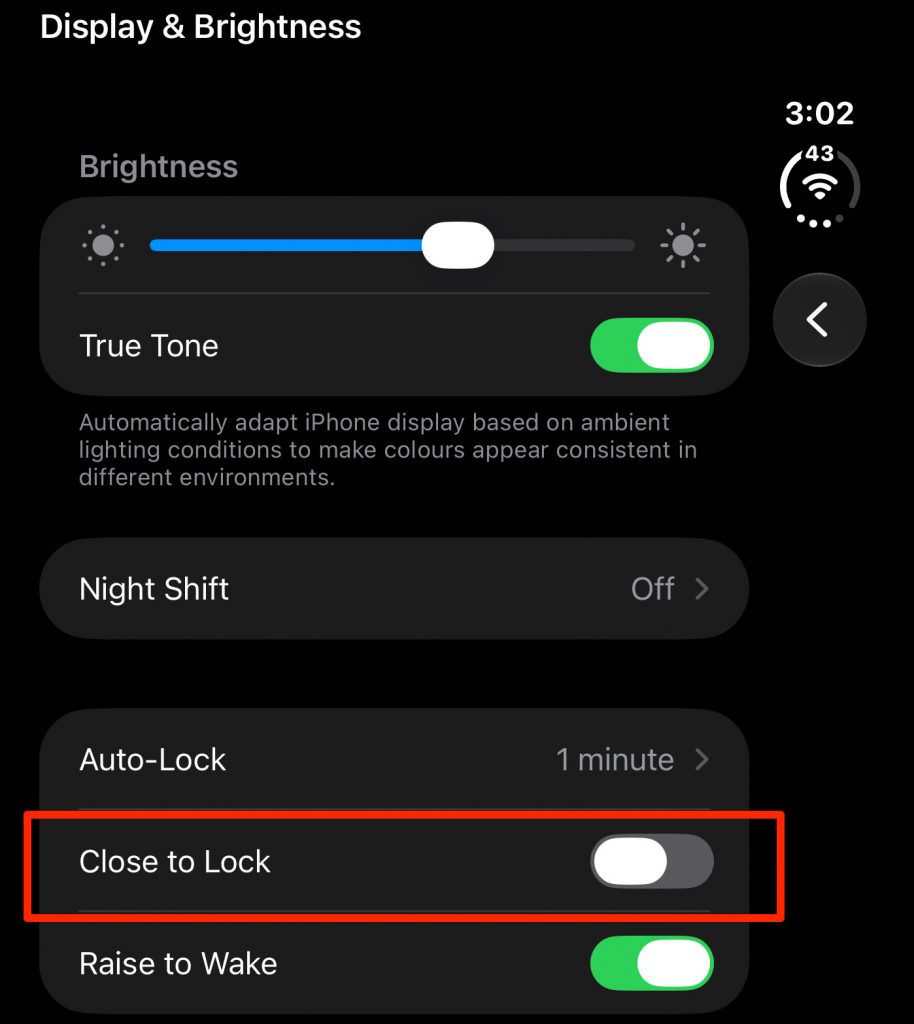
Another useful addition in iOS 27.3 is a new “Close to Lock” feature, which can be found under Settings > Display & Brightness.
Unlike most Android foldable smartphones, the iPhone Duo keeps its cover display active when you fold the device. This allows you to continue whatever you’re doing on the smaller screen after switching from the larger inner display.
While this provides a seamless transition between the two screens, it can be annoying if you simply want to fold the phone and put it into your pocket.
Since the cover screen remains active, there’s a risk of accidental touches unless you manually lock the device. Alternatively, you could use a folio case that locks the screen when the cover is closed.
With the upcoming iOS 27.3 update, Apple is finally giving users a choice. Once “Close to Lock” is enabled, the iPhone Duo will automatically lock when you fold it, instead of keeping the active apps running on the cover display.
This should be a welcome feature for users who prefer the conventional fold-to-lock behaviour on other foldable smartphones.
Both Face Unlock and Close to Lock are available in iOS 27.3 Developer Beta 2. Apple has yet to confirm the final public release date for iOS 27.3.