.png)

Malaysia is moving from blanket fuel subsidies to a more targeted system through BUDI MADANI RON95 — a government initiative that ensures fuel subsidies go directly to eligible Malaysians. Instead of providing subsidies to everyone, the new approach channels savings into more effective support for citizens.
The BUDI MADANI RON95 programme offers subsidised fuel benefits for Malaysians with a valid driving licence, helping to:
- Direct assistance to those who truly qualify,
- Strengthen long-term national financial sustainability, and
- Reduce issues like smuggling and subsidy leakage.
Why Use TNG eWallet for BUDI95?
Touch ‘n Go (TNG) eWallet makes the process of claiming and using your BUDI MADANI RON95 benefits smooth and convenient. It allows users to make cashless fuel payments and enjoy digital verification without needing to show their MyKad at the pump.
With TNG eWallet, you can:
- Pay at all participating petrol stations through one app.
- Skip manual ID checks since verified users are already authenticated.
Step-by-Step: How to Claim BUDI95 on TNG eWallet
Step 1: Download and Set Up TNG eWallet
If you haven’t already, download the Touch ‘n Go eWallet app from the App Store, Google Play, or Huawei AppGallery.
Then:
- Register using your mobile number.
Create a secure 6-digit PIN to protect your account.
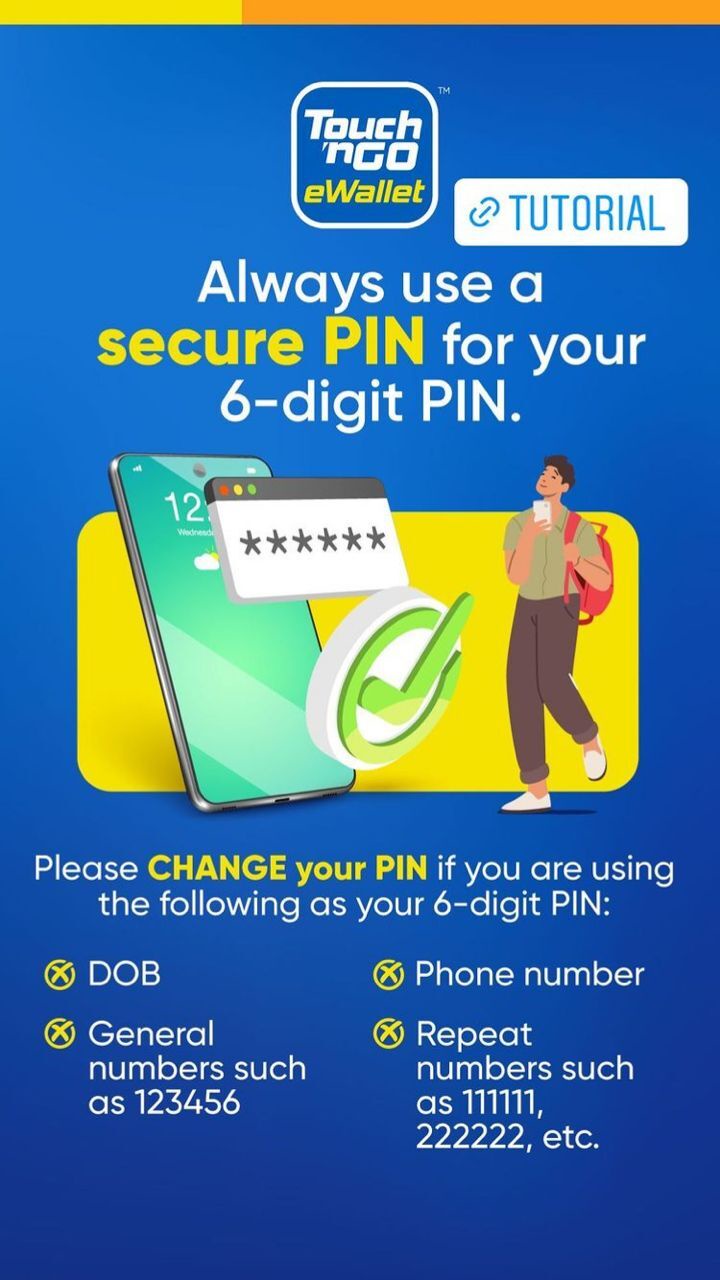
Secure your TnGo eWallet with 6-digit PIN. Image credit : tngdigital
Step 2: Verify Your Account
To access BUDI95, your eWallet must be verified.
- Go to your Profile in the app.
- Tap Account Verification.
- Select MyKad as your ID type.
- Scan your MyKad and take a selfie.
- Submit your verification details.
Verification is usually instant, though it may take up to 7 working days if extra checks are required. Make sure you’re in a well-lit area when scanning your ID and taking your photo.
Once your account is verified, you’ll automatically be eligible to use BUDI95.
Step 3: Access BUDI95 on Your eWallet
On your TNG eWallet home screen, tap the BUDI95 icon.
If it’s not visible, go to More → type “BUDI95” in the search bar.
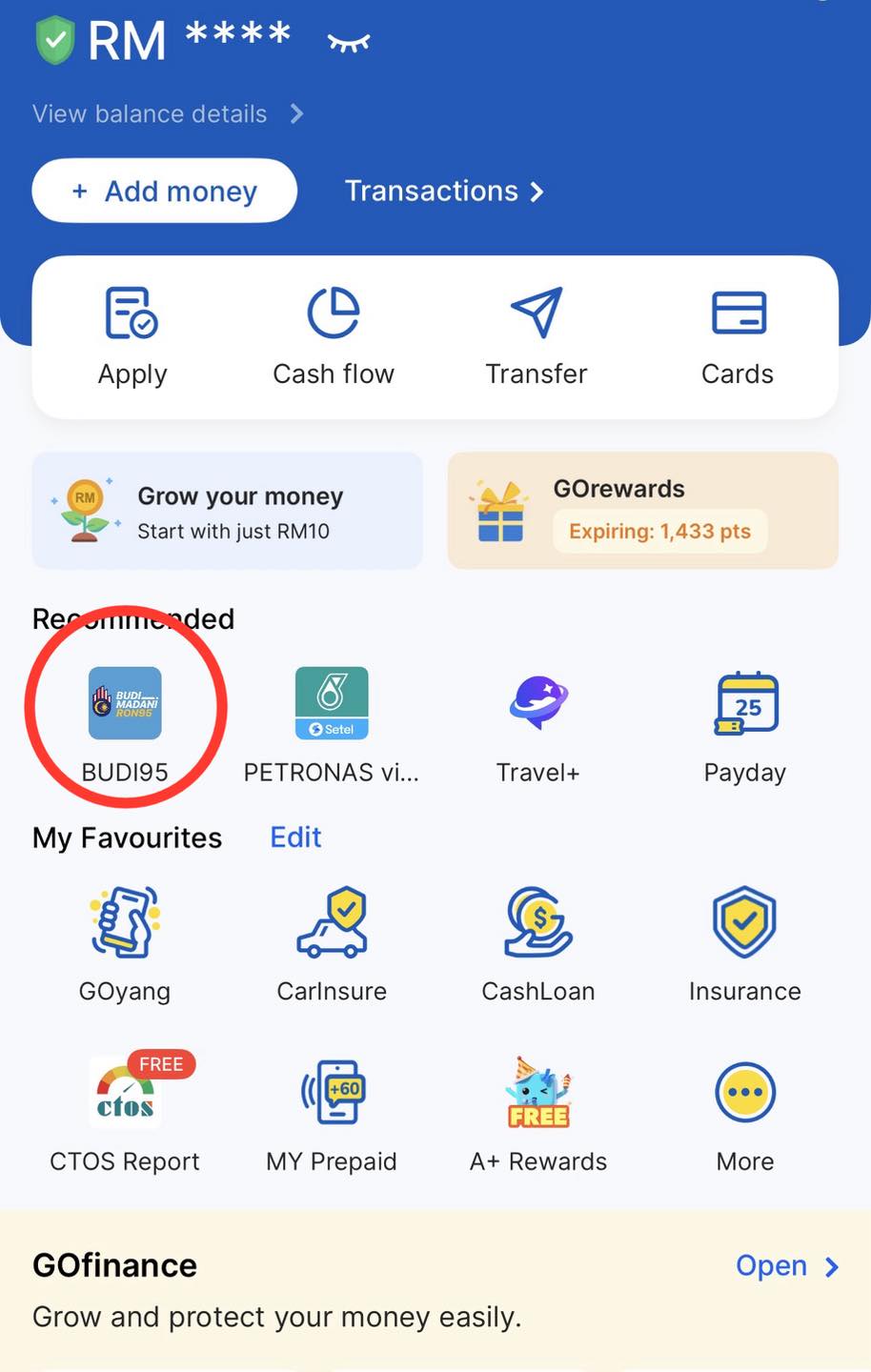
Step 4: Purchase RON95 Fuel
When you’re ready to refuel:
- Park your vehicle at the pump.
Open the BUDI95 section and tap Buy Fuel.
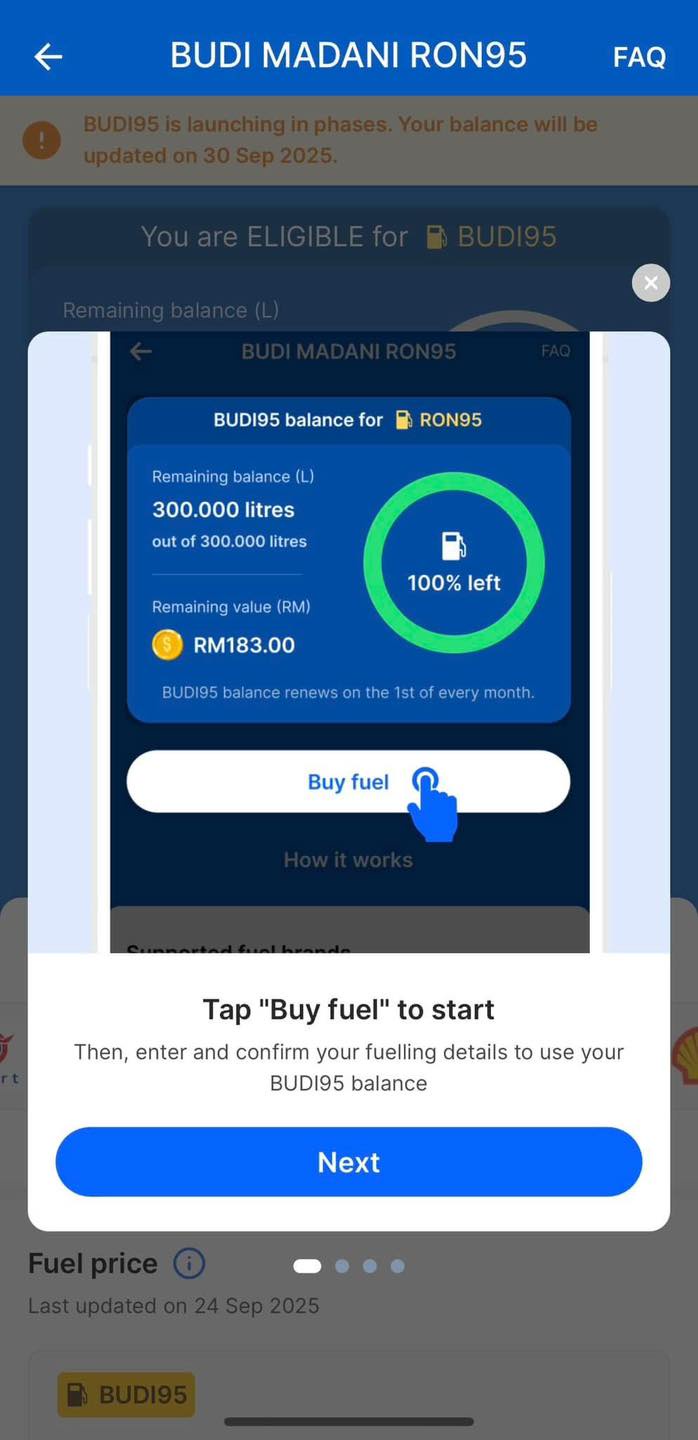
Direct buy from TnGo eWallet apps without presenting physical MyKad. Image credit : ILifePost 爱生活 - Confirm the petrol station (ensure your location settings are turned on).
Enter your pump number and select how much fuel you want.
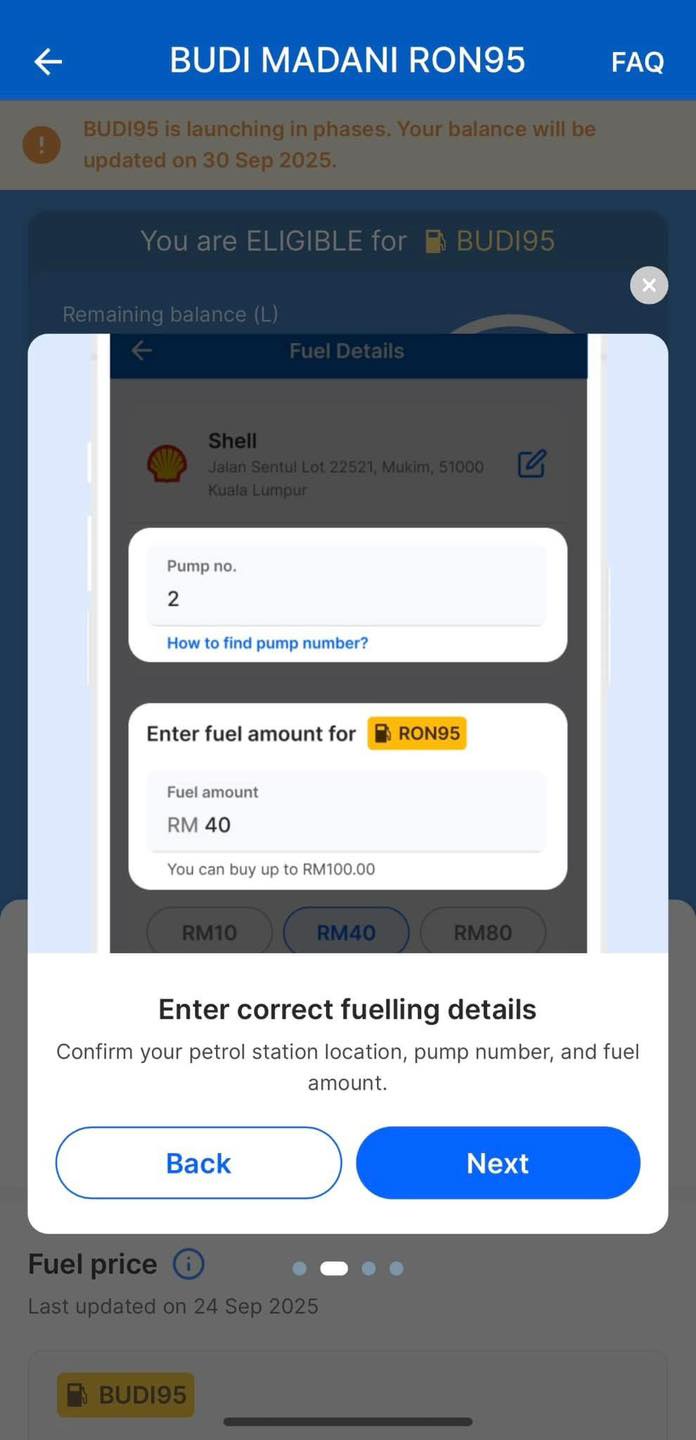
Enter pump number and amount. Image credit : ILifePost 爱生活 - Tap Pay Now and confirm the payment.
After successful payment, a QR code will appear.
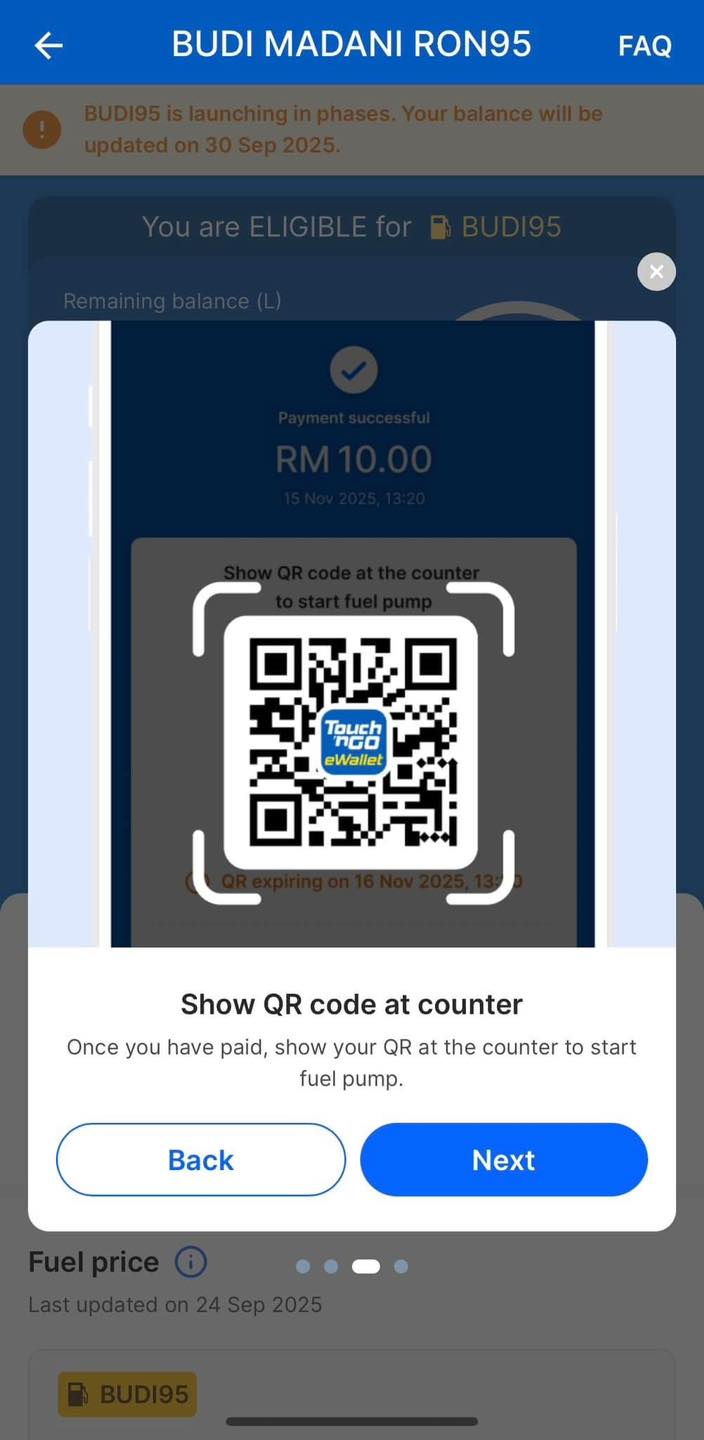
💡 Tip: Always ensure your eWallet has enough balance. You can reload easily using DuitNow Transfer — and you might even earn rewards during the “Just DuitNow Lah!” campaign for first-time reloads.
Step 5: Activate the Pump
Show the QR code to the station attendant for scanning. This will unlock the pump so you can start refuelling.
If you don’t use the full amount of prepaid fuel, the unused balance will be refunded to your eWallet within 5 minutes. Both your eWallet balance and your fuel subsidy quota will be automatically updated.
In Summary
Through TNG eWallet, claiming and using BUDI MADANI RON95 benefits is faster, safer, and fully digital. This cashless system ensures Malaysians can continue to enjoy subsidised fuel while supporting the government’s move toward a more efficient and transparent subsidy structure.
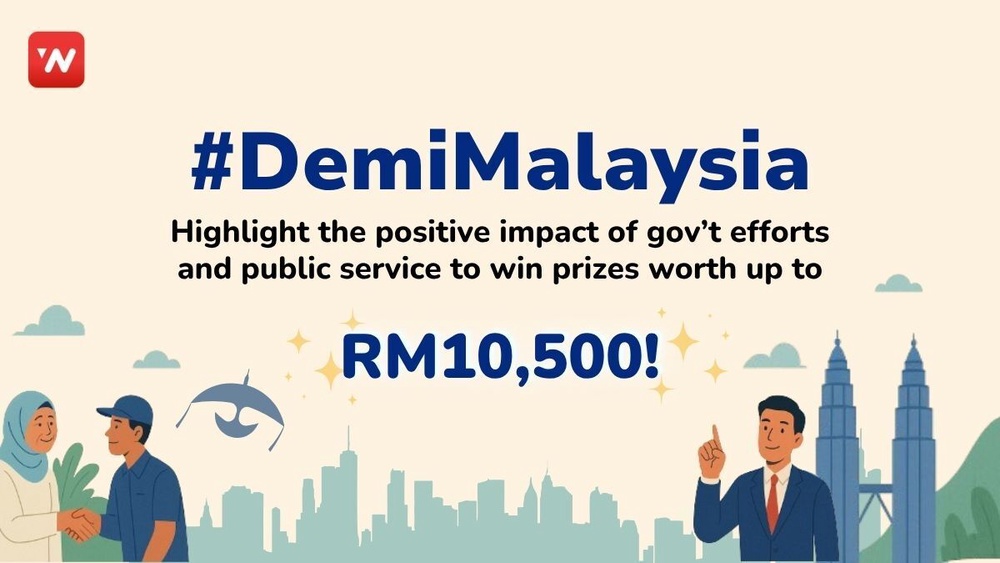
Share how government initiatives or public services have made a difference, and stand a chance to win cash prizes up to RM10,500! Find out how to join here. T&Cs apply.
Badrulamin Luthfi (mobamil96@gmail.com) is a content creator under the Newswav Creator programme, where you get to express yourself, be a citizen journalist, and at the same time monetize your content & reach millions of users on Newswav. Log in to creator.newswav.com and become a Newswav Creator now!
The User Content (as defined on Newswav Terms of Use) above including the views expressed and media (pictures, videos, citations etc) were submitted & posted by the author. Newswav is solely an aggregation platform that hosts the User Content. If you have any questions about the content, copyright or other issues of the work, please contact creator@newswav.com.