Emergency alert Malaysia messages will soon pop up on your phone through a new Early Warning System (EWS) that MCMC is rolling out with NADMA, with no app or registration needed. A simulation runs near Parliament on 23 November 2026, followed by a nationwide test on 29 November, so update your phone now and do not panic if it sounds an alarm.
Here is what changes, which phones can receive the alerts, how to prepare your settings and what to do when an alert arrives (checked November 2026).
What is the emergency alert Malaysia system?
The EWS uses Cell Broadcast System (CBS) technology. Instead of sending an SMS to each phone number, it broadcasts one message from mobile towers to every compatible phone inside a chosen area over 4G and 5G. According to the MCMC briefing reported by NST, alerts are designed to arrive in under a minute, appear on your screen with an alert sound and get through even when networks are congested.
Communications Minister Datuk Seri Fahmi Fadzil said the system adds to, rather than replaces, existing warnings such as SMS alerts and the riverside sirens run by the Department of Irrigation and Drainage, Bernama reported. People with older phones will keep getting SMS warnings, while newer phones will see pop-up EWS alerts.
Test dates: 19, 23 and 29 November 2026
| Date | What happens | Who may get an alert |
|---|---|---|
| 19 Nov | Internal technical test at MCMC in Cyberjaya | Not a public test |
| 23 Nov | Simulation exercise around Parliament | Phones in that area |
| 29 Nov | Nationwide test | Compatible phones across Malaysia |
| After tests | Full operation once readiness is verified | Phones in areas at risk |
MCMC has clarified that the 19 November activity was only an internal test, and it plans nationwide implementation by the end of 2026, The Star reported. Test messages are labelled as tests, and MCMC will run public service announcements on TV, radio, cinemas and social media beforehand.
Will my phone receive the alerts?
As an initial guide to which phones can get emergency alert Malaysia messages, MCMC lists these devices, subject to final technical confirmation:
| Phone | Minimum software |
|---|---|
| Apple iPhone 11 and newer | iOS 27.2 or later |
| Android phones | Android 12 or later |
| Huawei phones | EMUI 16 or later |
Your phone will not receive an alert if it is switched off, in flight mode, outside network coverage or does not support cell broadcast. You do not need mobile data or a subscription.
How to prepare your phone in 3 steps
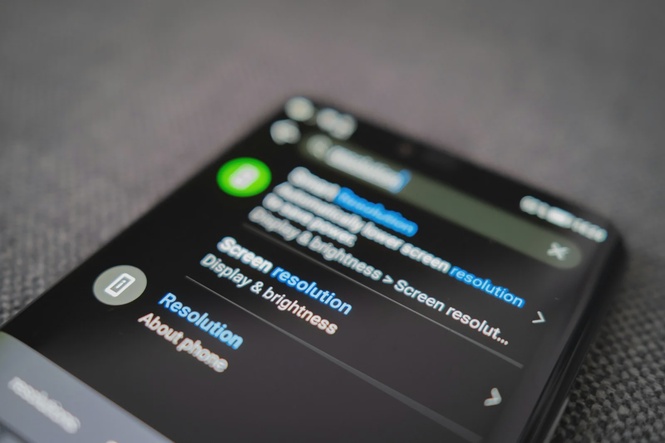
- Update your operating system. Install the latest software update offered for your phone, as MCMC advised in its statement.
- Restart the phone after updating.
- Check your alert settings. On Android, search Settings for “emergency alerts” and keep them on. On iPhone, open Settings, then Notifications, and scroll to the Government Alerts section at the bottom.
The 6 alert types
The EWS has six categories: National Alert, Extreme Alert, Severe Alert, Amber (Missing Person) Alert, Test Alert and Exercise Alert. The first phase covers disasters such as floods, severe weather, tsunamis and industrial or environmental hazards, with NADMA leading those alerts. The National Security Council and the Health Ministry will handle public safety and health alerts in a later phase.
What to do when an alert arrives
- When an emergency alert Malaysia message arrives, read all of it and check whether it is marked as a test or exercise.
- For a real alert, follow the instructions from the authorities, such as moving to higher ground or an evacuation centre.
- Alerts are location-based, but people just outside the affected area may also receive them.
- Ignore forwarded WhatsApp “warnings”. Fahmi said recent flood messages on WhatsApp were not part of the EWS, which only sends pop-up alerts.
- For updates during the monsoon, see our monsoon season guide and read how early warning systems are expanding.
Alerts travel over 4G and 5G, so see our report on Malaysia’s 5G coverage.
FAQ
What is an emergency alert on my phone?
It is a pop-up message with a loud alert sound sent by the authorities to every compatible phone in an area at risk. An emergency alert Malaysia message comes from the new EWS run by MCMC and NADMA.
Do I need to download an app?
No. The alerts go straight to compatible phones without any app, registration or data plan.
Why didn’t I get the test alert?
Your phone may run older software, be outside the test area, be switched off or in flight mode, or not support cell broadcast. Update it and check the emergency alert settings.
Is 999 still the emergency number?
Yes. The EWS only sends warnings to the public. To report an emergency, call 999.
For official notices on the system, visit the MCMC website.
The post Emergency Alert Malaysia: 29 Nov Test, Phone Setup & What to Do appeared first on RISEMALAYSIA.my.