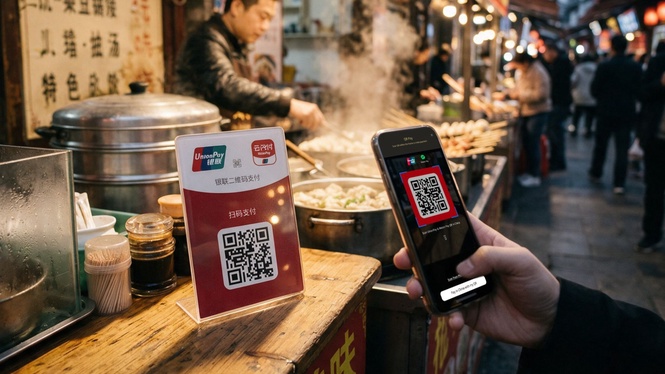
Hong Leong Bank (HLB) has enabled direct cross-border QR payments in China through its HLB Connect mobile banking app, allowing Malaysian travellers to pay across mainland merchants without setting up local payment apps or manually topping up third-party digital wallets.
Powered by a partnership with UnionPay International (UPI), the feature is accepted at more than 120 million merchants throughout China that display UPI and Weixin Pay (WeChat Pay) QR codes.
The payment coverage includes large shopping malls, restaurants, convenience outlets and local street stalls across the country
Two-way QR scanning supported
Unlike conventional cross-border setups that only let users scan static counter codes, HLB QR Pay supports two-way transactions across mainland China.
Customers can scan a merchant’s displayed QR code via merchant-presented mode or present their own generated in-app QR code on screen for the cashier to scan via consumer-presented mode.
Because both modes operate natively inside the HLB Connect app, payments are deducted directly from the customer’s bank balance backed by bank-grade security.
Pre-convert Ringgit to Yuan with zero transaction fees
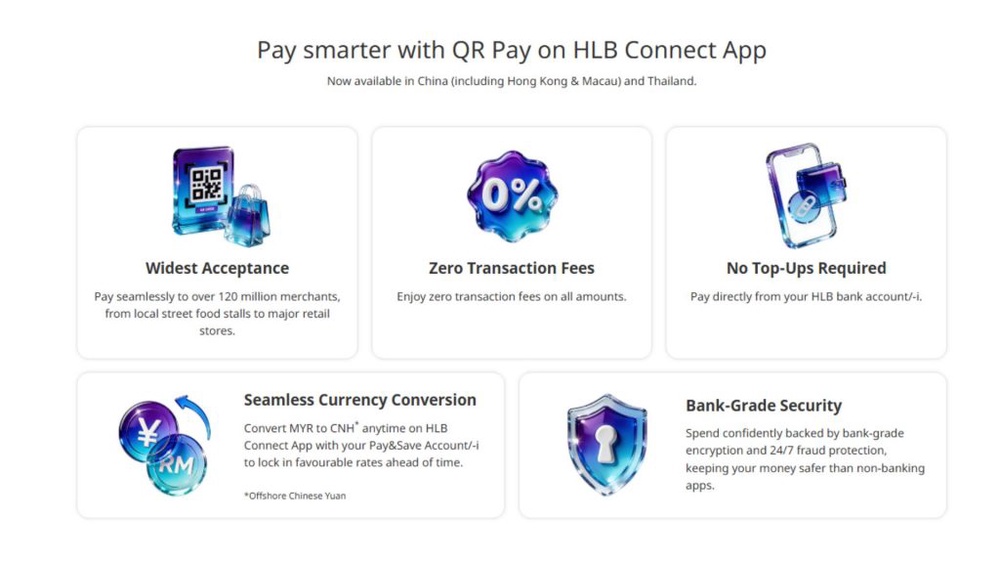
Instead of converting foreign exchange at fluctuating daily rates during every transaction, the feature connects directly to the Multi-Currency Feature on the HLB Pay&Save account.
This allows travellers to convert Malaysian Ringgit (MYR) into Offshore Chinese Yuan (CNH) ahead of their trip and hold the foreign currency balance to lock in favourable rates.
Payments settled directly from the CNH balance do not incur foreign exchange markups, service charges or transaction fees. If the available CNH balance is insufficient to cover a purchase, the system automatically draws the remaining balance from the primary MYR account at the prevailing foreign exchange rate.
How to use HLB QR Pay in China
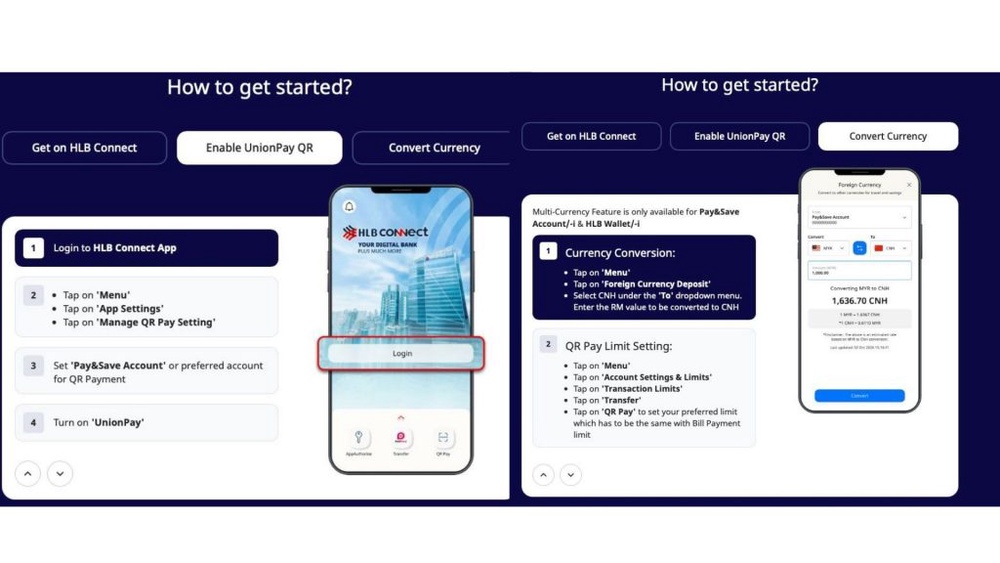
Before travelling, open the HLB Connect app settings, navigate to “Manage QR Pay Setting” and toggle on the UnionPay option.
Next, convert Ringgit to Offshore Chinese Yuan via the “Foreign Currency Deposit” menu within HLB Connect to lock in your desired conversion rate.
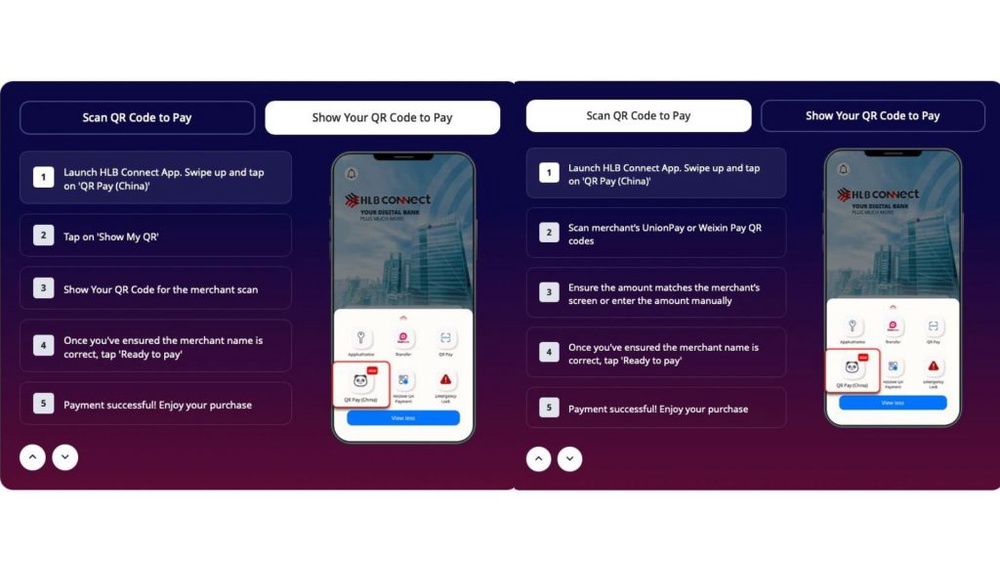
When in China, tap “QR Pay (China)” on the home screen to scan the shop’s UnionPay or Weixin Pay code or select “Show My QR” to let the cashier scan your phone.
For more information about QR Pay with HLB Connect App, you can visit the HLB official website and the FAQ.