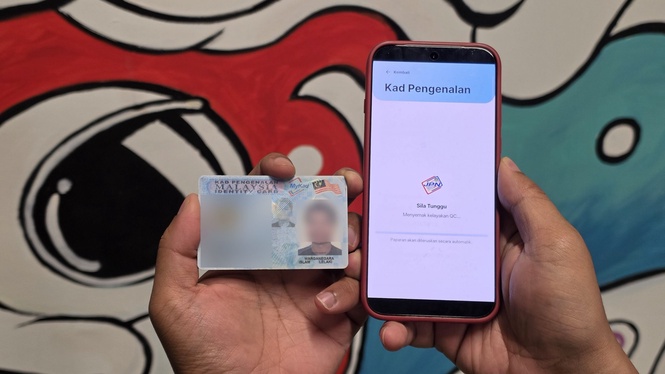
The Ministry of Digital has announced that Malaysians can now apply to replace their National Registration Identity Card (MyKad) directly through the MyGOV Malaysia mobile application.
Billed as an effort to cut down waiting times and long queues at National Registration Department (JPN) counters, the update brings identity card renewals right into the government’s flagship super-app.
However, while this sounds like a massive step forward for digital public services, the underlying infrastructure is essentially a direct port of JPN’s legacy web portal.
As a result, you will have to put up with several traditional civil service quirks and strict operational windows.
How to replace MyKad via MyGOV?
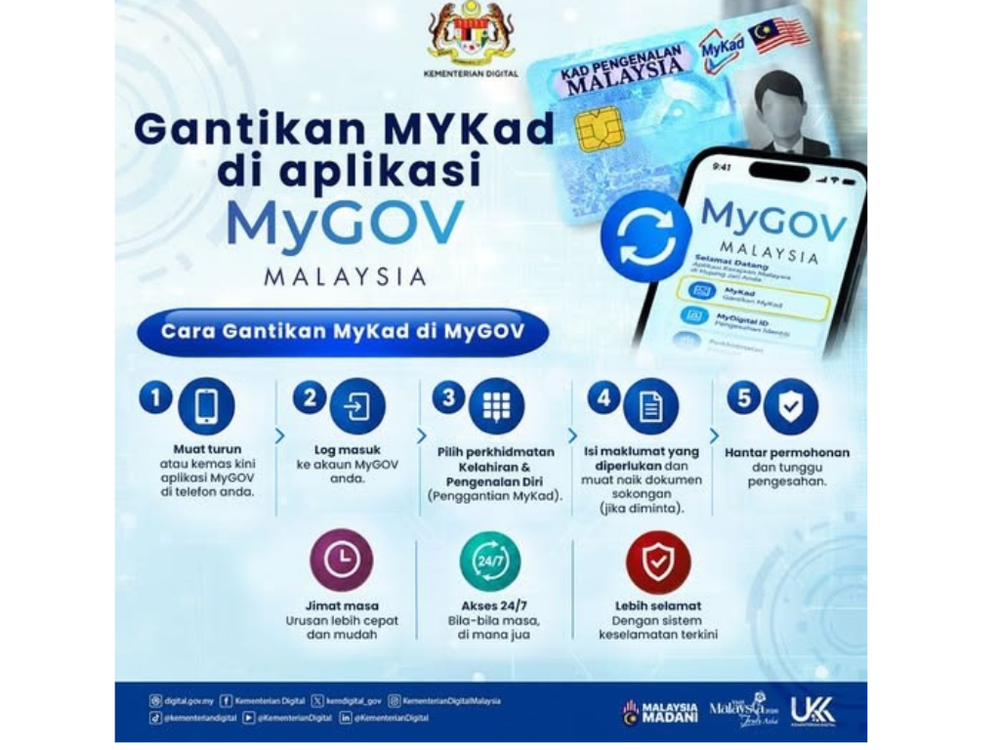
If eligible, you can complete the submission process directly from your smartphone in just a few minutes. After logging into a verified MyGOV account via MyDigitalID, head over to the services section from the bottom navigation bar and select birth and identity management.
Under the identity card menu, the app displays your existing registered personal particulars alongside a prompt to initiate a MyKad replacement.
Tapping the replacement button first presents a disclaimer warning that renewals are strictly restricted to damaged cards, lost cards, defective chips or chip upgrades.
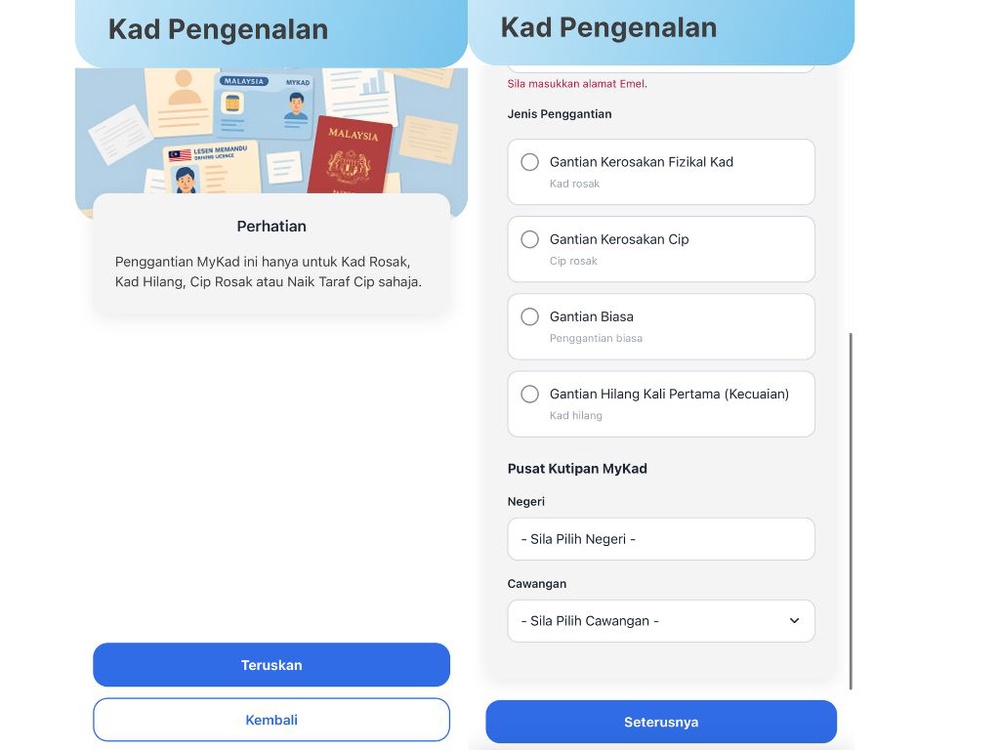
Once you accept the terms and conditions, your registered name and MyKad number are populated automatically from your profile, though you will need to input an active mobile phone number and a valid email address to receive transaction updates.
Despite the earlier disclaimer notice which excludes normal replacement, the page still shows “Gantian Biasa” as an available option.
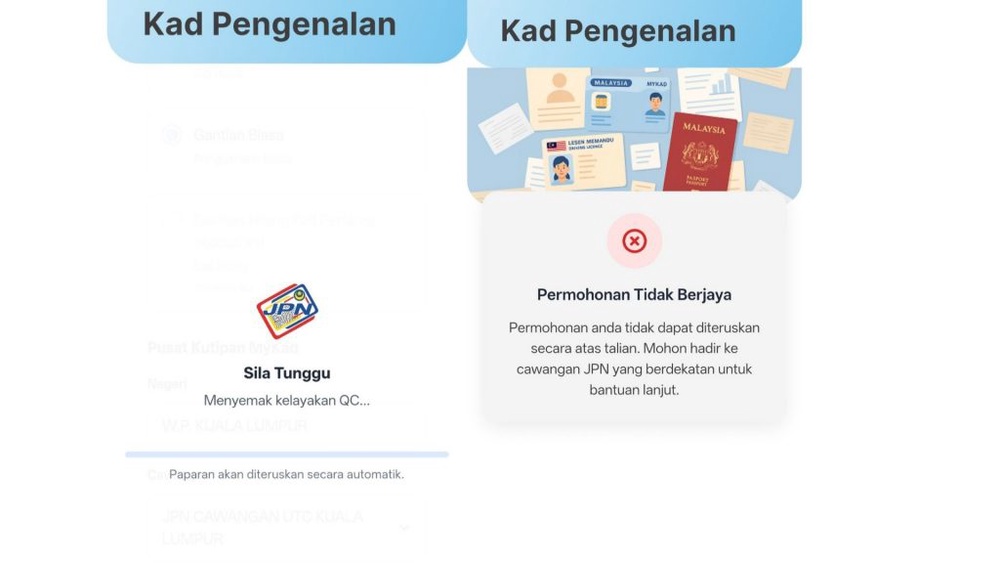
If you choose to proceed with “Gantian Biasa” (Normal Replacement), you will receive an error message after submitting your application.
Finally, choose your preferred collection location by picking a state and selecting either a standard JPN branch or an Urban Transformation Centre (UTC) outlet before completing the payment online.
Things you should know
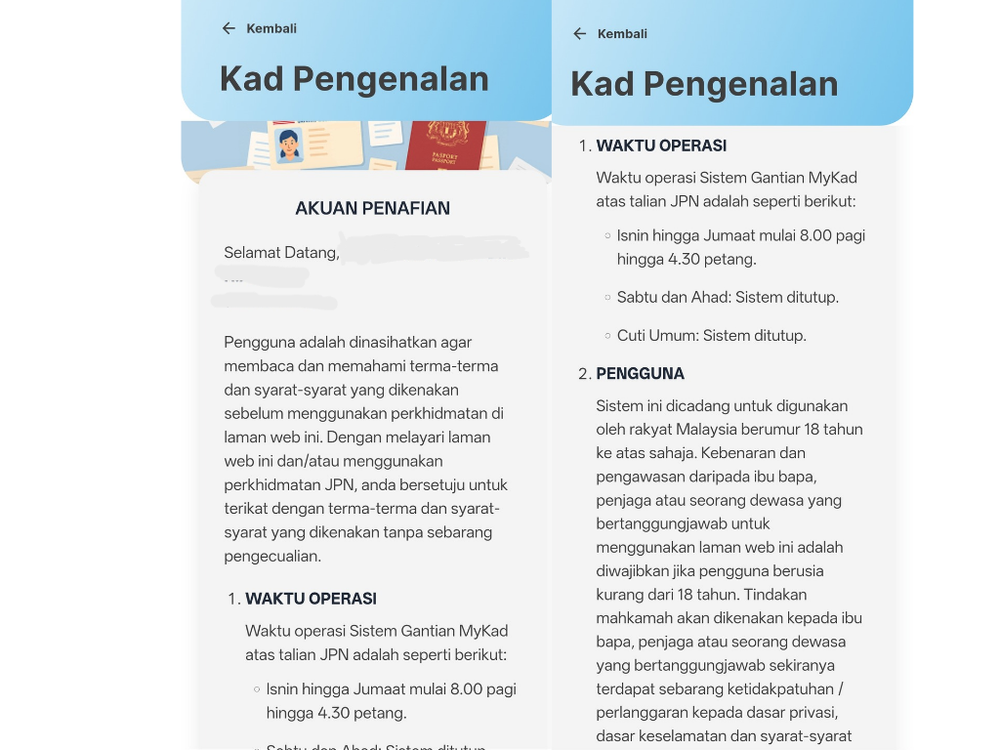
The biggest surprise for you is that the online renewal service does not run around the clock. Instead, the backend system strictly observes standard government working hours from 8.00 am to 4.30 pm between Monday and Friday.
Submissions are completely disabled over the weekend and on public holidays.
The scope of replacements is also strictly narrowed down. Even though the app walks you through selecting a reason for replacement, it will only process lost cards, damaged cards, defective chips or chip upgrades.
Any modification to your personal records requires a physical visit to a JPN branch.
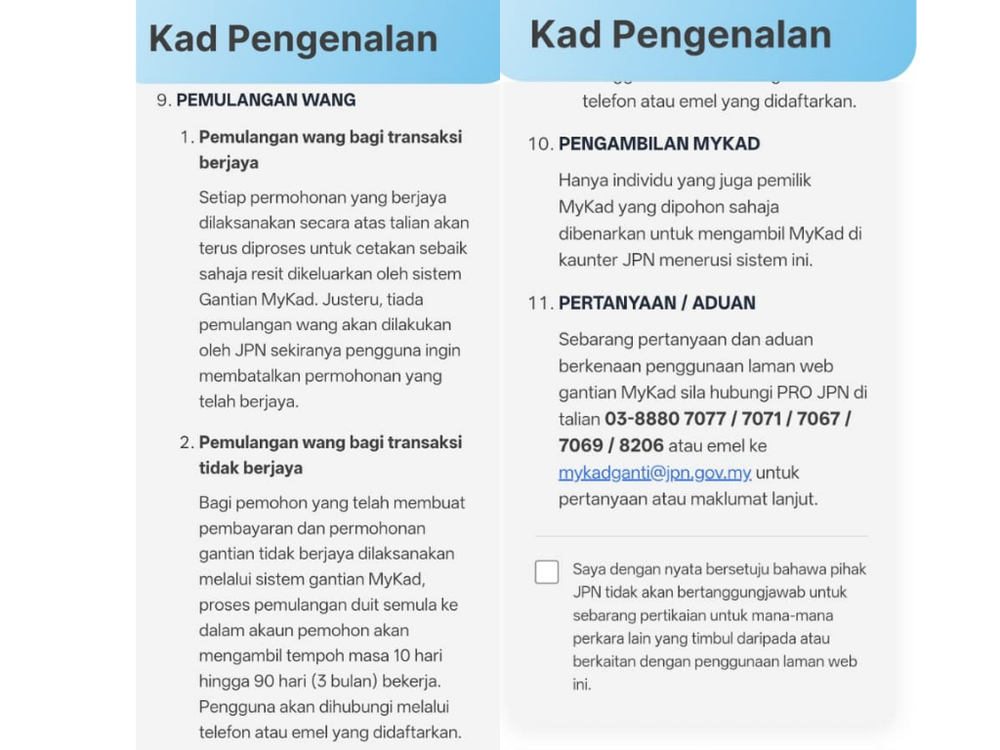
Repeated lost card replacements are equally restricted, as the digital service only caters to first-time loss cases. If you have misplaced your identity card more than once, the app will block the transaction and you will need to undergo a physical interview at a JPN counter.
The system is intended for adult citizens aged 18 and above, while minors require active parental supervision. Replacement fees follow JPN’s standard gazetted rates:
- Standard replacement or chip upgrade: RM10.
- Defective chip or damaged card: RM10, but the fee is waived if the card is replaced within 12 months of issuance.
- First-time lost card: RM110, comprising an RM10 card fee and an RM100 statutory negligence fine.
Submitting your application online merely removes the need to queue to file paperwork, as physical collection remains mandatory.
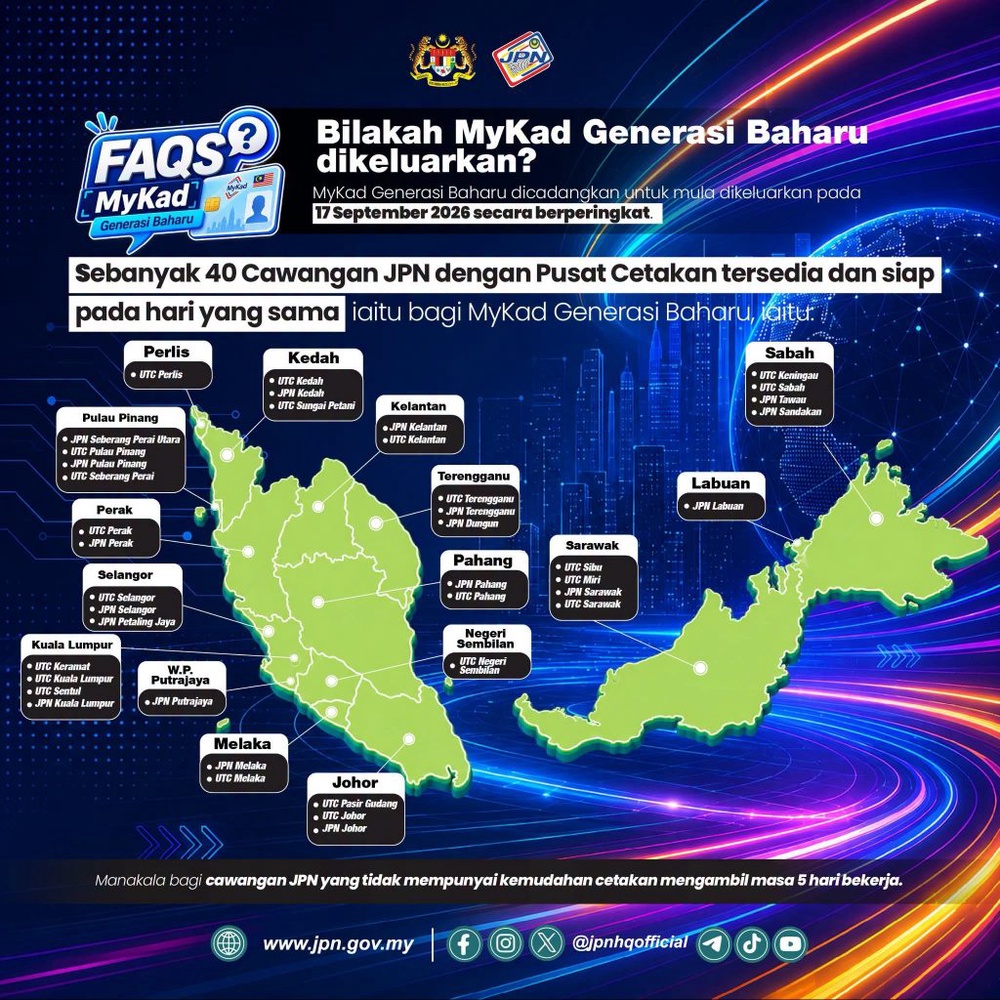
You can pick up your MyKad on the same day if you choose the right location. This half-hour collection window applies strictly when you collect from JPN Headquarters in Putrajaya, any State JPN Headquarters or branches equipped with on-site distributed printing machines.
Provided your online application succeeds and payment clears, opting for one of these designated hubs allows the department to produce and hand over your physical card within 30 minutes.
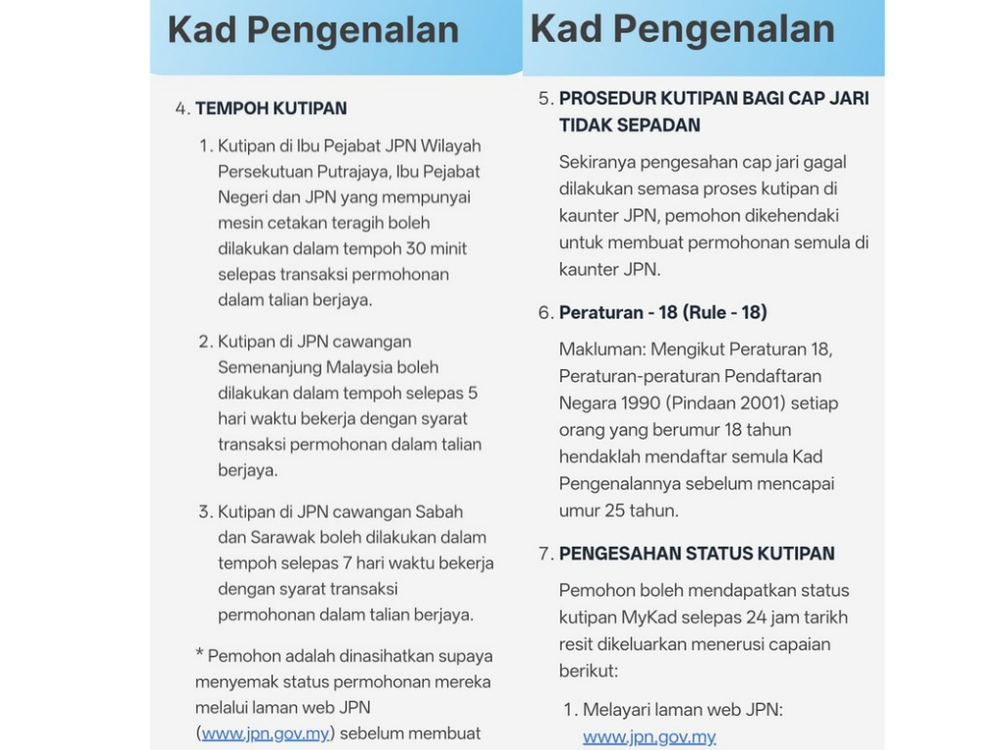
In contrast, if you select any other standard branch that lacks on-site printing facilities, MyKad processing takes five working days in Peninsular Malaysia and seven working days in Sabah and Sarawak. Collection status can be checked on JPN’s official portal 24 hours after making payment.
It is also worth noting that the digital payment receipt issued by the app cannot be used as an identification document.
If you urgently need temporary identification while waiting for your new card, you will still need to visit a JPN branch in person to obtain a temporary document known as the KPPK09.
Most importantly, you must be present in person for biometric authentication. If your fingerprint verification fails at the collection counter, the online application is immediately cancelled and you will have to reapply physically at the branch.