
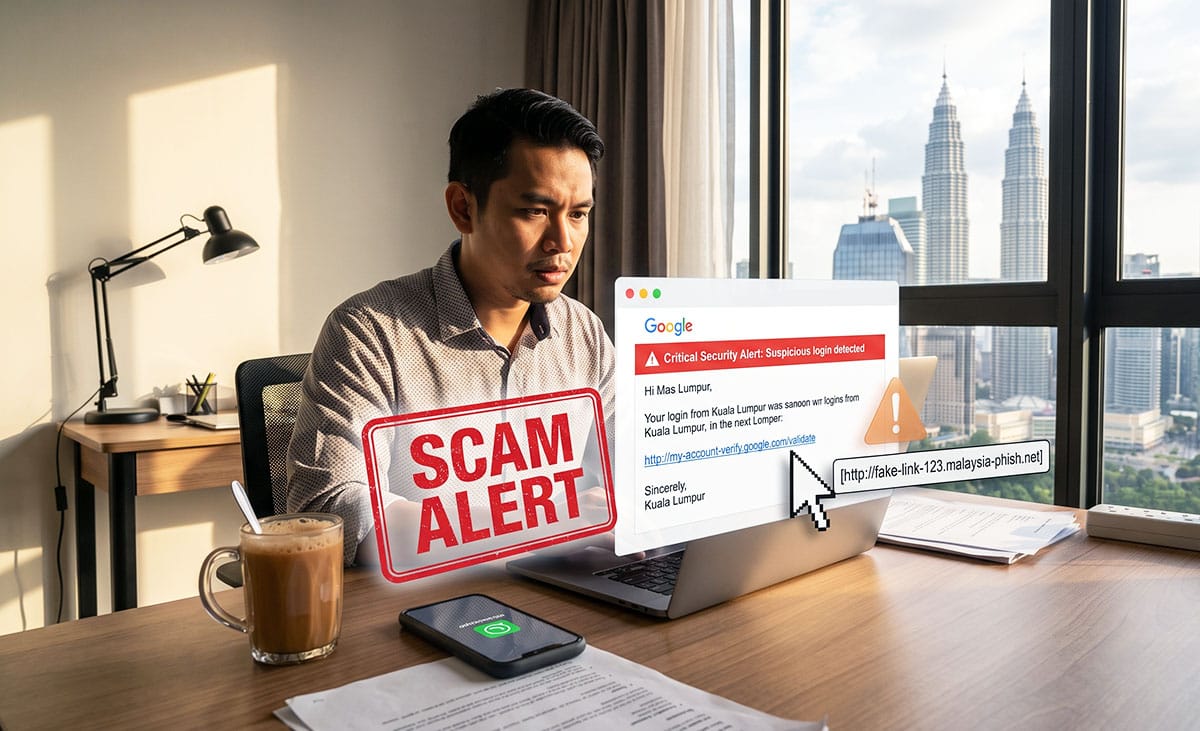
I get these fake alerts weekly, and most people can't tell.
An email lands in my inbox, "Suspicious sign-in detected" or "Your storage is full, upgrade now", styled just enough like Google to make you pause. I don't panic. I hover my mouse over the link first. Nine times out of ten, the status bar at the bottom of my screen shows some random domain that has nothing to do with Google. Reply-to address is off too, and the whole layout just feels a bit "not quite right" if you know what real Google emails look like. That's how I catch them before they catch me.
But here's the thing. Not everyone checks. And that's exactly what scammers are counting on.
Google Malaysia Is Sounding The Alarm
This isn't just me being paranoid. Google Malaysia's warning, delivered by country managing director Ben King, spells out exactly what I've been seeing in my own inbox. Scammers are deliberately designing emails and fake websites to look familiar and trustworthy, which is the whole point. A convincing fake doesn't need to fool everyone, it just needs to fool enough people scrolling through their phone on the LRT or replying to messages between meetings.
The pattern is almost always the same. Urgent subject line, official-looking branding, a link that promises to "secure your account" or "verify your identity" right now. Click it, and you land on a login page that looks exactly like Google's, except it isn't. Type in your password there, and you've just handed it straight to whoever built that page.
It's Not Just Email Anymore
What's changed recently is how far this has spread beyond the inbox. Google's own latest scams advisory flags something called "Calendar Phishing", where fake renewal notices get slipped directly into your Google Calendar as invites. You open your calendar to check your day, see an event that looks like a routine subscription renewal, and click through without a second thought because, well, it's just your calendar. No one expects a scam to show up there.
There's also a rise in what security researchers call Adversary-in-the-Middle attacks, where the fake page doesn't just steal your password, it mirrors the entire login process closely enough to intercept the session itself, bypassing the two-factor authentication you thought was protecting you. This is a step up from the clumsy fake emails of a few years back, and it's why "just look for bad grammar" is no longer good enough advice.
On top of that, Google Malaysia flagged fake "Sponsored" ads at the top of search results impersonating banks, PayPal, Microsoft and crypto exchanges, and "internet sideloading", where you're persuaded to install an app from a link in WhatsApp or Telegram instead of the actual app store. Those sideloaded apps often ask for permissions to read your SMS or notifications, which is exactly how scammers intercept the one-time password meant to protect your bank transfer.
Why "Just Verify" Isn't Enough Advice
The standard advice out there is to pause, verify the source, and avoid downloads from unfamiliar channels. Fine advice, if you're already the type of person who pauses. But most people don't even get that far. The moment something says "urgent" or "your account will be disabled", the instinct is to click first and think later. That's not stupidity, that's just how urgency is designed to work on the human brain.
For someone technically inclined, checking a link's actual destination takes two seconds. For your parents, or anyone who didn't grow up clicking around browsers, that instinct to check simply isn't there yet. My own mother doesn't even open emails anymore, but she still gets bombarded with scam messages on WhatsApp from random numbers, forwarded "prizes" and fake delivery notices. Every time, she shows it to me first, and every time, it goes straight to the trash. She's learned to ask. Not everyone has someone to ask.
So the real advice, the one that actually works for people who aren't naturally suspicious of a screen, is simpler: never act on a link inside an email, text or calendar invite. If your account is really at risk, close the message, open a new tab, and go directly to google.com or your bank's app yourself. If it's real, you'll see the same alert waiting for you there. If it's not, you've just avoided losing your money.
If You've Already Clicked
Say you've already clicked, or worse, entered your password. Don't freeze up, act immediately. Change that password right away, and if you use the same one anywhere else, change it there too. If any banking details or OTPs were involved, call your bank's hotline immediately, and get in touch with the NSRC's 997 hotline, Malaysia's National Scam Response Centre, which coordinates with banks and police to try to freeze stolen funds before they disappear. Speed matters here. The first few hours after a scam are when there's still a real chance of stopping the money from moving further.
If someone ever asks you to transfer money to a new account and something feels slightly off, you can also run the account number through the Semak Mule portal before sending anything, a free check against accounts already flagged for fraud.
This Isn't A Small Problem
Communications Minister Fahmi Fadzil recently put a number on this: Malaysians lost about RM2.9 billion to online scams. That's not an abstract statistic, that's real households, real retirement savings, real emergency funds, wiped out by someone clicking a link that looked like it came from Google. Working with small businesses across Malaysia, I see the ripple effect of this constantly, an F&B owner who nearly wired supplier payment to a fake account, a staff member who almost handed over company banking access because an email looked "official enough". Scams like this don't just hurt individuals, they hit the small business owners and their teams who don't have an IT department checking things twice.
The technology behind these scams keeps getting better. Our habits need to catch up. Forward this to your parents, your staff, anyone in your life who trusts an email just because it looks the part. That one habit, pausing before you click, is still the cheapest insurance you'll ever have.
Kamarul Azwan (k.azwan@gmail.com) is a content creator under the Newswav Creator programme, where you get to express yourself, be a citizen journalist, and at the same time monetize your content & reach millions of users on Newswav. Log in to creator.newswav.com and become a Newswav Creator now!
The User Content (as defined on Newswav Terms of Use) above including the views expressed and media (pictures, videos, citations etc) were submitted & posted by the author. Newswav is solely an aggregation platform that hosts the User Content. If you have any questions about the content, copyright or other issues of the work, please contact creator@newswav.com.