
Are you having problems with your Touch n Go eWallet account when changing a new phone number?
The following are the ways to recover your Touch n Go eWallet account with a New Phone Number for verified users!
These steps are only applicable if you have performed Account Verification (eKYC) to your Touch 'n Go eWallet account.
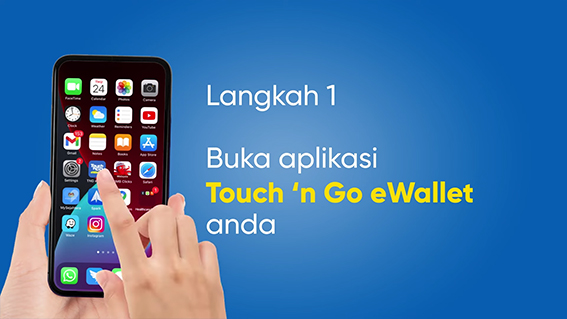
Step 1: Launch your Touch 'n Go eWallet
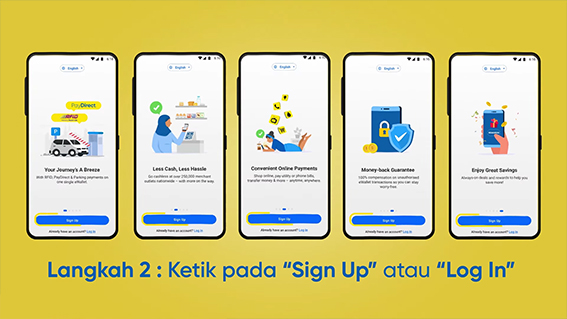
Step 2: You can tap on “Sign Up” or “Log In”
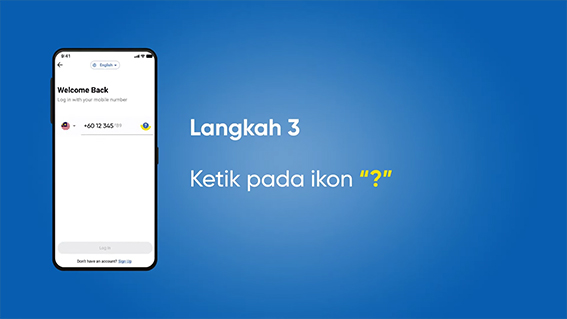
Step 3: Tap on the “?” icon
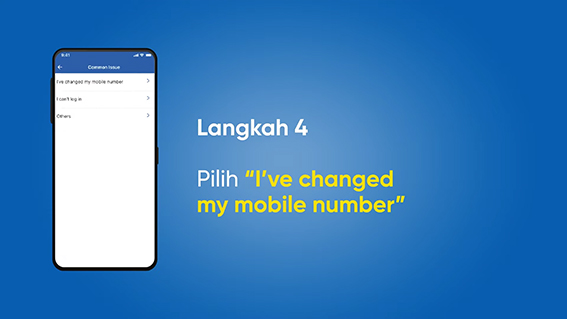
Step 4: Tap on “I've changed my mobile number”
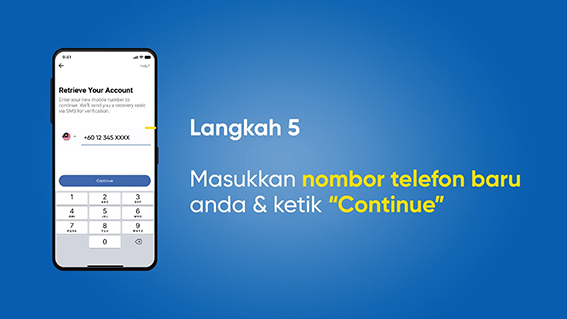
Step 5: Enter your new mobile number and tap on “Continue”
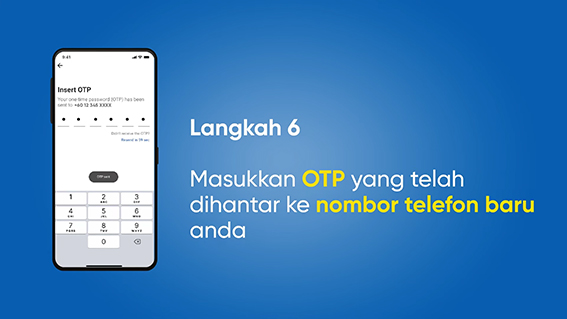
Step 6: Enter the OTP that has been sent to your new mobile number
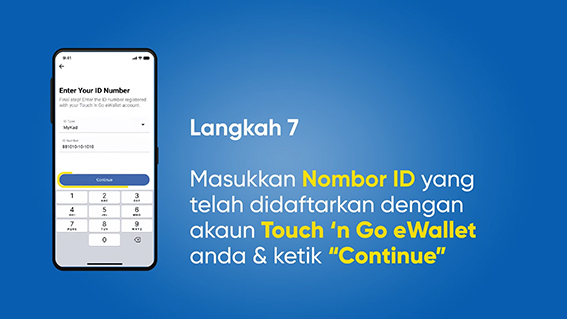
Step 7: Enter the Number ID registered with your Touch 'n Go eWallet account & tap on “Continue”
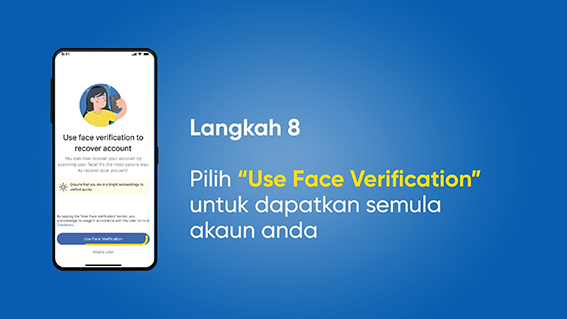
Step 8: Tap on “Use Face Verification” to recover your account
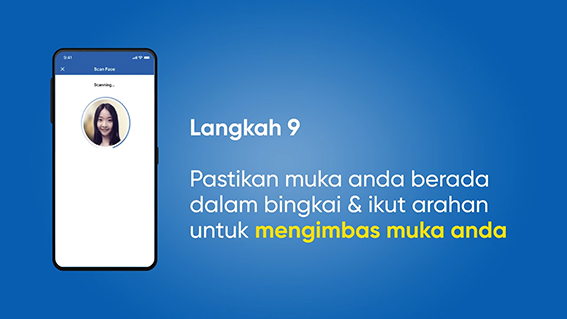
Step 9: Position your face within the frame & follow the instructions to scan your face
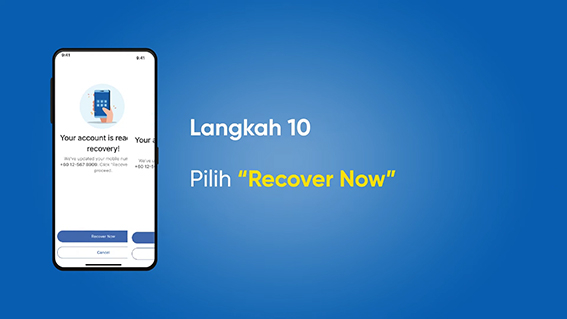
Step 10: Tap on “Recover Now”
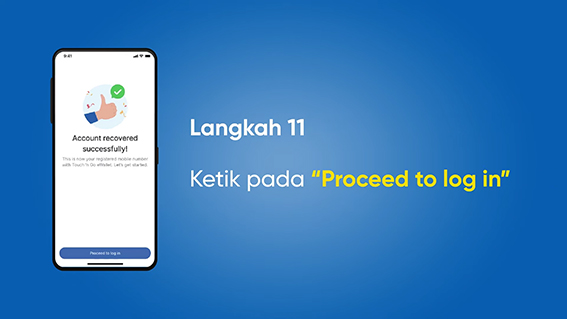
Step 11: Tap on “Proceed to log in”
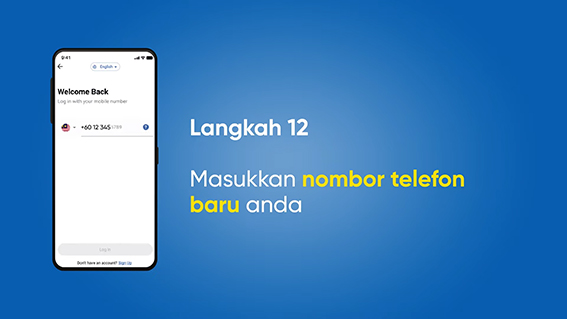
Step 12: Enter your new mobile number
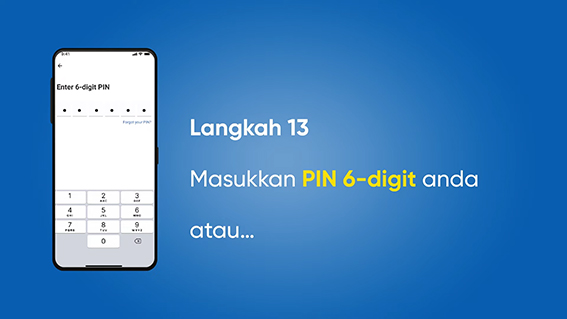
Step 13: Enter your PIN 6-digit or
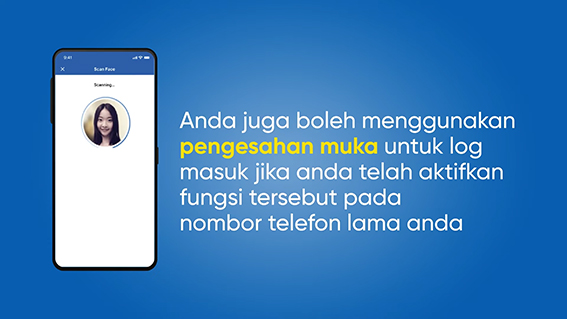
You can also use Face verification to log in if you have enabled it on your old mobile nomber
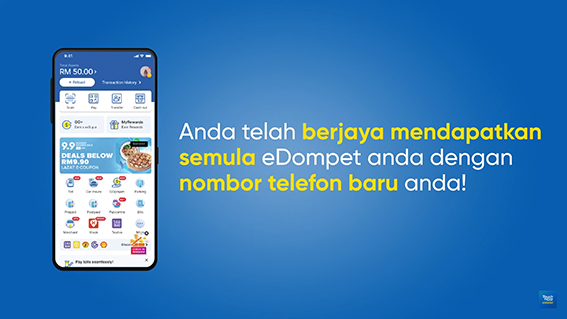
You have successfully recovered your eWallet with your New Mobile Number!

If you encountered any problems, please contact Touch 'n Go eWallet Careline for further assistance
Juno Eng is a content creator under the Newswav Creator programme, where you get to express yourself, be a citizen journalist, and at the same time monetize your content & reach millions of users on Newswav. Log in to creator.newswav.com and become a Newswav Creator now!
The User Content (as defined on Newswav Terms of Use) above including the views expressed and media (pictures, videos, citations etc) were submitted & posted by the author. Newswav is solely an aggregation platform that hosts the User Content. If you have any questions about the content, copyright or other issues of the work, please contact Newswav.