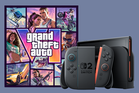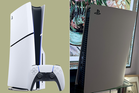
With the 19 November release of Grand Theft Auto 6 just hours away, there’s something gamers looking to save some money should know.
Gamers planning to play GTA 6 on either Xbox Series X/S or PlayStation 5 can save money by sharing a single copy of the game with a friend. Both players need to be in the same console ecosystem, since an Xbox copy can only be shared with an Xbox Series X/S user, and only a PS5 copy can be shared with another PS5 owner.
Game sharing lets a friend play using their own profile while you use the account that bought the game on your own console. That should allow you both to play GTA 6 at the same time. Game developer Rockstar has said there are no game-sharing restrictions related to GTA 6, but we’ll add more information if that changes once the game unlocks.
Read more: I played 65 hours of GTA 6 – you have no idea what you’re in for
How to share ‘GTA 6’ with a friend on Xbox
This assumes you own GTA 6 for Xbox and want to share it with your friend. It works the same way for both the Xbox Series X and Series S consoles.
- Sign into your Xbox account on your friend’s console
- Press the Xbox button and go to Profile & System -> Settings -> General -> Personalisation -> My home Xbox
- Select ‘Make this my home Xbox’
- Find GTA 6 in your owned games library and download it
- Ask your friend to switch to their own Xbox profile
You can designate one home Xbox at a time. The other player can use their own profile on their console without you being signed in. To play GTA 6 on your own Xbox, sign in with the account you used to buy GTA 6 and make sure your console stays connected to the internet.
How to share ‘GTA 6’ with a friend on PS5
Sharing GTA 6 with a friend should also work with the PlayStation 5, and the function is enabled in a similar way. These instructions assume you own GTA 6 on PS5 and want to share it with your friend.
- Sign into your friend’s PS5 using your PlayStation account
- Go to Settings -> Users and Accounts -> Other -> Console Sharing and Offline Play, then select Enable
- Navigate to Game Library -> Your Collection and download GTA 6
- Once downloaded and the game unlocks, your friend can launch GTA 6 from their own PlayStation profile
Sony allows Console Sharing and Offline Play to be active on one PS5 at a time. If it’s already enabled on your own PS5, turn it off there before setting up the other console. You can still play on your own PS5 using the account that bought the game, while your friend’s profile gets shared access to the game on their console.
If you bought the boxed edition of GTA 6, redeem the download code first on your own console and using your own gaming profile. Then follow the above steps as normal.