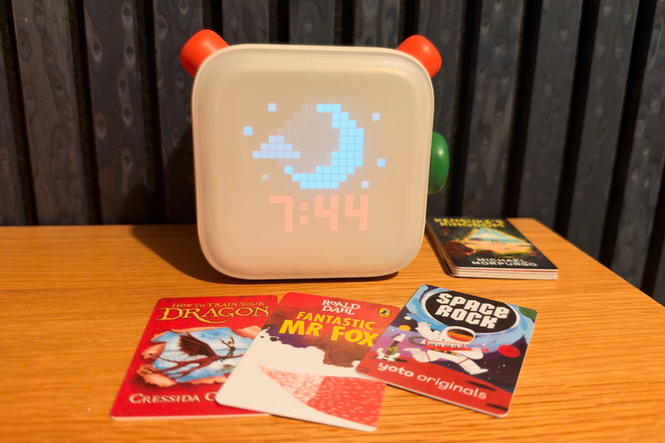
The Yoto player has been a staple in our house for a couple of years now, with both of my boys (aged seven and five) having their own Yoto mini, and a growing collection of story cards to go with them. One of the things we love most is the huge range of free content available through the Yoto app. And, of course, no review would be complete without an honorary mention for Yoto Jake, who's pretty much become a fifth member of our family. His daily podcast is now a non-negotiable part of our bedtime routine.
So, when Yoto announced its brand new fourth-generation players, we were keen to see what the latest upgrades had to offer. It's the first time in eight years that both devices have had a major refresh and there's more to the update than just a new look.
Aesthetically, both players a softer, more rounded, almost bubble-like shape that feels more child-friendly and comfortable to hold. But there are plenty of practical improvements, too, including double the storage, upgraded wifi and Bluetooth, clearer audio, an enhanced night light and, perhaps the most exciting addition for little ones, a big green button.
Available on both the full-sized player and the mini, the new green button is designed to give children even more independence, allowing them to access their favourite audio content (overseen by an adult), without needing to insert a card, making it easier to switch between stories, podcasts, music and more.
The list of upgrades sounds impressive. But how much difference do they actually make in reality? And, if you already own an older Yoto player, is the fourth generation worth the upgrade? My seven-year-old has spent the past month using the new full-sized player every day, so here's how we got on.
Read more: Best kids’ audio players, reviewed
Read more: Best kids’ headphones, tested
Yoto player (4th generation)
Why we love it
- Wide age range of content, from baby to teen years
- Easy to use
- Promotes independence
- Plenty of free content
- Night light and alarm clock
- Strong parental contols
Take note
- Yoto cards can be expensive
As proud owners of the original Yoto mini, news of a new and improved fourth generation was very welcome in our house. We originally opted for Yoto because we felt it was a device that would grow with the boys, particularly as they get closer to their pre-teen and teenage years. There's a huge range of content available for older children, too, so it's not something they'll quickly grow out of.
We'd already been toying with the idea of buying the larger Yoto player for some of its added features, particularly the night light. So, with fresh eyes and an excited seven-year-old, we couldn't wait to see how the new model fitted into our evening routine.
New features
Most of the fourth-generation upgrades build on features already available, but there are some impressive improvements. These include double the storage, increasing from 32GB to 64GB (more than 1,000 hours of audio), a full-panel night light, faster download speeds and Bluetooth 6.1 for improved wireless headphone connectivity.
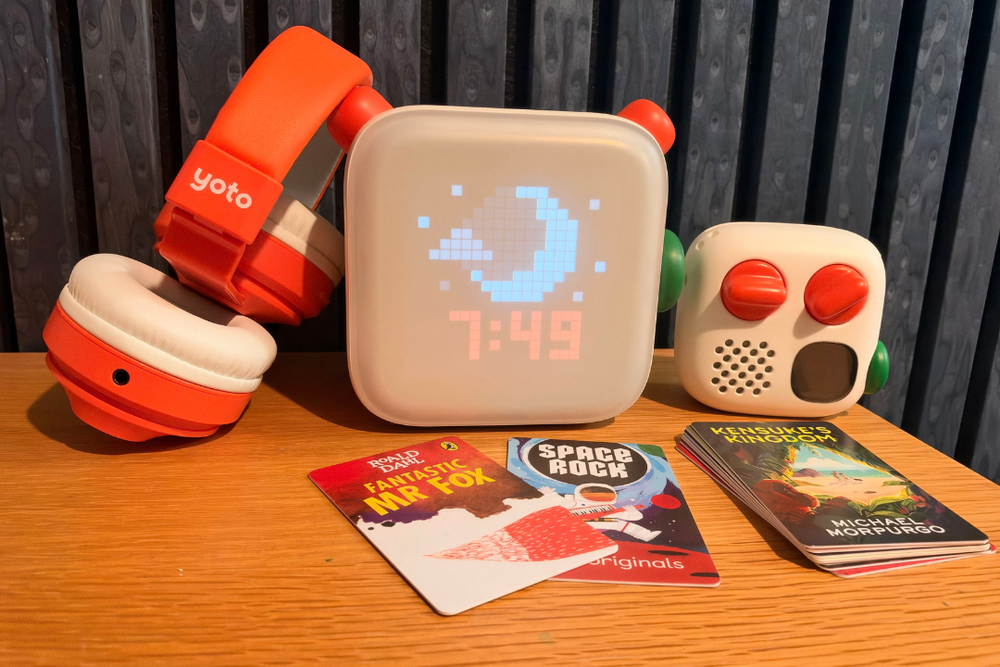
There's also been a noticeable change to the overall look and feel of the device, with a more modern, playful design. And one entirely new addition is the big green button, which gives children the freedom to control their audio independently, without needing to insert physical cards or reach for the app. I'll go into more detail about how this works below.
The fourth gen yoto mini is also now IP67 splash and dust resistant, making it even more durable for using out and about.
Read more: Best gifts for six-year-olds, reviewed
Design
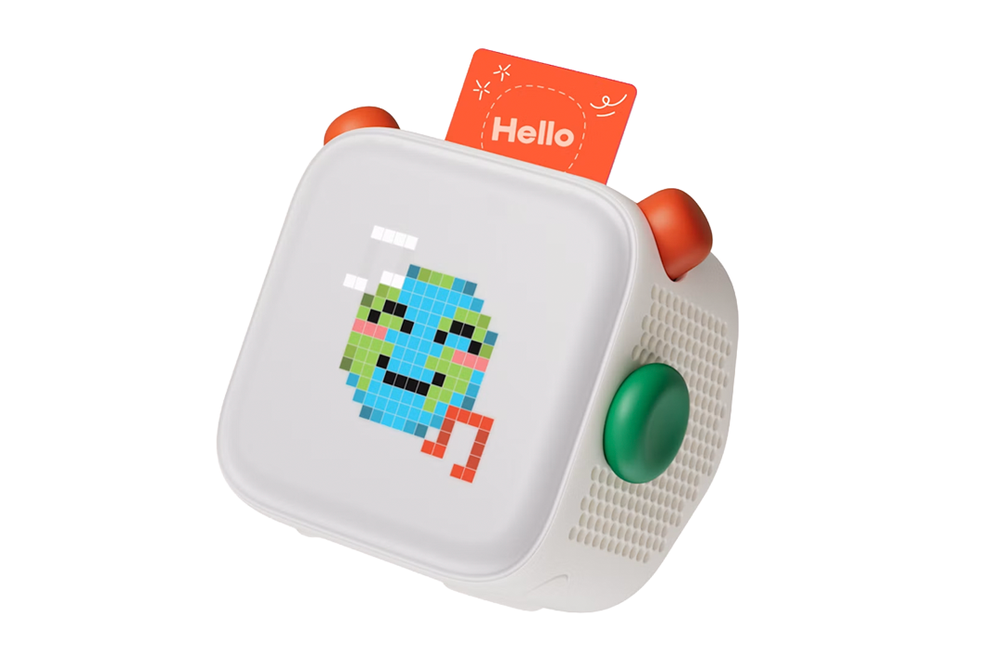
The first thing you'll notice about the fourth-generation player is its new design. The casing and buttons are now more rounded, with a bubble-like finish that gives the device a softer, more child-like aesthetic. It feels comfortable to hold and, in my opinion, makes it appealing to younger children.
That said, if you have older children edging towards their pre-teen years, the more playful aesthetic might not feel quite as “grown-up” as the previous design.
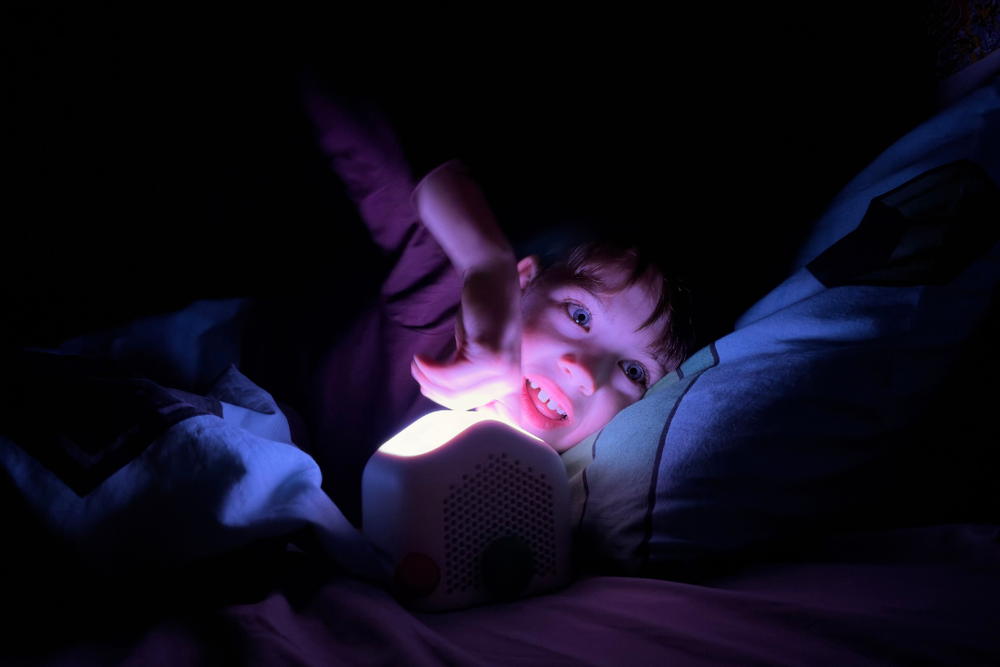
The night light has also had an upgrade. Rather than being limited to a smaller area, the majority of the back panel now lights up, with seven colours to choose from: orange, red, lilac, green, yellow, blue and white. My son loves choosing a different shade each evening, and you can easily adjust the brightness using the side buttons or through the app. Keep in mind that to activate the night light, the player needs to be tilted onto it’s front.
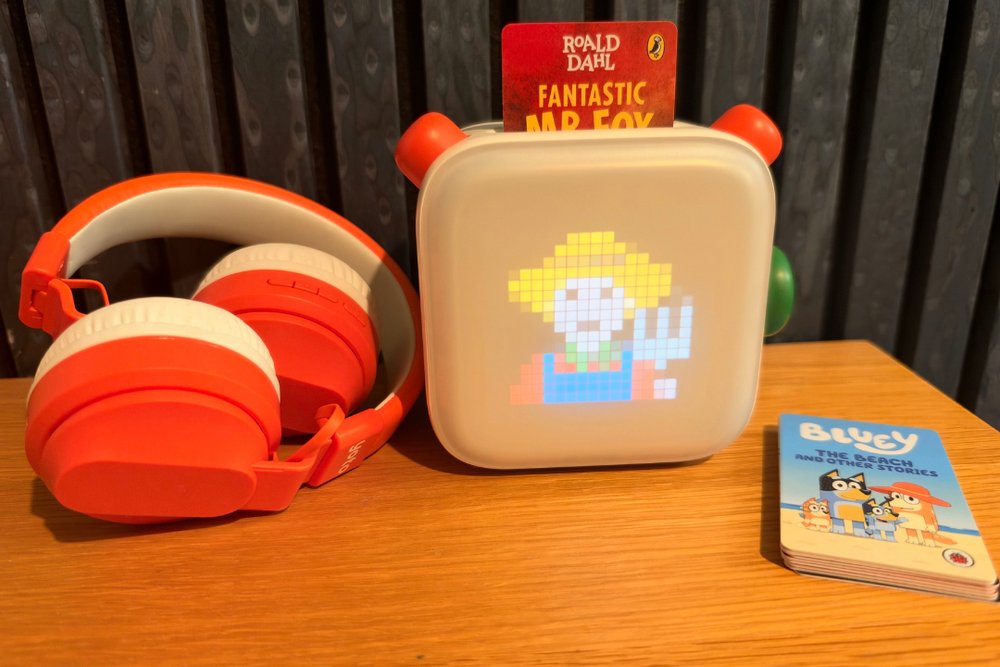
The front digital display is another nice touch. It's crisp and bright, with the screen blending seamlessly from edge-to-edge. Overall, it feels like a much more modern update.
Audio quality
As we only have the previous-generation Yoto minis to compare it with, I can't offer a direct comparison between the original and fourth-generation full-sized players. However, the new minis do feel a little crisper and clearer. That said, the difference isn't particularly dramatic, so I wouldn't say improved audio alone is a reason to upgrade.
The full-sized fourth-generation player impressed me the minute I switched it on. With speakers positioned on either side of the device, the sound feels much more immersive, filling the room nicely when listening to stories or music. You can adjust the volume using the smaller buttons on the player itself or through the app (I often find myself sneaking the volume down remotely when my son isn't looking!).
Battery life
One thing that unexpectedly caught my attention was the battery life. We can easily go the best part of a week without needing to charge the player, despite using it every evening. A fully charged battery is designed to last around 16 hours, which I'd say is pretty accurate based on our experience.
It's a particularly useful feature if, like us, you take your Yoto away on family trips. There's nothing worse than packing a gadget for the journey, only to find the battery has run flat!
The green button
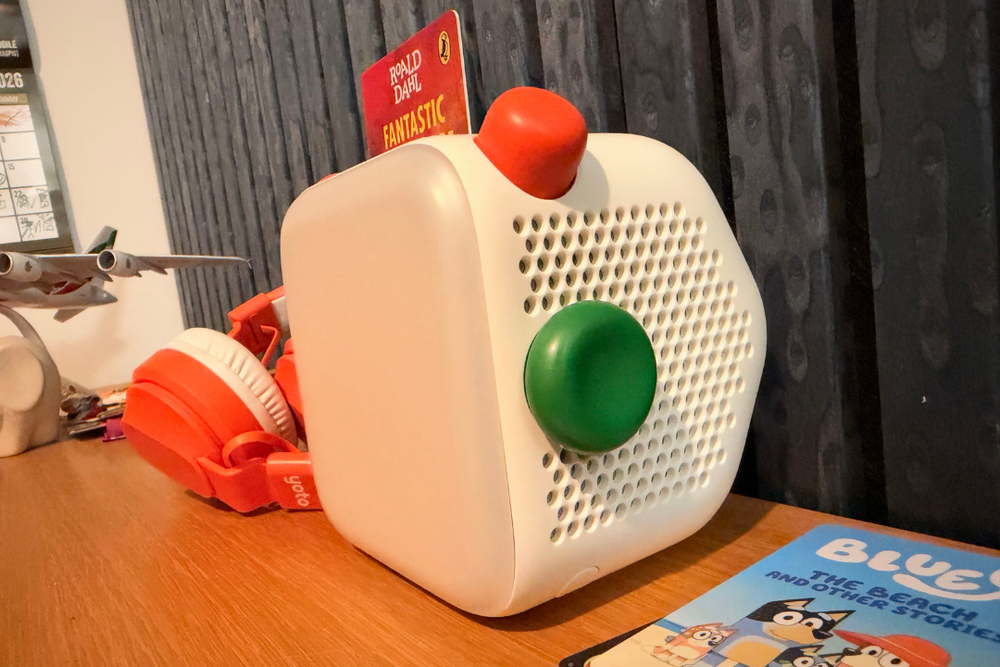
Now, the big green button (arguably the biggest addition to the fourth-generation Yoto player) is the feature that's impressed me the most.
The idea is to give children more independence and control over what they listen to, without having to keep inserting and swapping physical cards.
Through the Yoto app, parents can select up to 20 cards and other audio content, including the free podcasts and stories available through the platform. You can also create two separate playlists: one for daytime listening and another for bedtime. We had great fun choosing our favourites together and it's easy to swap content in and out whenever you fancy a change.
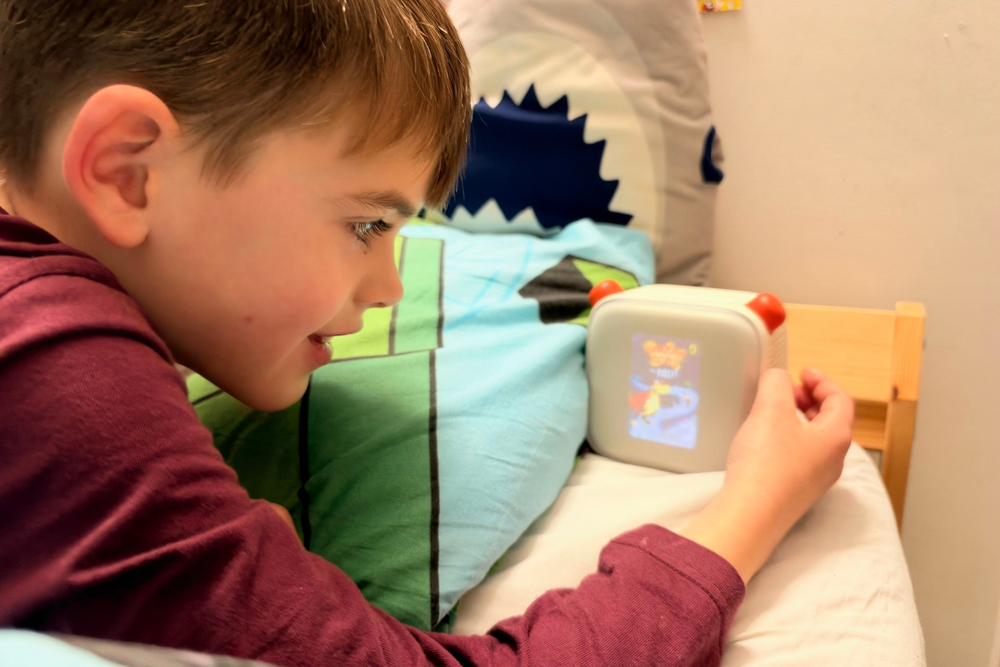
For us, this has made a real difference to our seven-year-old’s bedtime routine. Once we've got our son settled, he can scroll through his chosen playlist and listen to audiobooks and stories without having to get out of bed to change a card or call us back into the room. He's loved having that extra bit of independence and, of course, the novelty of being able to control it himself.
I will say, if i was leaving my five-year-old with bedtime control, I would probably limit the number of stories on the playlist, as I have a suspicion he would be up at all hours of the night playing with it.
Using the button is really straightforward, too. Simply twist it to scroll through the available content, with the Yoto card artwork appearing on the digital display. It's a small detail, but a nice touch that makes browsing feel more interactive for little listeners.
Ease of use
Setting up the Yoto player is refreshingly straightforward. Simply download the app, connect the player to your home wif-fi by following the on-screen instructions and link it to your Yoto account.
Once connected, you can browse hundreds of free audiobooks, podcasts, stories, music and more, as well as access any Yoto cards you've already purchased.
Another feature I find handy is that, as soon as you insert a physical card into the player, its content is automatically added to your app library. This is useful when we're heading away for a few days and want to take the player with us. Rather than having to pack a stack of cards (and inevitably worry about losing them), we can access our saved content directly through the app.
It's these little practical touches that make the Yoto feel like a device designed with family life in mind.
Content and Yoto app
If you couldn’t already guess, one of my favourite things about Yoto is the sheer amount of free content available. There's a huge library to explore, with something for almost every age, from babies and toddlers right through to older children and teenagers. Between the stories, podcasts, music and radio stations, there's always something new to discover.
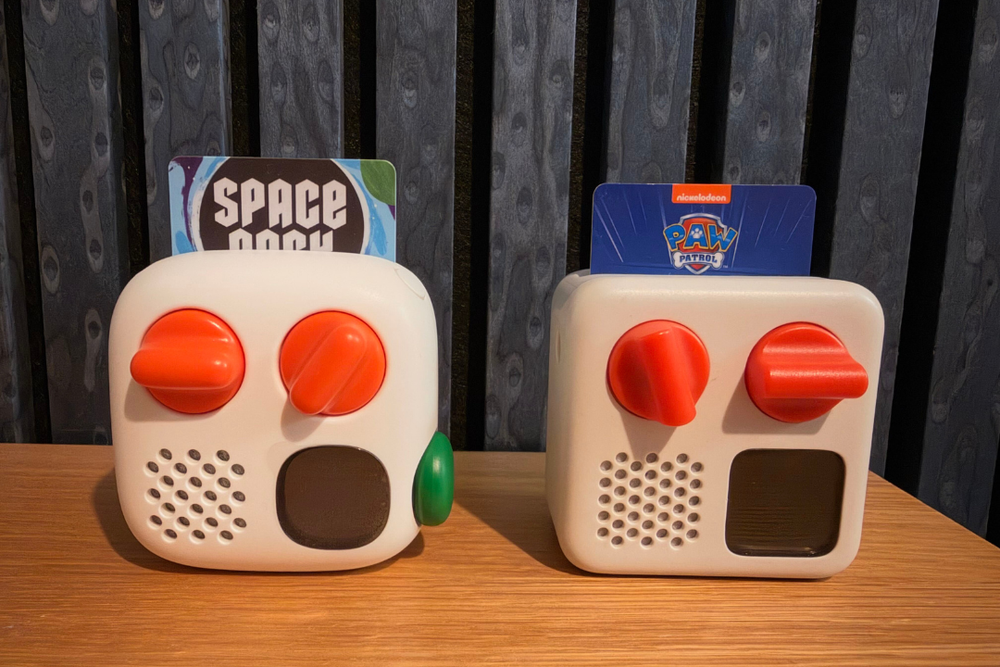
Of course, not everything is free. Physical Yoto cards featuring popular characters, stories and publications, including Disney, Paw Patrol, Bluey, Julia Donaldson collections and Harry Potter, are available to buy separately. Prices typically range from £10 to £20, which can add up if you're building a collection. I’ve also found some bargain second-hand cards available on Vinted and Facebook Marketplace.
My advice would be to keep an eye out for seasonal sales and shopping events, particularly Black Friday and World Book Day, when Yoto often runs promotions on its cards.
The app offers more than just housing playlists. Parents can use it to control the night light and volume, manage the green button playlists, set alarms and time limits, and check the player's battery level. It's reassuring to have all these controls in one place, particularly when little ones are still getting to grips with the device.
Key specifications:
Where to buy Yoto 4th gen audio players
Buy now £107.99, Yotoplay.com
Is the new Yoto fourth generation worth it?
If you're new to Yoto, I'd say the fourth-generation player is a great investment, particularly if you're looking for an audio device that will grow with your child. The combination of physical cards, free app content and the new green button gives children plenty of choice, while features such as the night light, headphone connectivity and parental controls make it a practical addition to family life.
If you already own an older model, the improvements are certainly welcome, but I wouldn't say they're essential if your existing player is still doing the job. For us, the green button is the biggest selling point, particularly for making bedtime listening easier and giving children more independence (and my husband and I some of our evening back!).
Ultimately, it's a worthwhile upgrade, but not one you need to rush out and buy if you're happy with your current device.
Read more: 20 best gifts for seven-year-olds
How I tested the fourth generation player
My seven-year-old and I spent a month testing the fourth-generation Yoto player at home, using it daily as part of our usual bedtime routine. As long-standing Yoto mini owners, we've also been able to compare the new model with our previous-generation devices, and draw on a couple of years' experience using the audio player.
I looked at everything from the design, sound quality and battery life to the upgraded night light and, in particular, how easy the new green button is for children to use independently. We also explored the Yoto app, its free content library and the different ways to customise playlists, assessing how well the player fits into everyday family life.
Why you can trust IndyBest reviews
The Independent's consumer writer, Fran Watts, has many years’ experience writing about how to save money and testing products across tech, lifestyle, home and family. With a focus on value and savvy spending, she’ll give you an upfront and honest review on whether a product is truly worth it.
As a mum of two, she understands what parents look for in products that need to work for both children and grown-ups. And having already used Yoto for several years with her own boys, Fran has first-hand experience of how the audio player fits into family life. She has spent a month putting the fourth-generation player through its paces to see how the latest upgrades compare with the original and whether they're worth the investment.
For more, we’ve reviewed the best gifts for six-year-olds