
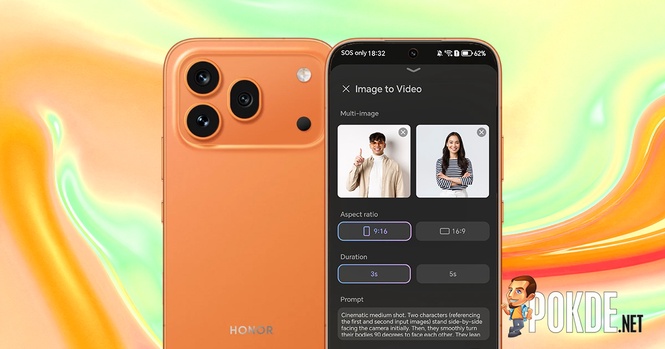
Last year, HONOR had a crazy idea of handing its user a feature that can be best described as AI slop generator when it launched the HONOR 400 series. The smartphone maker officially calls it “AI Image to Video”, and at that time, all it could do was turning a static image into a somewhat animated clip that admittedly doesn’t look convincing to any trained eyes.
So of course the model has been improved upon, and with the upcoming launch of the HONOR 600 series, the company is introducing a second iteration aptly named AI Image to Video 2.0. I guess we do still have excess capacity in the vast amounts of datacenters out there to generate slop even at a time when OpenAI Sora had to shut down because, duh, of course it’s not profitable when all it could do is produce dopamine rushes to the small niche of people obsessed over AI slop.
Testing AI Image to Video 2.0 feat. HONOR 600 Pro


The newly-updated feature has a few tricks up its sleeves: multi-image to video, custom prompts, and new presets. Like before, the feature can be accessed through the built-in Gallery app by tapping the “Create” tab, then the big “Image to Video” button on the screen. From that point on, you select a preset, pick a specific number of photos, customize output settings (and specific prompts, if needed), and let HONOR’s servers handle the rest.


Here are some of the presets offered, some of which are more straightforward one-photo-and-done affair, while others will require you to input two or three images to produce a result; the requirement will be listed right under the preset description. Below are some examples, all of which are restricted to 720p resolution (or 1108 x 828 in some cases) with clip generation length limited to 3 seconds or 5 seconds.
Despite the supposed upgrades, the model still require some handholding, be it simple re-runs or modifying prompts to make sure the result is somewhat realistic. Simple ones like dolly zoom are usually free of obvious errors, although sharper eyes can still tell there are some garbled bunch of pixels on areas that was obscured in the source image’s 3D space. Now, that is not all…
Hang On, Has Anyone Thought About The Implications?
Allow me to cite a famous quote by Dr. Ian Malcolm from 1993 film Jurassic Park:
Your scientists were so preoccupied with whether or not they could, they didn’t stop to think if they should.
While generative AI has long been released out of the Pandora’s box at this point, one should still question the ethical implications of handing everyone what is effectively a digital equivalent of kitchen knife. Wielded by a pair of good hands and it can help create an exquisite meal, but on the wrong hands it’ll be the subject of the next newspaper headline.

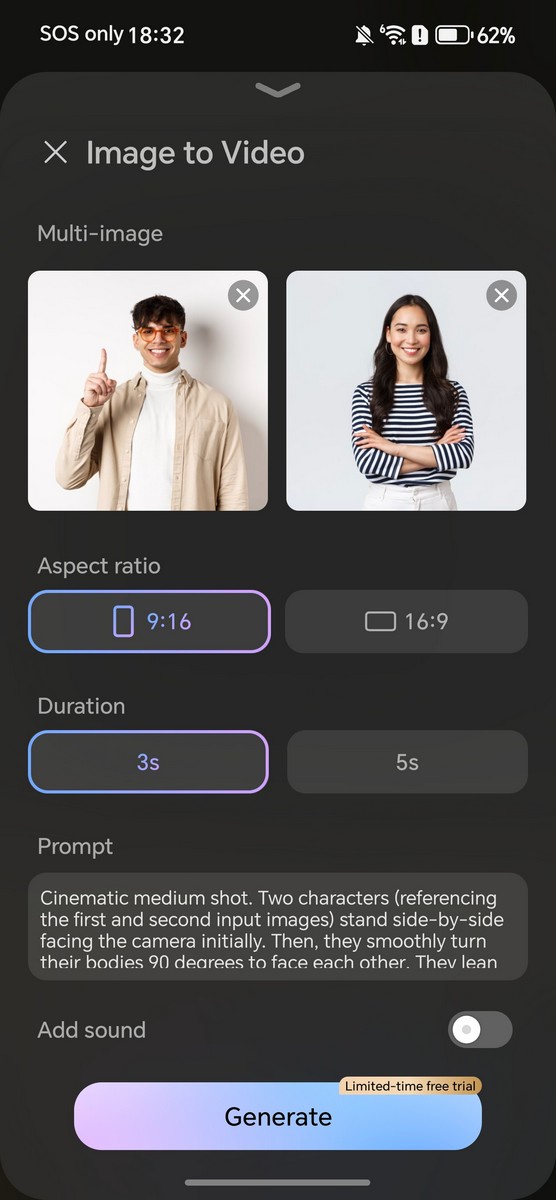
The reason I’m bringing up this analogy is because of a preset under AI Image-to-Video 2.0 which HONOR referred as “The Embrace”. As mentioned, the idea is to combine multiple people from separate images and combine them into a singular clip where they embrace each other. Sounds benign on paper, but here’s a thought experiment: what if this is used against strangers without their permission? Or even, maliciously?
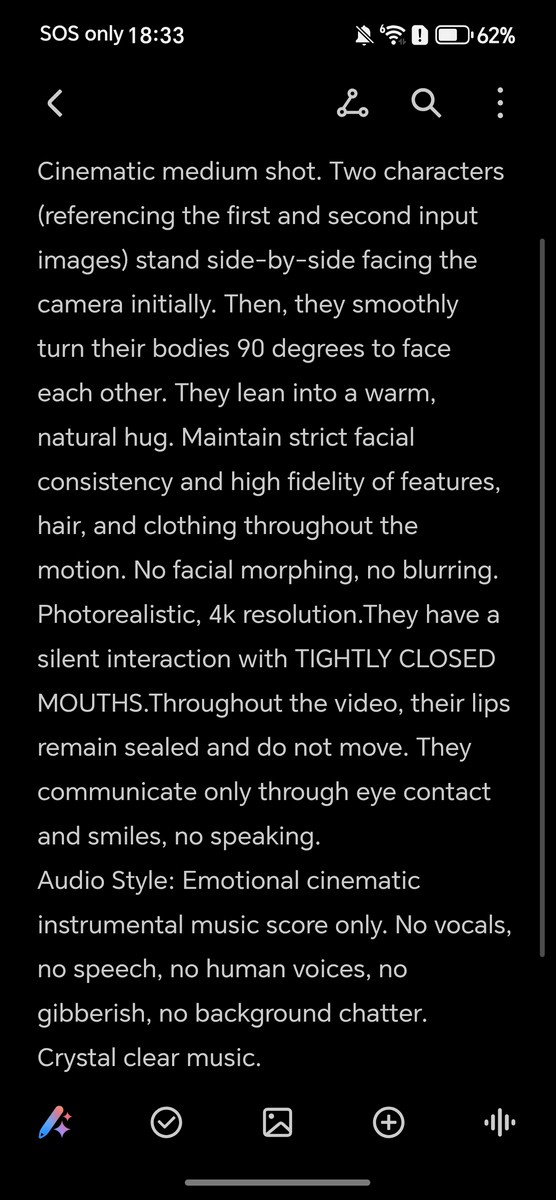
For your reference, we also extracted the full preset prompt that is set by default when you select this preset (ironically, HONOR’s prompt also asks for 4K footage, but you can only do 720p regardless). Below are the generated results along with input images shown so you can see for yourself. There’s no measures nor any kind of disclaimer upfront that prevents – or at the very least, clearly warn – someone from grabbing a random person’s photo (or even a victim’s) on Instagram and let the slop machine roll.


Like many consumer-facing AI services, there’s the usual obscure disclaimers that acts more like a regulatory yada-yada than anything more substantial. See the excerpts of text below as captured in the user agreement found deep within the app settings (or visible on the very first time you activate this feature by tapping the specific hyperlink):


On top of that, we also found that the watermark can be freely disabled, and in all known cases, there is no metadata-based watermarking system that identify the file as being AI-generated. (For example, Google Pixel 10 will tag photos upscaled using AI with such disclosures.) If you do need to disable the feature, you have to do so by accessing the Gallery settings via the top right menu button > Disable Image to Video > Confirm.


The truth is unless predictive policing is involved – and that is a different can of worms altogether – nobody has a way of preventing a malicious user from creating non-consensual content (and this does not need to be necessarily sexual). We already have seen what X’s Grok could do under the wrong hands, and that, in my opinion, is what makes generative AI features like this one problematic, if not outright dangerous.
Perhaps I’m just yelling at clouds at this point, and I highly doubt one person’s opinion is going to change the proverbial big AI machine from consuming the entire humanity with copious amounts of slop. I would hope we wake up from this insanity and realize that there has to be a line drawn when companies sink unreasonable amounts of resources into this in hopes that we would all consume it, no questions asked.