如何验证 Touch n Go eWallet (eKYC)?

Digital
30 Jun 2023 • 10:30 AM MYT
Juno Eng
Juno Eng

我是一个过气的设计师。分享一些过气设计师眼中的昨天、今天和明天。

image is not available
图片来源:Touch n Go eWallet YouTube

如果你没进行验证(eKYC)Touch 'n Go eWallet ,只能够运用Touch 'n Go eWallet 的基本功能和较低限额(最高 RM200)。
如果你想要享受 Touch 'n Go eWallet 的全部功能(即资金转账)和更高的限额(RM5000),根据 BNM 关于 AML/CFT 指南的监管要求,你就必需进行验证(eKYC)这是强制性的。
除此之外,验证后我们可以得到来自Touch 'n Go eWallet 更好的保障。
更重要的是,如果将来当我们换了个新手机号码时,我们就可以很轻松的将户口转到新手机号码上。Link

如何在换了新手机号码后-夺回-touch-n-go-ewallet: Link
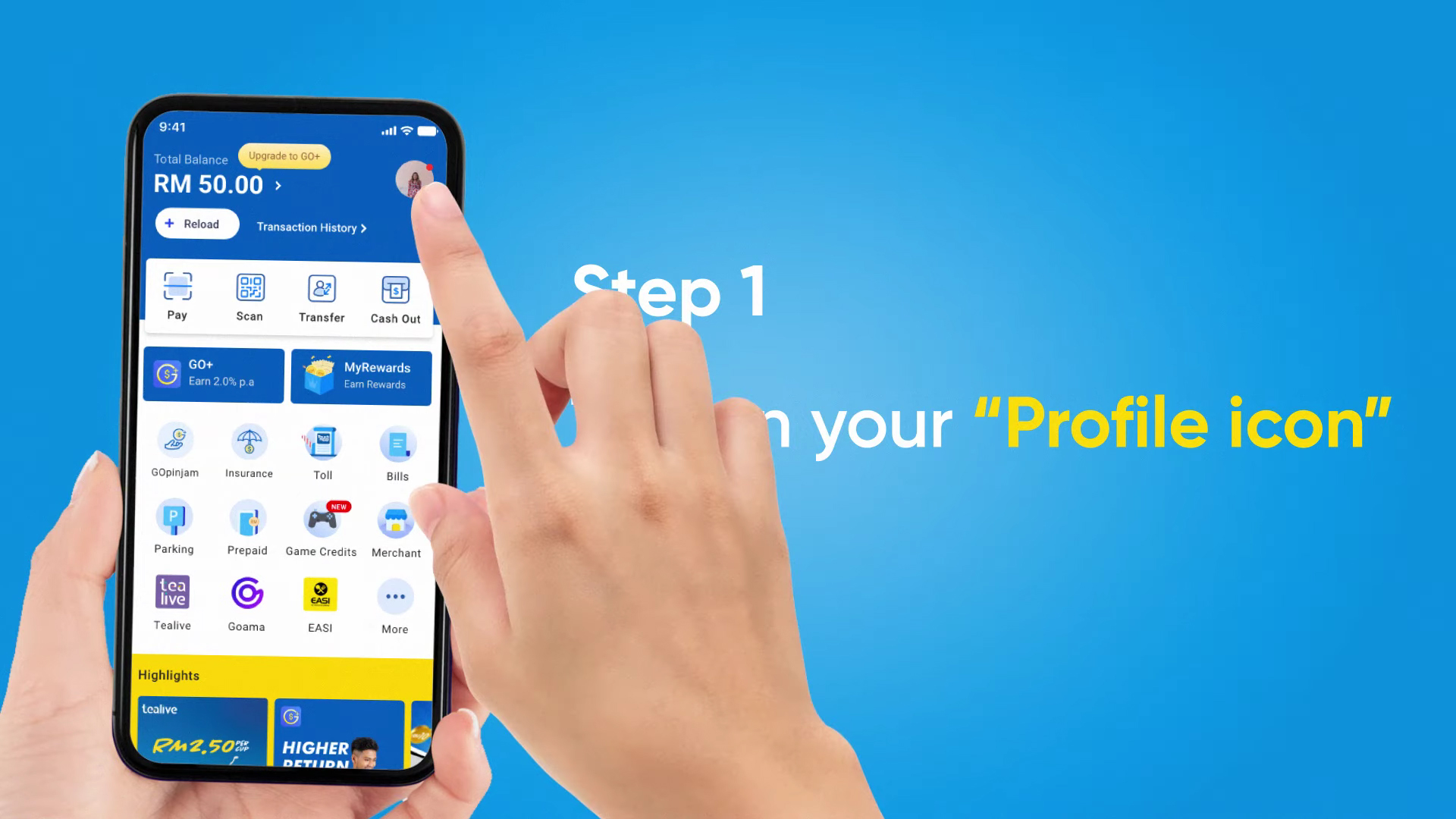
Image from: 如何验证 Touch n Go eWallet (eKYC)?
图片来源:Touch n Go eWallet YouTube

步骤一:点击Profile标志

Image from: 如何验证 Touch n Go eWallet (eKYC)?
图片来源:Touch n Go eWallet YouTube

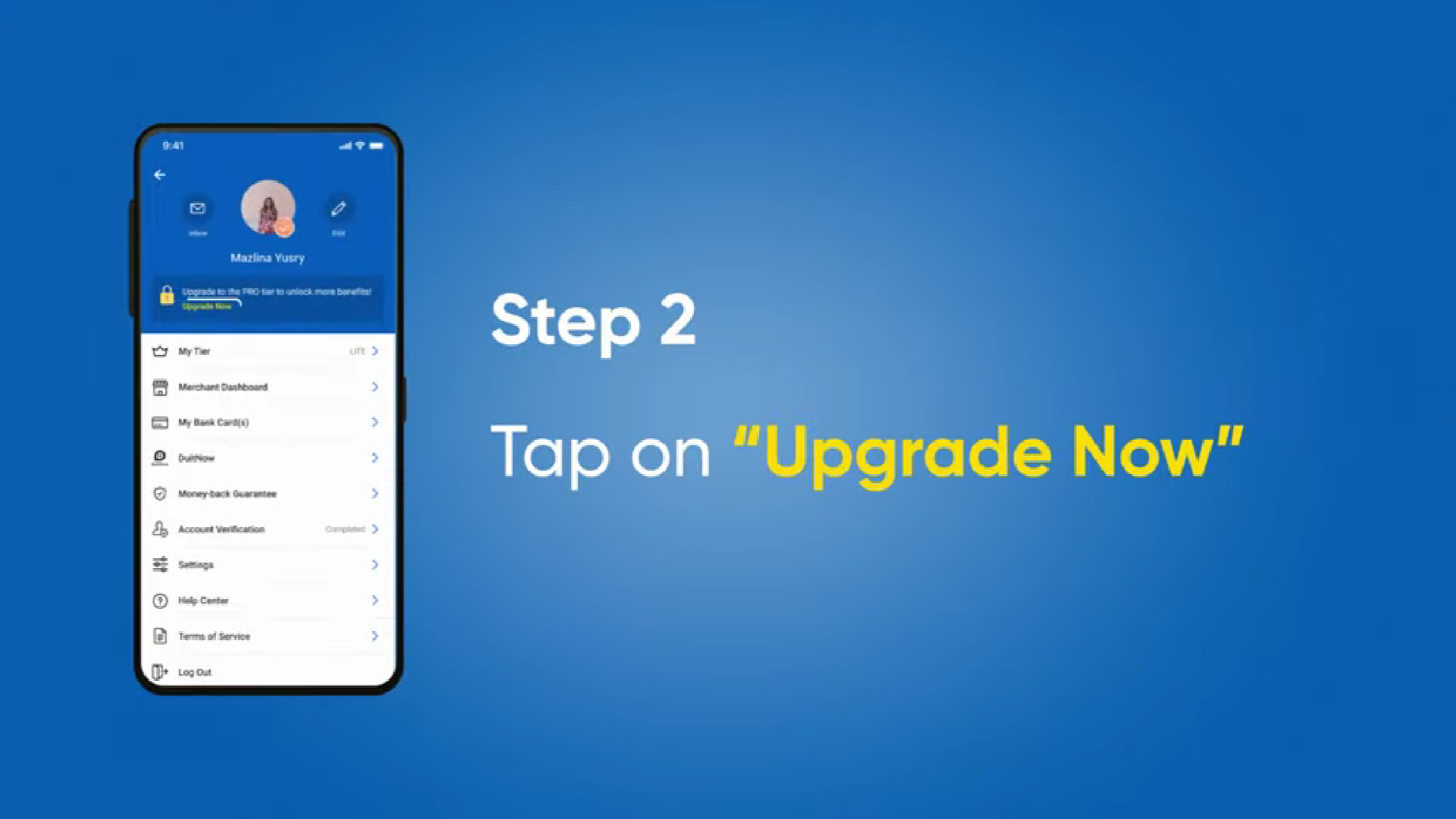
步骤二:点击 “Upgrade Now”

Image from: 如何验证 Touch n Go eWallet (eKYC)?
图片来源:Touch n Go eWallet YouTube

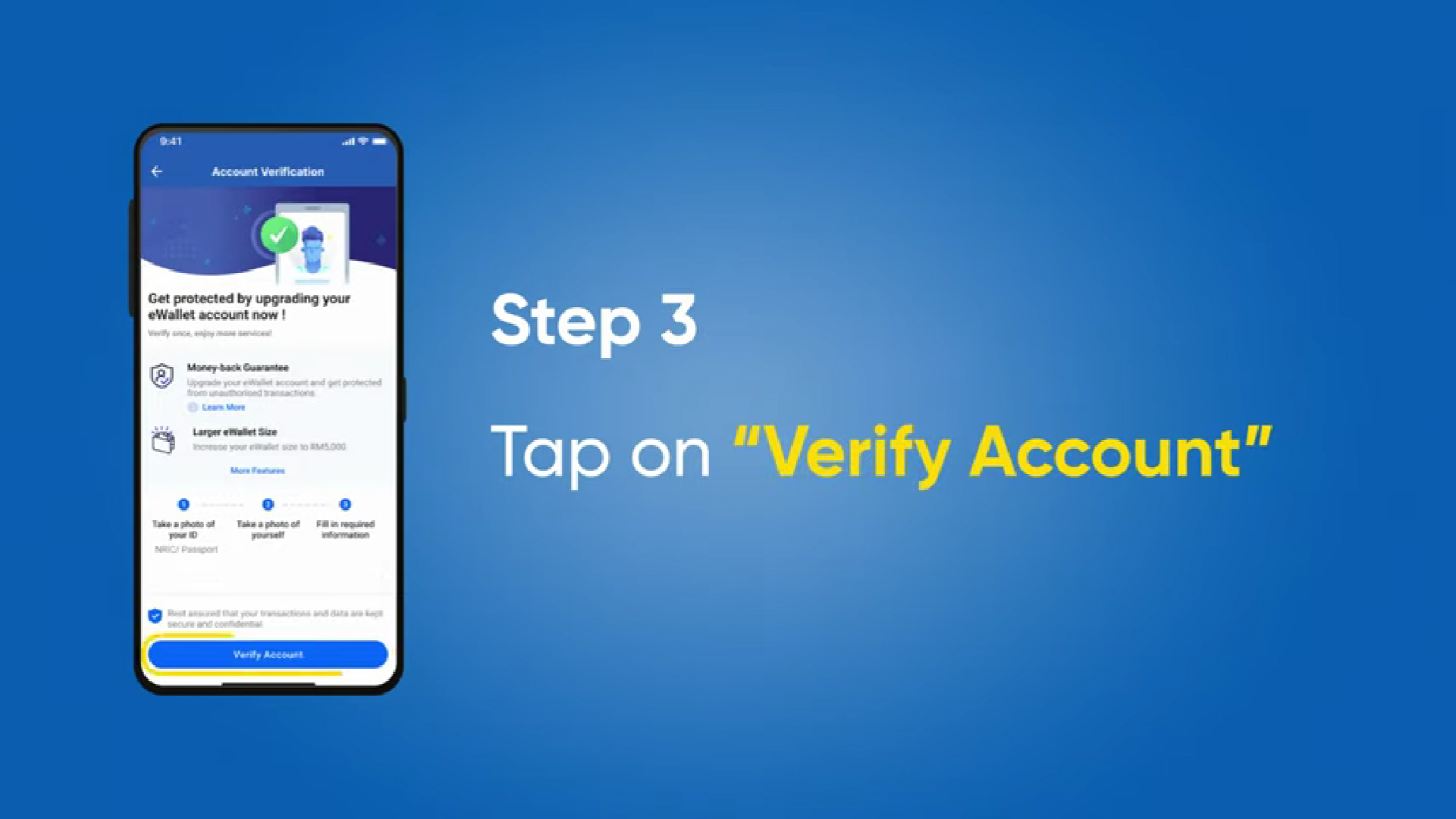
步骤三:点击“Verify Account"

Image from: 如何验证 Touch n Go eWallet (eKYC)?
图片来源:Touch n Go eWallet YouTube

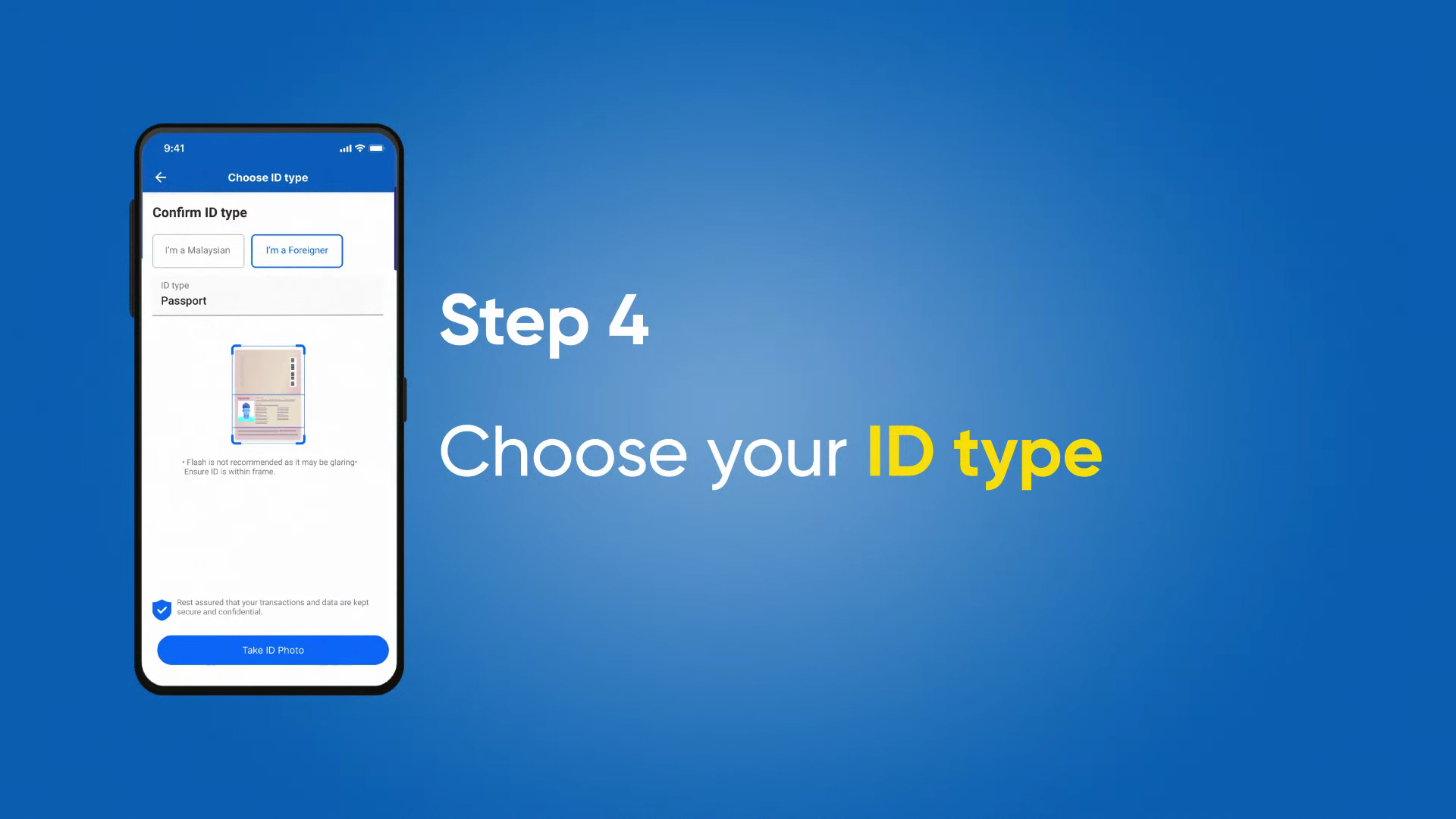
步骤四:选择你的ID type (身份证IC、护照Passport…)

Image from: 如何验证 Touch n Go eWallet (eKYC)?
图片来源:Touch n Go eWallet YouTube

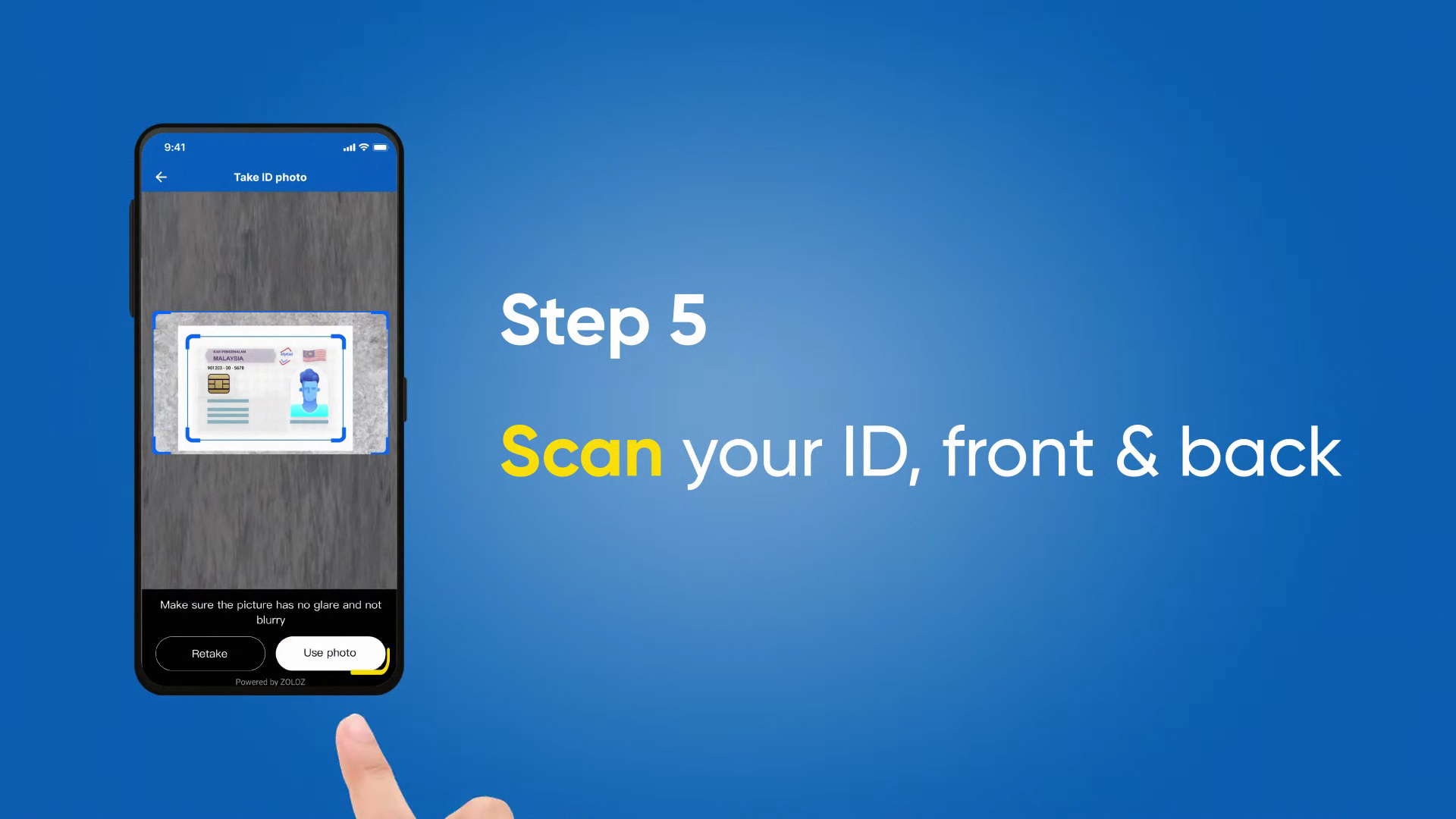
步骤五:扫描你的刚刚选择的 ID,前页和后页。

Image from: 如何验证 Touch n Go eWallet (eKYC)?
图片来源:Touch n Go eWallet YouTube

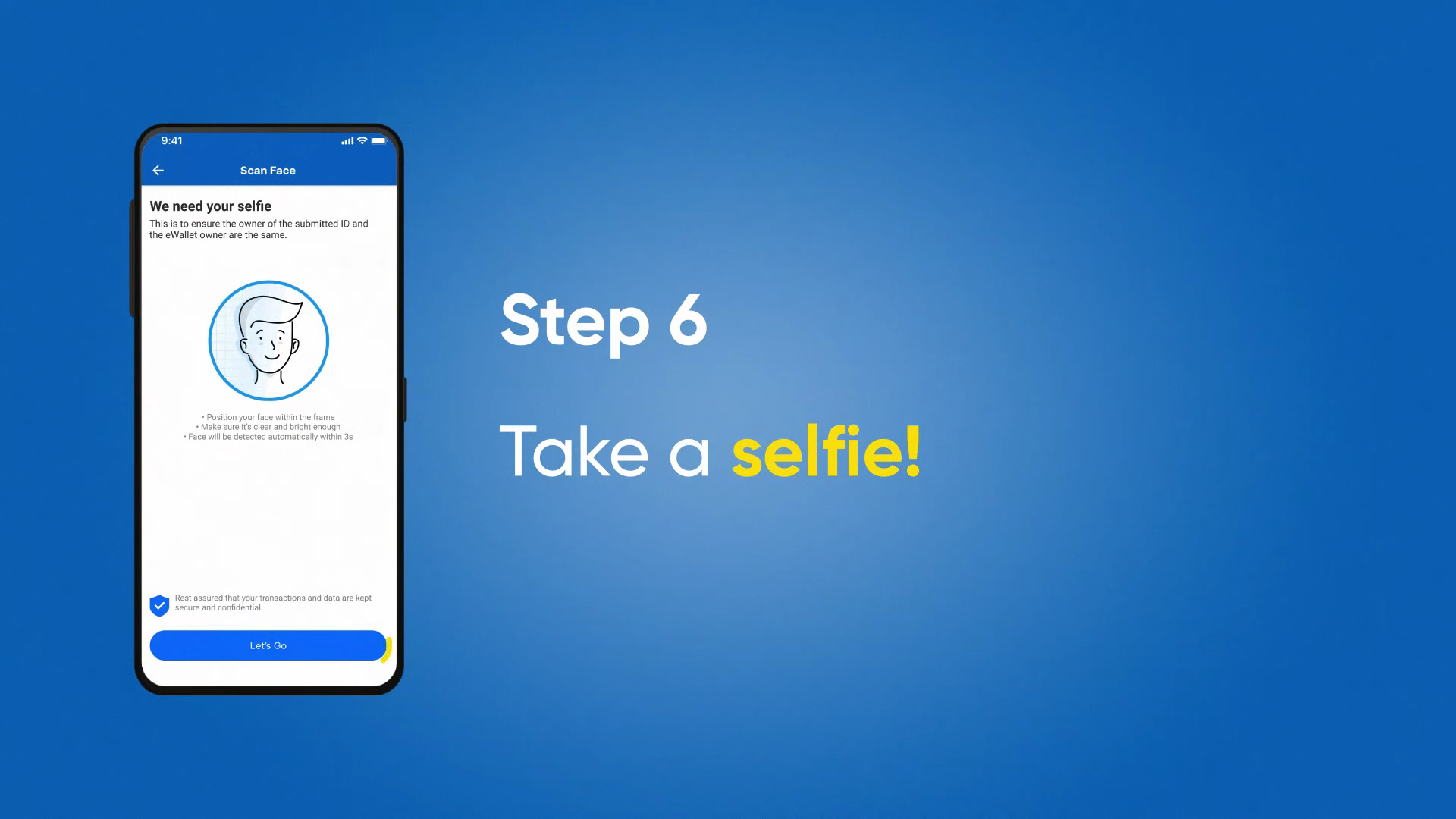
步骤六:进行自拍

Image from: 如何验证 Touch n Go eWallet (eKYC)?
图片来源:Touch n Go eWallet YouTube

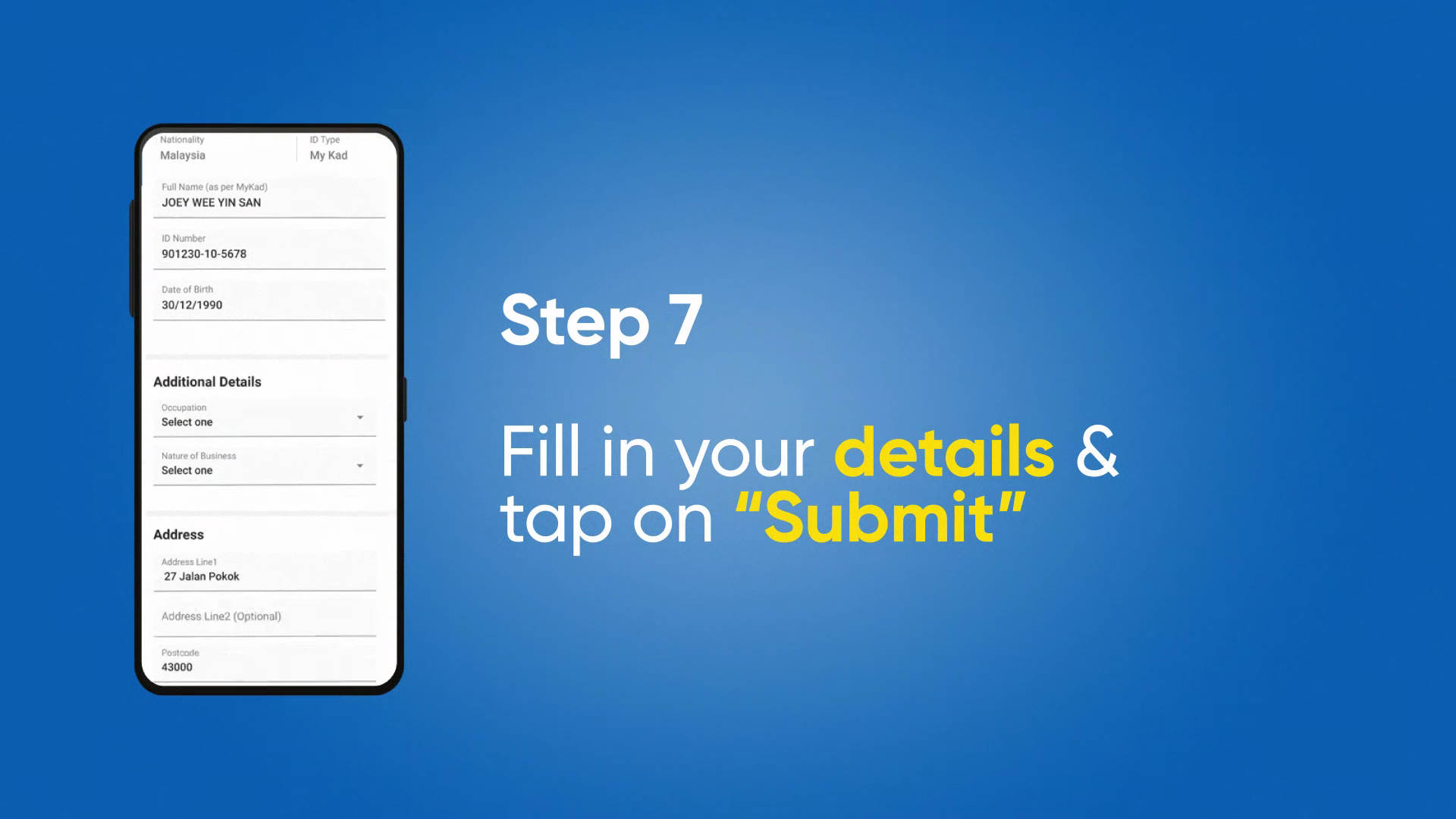
步骤七:填写你的个人资料,完成后点击”Submit“

Image from: 如何验证 Touch n Go eWallet (eKYC)?
图片来源:Touch n Go eWallet YouTube

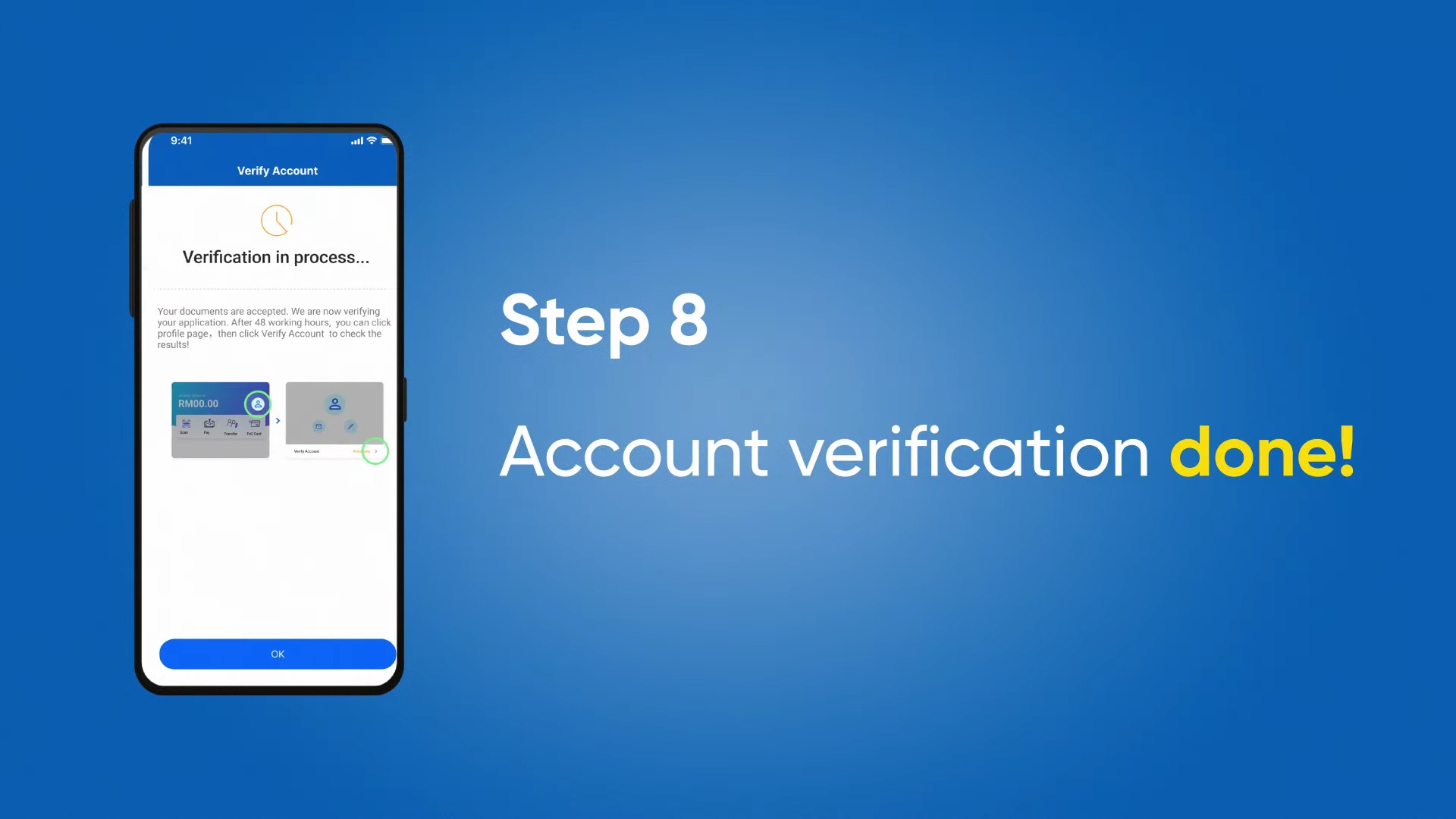
步骤八:验证完成


Juno Eng Newswav Creator 项目的创作者。此项目让创作者在分享心得、讲述故事、成为公民记者的当儿,通过Newswav的百万用户实现流量变现,赚取额外收入。立即在creator.newswav.com 注册成为我们的创作者之一吧!

上述用户内容(“User Content”,定义见 Newswav 使用条款)包括所表达的观点及所有媒体(图片、视频、引用等)均由作者提交和发布。 Newswav 仅是一个提供内容托管服务的聚合平台。如果你对作品的内容、版权或其他问题有任何疑问,请联系Newswav。

Newswav Malaysia Best News App

Newswav is an online content aggregator and obtains its content from different online sources. The content in the app do not belong to Newswav nor do they reflect the opinions of Newswav and its staff. Your use of this app indicates your understanding and acceptance of this information.

Newswav Sdn. Bhd. (201701008480 (1222645-M)) 2026 All Rights Reserved