
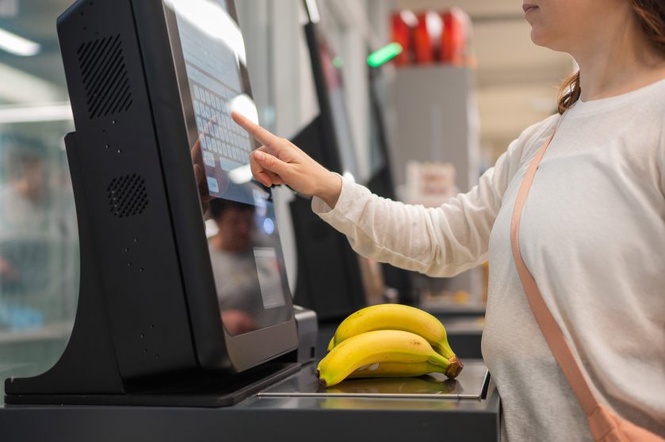
Self-checkout promises a faster trip through the grocery store, but anyone who has stood behind a shopper battling the machine knows how quickly things can go wrong. A barcode refuses to scan, the bagging area starts beeping, or someone spends several minutes searching for a produce code while the line grows. Employees assigned to these stations often have to manage several registers at once, so small, avoidable problems can create extra work. Still, not every delay is the shopper’s fault. Self-checkout systems can be confusing, and technical problems happen even when customers follow the instructions. These 11 habits are worth avoiding if you want a smoother checkout and a less stressful experience for everyone.
1. Putting Items in the Bag Before Scanning Them
One of the most common mistakes is moving items directly from the cart into a shopping bag without scanning each product first. The machine may not register the purchase, and some systems use cameras or other technology to identify possible missed scans. An employee may need to pause the transaction and check what happened.
The easiest solution is to scan each item, confirm it appears on the screen, and then move it into the bagging area. If you accidentally skip a scan, stop and ask for help instead of hoping the machine will not notice. A genuine mistake is usually easier to resolve when you address it immediately.
2. Guessing at Produce Instead of Choosing the Correct Item
Apples, peppers, onions, and potatoes can look similar, but different varieties may have different prices. Selecting the first item that looks close enough can lead to an incorrect charge and require an employee to correct the transaction. Loose produce often needs to be identified through an on-screen menu or a price lookup code.
Take a moment to check the produce label or sticker before making your selection. If you cannot find the exact variety, ask an employee rather than choosing a cheaper option at random. It helps to keep similar produce separated in your cart, especially when you have several varieties of apples or potatoes.
3. Scanning the Same Item Twice
When a barcode does not appear to register immediately, it can be tempting to scan the product again. Sometimes the first scan worked, even if you did not notice the confirmation on the screen. Scanning a second time can add an extra charge that needs to be removed.
Watch the screen after each scan and give the machine a moment to respond. If the item appears twice, do not keep scanning and hope the total corrects itself. Use the removal option if the system allows it, or ask the attendant to help. Checking the item count before paying can also catch accidental duplicates.
4. Ignoring the Bagging-Area Instructions
Self-checkout scales can be sensitive to how items are placed in the bagging area. Moving a scanned item too quickly, setting down an unrelated object, or placing a bag where the machine does not expect it can trigger an alert. Employees then have to come over to clear the message or approve the next step.
Follow the machine’s prompts and avoid placing your phone, purse, or other personal belongings on the scale. If the system keeps flagging an item even though you have followed the instructions, ask for help. Sometimes the equipment is simply not cooperating, and repeatedly moving everything around may make the problem worse.
5. Waiting Until the Last Second to Look for a Barcode
Some products have barcodes hidden beneath folds, near seams, or on the bottom of the package. Turning a box around several times while the next customer waits can slow things down, particularly when you have a full cart.
Look for the barcode while unloading your cart, and position packaged items so they are easy to reach. If a barcode is damaged or will not scan, ask an employee to look up the product. There is no need to keep rubbing the package over the scanner when it clearly is not working.
6. Choosing the Wrong Produce or Bakery Code
Produce is not the only category that may require a manual selection. Some stores sell bakery items, loose rolls, or other products without standard barcodes at self-checkout. Choosing a similar-looking item because it appears first on the screen can create pricing errors.
Check the label or packaging for the exact product name and price when possible. If the item is part of a special promotion or has a different size, make sure the selection matches what you are buying. When the correct listing is difficult to find, getting assistance is better than guessing and leaving the employee to correct the receipt later.
7. Leaving Coupons Until the Transaction Is Finished
Coupons and digital discounts can have specific requirements, and not every self-checkout machine handles them the same way. Waiting until the final payment screen to figure out how a coupon works can force an employee to backtrack through the transaction. Some discounts also require a qualifying product, quantity, or loyalty account.
Read the coupon terms before you begin and follow the instructions on the screen. If a digital offer is not applying, check that you selected the correct account or qualifying item. Review the displayed total before paying, and ask for assistance if the discount still does not appear. It is reasonable to want the advertised price, but the employee may need time to verify the offer.
8. Walking Away Before Payment Is Complete
A machine may display the total without having finished the payment process. Customers can mistake that screen for confirmation and begin packing up or walking away before the transaction is approved. This leaves the purchase unfinished and may require an employee to intervene.
Wait for the payment confirmation and receipt prompt before leaving the register. If you are using a card or mobile wallet, check that the terminal accepted the payment. A slow response does not always mean the transaction failed, so avoid tapping repeatedly without checking the screen.
9. Treating the Attendant Like a Personal Cashier
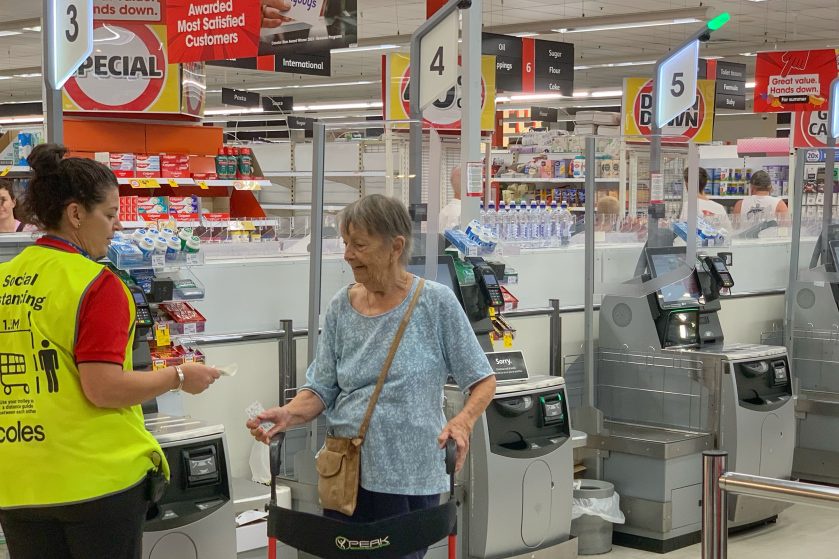
Self-checkout attendants are there to assist customers, approve certain transactions, and resolve machine problems. They may be supervising several stations at once, so expecting them to scan every item while you stand back can slow down other shoppers. Some stores also have specific rules about when employees can use handheld scanners.
If you need assistance, ask politely and explain the issue. Follow the store’s instructions about which items you should scan yourself and which require staff help. If your cart is too full or the process becomes difficult, a staffed checkout may be a better option when one is available.
10. Starting a Large, Complicated Order in a Small-Order Lane
Some retailers limit self-checkout to a specific number of items, while others leave the lanes open to larger baskets. Bringing a full cart into a lane designed for quick purchases can create delays, especially when you have bulky products, many produce items, or several coupons. Store rules differ, so check the signs rather than assuming every self-checkout has the same limits.
If you have a large order, use a regular lane when it is available and makes more sense for your purchase. For a small basket, self-checkout may be convenient. Choosing the lane that fits your order helps prevent unnecessary delays for you and the people waiting behind you.
11. Taking Frustration Out on the Employee When the Machine Freezes
Few things are more frustrating than a checkout machine that will not let you proceed. The screen may repeatedly ask for assistance, a payment terminal may fail, or an item may trigger an alert for no obvious reason. But the employee monitoring the area may not have caused the problem and may be trying to resolve several other issues at the same time.
Explain what happened and give the employee a chance to investigate. If the machine is repeatedly failing, ask whether you can move to another register or finish the transaction at a staffed lane. You can raise a complaint about faulty equipment without taking your frustration out on the person assigned to help.
A Smoother Checkout Starts With a Little Patience
Self-checkout can be convenient, but it works best when shoppers slow down enough to follow the prompts, verify their scans, and ask for help when something goes wrong. Employees can often resolve a problem faster when customers explain what happened instead of repeatedly pressing buttons or continuing the transaction. At the same time, shoppers should not feel embarrassed about requesting assistance when the equipment is confusing or malfunctioning.
Before paying, take a moment to check the item list, confirm discounts, and review the total. If you have a complicated order or the machine is giving you trouble, a staffed register may save time. The goal is not to race through checkout. It is to leave with the correct items, the correct charges, and a little less frustration for everyone involved.
What To Read Next
That Digital Coupon Says “Save $5 ” — Here’s Why It May Not Work at Checkout
7 Digital Coupon Mistakes That May Erase the Discount at Checkout
When a Digital Coupon Disappears at Checkout: What to Document
The Self-Checkout Glitch Leaving Some Target and Walmart Shoppers Unable to Pay
People Who Never Use Self Checkout Often Share These 9 Personality Traits
The post 11 Self-Checkout Mistakes That Drive Store Employees Crazy appeared first on Grocery Coupon Guide.