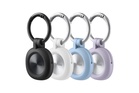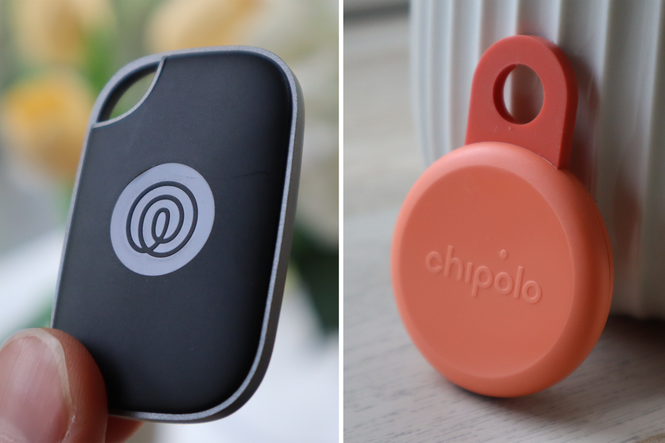
Of all the technology I’ve tested over the years, from smartphones to tablets and everything in between, very few are quite so straightforward yet highly convenient as the humble Bluetooth tracker. These small, pocketable devices do exactly what they say in giving you an easy means of tracking an item of your choosing, all by using Bluetooth and a bit of smartphone magic to ping their location.
Speaking from experience, I once lost a set of keys on a trip to New York, and with no way of tracking them down, I ended up having to pay a small fortune to get them all replaced. Since then, I have made sure to keep a Bluetooth tracker attached to my keys at all times to avoid any future mishaps.
Of course, you can use Bluetooth trackers for so much more, such as keeping tabs on your luggage when in transit at the airport, or for attaching to your dog’s collar so that you always know where they are, even if they leave your line of sight. As a cost-effective means of making sure that you can find your most treasured pets and possessions, I can’t recommend buying a Bluetooth tracker enough, which is why I’ve constructed this very guide to get you paired up with the right tracker for your needs.
Read more: Best home security cameras for 2026
The best key finders and Bluetooth trackers for 2026 are:
- Best overall – Chipolo loop: £39, Amazon.co.uk
- Best AirTag alternative – Eufy smarttack link: £13.99, Amazon.co.uk
- Best for iPhone users – Apple AirTag 2: £29, Amazon.co.uk
- Best for wallets – Chipolo x Secrid trackable miniwallet: £114, Amazon.co.uk
- Best budget buy – Life360 tile: £24.99, Amazon.co.uk
Read more: The Balance Phone review: “A solid remedy for doomscrollers”
Chipolo loop
Best: bluetooth tracker overall
Why we love it
- Rechargeable via USB-C
- Works with Find My and Find Hub
- Good range
Take note
- Lower volume is still a bit too loud
- More expensive than most options
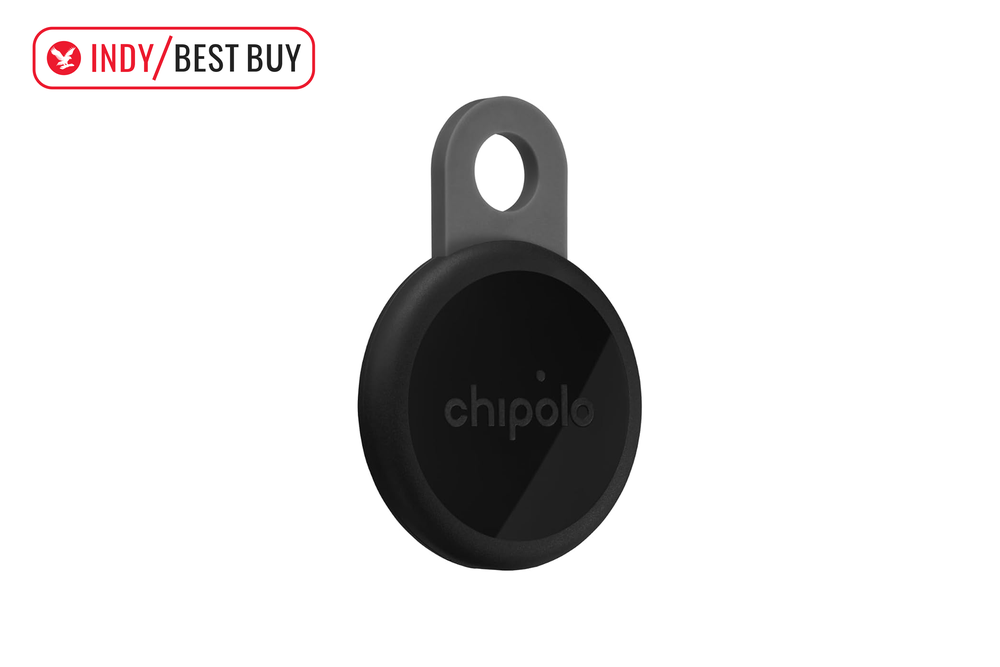
If you want the perfect all-rounder that’ll tick every box then I cannot recommend the Chipolo loop enough. It does away with all the usual battery considerations of other trackers by using a USB-C charging system, so you don’t have to worry about needing to buy a coin cell (or another tracker entirely) when the battery is running low.
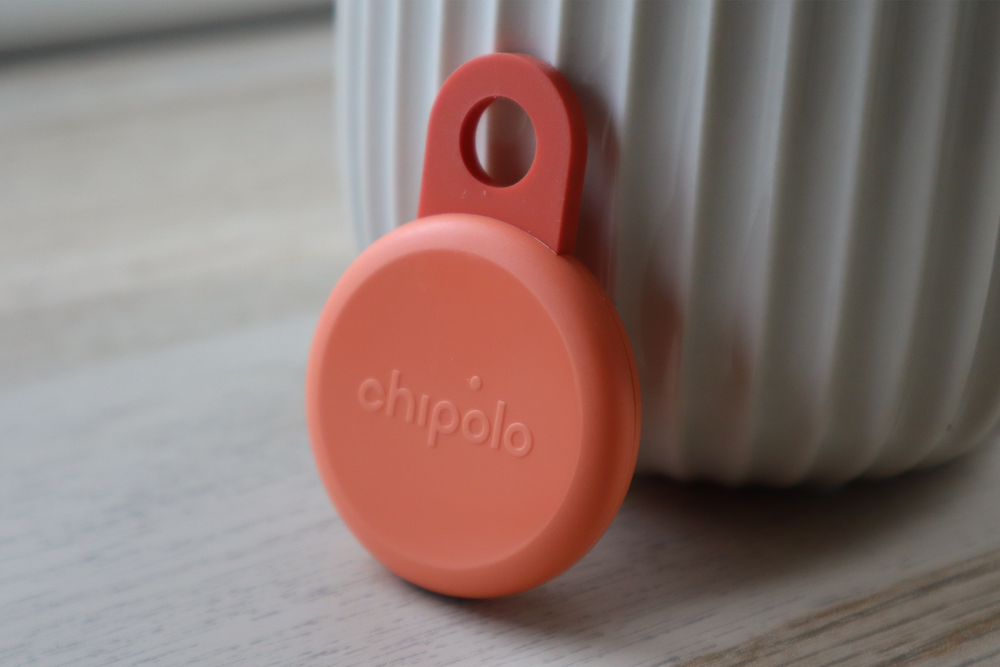
What’s more, even with a built-in battery, the loop can still run for up to a year on a single charge which is impressive. It doesn’t matter what phone you currently use as the loop packs dual integration to work with Apple’s Find My app, and the Google Find Hub. If you ever decide to move from one ecosystem to another then it’s simple enough to reset the loop and migrate it over.
In the Chipolo app there are quite a few added features at your disposal, including a decent amount of ringtones to choose from, and the ability to take a selfie by double-pressing on the loop. I do like that Chipolo has thought outside of the box here to make its Bluetooth trackers more interesting than the average fare, although I do wish that the volume control had a wider spectrum at play.
By default, the loop is very loud and even the lowest might make you cover your ears if you’re too close. Personally, I prefer the softer chime of the Apple AirTag, but you’ll definitely have an easier time locating the loop just by sound alone.
Key specifications
Buy now £39, Amazon.co.uk
Apple AirTag 2
Best: bluetooth tracker for iPhone users
Why we love it
- Very easy to set up
- Louder speaker than AirTag 1
- UWB technology
Take note
- Accessories are essential
- The backing scratches easily
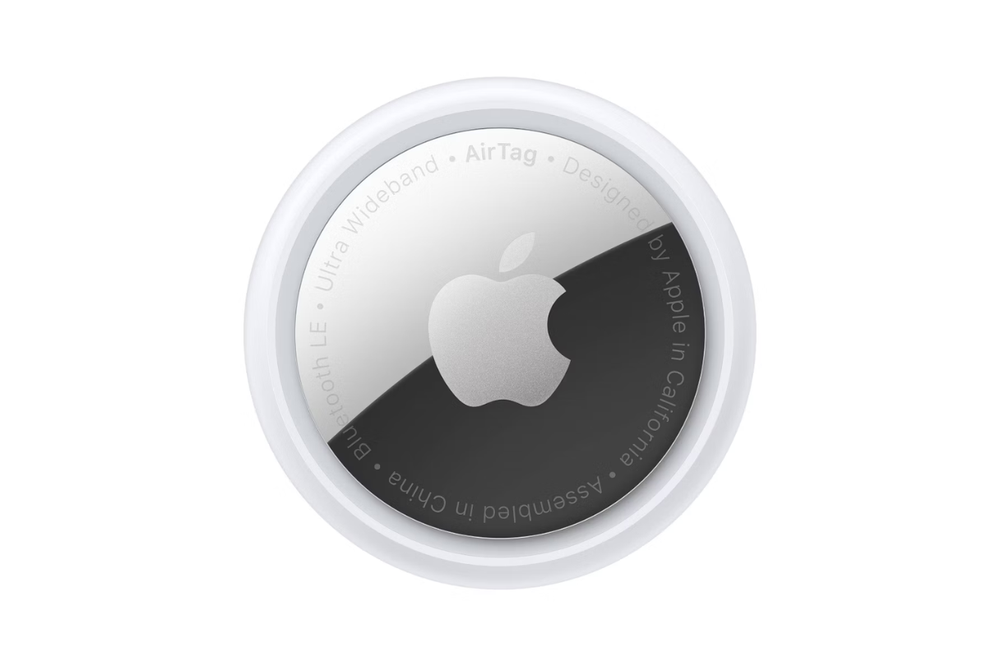
If it wasn’t for the fact that the AirTag is designed to be used specifically with the Find My network (and therefore doesn’t work with any handset that isn’t an iPhone) then Apple’s Bluetooth tracker would be getting the top spot.
Without that wider context, the AirTag 2 is arguably the best example of how to do a Bluetooth tracker correctly. When you first take it out of the box, all you have to do is remove the wrapping, hold the AirTag near your iPhone and then the setup process will start automatically. At that point, it’s just a few taps to confirm that the tracker will be linked to your account and what name you want to give it (Keys, Backpack, etc.), and that’s all there is to it.
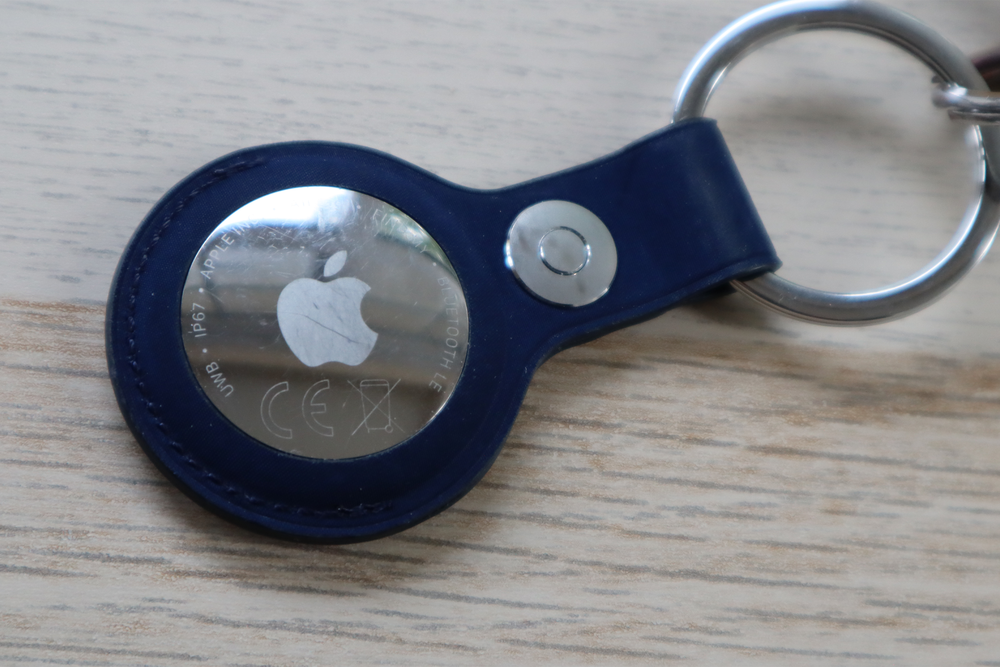
The speaker is now louder than the previous-gen model which makes it easier to hear in noisy environments, but the ultra-wideband technology can help you pinpoint exactly where the Tag is located, with a helpful arrow pointing you in the right direction on the Find My app. It is a shame that in order to attach the AirTag to anything, you do need to buy an accessory, but other than that this is a very hassle-free Bluetooth tracker.
Key specifications
Buy now £29, Amazon.co.uk
Chipolo x Secrid trackable miniwallet
Best: Bluetooth tracker wallet
Why we love it
- Looks fantastic
- Wireless charging
- Lots of additional features
Take note
- Arguably overpriced for what it is
- You could just buy the Chipolo Card separately
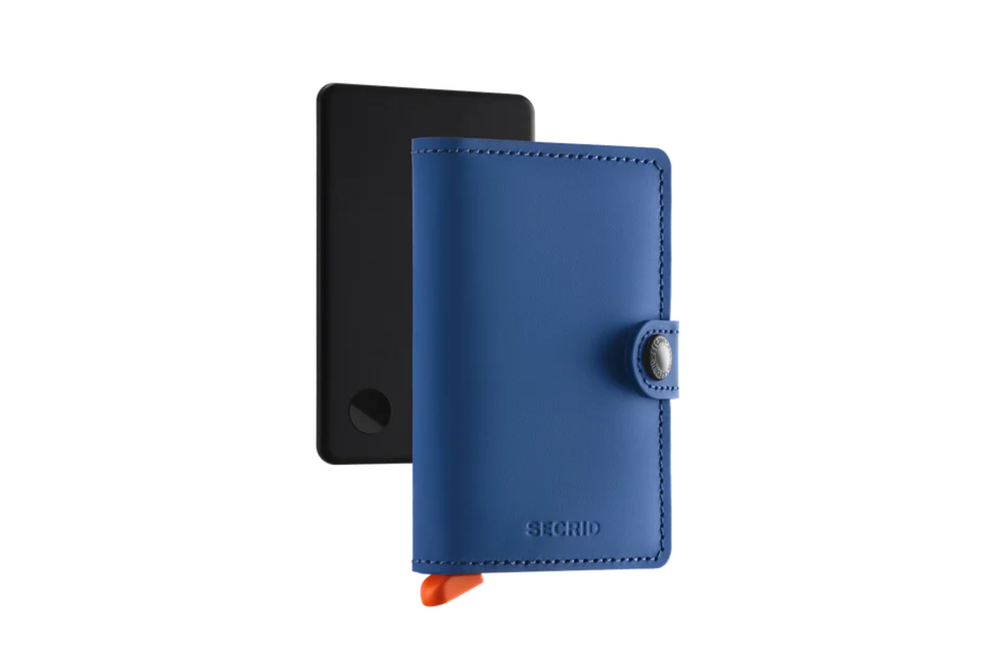
Arguably one of the best items to attach to a Bluetooth tracker would be your wallet. Anyone who’s lost theirs before will know just how much of a headache it can be to cancel bank cards or replace any ID you may have had on your person, and that’s before factoring in any cash that’s been lost for good. While you can buy a card-shaped tracker to insert into your current wallet, the Chipolo x Secrid Trackable Miniwallet goes one step further.
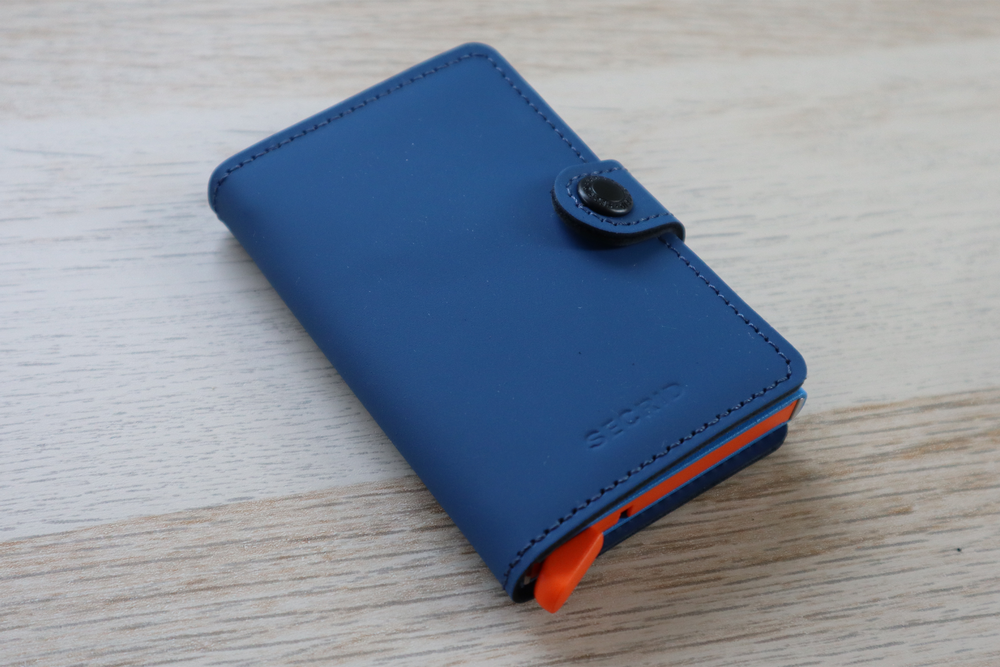
This collaboration between Chipolo and the Dutch manufacturer Secrid might seem like overkill, but if you’re in the market for a new wallet with a few smarts added in, then it’s a great buy. Not only does it ship with a Chipolo card, but there’s a dedicated insert for the tracker with a small divot on the outside so you can still interact with the Card without having to take it out. The whole thing looks stylish, feels great in the hand and there’s a little mechanism that partially ejects your cards so that they can be accessed in a pinch.
Just like the Chipolo loop, the Card can be set up with either Find My or Find Hub, and you can use it to track down your phone if you’ve misplaced it. Unlike the loop however, the Card can only be charged wirelessly. While this won’t be an issue for anyone who already has a wireless charging pad to hand, it’s worth bearing in mind for everyone else as an essential accessory.
Key specifications
Buy now £120, Amazon.co.uk
Ugreen fine track 2
Best: Bluetooth tracker for battery life
Why we love it
- Very long battery life
- Affordable
- Eye-catching design
Take note
- Battery can’t be replaced
- Only works with iPhone
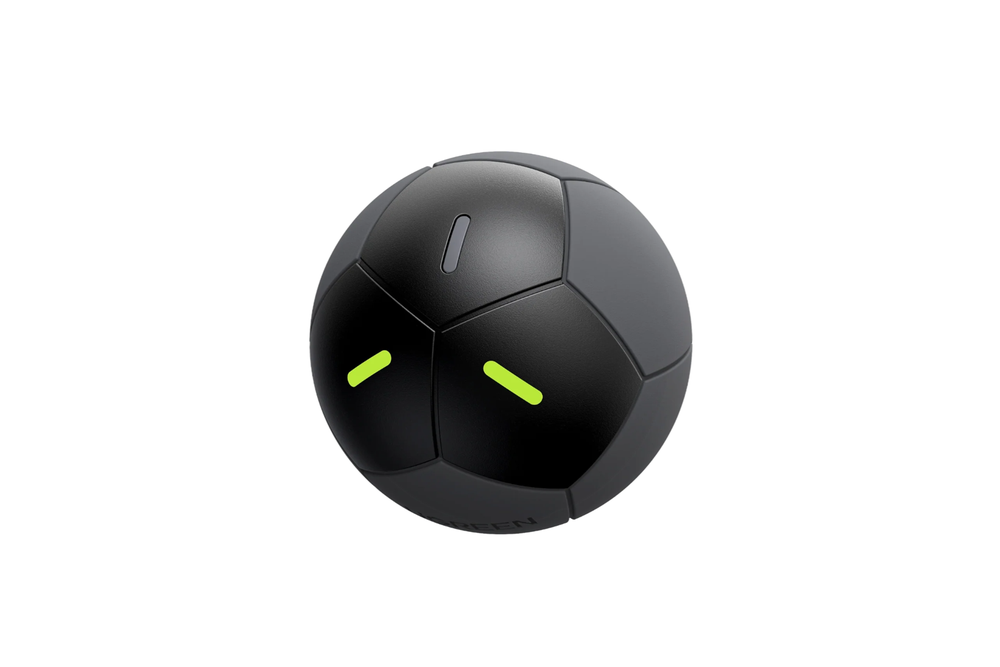
At first glance, it’s easy to mistake the Ugreen fine track 2 for a bit of football memorabilia, but even though it looks like a football, it’s actually one of the best AirTag alternatives for iPhone users.
The real allure of the fine track 2 is that its battery can last between five and seven years, so if you want a tracker for the long haul that you don’t really have to worry about, then this is the one to go for. Unfortunately, the built-in battery can’t be charged, nor is there any means of replacing it, so once it does run out a few years down the line, the device is no longer of any use.
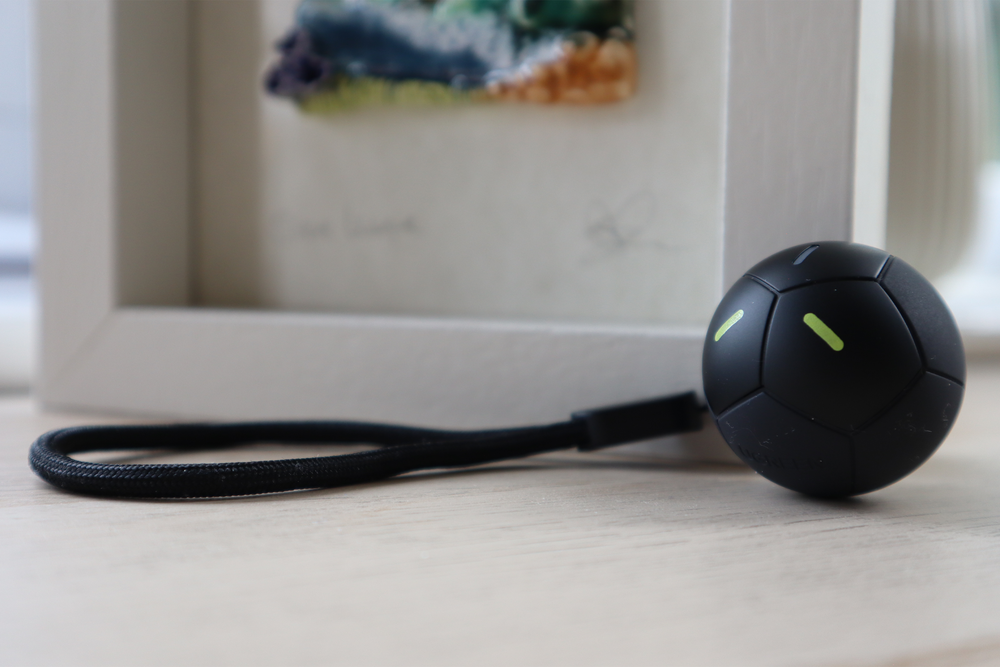
Still, the trade-off for using a built-in battery is that the fine track 2 is very cheap, but it still has integration with Find My which makes the set-up process a doddle. You can have the whole thing up and running in under a minute. There is a version of the tracker, known as the fine track duo 2 which can also connect to Find Hub, but that costs a bit extra and I would have preferred to have that dual functionality included as standard.
Key specifications
Buy now £15.99, Amazon.co.uk
Eufy smarttrack link
Best: cheap AirTag alternative
Why we love it
- Very affordable
- Works with Find My
- Replaceable battery
Take note
- Not as loud as some trackers
- Doesn’t work with Find Hub
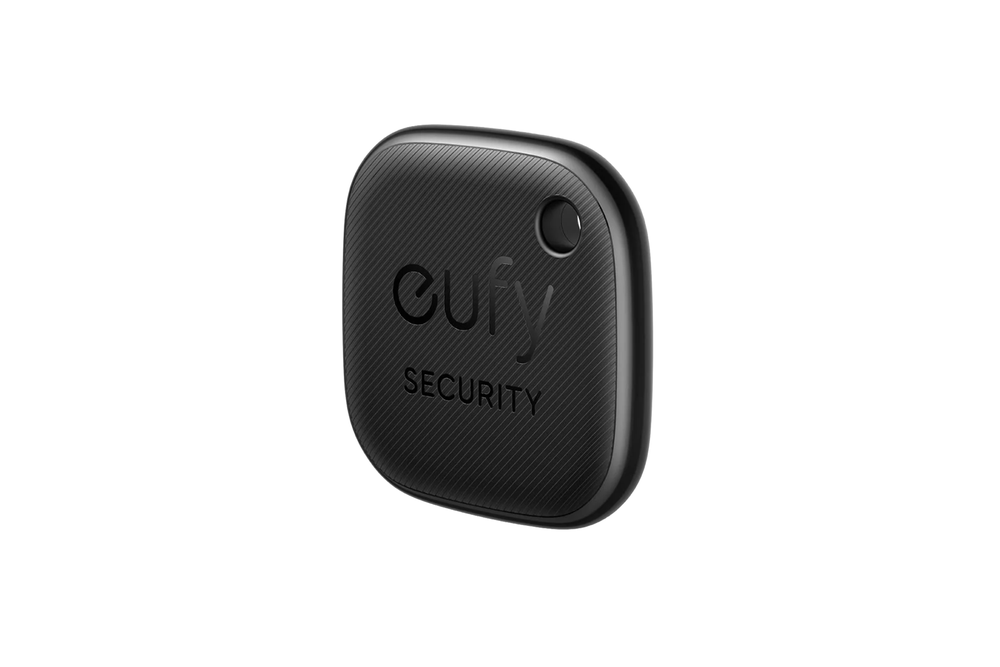
If you’re clued into the Apple ecosystem but you don’t fancy spending the cash required to have an AirTag as well as an accessory that actually allows you to hook it up to your keys, then the Eufy smarttrack link is the next best pick.
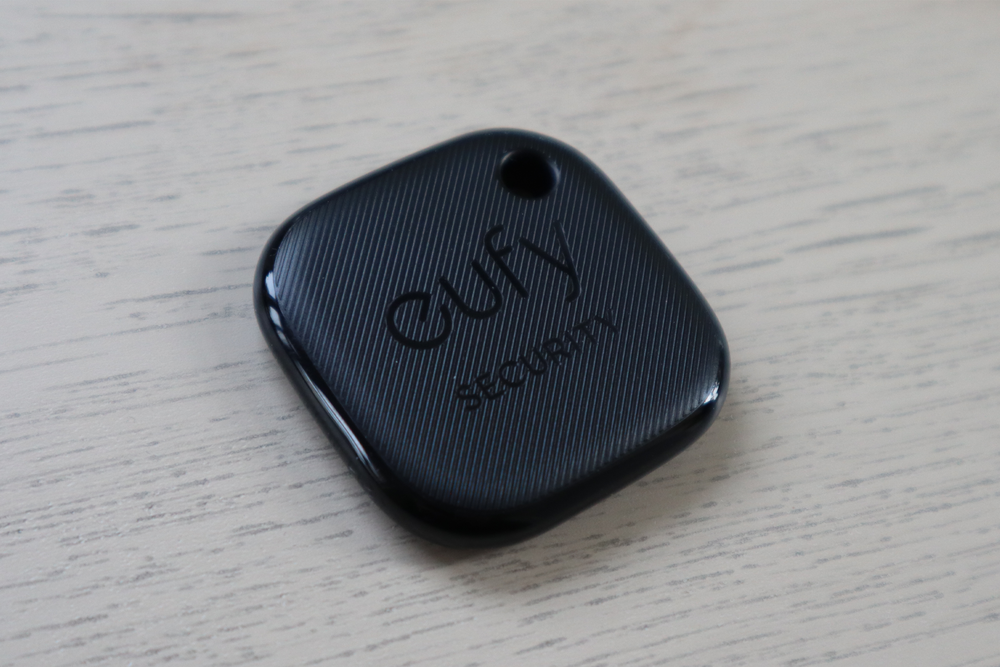
At just £13.99 per tracker, the smarttrack link is a very affordable purchase, but it benefits from being compatible with the Find My network. Just like with the AirTag, this means that you can set up the smarttrack link in less than a minute, but unlike the AirTag, there’s a hole-punch opening in the corner where you can easily loop through a keyring. Even though the Find My setup is faster, I would recommend using the dedicated Anker Eufy app instead as it opens up more functionality.
In this app, you can toggle ‘False Press Prevention’ which stops the tracker from making noise or pinging your phone if it’s accidentally being pressed when stored away in a wallet or bag, plus it offers ‘Lost Mode’ wherein anyone who comes across the tracker can scan a QR code on the back and get in contact with you. There’s no Find Hub functionality I’m afraid, but the Anker app is available on the Play Store.
Key specifications
Buy now £13.99, Amazon.co.uk
Samsung Galaxy smart tag 2
Best: key finder for Samsung users
Why we love it
- Durable build
- Large loop
- Ultra-wideband tracking
Take note
- Works best with Samsung phones
- No Find Hub compatibility
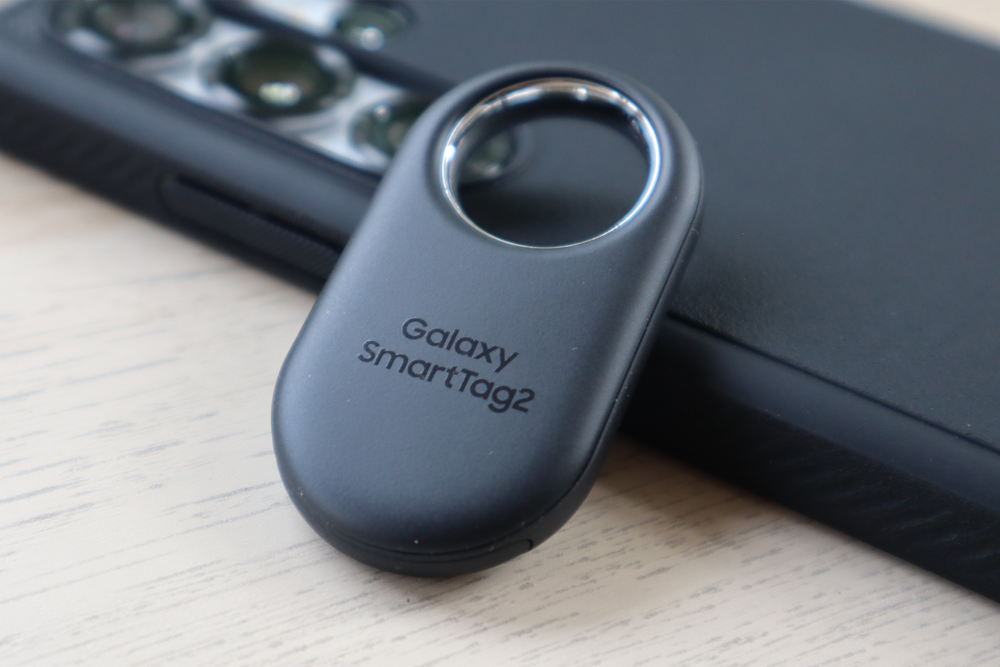
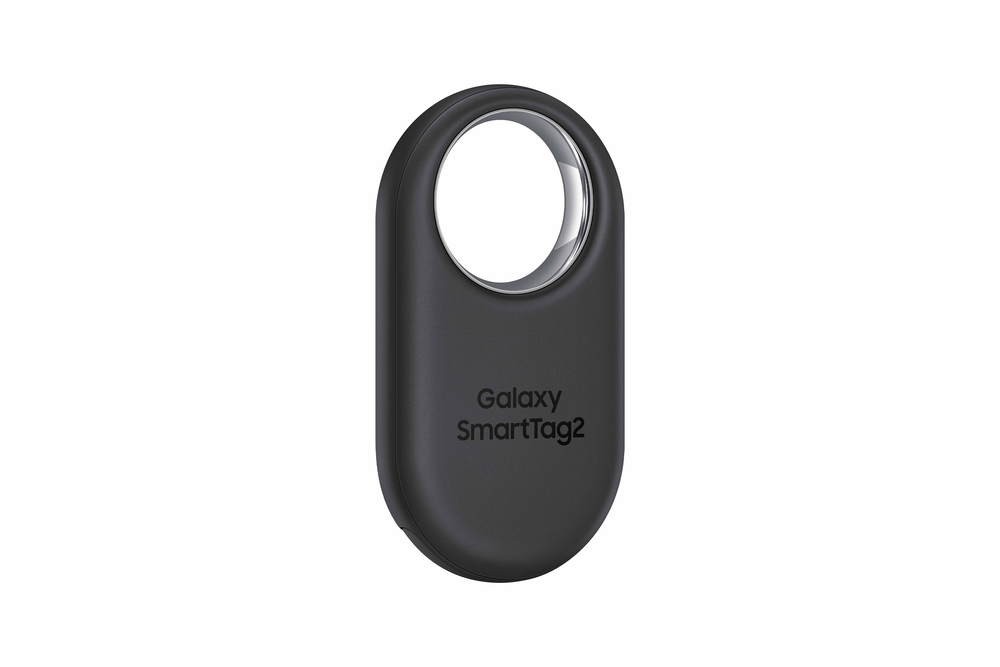
As much as I would recommend the Chipolo loop for the majority of Android users, if you’re already knee-deep in Samsung’s SmartThings app then the Samsung Galaxy smart tag 2 may be a preferable option.
Admittedly, I was slightly surprised that my Samsung Galaxy S25 Ultra didn’t automatically recognise the smart tag 2 as being nearby, much like how iPhones can with AirTags, but as soon as I opened the SmartThings app, I was immediately prompted to add the device which was helpful. The tracker itself feels sturdy and packs an IP67 rating to handle the elements, plus the opening at the top is one of the largest around, so you could loop through bigger items.
Thanks to the inclusion of ultra-wideband technology, you can use your phone to track down almost the exact location of your Galaxy smart tag 2, and although the battery lasts for up to 500 days at a time, you can extend that lifespan by activating the ‘Power saving mode’. While I understand that Samsung wants to keep the smart tag 2 within its ecosystem, I would have appreciated Find Hub functionality, especially as it's where my other Bluetooth trackers reside. Still, if you’re a Samsung fan buying their first Bluetooth tracker, then it’s an easy one to recommend.
Key specifications
Buy now £34.99, Amazon.co.uk
Life360 Tile pro
Best: Bluetooth tracker for range
Why we love it
- Loud speaker
- Outstanding range
- SOS feature
Take note
- No Find My or Find Hub compatibility
- Pricier than the competition
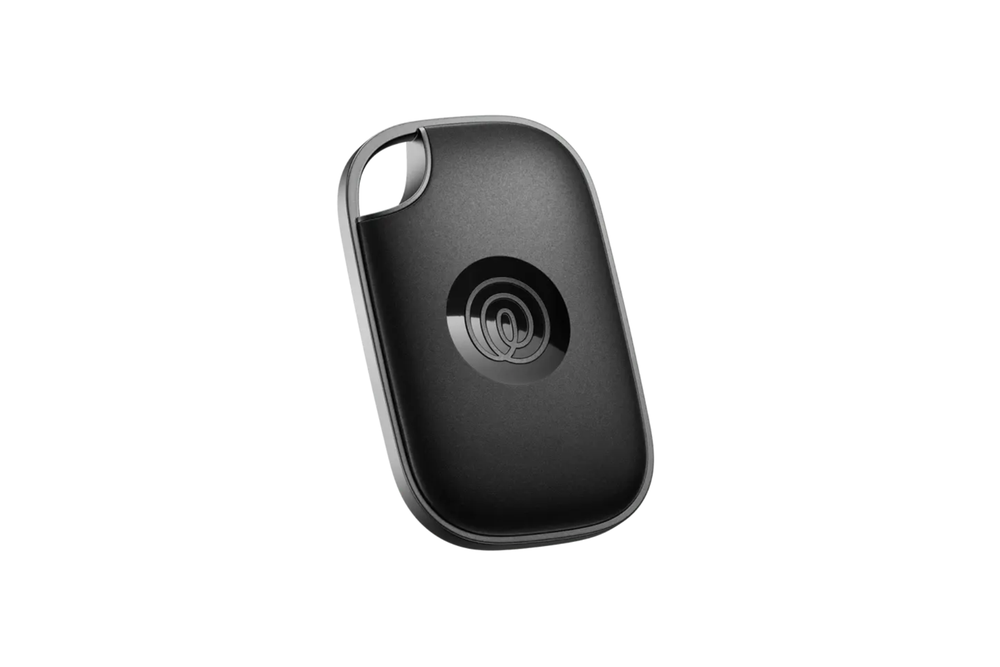
For the folks who are constantly turning over their entire house, trying to track down a misplaced purse or an infrequently used key, range and volume are the best features you could ask for in a Bluetooth tracker, which is exactly where the Tile pro works its magic.
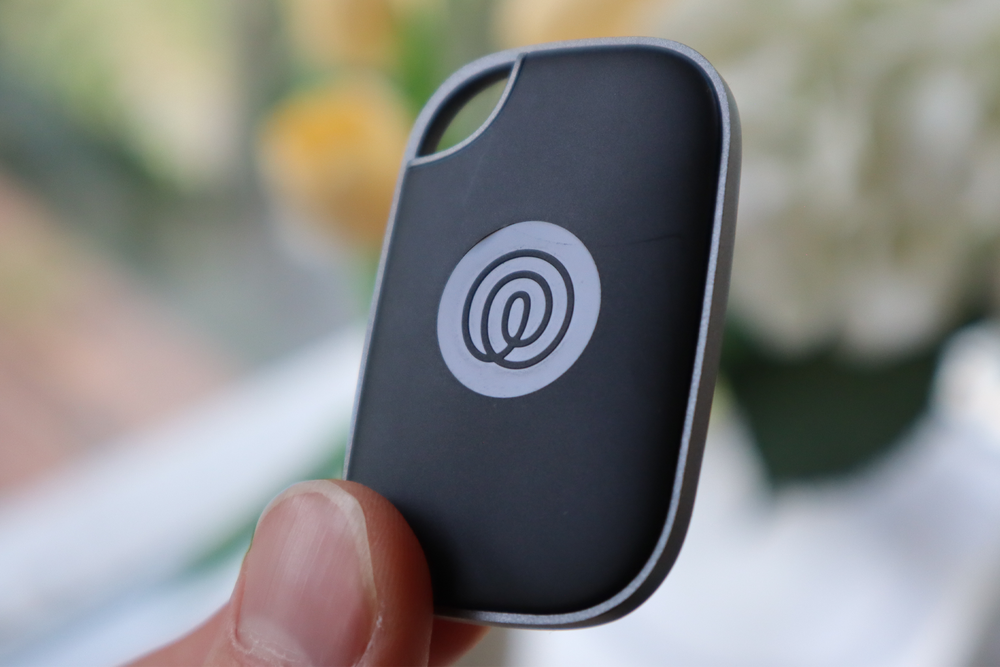
This premium tracker carries an impressive range of up to 500ft, so if you’ve popped out for a walk around your local park but come to realise that your keys have fallen out of your pocket, there’s a good chance that you’ll be able to locate the Tile pro once it starts playing its chime. For the instances when it’s really gone astray, there’s a helpful QR code on the back wherein a person can get in contact with you to let you know where you can find it. While you can have the device call your phone with a double press, you can set it to send an SOS signal instead to selected contacts, which is a nice feature to have.
The Tile pro itself is also a durable bit of tech with an IP68 dust and water resistance rating, so you won’t have to worry if it is lost in the great outdoors. The one problem with the Tile Pro (and other Tile trackers like it) is that the device uses a proprietary tracking software, now operated by Life360. This limits your ability to find the Pro as you’ll be partially relying on other folks with the Life360 app installed to help you track it down, whereas you’ll have more success with Find My and Find Hub-ready trackers thanks to the sheer volume of people who use those ecosystems.
Key specifications
Buy now £34.99, Amazon.co.uk
Life360 Tile
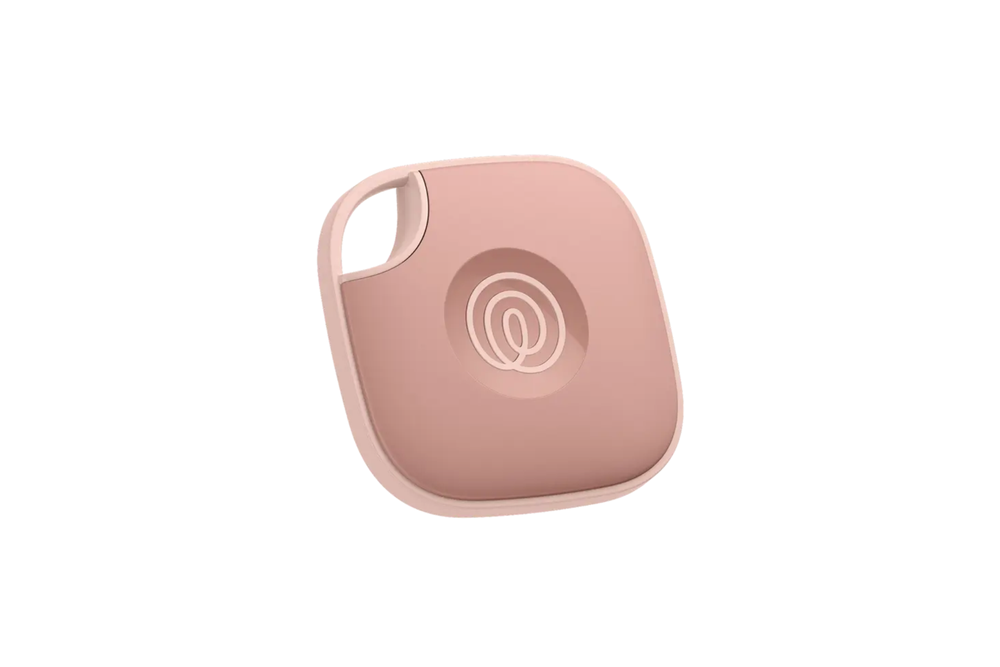
Best: budget Bluetooth tracker
Why we love it
- Tons of colours to choose from
- Affordable price
- Impressive 350ft range
Take note
- Fixed battery life
- Works solely with the Life360 app
While the Tile pro is unbeatable on pure range alone, those who are tied to a stricter budget may want to check out the standard Tile Bluetooth tracker instead. Not only is it a fair bit cheaper at £24.99, but it can also be bought in a sizeable range of colourways. There’s even a great-looking Mickey Mouse option for any Disney fans out there.
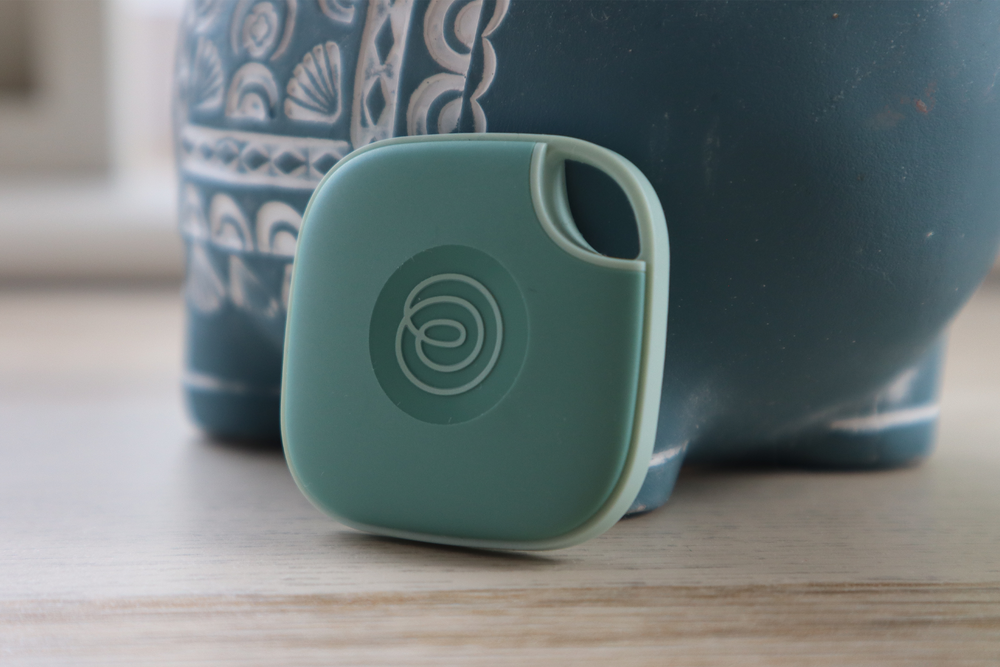
Even though it’s a budget tracker, the Tile still carries a range of up to 350ft, which is just 50ft shy of the Chipolo Loop, giving you a good chance of actually finding the thing when playing the chime onboard. Admittedly, the chime isn’t quite as loud as the one you’ll find on the Tile Pro, but there is the QR code on the back which can be used by whoever it is that does find the device to get in contact with you.
The one thing that may put buyers off is the fact that the battery is not replaceable. You do get up to three years of use from the built-in cell, but once that charge runs out, the Tile will be completely useless to you and it must be disposed of responsibly. While I don’t appreciate that the device can easily contribute to e-waste at the end of its lifecycle, it does at least provide an affordable means of helping users to keep tabs on their prized possessions.
Key specifications
Buy now, Amazon.co.uk
What are the best key finders and Bluetooth trackers?
Although I’d just as easily recommend the Apple AirTag 2 for folks who are embedded in the wider Apple ecosystem, for the majority of people, it’s the Chipolo loop that comes out on top as the best Bluetooth tracker to buy. The fact that it works seamlessly with iPhones and Android phones, and is one of the few trackers that can be charged via a USB-C connection, just makes it a great option for keeping tabs on anything you’re worried about losing.
How I tested key finders and Bluetooth trackers
Because they’re very low-tech devices, the process of testing a Bluetooth tracker isn’t quite the same as benchmarking the best Android phones, but that doesn’t mean that there aren’t key criteria that each option needs to hit, in order to be considered for this list. With that in mind, here are the core aspects I analysed when testing the latest Bluetooth trackers.
Why you can trust IndyBest reviews
Thomas Deehan is an experienced tech writer who has previously reviewed the best smartphone cameras, best noise-cancelling headphones and the best digital notebooks for IndyBest.
Want more recommendations? We’ve rounded up the best Bluetooth speakers for epic audio