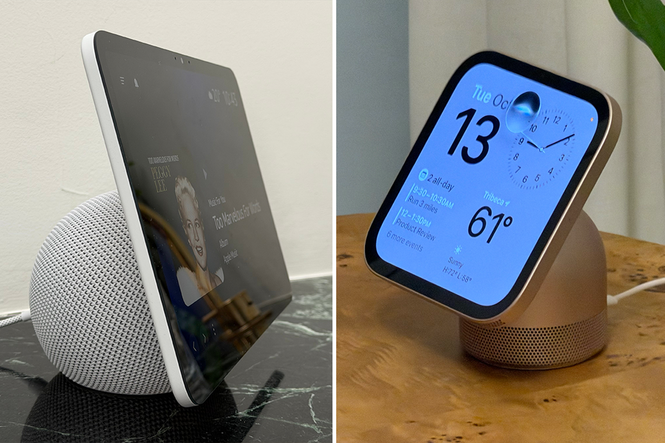
It may have taken its sweet, sweet time, but Apple has finally entered the smart home market with the launch of the HomeView, a competitor to Amazon’s range of Echo Show smart speakers.
The HomeView is Apple’s first-ever smart home display, bringing the all-new artificially intelligent Siri and smart home controls into one single device. Like the Echo Show, the HomeView acts as the central hub to your connected home, letting you control your lights, check your security cameras, make video calls and more.
The best part might be the new AI-powered Siri, with Apple’s upgraded voice assistant able to pull up your messages, calendar and other apps to give you personalised answers. But how does Apple’s shiny new HomeView compare with Amazon’s tried-and-tested Echo Show range?
Ahead of the HomeView’s launch in November, I’ve compared the two smart displays when it comes to design, features and price to help you decide which one to buy.
Read more: Best iPhone 18 Pro deals
Apple HomeView
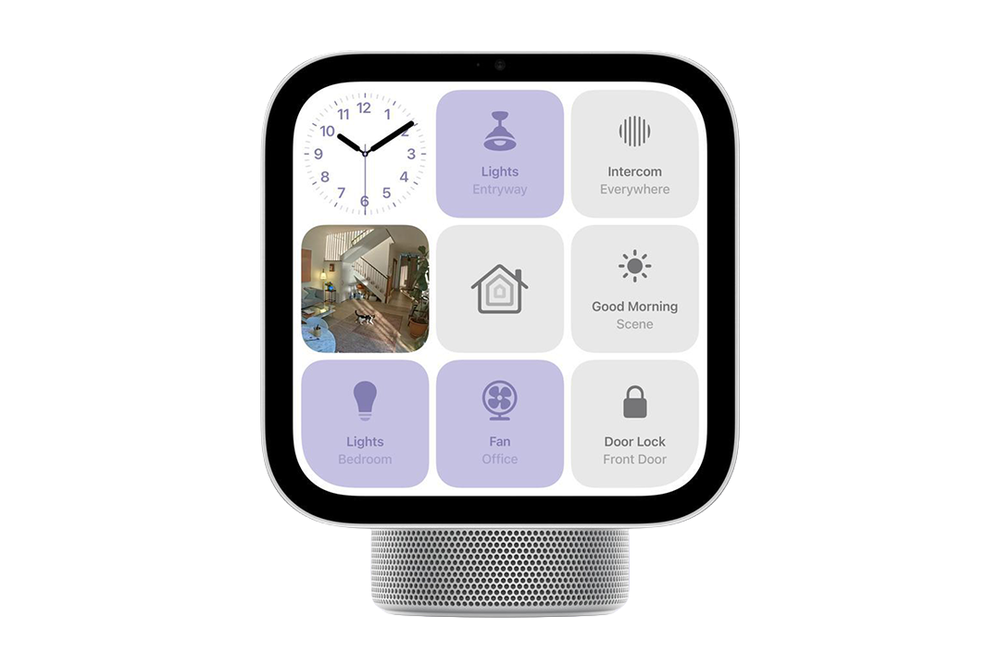
Apple’s first smart home display features a 7in Liquid Retina display, personalised home screens for up to six people and – yes, finally – an AI-powered Siri. Working in conjunction with your iPhone, it can bring up your calendar, find messages, make FaceTime calls, play music, show photos, follow recipes and control your HomeKit-compatible smart home devices, including lights, thermostats and security cameras. It’s great if you’ve already got lots of Apple devices, as it’ll work seamlessly with your iPhone and iPad.
Buy now £299, Apple.com
Amazon Echo Show 8
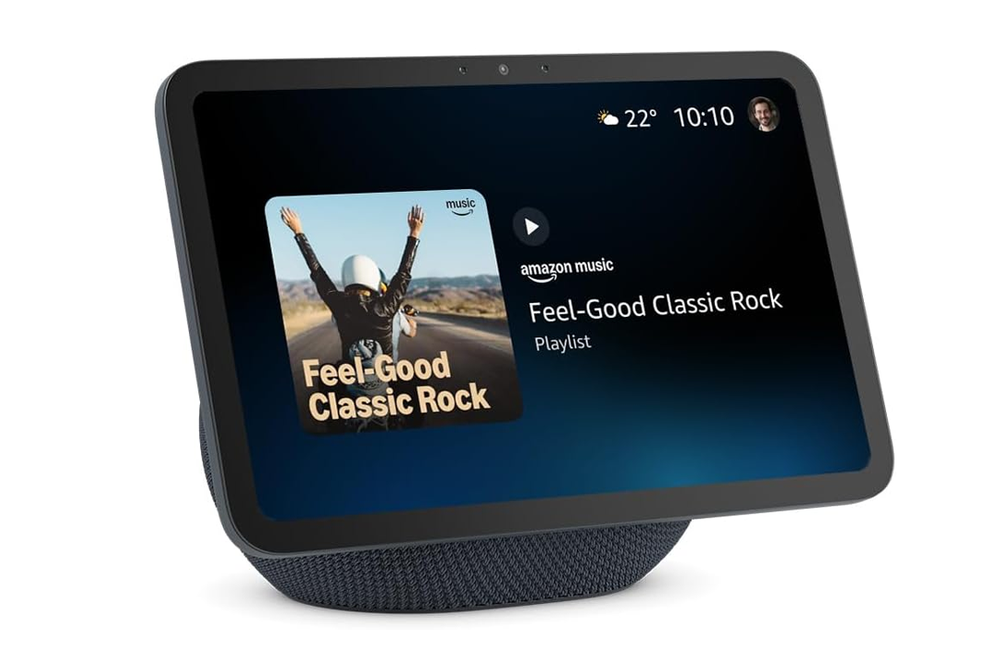
The Amazon Echo Show 8 is £100 cheaper than the Apple HomeView, and if you’ve used an Alexa device in the past 10 years, you’ll know what to expect. It features a larger 8.7in display, comes with Amazon’s AI-powered Alexa+ and includes a built-in smart home hub, letting you control your lights, thermostat, security cameras and other connected devices, using your voice or the touchscreen. You can also watch Netflix and Prime Video, listen to music, make video calls, set reminders, follow recipes and more.
Buy now £199.99, Amazon.co.uk
Apple HomeView vs Amazon Echo Show 8: Design and display
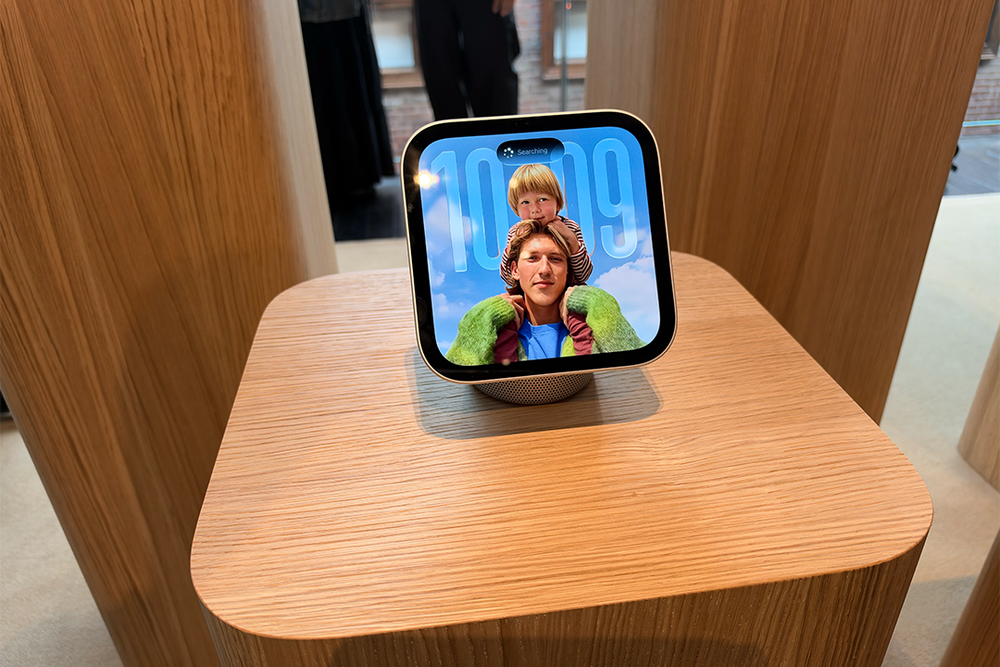
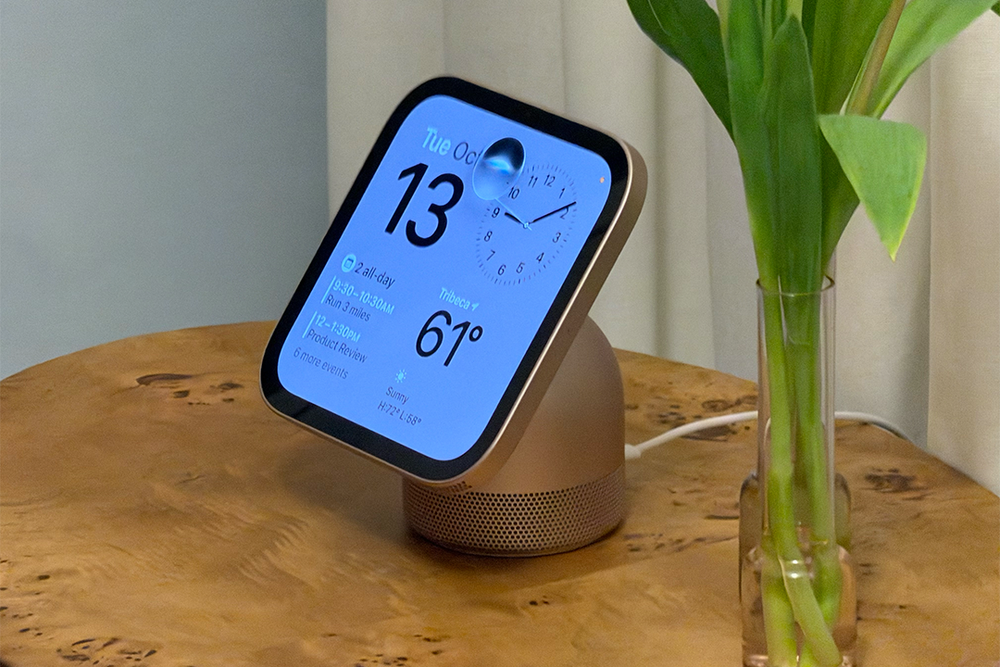
The HomeView has a pretty distinctive silhouette, with thick bezels and a squircle-shaped 7in Liquid Retina display that can be angled how you like it. It only uses an LCD panel, though, which may disappoint. It sits on an aluminium dome, connected by a stainless steel hinge that lets you tilt the display up or down.
Like many of Apple’s products, the display supports True Tone, meaning it can automatically adjust the colour temperature to match the lighting in your room. It can get as bright as 500 nits and as dim as 0.3 nits – handy if you’re putting it on your bedside table.
There’s a 12MP Centre Stage camera built into the frame, which can recognise who’s standing in front of it and personalise what’s on screen. The interface also changes depending on how far away you’re standing, showing you simpler information from across the room, but more detail as you get closer.
Amazon sells the Echo Show in a range of sizes (including 5in, 8in, 11in, 15in and even 21in). The HomeView looks most similar to the Echo Show 8 in terms of size, with both displays featuring a rounded speaker base at the rear. Amazon, however, opts for a more traditional rectangular, landscape-oriented display instead of Apple’s squircle-shaped screen.
Despite its name, the Echo Show 8 actually has an 8.7in display. Like the HomeView, it’s an LCD panel, with a resolution of 1,340 x 800px. As with Apple’s True Tone, Amazon’s Adaptive Colour technology can adjust the colours on screen to suit the lighting in your room. There’s also an automatic brightness adjustment feature that keeps the display easy to see as the light in your room changes.
Amazon also has a feature called Adaptive Content, which shifts what’s shown on screen depending on how close you are, in a similar vein to the HomeView. The Echo Show 8 also features a slightly higher-resolution 13MP camera with auto-framing technology. That’s similar to Centre Stage on the HomeView. Just like Apple, Amazon’s Echo Show has facial recognition. Its Visual ID feature can recognise who’s standing in front of the screen and display personalised information, notifications and recommendations.
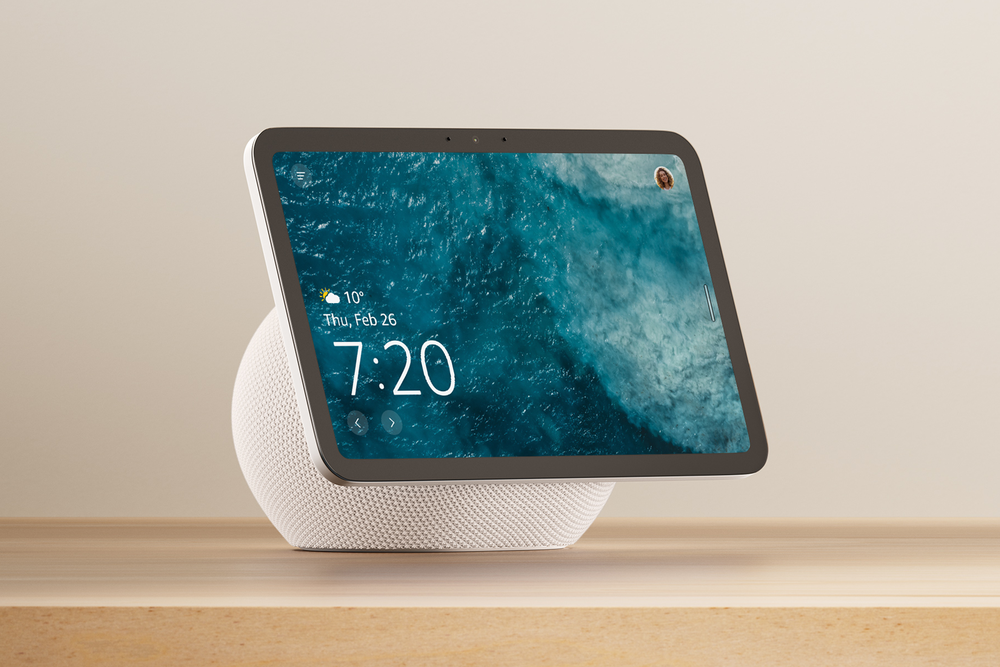
Unlike the HomeView, the Echo Show 8 has a fixed display, so you’ll need to buy an optional adjustable stand if you want to tilt or swivel the screen. The HomeView’s hinged design lets you tilt the display up or down but it can’t swivel.
That said, Amazon used to sell an even more versatile smart display in the form of the Echo Show 10. It featured a motorised display that could swivel up to 350 degrees, automatically following you around the room when you spoke to Alexa or made video calls. You could also manually tilt the screen up or down to adjust the viewing angle. I loved it, so it was a shame to see Amazon put it out to pasture.
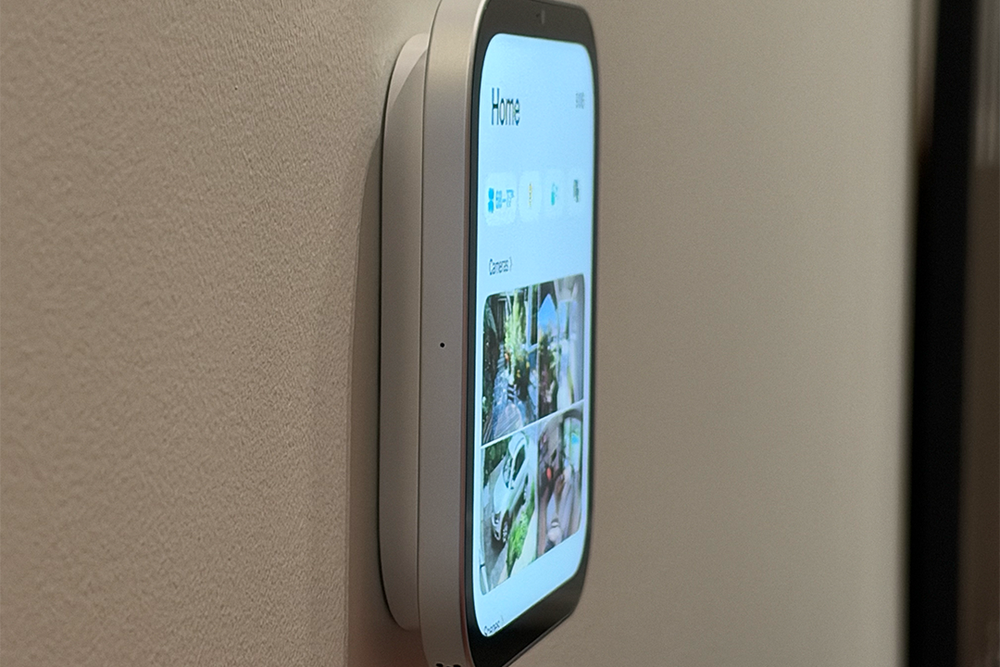
Interestingly, there’s also a wall-mountable version of the HomeView, which does away with the domed base, leaving just the display. Amazon itself has a few wall-mountable alternatives, including the Echo Show 15 and Echo Show 21. Both have significantly larger screens than the 7in HomeView, if that’s something that matters to you. The 8in Echo Hub is a closer match in terms of size and smart home controls, but there’s no camera for video calls.
The tabletop HomeView comes in four colours – silver, starlight, rose pink and space grey – each finished with a matching cable. The wall-mounted version is available in just silver and space grey.
There aren’t as many colour choices for the Echo Show 8. it only comes in either graphite or glacier white. The Echo Show 15 and Echo Show 21 come with black frames, but you can also buy optional white or light brown frames to match your decor.
Apple HomeView vs Amazon Echo Show: Features
The biggest selling point about the Apple HomeView is that you finally have an ultra-intelligent Siri in your home. The new Siri AI can answer complex questions and uses context that it personally knows about you to provide information. It also sounds more conversational.
It’s most useful when you combine it with an iPhone that has Apple Intelligence (iPhone 15 Pro and beyond). The HomeView can grab information from your messages and calendar, then display it all on the screen.
If, for example, you ask Siri what you’ve got planned for the day, or ask for the recipe your mum sent to you, it can bring it to the surface. For those embedded deeply into Apple’s ecosystem, you can even carry your conversations from the HomeView to your iPhone, iPad, Mac or Apple Watch. I’ve tested Siri AI on my iPhone and it’s significantly better than the previous version, understanding context and able to trawl through my messages to find specific texts.
Amazon has Alexa+, which is its own generative AI-powered assistant. It’s built into the latest Echo Show 8 and Echo Show 11. Like Siri AI, you can speak to Alexa+ using natural language. It can remember your preferences and uses personal context to understand who you are and what you need. It can even look at your family’s calendars to help organise your day and suggest suitable times for activities, remembering your preferences.
One thing I really like about the HomeView is how it integrates with your other Apple devices. The HomeView supports Handoff, so you can move music playback from your iPhone to the HomeView by tapping your phone against the display. Of course, it also supports AirPlay, so you can play music using your HomeView, HomePod and any AirPlay-compatible speakers you have in your home, filling your home with music.
You can do similar on the Echo Show 8, though you can’t do the neat ‘tap to transfer’ feature like you can on the HomeView. Amazon lets you cast music from your phone with Amazon Music and Spotify, but you can also connect over Bluetooth. Multiroom audio is a nice feature, too. It lets you play music on a number of compatible Echo speakers at the same time, moving playback between rooms.
As mentioned earlier, both can change what is displayed on the screen using facial recognition technology. The HomeView can recognise up to six different people, automatically switching to their personalised home screens when they walk up to it, so the actual apps and widgets change. Sensitive information from messages and calendar is only displayed when the HomeView recognises your face and your paired iPhone or iPad is nearby and has recently been unlocked.
The implementation on the HomeView also appears slightly more polished compared to Amazon’s. Visual ID on the Echo Show 8 can recognise individual household members to display personalised calendars, reminders, recommendations and widgets, but the HomeView seems to integrate even more deeply with each person’s iPhone or iPad, making it feel a bit like you’ve got your own display, and aren’t just sharing it with the family.
As well as being able to talk to Siri and Alexa, one of the main reasons to buy a smart display is so you can easily control your smart home devices. With both smart displays, you can turn on and off your lights, adjust your thermostat, view the footage from your doorbells and security cameras and control compatible accessories using the touchscreen or your voice.
Apple’s HomeView has a Home Camera screen that can show up to nine live security camera feeds at the same time. If you have a HomeKit-compatible camera and an iCloud+ subscription, the HomeView will also be able to recognise people, pets, packages and vehicles, plus deliver AI-generated descriptions of recorded footage. Apple even says it has sound recognition for smoke and carbon monoxide alarms, sending an alert to your device if it’s triggered.
Amazon works similarly, featuring its own home dashboard. It lets you view camera feeds, control connected devices, switch between home, away and night modes and more. The Echo Show 8 features something Amazon calls Omnisense, activating routines when someone is in the room, or triggering routines based on the temperature in the room.
One neat use case is that you can have your lights turn on automatically when you walk into the kitchen, or turn on the heating when the room gets too cold. There are Ring integrations with Alexa+ as well, so you can view summaries from the video doorbell or search through your recorded footage just by talking. Like with iCloud+, some features are locked behind a subscription.
In terms of compatible devices, HomeView works with Apple Home and Matter-compatible accessories, including Apple’s new Home Collection of cameras, thermostats and smart locks, designed by LG and Schneider Electric. Amazon’s got years on Apple here, with support for thousands of Alexa-compatible smart home devices, so if you’ve already got loads of these, it may not be worth making the switch.
While I’ve not got my hands on the HomeView yet, I think Amazon’s Echo Show 8 may also work better as an entertainment device. From early reporting, it appears the HomeView can’t run the Apple TV app natively. If you want to watch Apple TV content, you’ll apparently need to stream it from an iPhone or iPad. The same goes for audiobooks on Apple Books and Apple Music Classical.
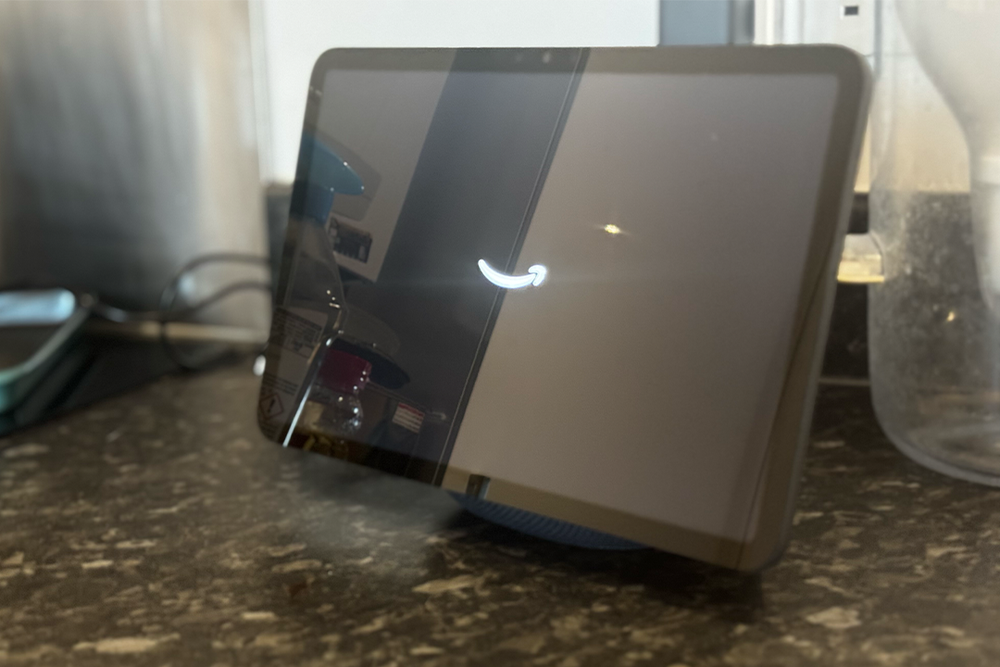
The HomeView doesn’t feature its own App Store, relying on the same tech that powers Apple’s CarPlay, so only compatible CarPlay apps will be available on the HomeView. That means Spotify and Audible will work but there’s no support for Netflix, Disney+, Prime Video or YouTube.
What’s nice about the Echo Show 8 is that you can use Netflix and Prime Video on the device itself, without having to screen mirror or AirPlay. Spotify, Apple Music and Amazon Music are also supported natively. Plus, there are thousands of Alexa Skills to choose from, which is great for controlling specific smart home devices, or for families wanting to play games.
That said, you do get all of Apple’s ‘core’ apps on the HomeView from the get-go, including FaceTime, messages, Apple Music and Apple Podcasts, I also like that you can use Find My to locate your lost items and Apple devices.
The HomeView isn’t alone there. The Echo Show 8 also lets you make video calls, voice calls and send messages using Alexa. I’m also a big fan of the Drop In feature, which lets you call another Echo without them having to answer, provided they’ve given you permission. You can also announce messages to all of your Echos (handy if you’re trying to get the family downstairs for dinner). Apple’s added an Intercom feature to the HomeView as well.
I think there’s a lot of overlap between the two devices. The Echo Show 8 appears slightly better if you want lots of apps and access to streaming services but Apple’s HomeView seems better integrated into Apple’s ecosystem.
Apple HomeView vs Amazon Echo Show: Sound
While I haven’t had a chance to listen to the HomeView myself, sound quality on the device is likely to be similar to the Echo Show 8. Apple has put two custom full-range drivers into the display, which both support spatial audio. The little dome at the back houses a down-firing woofer and two force-cancelling passive radiators to give the bass a bit more oomph. Apple says the device continuously adjusts the loudness and bass response at every volume level.
The wall-mounted version of the HomeView has no base, so it just has the two custom drivers, which Apple says have been tuned for being mounted on a wall.
The Amazon Echo Show 8 has a very similar sound system to the HomeView. It features two front-facing full-range stereo speakers and a custom woofer, which also delivers spatial audio. Amazon says it produces up to twice as much bass as the previous-generation Echo Show 8. There are no passive radiators, but that doesn’t mean it’ll sound any worse.
If you’d prefer to wall-mount your smart display, Amazon’s Echo Show 15 and Echo Show 21 might be able to eke out better sound quality than the wall-mounted HomeView. They feature two 2in woofers and two 0.6in tweeters – that means the Echo Show 15 and 21 have dedicated speakers for treble and bass, compared with the two full-range drivers on the HomeView. But again, more speakers doesn’t automatically mean better sound.
Apple HomeView vs Amazon Echo Show: Price
Both the tabletop Apple HomeView and wall-mountable Apple HomeView cost £299. That’s almost £100 more than the Amazon Echo Show 8, which costs £199.99 (although you can frequently find the Echo Show 8 on sale).
If you’re buying the wall-mountable HomeView, you have to buy the hardwired AC mount for £69.95. A PoE mount will be released in 2027 for £119.95.
The wall-mountable Echo Show 15 is cheaper than the HomeView, costing £249.99, and it also comes with the brackets in the box, so you won’t need to buy anything extra.
Apple’s HomeView and Amazon’s Echo Show range are very similar products – there’s not a lot separating the two smart displays in terms of features. I really like how Apple has personalised home screens for each user and the deep integration with the iPhone. That said, Amazon offers nearly all of the same features for less, with more native support for apps. While these are my initial thoughts on the differences and similarities between the two devices, I’ll need to test the HomeView out myself before I can deliver a final verdict.
For more, we’ve found the best Amazon Alexa devices