Smart lighting can make you feel like you’re living in the future. There are bulbs, LED strips, switches, hubs, apps – including weather-resistant outdoor lighting, too – that all work together as one cohesive system.
While you can still turn the kitchen green and the hallway red if you really want to, the real power of smart lighting is its subtlety. Smart lighting lets you swap out your bright, harsh regular bulbs with ones that emit warm, soft light, instantly turning your home from an office canteen to the foyer of a luxury hotel.
These systems also have the power to wake you up with a simulated sunrise, settle you (and your children) with an artificial sunset, match whatever’s on the television to enhance gaming, sport and films, and even deter burglars by mimicking your presence when you’re away.
Smart lighting systems start with a single bulb or switch, and can expand to replace every light in your home. They also feature a wide range of switches, sensors and hubs, plus chandeliers, rechargeable table lamps, decorative feature lights, and lighting for the garden too. Some systems even replace conventional wall switches with touchscreens that monitor air quality, double as a smart energy meter and control other smart home appliances.
So whether you want a simple bulb to help wake you up in the morning, some LED strips for the kitchen, or an entire system, this smart lighting guide is for you.
Read more: Can you use smart light bulbs with regular fixtures? An expert explains
What is smart lighting?
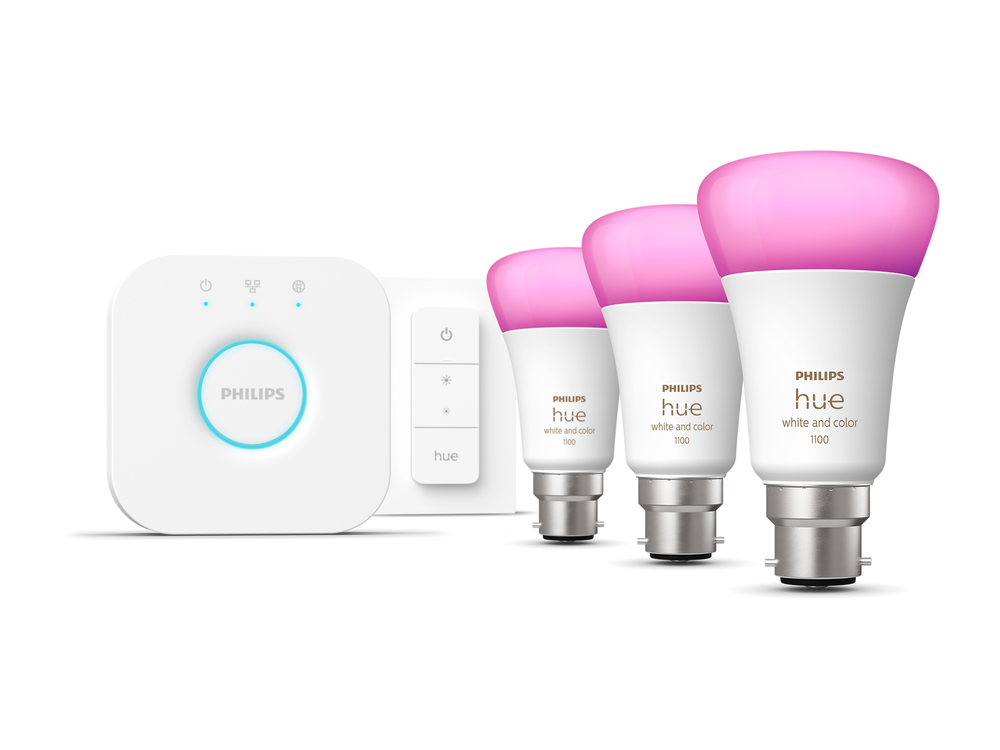
Smart light bulbs come in many shapes and sizes – in fact, they come in the same shapes and sizes as the bulbs already in your home. Simply unscrew or detach your existing bulbs, and replace them with a smart equivalent. Smart bulbs are often heavier (so might not work with a finely balanced Anglepoise lamp), and they’re more expensive too, but otherwise they’re just the same as regular bulbs.
Popular models sold by companies like Philips Hue, Wiz, Ikea and Govee include the E27 Edison screw, B22 bayonet and GU10 spotlight. Adhesive LED strips, ceiling lights with multiple bulbs, lamps and outdoor wall lights are also available.
Powered by your existing light circuits, smart light bulbs work right away and can be controlled from your regular wall switches. But the magic comes when you connect them to their companion smartphone app, or to a smart home system like Alexa, Google Home or Apple HomeKit. This is where you can control their brightness, colour and temperature – the latter being how warm or cool their white light is.
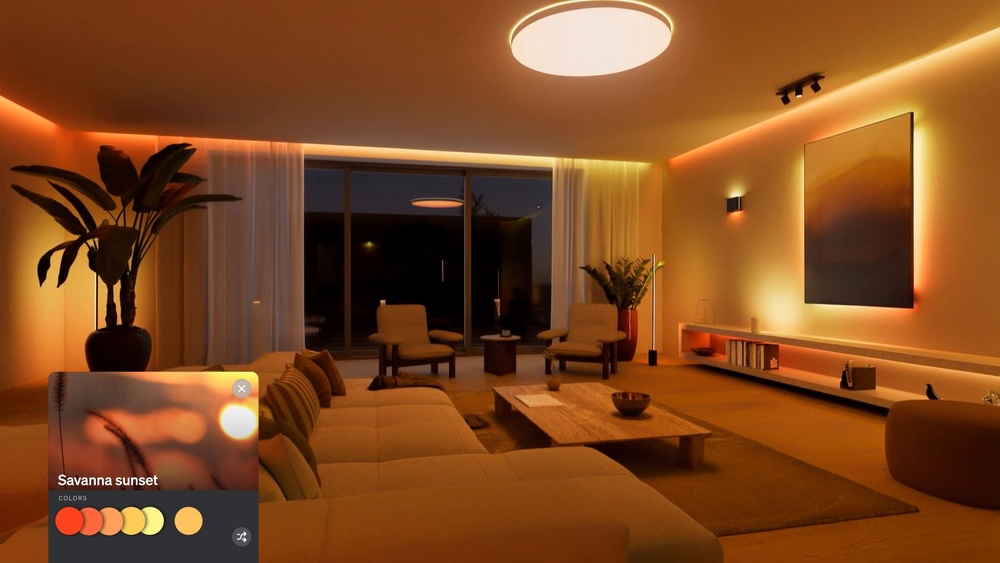
These apps let you create moods, scenes and automations that you can name and save, then enable with a tap whenever you want to set the lights a certain way. You could, for example, create a scene with bright, cool light in the office during work hours, a warmer, softer scene in the lounge for evenings, and a nighttime scene in the bedroom that creates a cozy, relaxed ambiance. These can be activated via your lighting system’s app, or by pressing a pre-configured button, or by speaking to a voice assistant like Alexa.
There are also scheduling tools and features like sunrise simulation, where the lights turn on and shift gradually from faint cool blue to warm, bright yellow. It’s a far more pleasant way to be woken up than with the shrill ringing of an alarm clock.
What types of smart lights are there?
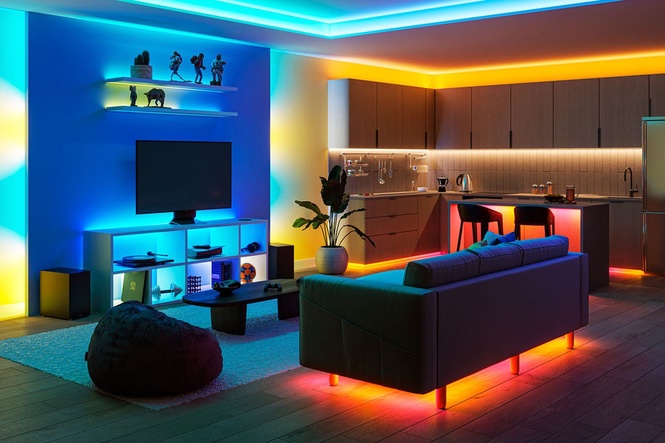
As well as traditional bulbs and spotlights, smart light companies make LED strips for sticking under kitchen cupboards, behind televisions and anywhere else you want to create a pool of light. There are also smart ceiling lights and chandeliers, plus wireless table lamps that can be used inside and out.
Speaking of outside, companies like Philips Hue, Eufy and Wiz make weather-resistant outdoor lighting. These include mains-powered string lights, spotlights for adding ambient lighting to your garden borders, bollard lights for illuminating a path or drive, and wall-mounted lights that use the hardwiring already installed in your home.
Companies like Nanoleaf sell decorative lighting that is wall-mountable and looks like something you might find in a museum of modern art. Philips Hue and Govee both sell lights that receive a signal from your television, computer, or game console, then respond to whatever is on the screen, creating an ambient lighting experience that fills the room.
Philips Hue E27 starter kit
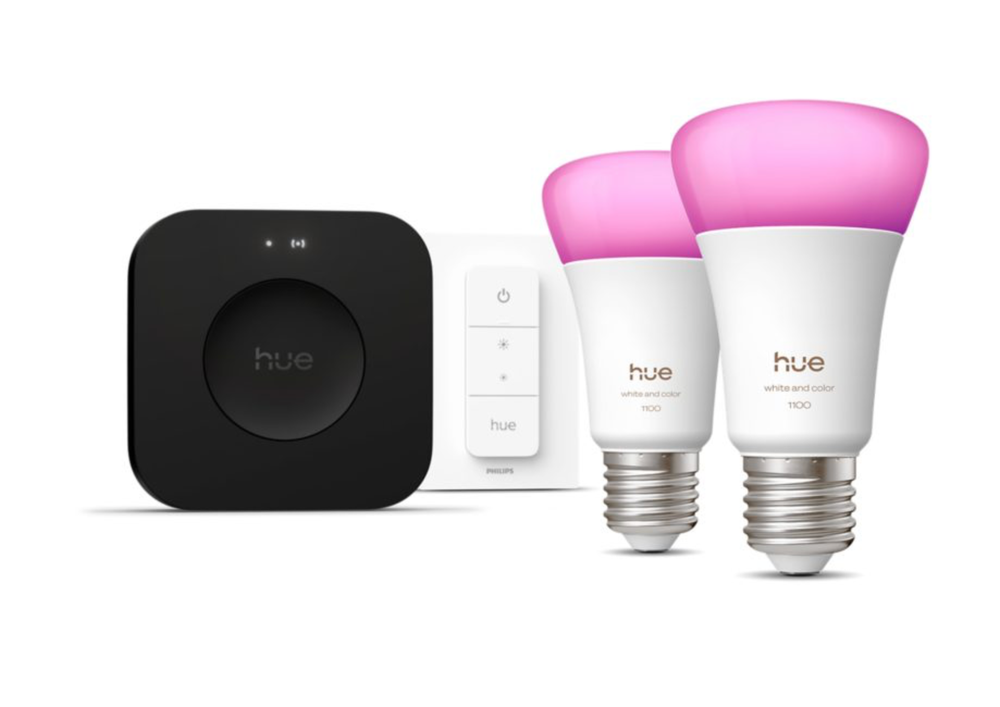
Best: Hue starter kit
Bulb type: A60, E27
Colour: Yes, full colour
Brightness: 1,100 lumen
Bulb diameter: 60mm
Hub connectivity: Ethernet and Wifi
Why we love it
- High-quality lighting
- Entirely reliable
- Endlessly configurable
Take note
- Expensive
- Full-colour bulbs aren't always necessary
- Bridge Pro's extra performance not yet obvious
One of several starter kits available from Hue, this package includes two full-colour E27 bulbs, a wireless dimmer switch and the bridge pro, which acts as a central control unit. I’ve used these bulbs for several years and they’ve always performed perfectly.
I also own several dimmer switches, which handily snap onto the included magnetic wall mount. Stick this to any wall (or cover your existing switches with an adaptor), and the remote can be fitted there like a regular wall switch, or carried anywhere you like. Highly configurable, the remote can power any bulb (or entire room of Hue lights) on and off, adjust the brightness, and cycle through a set of configurable lighting scenes.
Lastly, the included bridge pro is much more powerful than its predecessor and introduces the ability for Hue lights to respond to movement. I haven’t yet noticed the extra power with my own Hue system, and the motion detection feature requires lights to be installed in a certain way. So, while I appreciate the extra headroom and future-proofing the new bridge pro provides, its presence isn’t immediately apparent. If you have an older bridge, I’d suggest you stick with that for now.
Buy now, Philips
Govee floor lamp 3
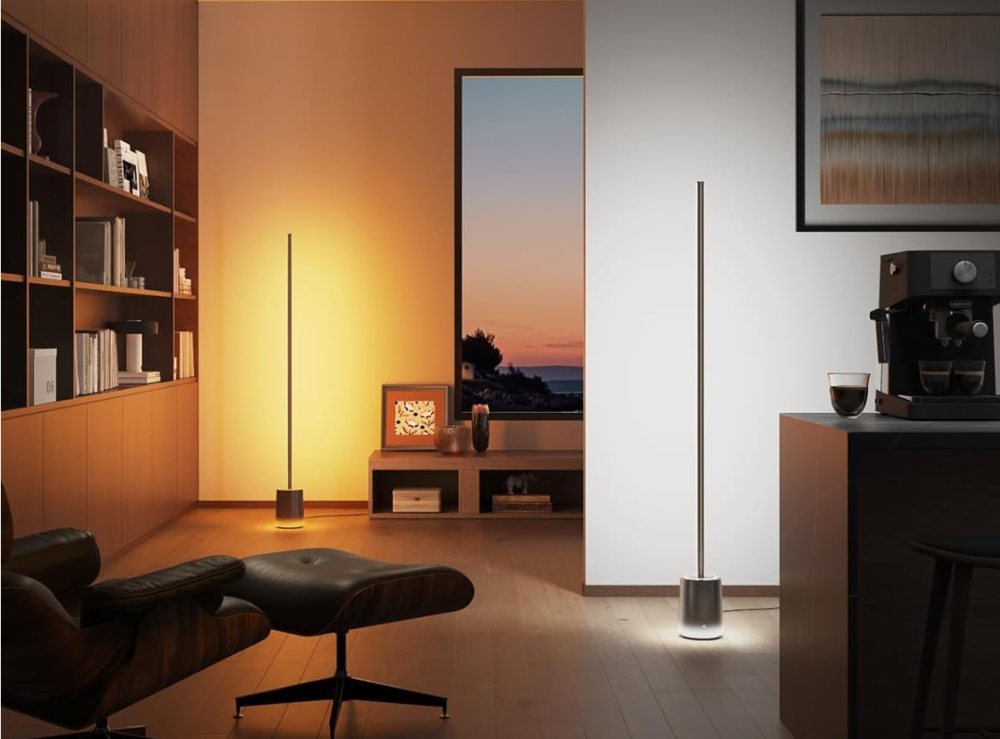
Best: Smart floor lamp
Beam angle: 170 degrees
Temperature range: 1,000K to 10,000K
Music modes: Yes
Dimensions: 15cm wide, 152cm tall
Smart home connectivity: Matter, SmartThings, Alexa, Google Home
Why we love it
- Slim design
- Multiple colours at once
- Broad range of functions
Take note
- Relatively expensive
- Could be feature overkill for some
- Doesn't suit every decor
Govee’s floor lamp is app- or voice-controlled and can shine several colours at once. It’s a full-colour LED light strip that can also display white light with a temperature ranging from 1000K (warm orange) to 10,000K (cool, blueish white). The lamp uses 288 individual LEDs to project a pool of light onto nearby surfaces, and the stick itself acts as a diffuser, so the effect isn’t spoiled by being able to see individual bulbs.
I’ve used a previous-generation Govee floor lamp for years, adding subtle ambient lighting to the lounges, home offices and bedrooms of two different properties. As well as producing a steady light, the lamp can be asked to flash in time to music – in fact, the latest model has 16 different music modes to pick from – or provide a very gentle nighttime light. Smart home connectivity for the latest model includes Matter, Samsung SmartThings, Alexa and Google Home.
Buy now, Amazon
Nanoleaf elements
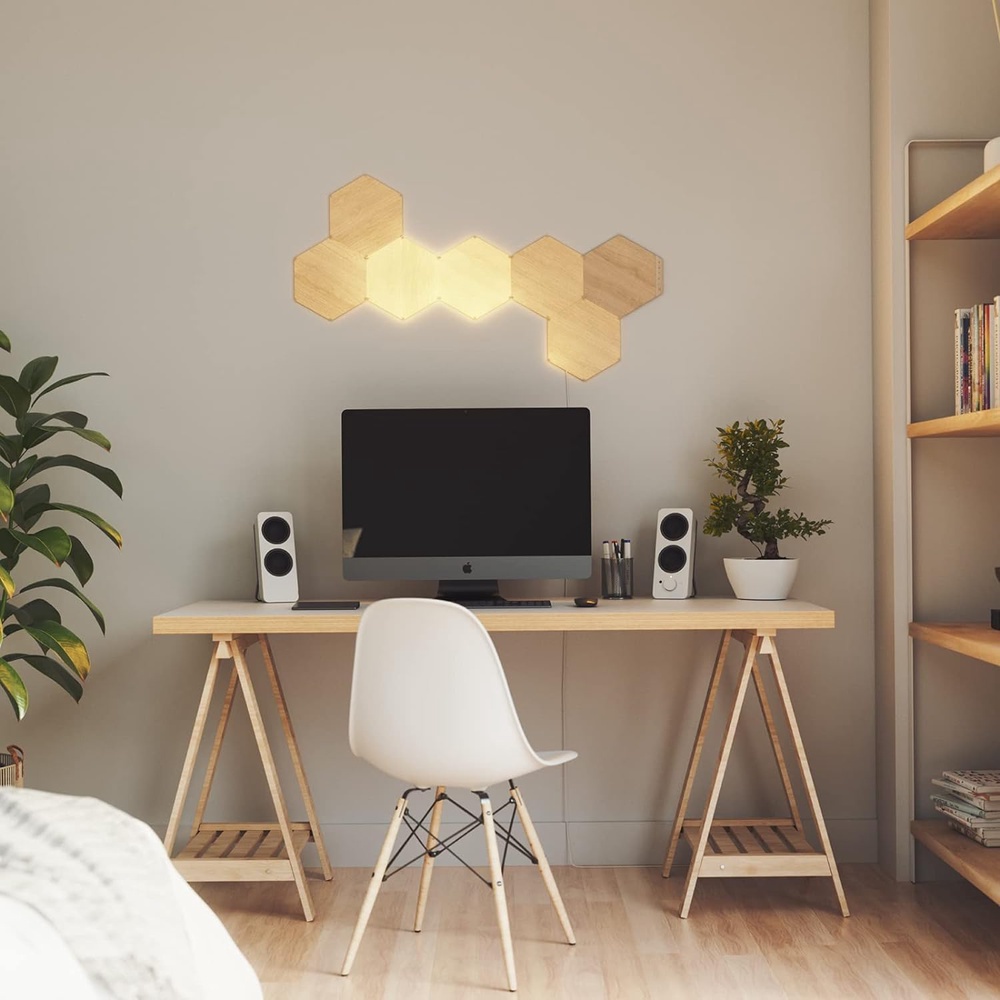
Best: For eye-catching illumination
Dimmable: Yes
Multi-coloured: No
Smart home compatibility: Alexa, HomeKit, Google Assistant
Connectivity: Wifi, mains powered
Expandable: Yes
Why we love it
- Easy to install
- Modular and expandable
- Broad smart home compatibility
Take note
- Doesn't suit every decor
- A more permanent installation than bulbs
- Quickly gets expensive when adding more
Nanoleaf sells a range of decorative smart lighting systems, including this one, called elements. It’s made up of seven hexagonal light panels that have a wood-effect when switched off, then glow with warm orange light when illuminated. They can be attached to form any pattern you like, and are expandable too.
The kit works with Alexa, Google Assistant and Apple HomeKit, and can be mounted either with adhesive or screws and wall plugs. Make sure you don’t use the former on wallpaper, as if you ever choose to remove the light panels, they’ll bring the paper off with them – something I learnt from experience.
Buy now £144.67, Amazon
How do smart lights connect?
Some smart lights use wireless tech you’ve probably heard of, like Bluetooth and wifi. The former connect directly to your phone or tablet and, while fine for some use cases, have limited functionality. The latter connect directly to your wifi router and require no dedicated hub.
Other lighting systems use wireless technology built specifically for smart home devices, like Zigbee. These low-power mesh networks generally require a hub or bridge, which plugs into your router with an Ethernet cable, then connects wirelessly to all of your smart lights and their accessories.
Tying all this together is something called Matter. Matter is a smart home standard designed to make compatible devices work more easily across different platforms, including Alexa, Google Home and Apple Home. Matter devices can communicate using technologies like Wifi and Thread – another low-power mesh network used by smart home products – while some existing systems, like Philips Hue, can gain Matter compatibility through their hub.
It’s still a work in progress, but compatibility with Matter is something you should look for when buying smart lighting. There’s usually a handy logo on the box, along with those showing compatibility with Alexa, Google Home and Apple HomeKit.
Do smart lights require a hub?
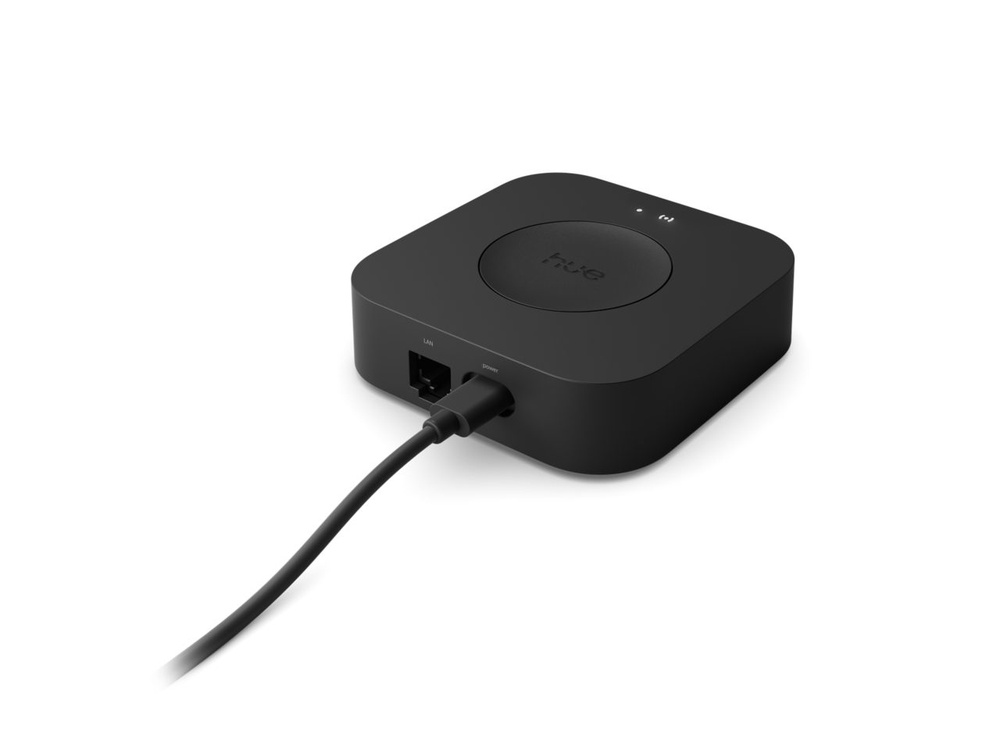
Yes and no. Some smart light bulbs can work entirely on their own, since they connect to your smartphone via Bluetooth or your home wifi network. However, some use a hub that plugs into your router, then connects wirelessly to your smart lighting system. The hub then acts as a central controller for the lighting system, communicating with bulbs, switches and sensors, and unlocking extra functionality.
In some cases, like with Philips Hue, many smart bulbs and light strips work on their own, without a hub, but some features require a hub, which Hue calls the Bridge. A new, pricier Bridge Pro is also available to add even more functionality, like the ability to use your lights as motion sensors.
Do smart lights need special switches?
No. Smart lights can be controlled from your smartphone, or often by speaking to a compatible voice assistant like Alexa, Google Assistant or Siri. Some smart lights also work with your existing wall switches, especially if you only want to turn them on or off, and not adjust their brightness, colour or temperature. But flicking the switch kills all power to the bulb, meaning it’ll also disconnect from any lighting system you’ve set up, and cannot be controlled by a smartphone or a smart switch.
Ideally, your existing switches are left on permanently and the bulbs themselves are controlled by a phone app, voice assistant, schedule, or a separate smart switch.
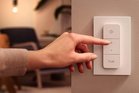
These switches are usually wireless and battery-powered, so they don’t have to live on the wall. It’s handy to have a smart switch on the coffee table, ready to switch your lounge lighting to its Movie Night setting, for example, or a single button by the bed to control the ceiling lights when the wall switch is out of reach.
Smart light switches can often be wall-mounted too, either by sticking or screwing their base plate to the wall, then popping the magnetic switch into place. Some switches add a degree of smartness (like a scheduling function) to existing bulbs, while some, like the Tewke Tap, include touchscreens for broader smart home control, and monitoring both air quality and electricity usage.
Are smart lights worth it?
Smart lights are more expensive than regular light bulbs – sometimes significantly so, especially when shopping for full-colour bulbs from market leaders like Philips Hue. Plenty of more affordable options are available from Ikea, Wiz and some lesser-known brands, and even bulbs from Hue sometimes see chunky price cuts during sales events like Black Friday and Amazon Prime Day.
But when considering a smart lighting system, it’s important to remember that not every bulb needs replacing. Full-colour kitchen spotlights, for example, can be low on your list of priorities, since it’s unlikely that you’ll want to turn the room green while cooking. Instead, start by installing smart bulbs in your bedroom (even just a single lamp at first) and make use of their sunrise simulation feature.
Smart lighting in the lounge – again, just a lamp or two at first, or a light strip behind the TV – can make a huge difference to the ambience of the room and your enjoyment of it. The key is to start small and build the system up gradually over time, instead of spending a fortune all at once.