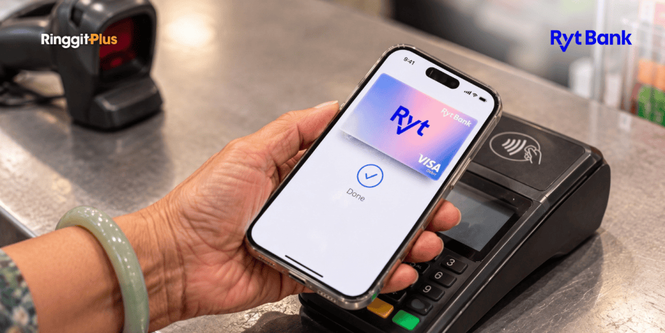
If you bank with Ryt Bank and use an iPhone, you can now pay by tapping your phone instead of your card. From 6 October 2026, Ryt Bank customers can add their Ryt Card to Apple Wallet and use Apple Pay in shops, in apps, and online.
Android phone owners have had a similar option since January, when Ryt Bank added Google Pay. With both now available, Ryt Bank says it’s the first digital bank in Malaysia to support Apple Pay and Google Pay.
Tap Your iPhone To Pay And Confirm It’s You
Apple Pay lets you use your iPhone or Apple Watch instead of your physical card, and it works the same way as tapping your card. At the counter, you hold your phone near the card machine and approve the payment with Face ID, Touch ID, or your phone’s passcode. If your phone is lost or stolen, a stranger can’t use it to pay without one of these.
When you pay, your phone also uses its own special number instead of the number printed on your Ryt Card, so the shop doesn’t get your real card number. Each payment gets a one-time security code as well.
The Ryt Card is a Visa card, so you can use Apple Pay at any shop that lets you tap a Visa card to pay. This includes supermarkets and convenience stores. Smaller stalls without a card machine won’t accept it, so you’ll still need cash or DuitNow QR there.
The Ryt Card Takes Money Straight From Your Account
The Ryt Card is a debit card linked to your Ryt Bank account. Debit means each payment comes out of the money you already have in your account, so you can only spend what’s there. There’s no annual fee. You can start with a virtual card, which lives in the Ryt Bank app and can be used right away, or order a physical card.
The card also comes with Ryt PayLater, an optional feature for customers who qualify. PayLater is a form of credit, which means you’re borrowing money and paying it back later. You choose between debit and PayLater in the Ryt Bank app.
Your iPhone Can Replace Your Card For Daily Spending
If you already have a Ryt Card and an iPhone, you can leave the card at home for a grocery run or a stop at the petrol station. Tapping is quick, though, so small payments can add up without you noticing. Every Apple Pay payment shows up in your transaction list in the Ryt Bank app, so you can check what you’ve spent at any time.
Until now, Apple Pay in Malaysia mostly came from traditional banks such as Maybank, CIMB, and RHB. If you have an iPhone and you’re choosing a bank, a digital bank is now one more option.
Adding Your Ryt Card To Apple Wallet
You’ll need a Ryt Bank account, a Ryt Card, and an iPhone or Apple Watch that supports Apple Pay. Open the Wallet app, tap the “+” button, and follow the steps on your screen to add your card. You may be asked to confirm it’s you before the card is ready to use.
If you don’t have an account yet, you can sign up through the Ryt Bank app, because Ryt Bank has no branches of its own. Once your card is in Apple Wallet, you can start paying with your iPhone straight away.
Follow us on our official WhatsApp channel for the latest money tips and updates.
The post Ryt Bank Now Lets You Pay With Apple Pay On Your iPhone appeared first on RinggitPlus.