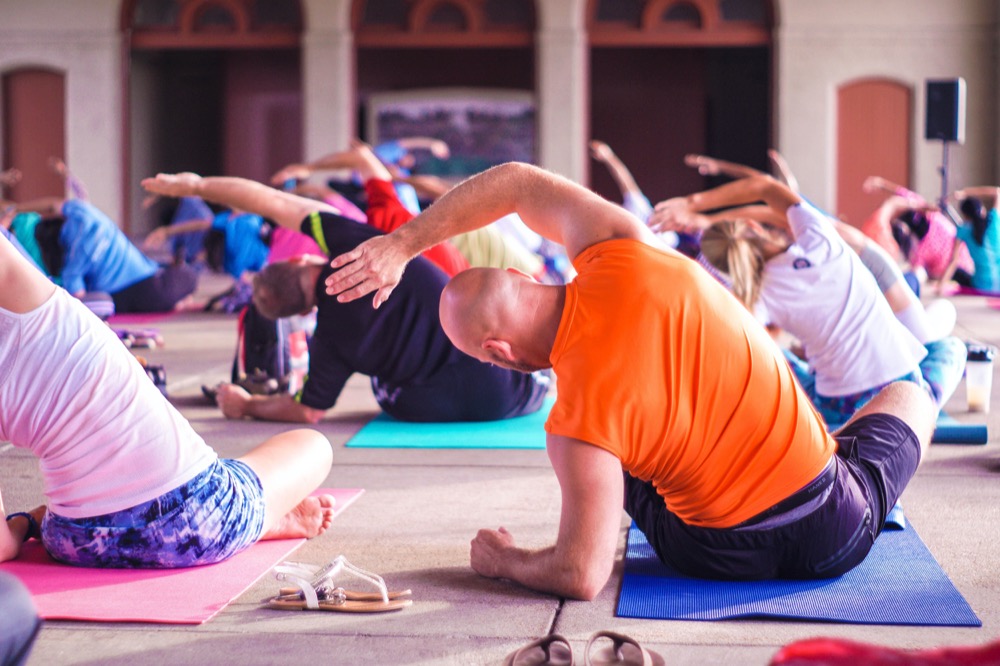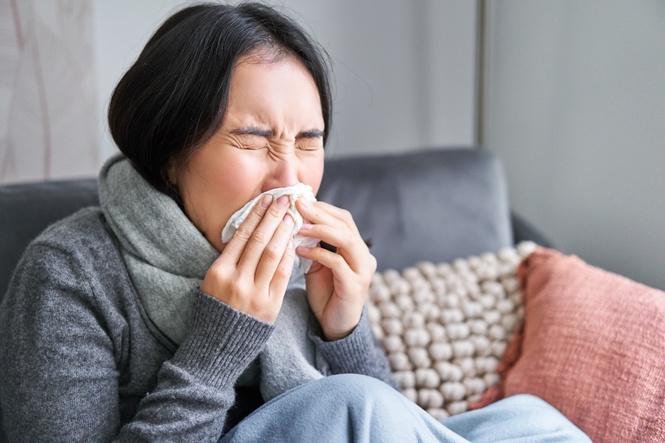
According to the “Statistics on Causes of Death, Malaysia 2024,” pneumonia is a leading cause of death in Malaysia. It accounts for a significant 15.2% of all fatalities, and alarmingly, it is responsible for approximately one in five deaths among Malaysians aged 60 and above. Pneumonia is an inflammation of the lungs. It is usually caused by various infections, including bacterial, viral, or even fungal. The influenza virus is one such virus that can lead to pneumonia, making it a serious health concern, especially for older individuals.
Fortunately, the risk of contracting influenza, and consequently, developing pneumonia as a complication, can be significantly reduced through immunization. Starting February 18th this year, eligible Malaysians aged 60 and above can receive free influenza vaccinations. The MySejahtera app simplifies the process of scheduling these vaccinations. This guide will walk you through the eligibility criteria and the step-by-step process of making your appointment via MySejahtera.
Are you eligible?
You are eligible if you age 60 and above with one or more of the following concurrent medical problems:
- Diabetes
- Respiratory disease
- Heart disease
- Obesity
- High blood pressure
- High cholesterol levels
- Chronic kidney disease
Step-by-step guide to book an appointment via MySejahtera
These are 6 steps to make your appointment:
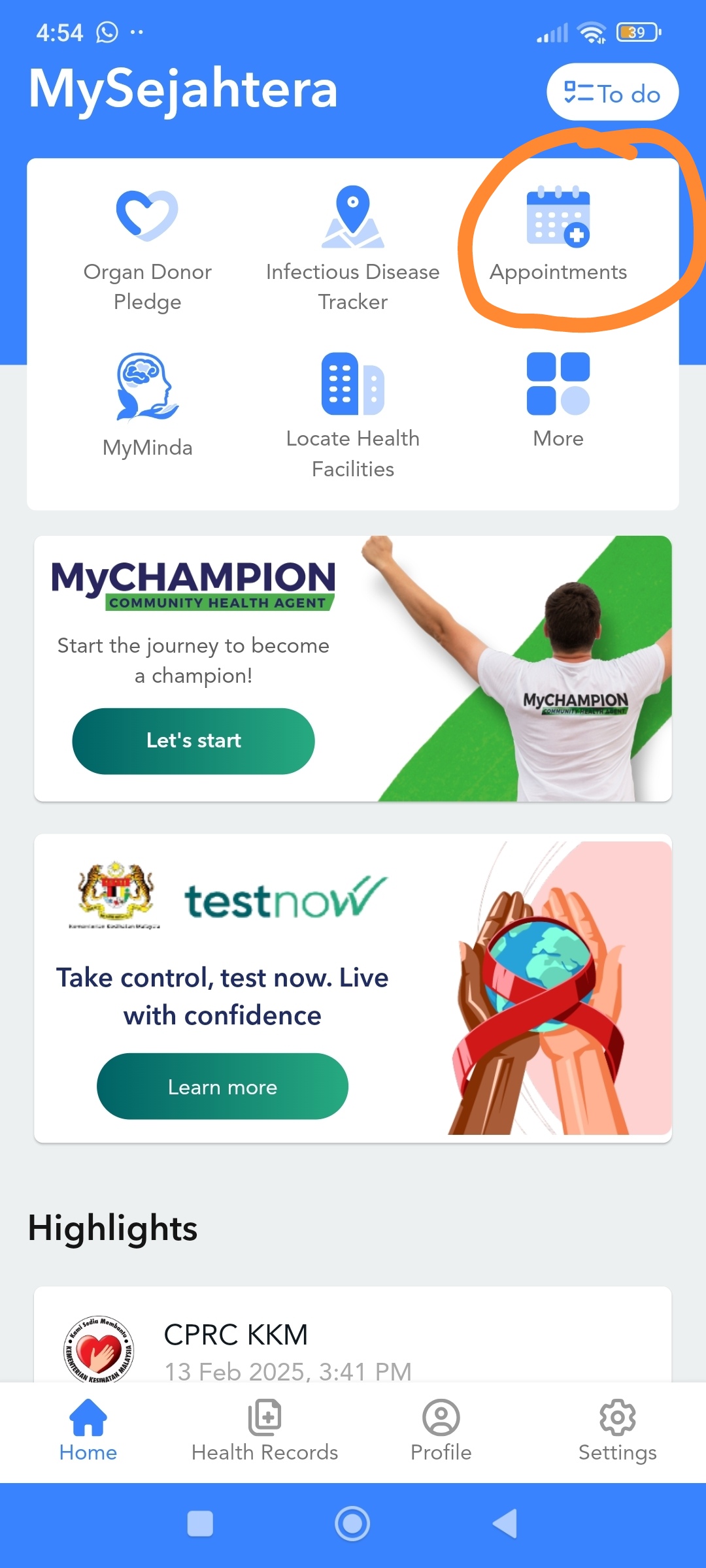
Step 1: Open the MySejahtera app on your mobile device and log in using your credentials. Locate and select the "Appointments" icon. (See the orange circle in the accompanying image for visual guidance).
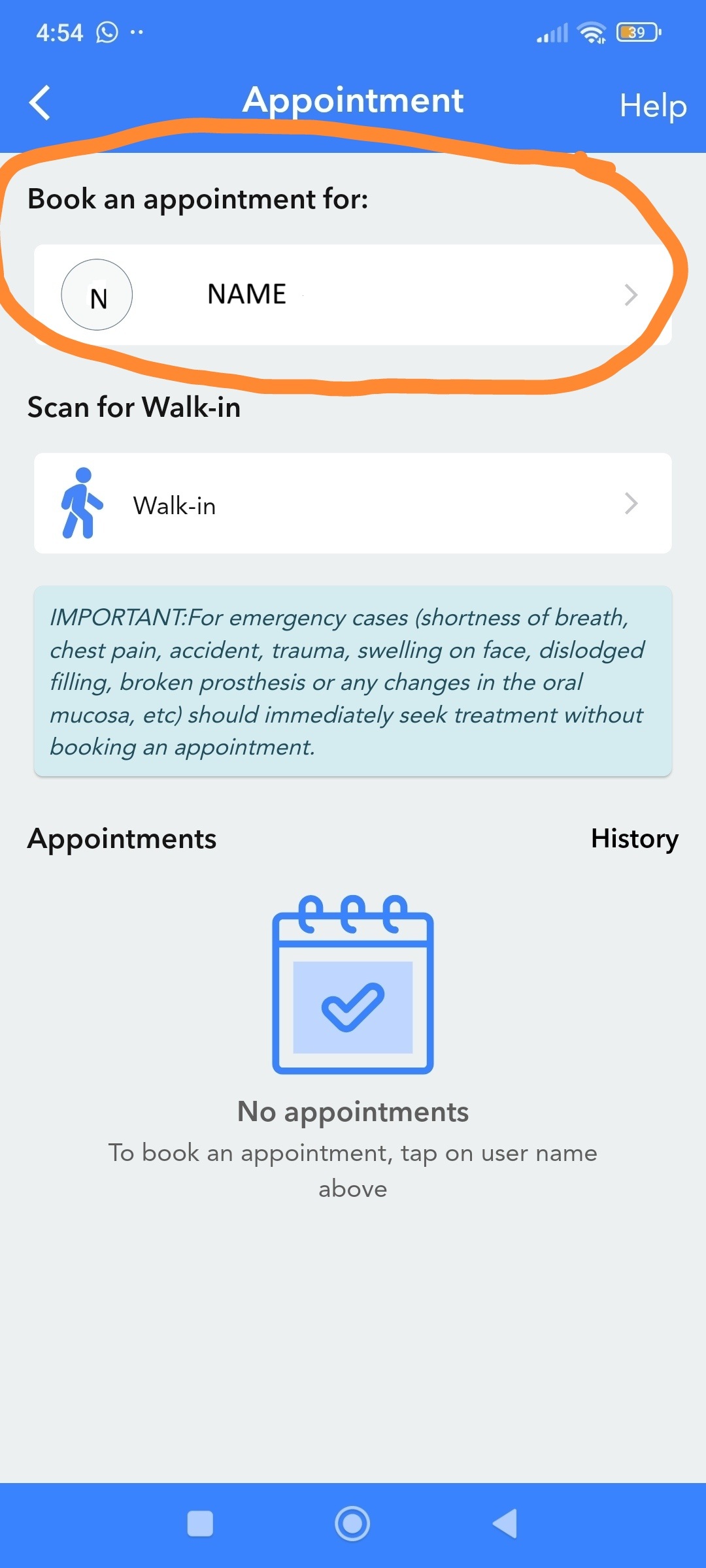
Step 2: Book an appointment under your name as shown in the orange circle.
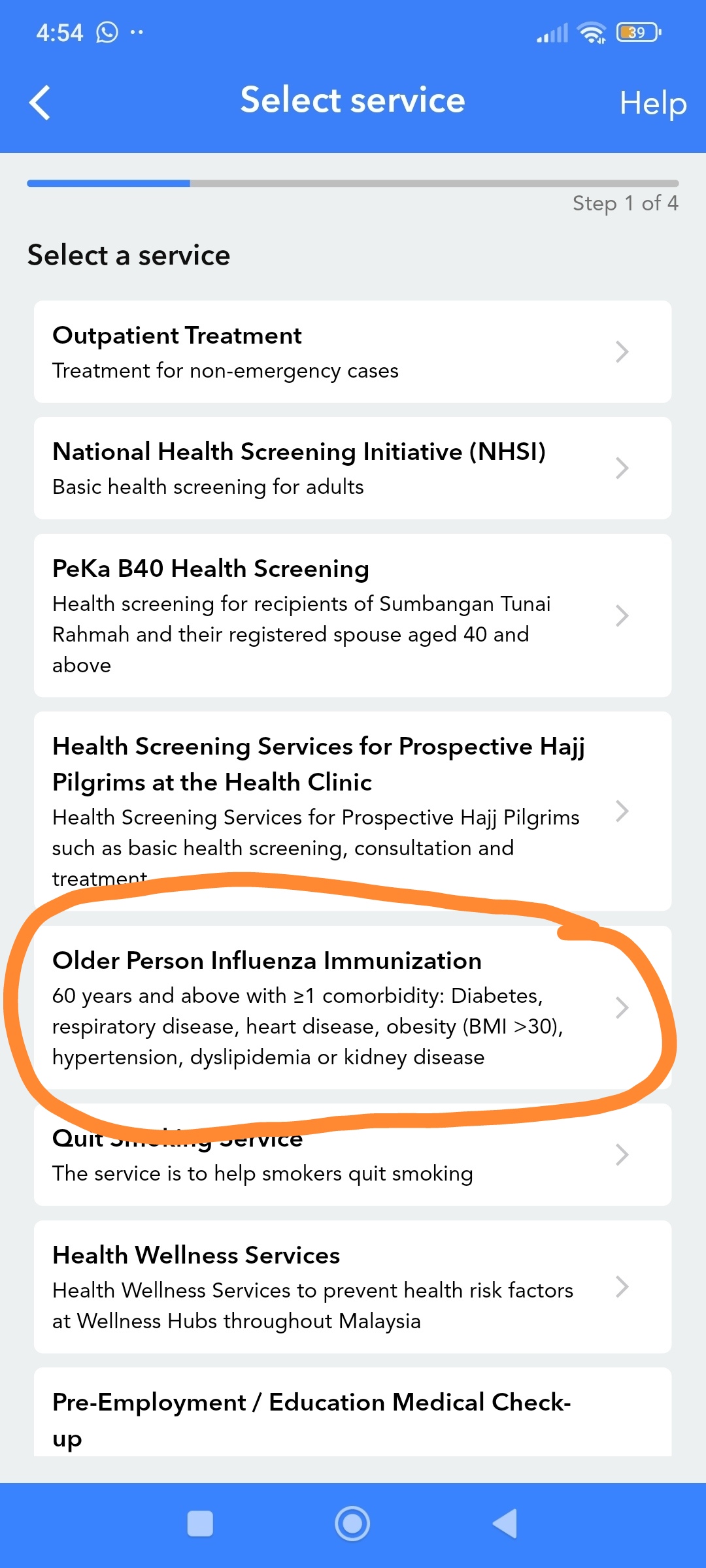
Step 3: Select the tab “Older Person Influenza Immunisation”.
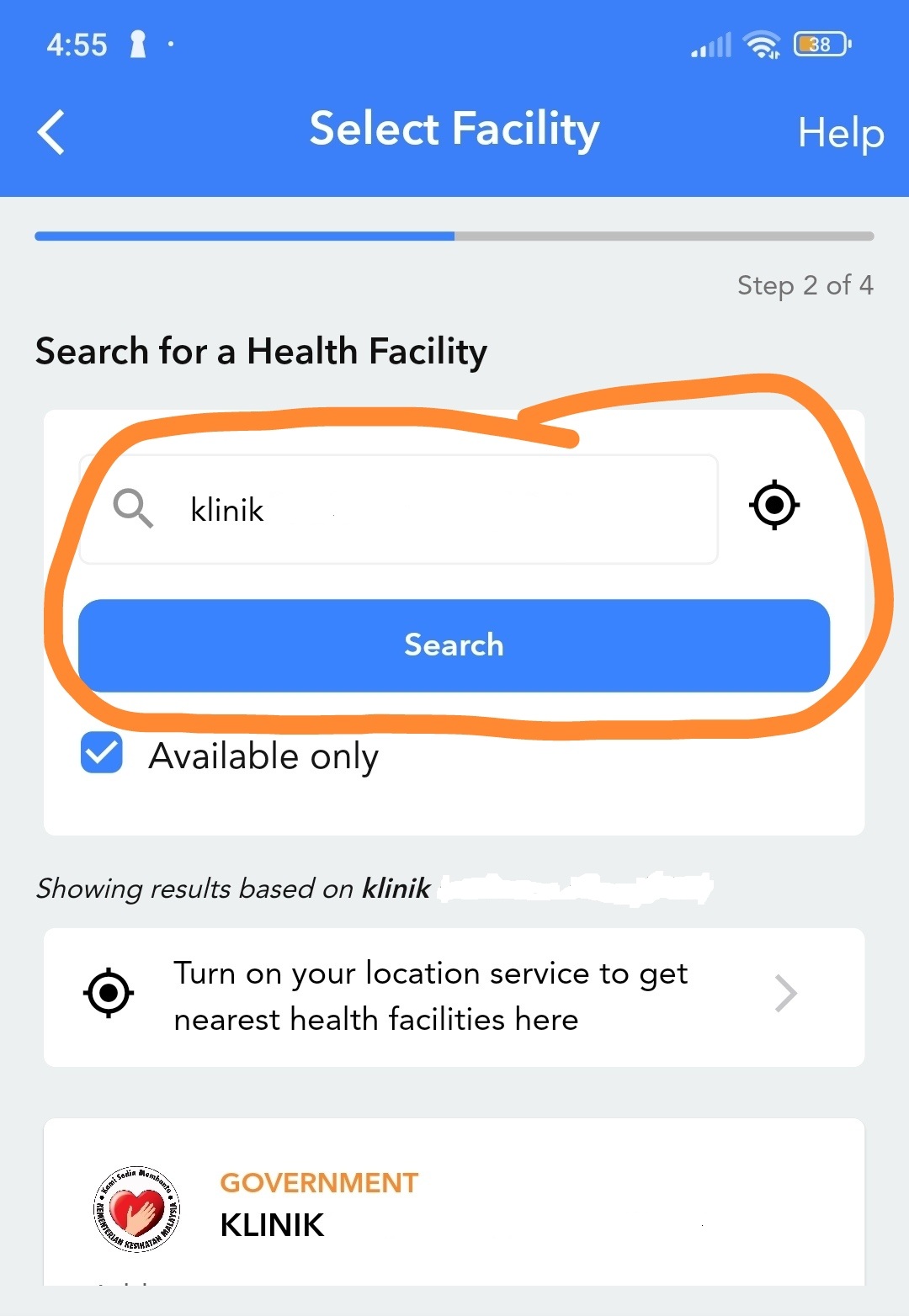
Step 4: Search for an available clinic that suits you the most.
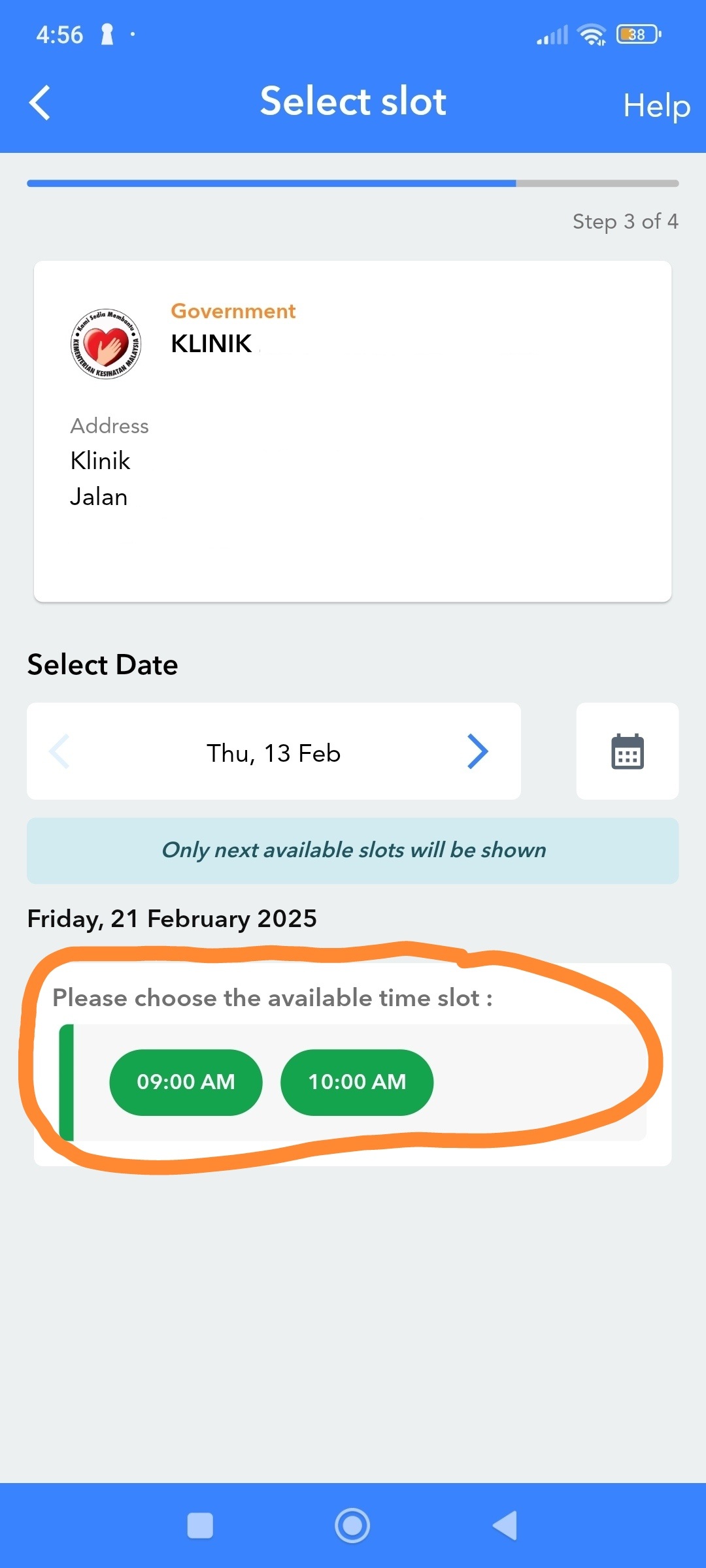
Step 5: Here you will see the time slots available, as shown in the orange circle. Choose the time slot that suits you the most.
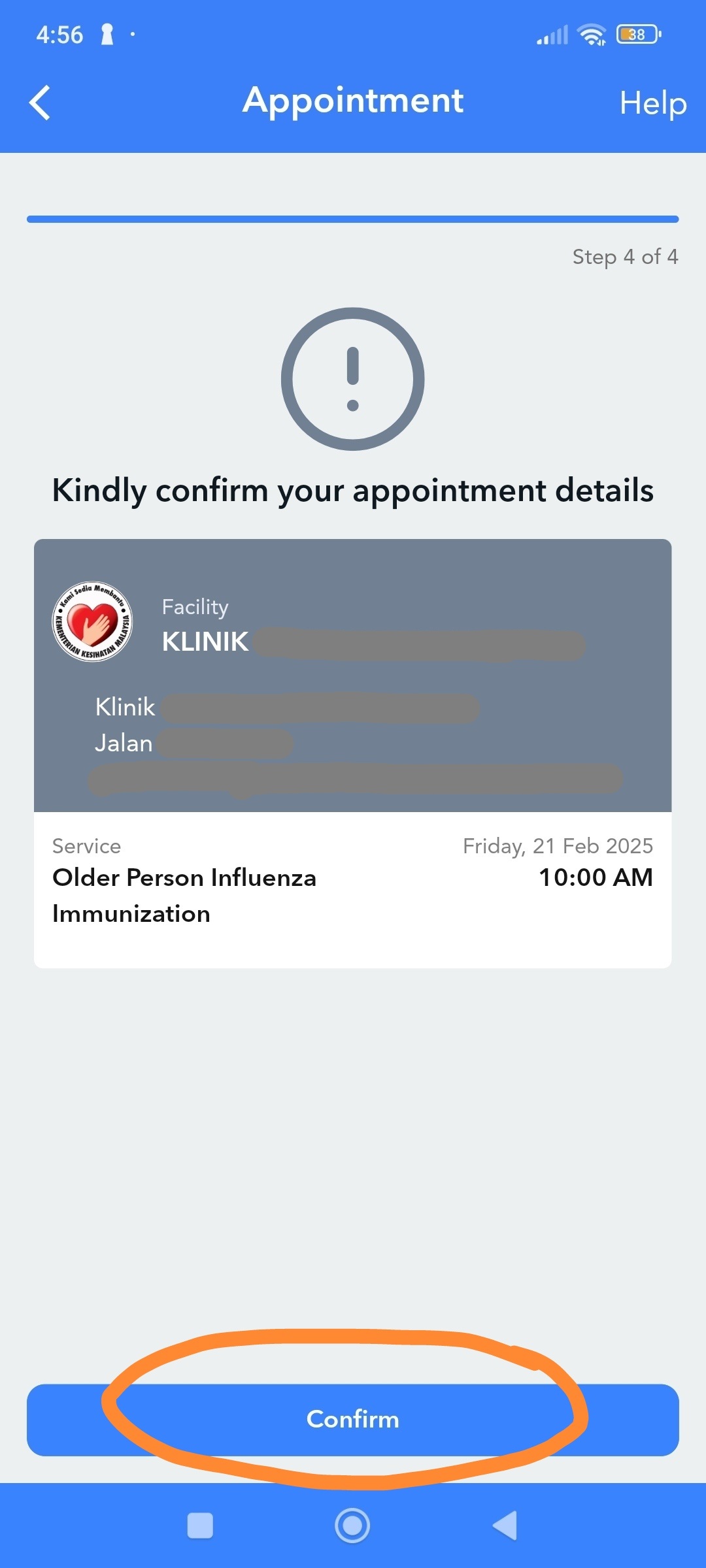
Step 6: Check your appointment details and click “Confirm”.
By following these steps, you can easily book your influenza vaccination appointment through MySejahtera and take a proactive step towards protecting your health. Getting vaccinated is a crucial measure, especially for those aged 60 and above with pre-existing health conditions, to minimize the risk of influenza and its potential complications. Finally, do share this article with your loved ones so they can take action to protect their health too!
For more information on pneumonia, please see this article.
Disclaimer: This information is for general knowledge and does not constitute medical advice. Please consult your doctor for personalized guidance and address any concerns you may have.
维尼不是熊 is a content creator under the Newswav Creator programme, where you get to express yourself, be a citizen journalist, and at the same time monetize your content & reach millions of users on Newswav. Log in to creator.newswav.com and become a Newswav Creator now!
The User Content (as defined on Newswav Terms of Use) above including the views expressed and media (pictures, videos, citations etc) were submitted & posted by the author. Newswav is solely an aggregation platform that hosts the User Content. If you have any questions about the content, copyright or other issues of the work, please contact Newswav.