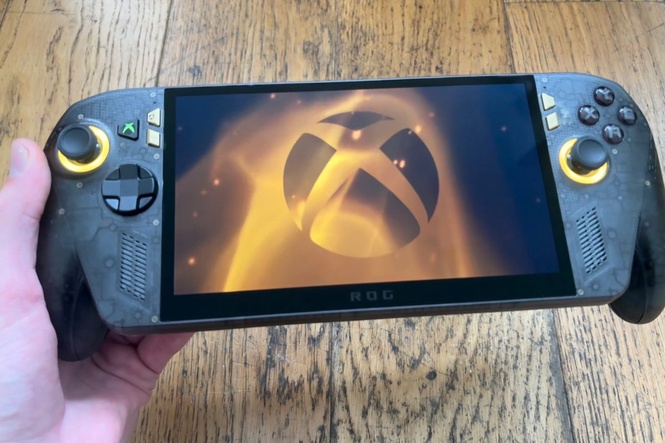
Even with gaming hardware costs skyrocketing, a £1,300 inessential Xbox handheld gaming PC is a bit of an ask. Even if it is an exclusive, limited edition 20th anniversary piece for ROG (Republic of Gamers).
The ROG Xbox Ally X20 feels a little bit like a mid-generation update on the ROG Xbox Ally X, which released alongside the ROG Xbox Ally in October just last year, and were Xbox’s first forays into the handheld market. But it’s so much more of a celebratory edition.
That’s because the ROG Xbox Ally X cost £800 at launch, with the ROG Xbox Ally priced at £500. So by comparison, the X20 is an eye-watering £500 more expensive than the Ally X and a quite frankly ridiculous £800 more than the Ally.
It’s not worth that much of a price jump on the face of it. And yet, as indulgent as it is... It’s fantastic. I can’t get enough of it. Even if it is absurdly expensive. Here’s why.
Read more: Best handheld games consoles, reviewed
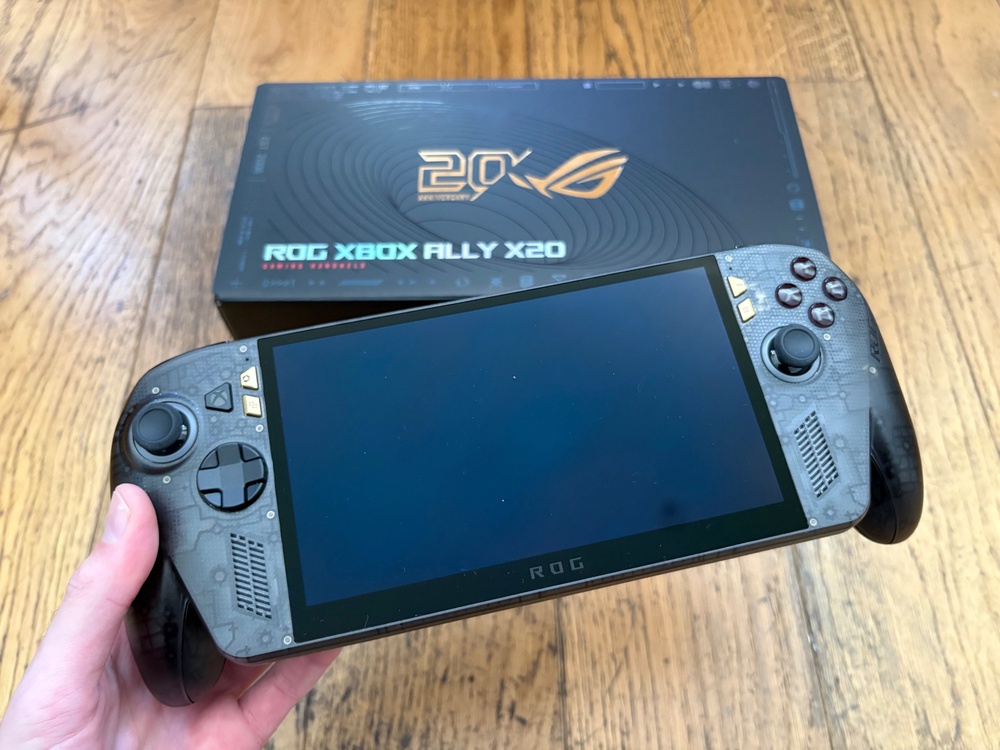
ROG Xbox Ally X20
Why we love it
- Superb limited edition handheld gaming PC
- Fantastic bigger OLED screen
- Relatively easy to set up in Xbox mode
Take note
- Insanely expensive
- Battery life is still quite short
Asus ROG Xbox Ally X20: Design
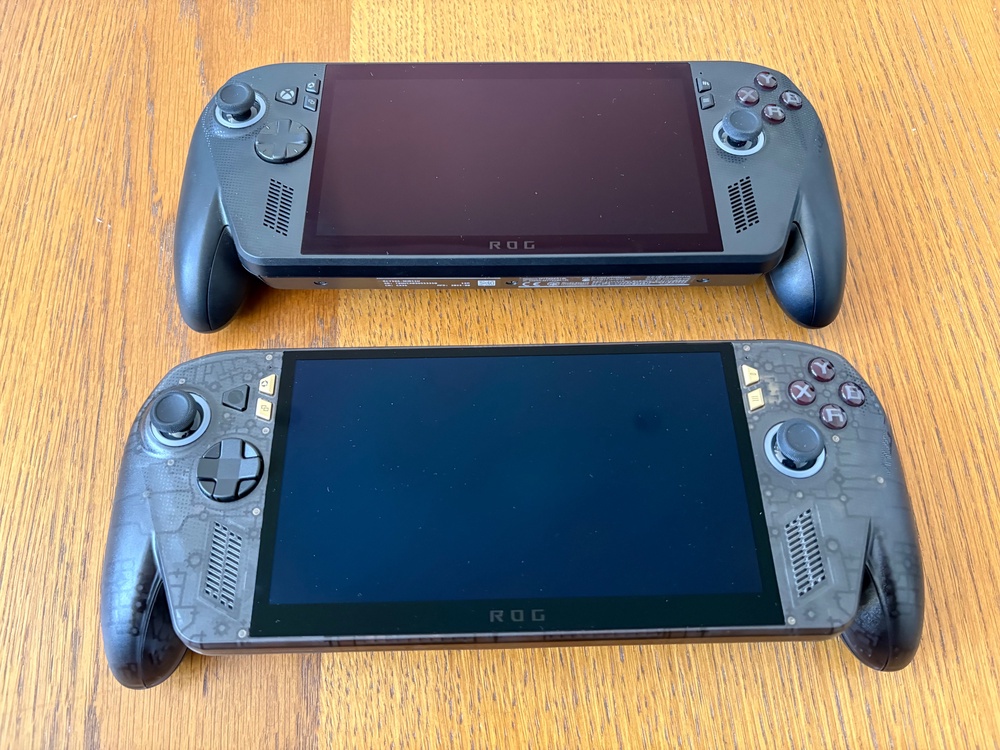
The ROG Xbox Ally X20 is a gaming handheld PC that celebrates the 20th anniversary of ROG, and it comes across like that in its design and feel. The vast majority of features and layout are identical to the ROG Xbox Ally X, but with some notable and standout differences.
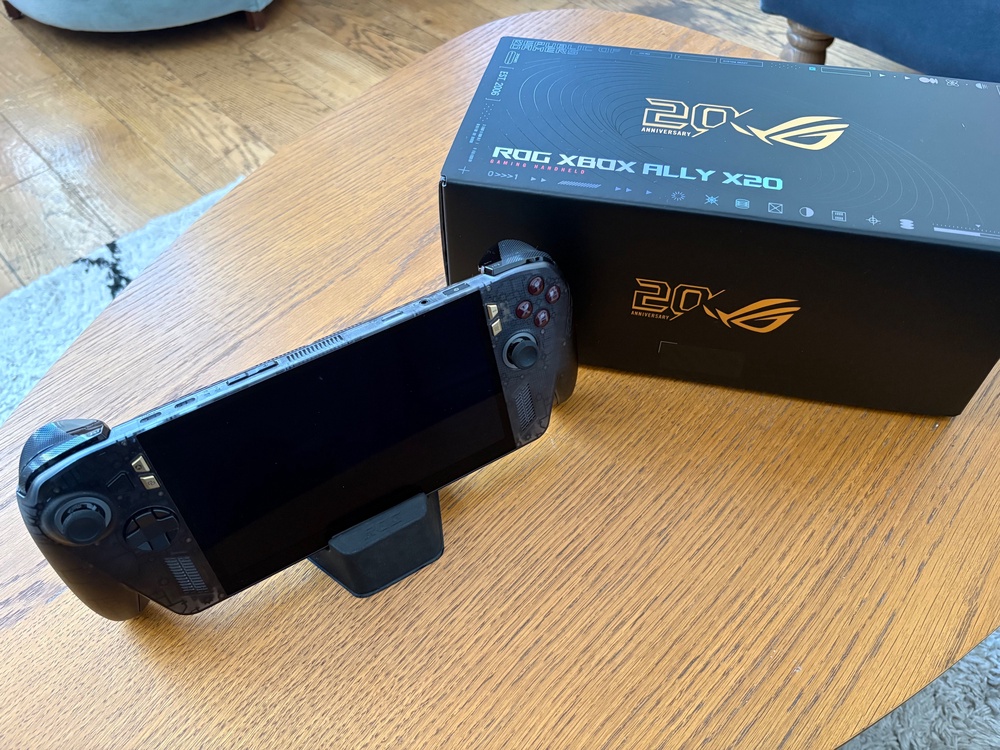
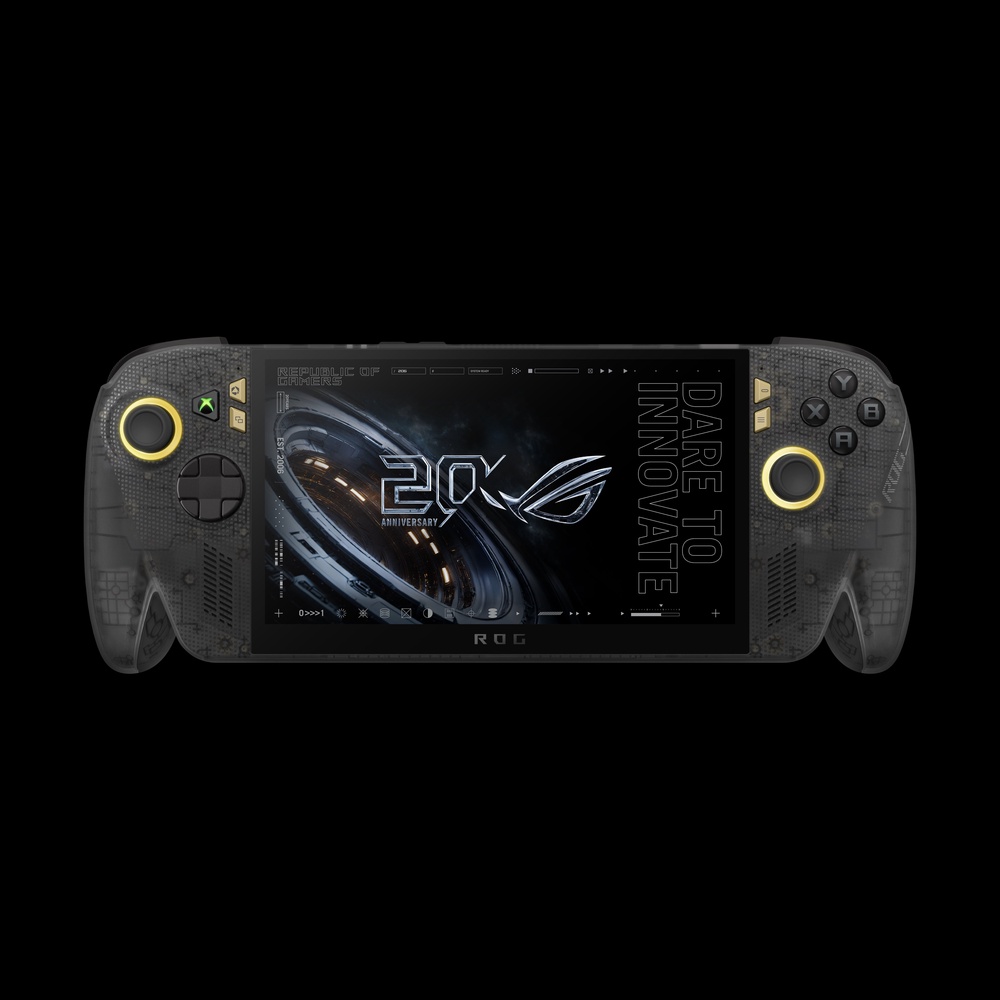
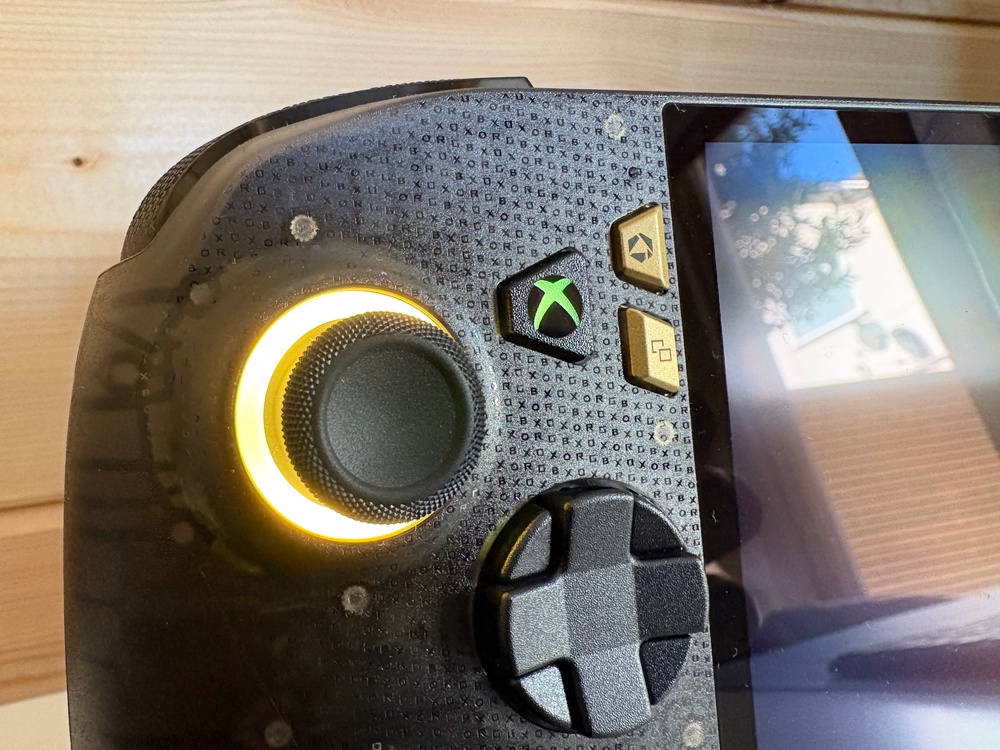
The X20 has a really awesome translucent black design with gold details, including a golden badge on the back of the console to celebrate ROG turning 20. The black case has small ‘ROG Xbox’ lettering running through it along with gold buttons and an updated Xbox button that lights up in the classic green when it’s powered on.
When turning on, the lights behind the two thumbsticks also light up gold instead of changing different colours of the rainbow. Elsewhere, the d-pad has been updated and feels more like that of an Xbox controller with eight directional inputs now, there are rubber grips on the back of the handles for improved handling and the screen is slightly bigger.
The screen on the X20 is 7.4in compared to the 7in of the Ally X. It’s also an OLED touchscreen instead of an LCD one but more on that later.
As well as that, there are all the usual controls you’d expect from a handheld gaming PC: two thumbsticks, the d-pad, four face buttons, buttons near the screen to cycle through menus or switch tasks, four shoulder buttons with two bumpers and two triggers along with two mappable back buttons. There are speakers facing you and on the top of the handheld device, there are two USB-C ports, volume buttons, a number of fans, a microSD card slot, a 3.5mm jack and the power button.
To hold, although it feels quite heavy, it’s actually quite comfortable. I found for longer sessions, the improved grip offered by the rubber grips at the back did make a welcome difference.
Asus ROG Xbox Ally X20: Setup
Setting up the ROG Xbox Ally X20 is as straightforward or as in-depth as you’d like it to be. As it’s a gaming handheld PC running Windows 11, there are some updates to take care of and games to install before you dive into anything.
If you want to keep things straightforward, the X20 naturally starts in Xbox mode, meaning you can update everything you need through the Xbox app that comes installed with the console, making it feel like onboarding a traditional home console. Even device updates are prompted this way too, meaning you never need to exit Xbox mode.
From there, you can also access other pre-loaded storefronts such as Steam and install others such as Epic Games, GOG and Battle.net, and all the games you install from different storefronts show in the Xbox app too, so you’ve easily got everything in one place without having to manage much. Alternatively, if you want to tweak more granular settings, you can switch to PC mode at any time and you’ll be greeted with an interface you’ll be familiar with if you’ve ever used a Windows PC or laptop.
The Armoury Crate acts as the console’s main control hub. It’s where you tweak performance modes, adjust resolution and refresh rate and fine-tune the system’s settings. It can be accessed easily with the click of a button.
Seamlessly switching between the controls and touchscreen is very welcome during this process too. Setting up the X20 was the first notable sign of how much better the screen and responsiveness of the handheld device is compared to the Ally X, which carried over once I’d installed a number of games I wanted to test.
Asus ROG Xbox Ally X20: Games, performance and battery life
The console has three power modes to choose from. Silent mode prioritises battery life; performance mode has the best mix of power and efficiency; and turbo mode pushes the hardware to its limits.
Throughout my time playing, I ran the ROG Xbox Ally X on turbo mode with full HD resolution and with no cap on the refresh rate. I kept these settings throughout (where possible) to really see what this handheld gaming PC could offer, and also stress test the battery.
I started up by loading Forza Horizon 6 and it looked and performed incredibly well, even on the recommended ‘high’ preset. I did have some stuttering in the first few minutes but after that, it stabilised and performance was as expected from there on in.
It became immediately apparent just how responsive the sticks are as they have much lower deadzones at just three per cent. They felt really strong from the get go and that was something I noticed throughout the various different games I played.
The OLED screen really pops too, with much more vibrant colours and clarity. Detailing benefits from this too. Every game I played was impressive with this regard.
This all came to fruition once more with Gears of War: E-Day which runs at a solid 1080p and 30fps. Campaign, versus and horde all looked great on this handheld PC and the improved sticks really helped with that level of precision, executing the perfect headshots with my long range sniper of choice.
007 First Light via Steam was a bit of a different experience though. I bumped up the settings to the max to stress test it and immediately had to revert. It just couldn’t cope.
However even when locking it to 30fps and having the recommended settings in place, I still encountered frequent rate dips below 30. Detailing is good enough though. I found out of all the games I tried, this had the biggest gap between X20 performance and a gaming PC or console.
Pragmata looked and performed really well, even with high settings as the screen’s VRR (variable refresh rate) does a lot of the lifting here. The display looks superb; I did eventually have to mess around with the settings a little bit to get everything how I wanted it, but it looks superb in motion when you get it just right, with strong detailing to boot.
Back to Xbox and Indiana Jones and the Great Circle. Lower settings are enabled by default but it still looks great in motion; you can still make some tweaks and obtain strong performance across resolution and frame rates.
There is some shadow flickering through the lights with some frame rate drops here and there, but it really isn’t too bad, again with VRR enabled. Upscaling helps out massively here.
And for the final test, I went for Crimson Desert through Steam. I thought this would be the biggest challenge for the X20, but it actually turned out to be the most impressive.
A stable 1080p resolution was kept with the VRR hovering around the 30fps mark. Usually it would run just above this with occasional dips below when there was a lot happening on screen or in more dense areas.
The graphic settings were down to low for this, but for it to run as stably and smoothly at the level it did, I was genuinely in awe. Although the X20 is undoubtedly a bit of a collector’s item, the levels of its performance it offers are genuinely very impressive.
When playing really demanding games like these, I averaged anywhere between two and three hours of battery life on a single charge. Less intensive titles can stretch that further, but pushing the Ally X20 to its limits does drain the battery.
Asus ROG Xbox Ally X20: Tech specs
Buy now £1299.99, Curry's
Should you buy the Asus ROG Xbox Ally X20?
Let’s be clear, the ROG Xbox Ally X20 is not for those looking to dip their toe into the world of handheld gaming PCs. It’s a bespoke, high-end, limited edition run of handheld gaming PCs to celebrate ROG’s 20th anniversary and it definitely comes across as that.
It’s a really good looking system, the OLED screen is magnificent and there are a lot of small but key quality of life updates when compared to the ROG Xbox Ally X. However it’s hard to look past just how insanely expensive this device is, and the battery life is still not the greatest truth be told.
If you're looking at getting a handheld gaming PC just to play, then you’re probably better off looking at the ROG Xbox Ally, Ally X or a Steam Deck. But if you want to treat yourself and be a bit indulgent with a beautiful, limited edition handheld system, and you can comfortably afford it, then you will not be disappointed with the ROG Xbox Ally X20.
How I tested the ROG Xbox Ally X20
I tested the ROG Xbox Ally X20 handheld console for around 10 days, assessing the following:
Why you can trust IndyBest reviews
Jake Brigstock is The Independent’s gaming correspondent. He has spent countless hours putting a full spectrum of consoles and games through their paces, so he is well-placed to bring you his updated verdict on the ROG Xbox Ally X20.
For more, check out our review of the ROG Xbox Ally X.