At long last. After months of planning and preparation, my new hybrid shed and office was finally ready. I could work in my own space at home without having to hot-desk at the dining room table anymore.
But there was one final obstacle I hadn't yet cracked – how the heck would I get wifi out there? I'd already tried a few wifi extenders, but none had delivered the speed, connectivity or reliability I needed.
My wifi router is right at the front of my flat, in the living room, while my new office is at the back of the garden – they couldn't be further apart. I'd been researching the best ways to get connected but couldn't settle on anything. I'd even considered getting a separate mobile broadband plan out there.
Then I came across a TP-Link mesh system designed to provide both indoor and outdoor wifi coverage. I've been testing it for the past few weeks, and it might just have solved my garden office internet woes.
Read more: Best wifi extenders, reviewed
TP-Link Deco BE3600 mesh wifi7 system
Best: Home and garden WiFi system
Why we love it
- Fast and reliable WiFi coverage across home and garden
- You only have to connect to one network and the system will take care of the rest
- Easy to set up
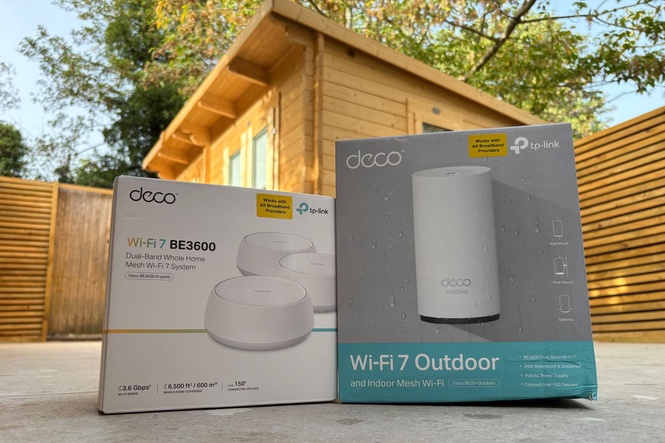
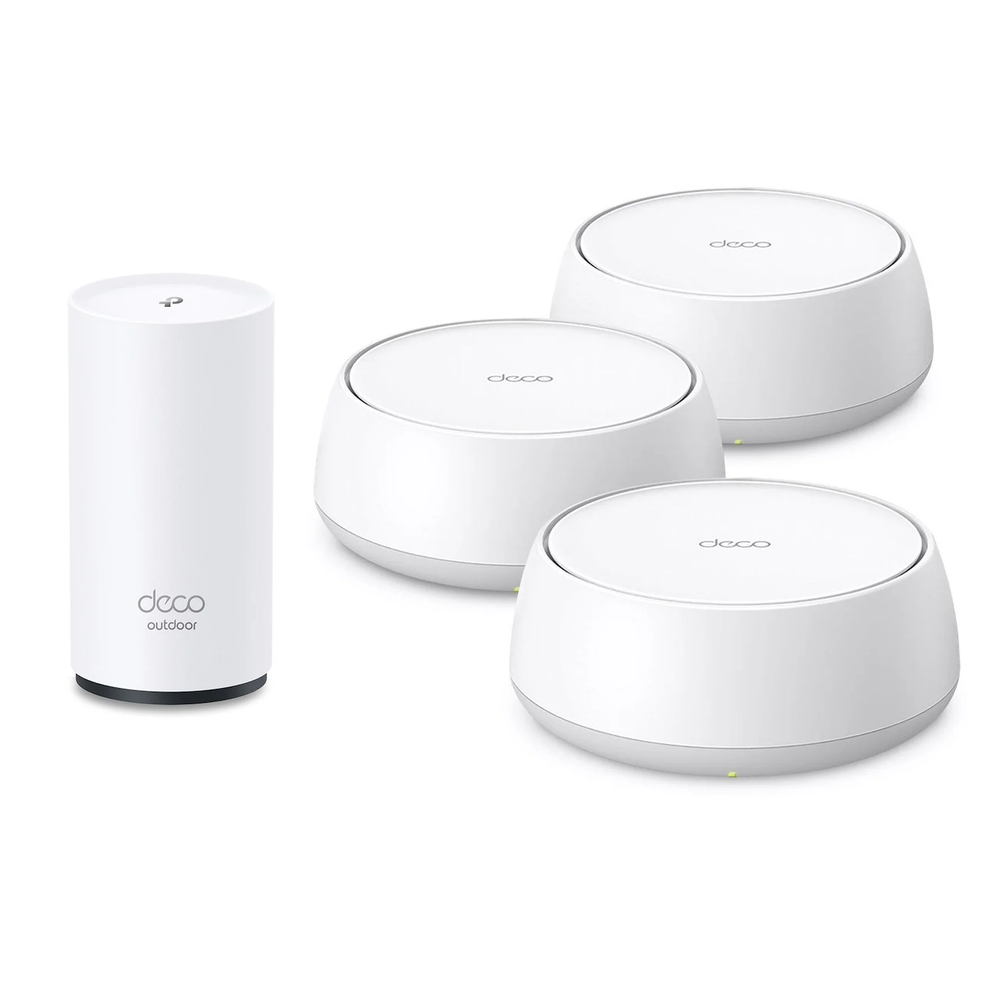
The TP-Link Deco BE3600 mesh wifi 7 bundle includes three indoor mesh units and a Deco BE25 outdoor mesh router. Together, these four devices connect to your existing router to create a mesh wifi network covering your home and garden.
That sounds quite complicated – but don’t be put off if that just sounds like a load of letters and numbers. Those are just the names of the devices. Allow me to explain, starting with the three mesh units.
To get started, you need to download the Deco app and plug one of the devices into the mains near your existing wifi router from your service provider (such as BT, Sky or Virgin Media). You then follow the instructions in the app, but let me explain what happened when I set it up so you don’t make the same mistakes I did.
Initially, I plugged in all the units where I wanted them, thinking I could set them up straight away. But for the easiest installation and best results, just plug one into the mains near your router for now and follow the app’s instructions – don’t get too ahead of yourself!
After you’ve plugged the first Deco unit in, you’ll have to connect it to your router using an ethernet cable that comes with the bundle. This means you’ll get a really strong and consistent connection from your router to the first unit.
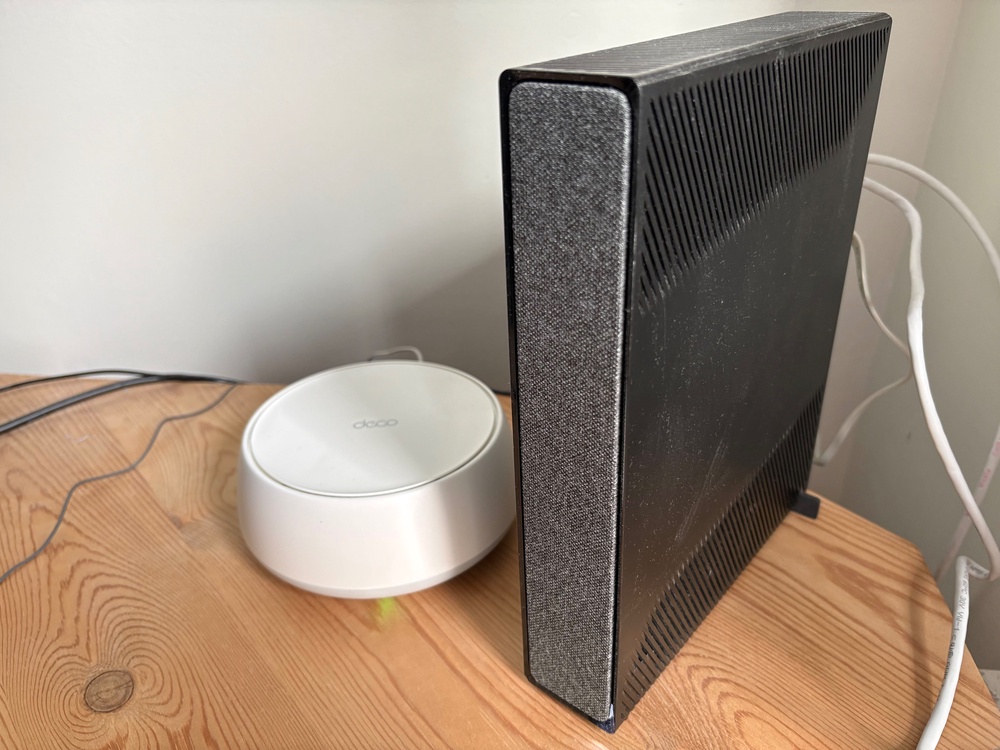
This turns the first Deco unit into the ‘main’ device, which is basically the backbone of your new home wifi system. It creates a separate network using the internet connection from your router. You can give it its own name and password. Once you’ve got all the units set up, you won’t have to keep switching between wifi networks – your devices will stay connected as you move around your home.
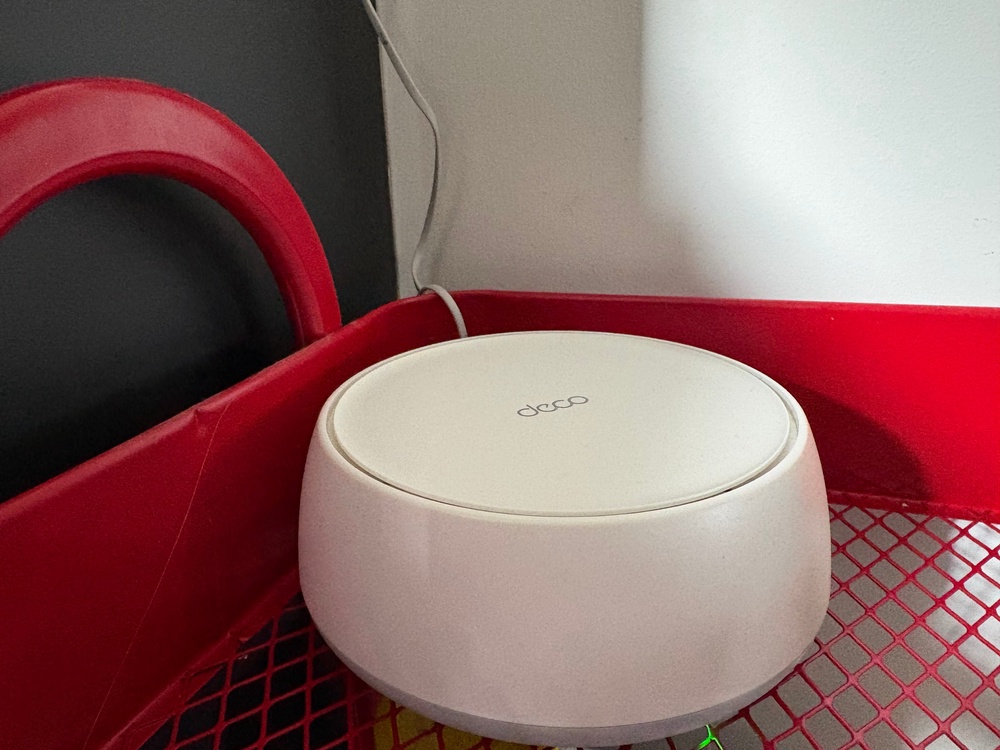
It takes only a few moments for the first unit to connect, but once it does, you’re away. From there, I plugged in the second unit in my kitchen, followed the instructions in the app and the second unit picked up the wifi signal transmitted from the first Deco unit I installed.
So far, so good. Even at the back of my flat, where the bathroom is, internet can be patchy without any boost, so with this second unit in place, the flat is now fully covered.
Now for the matter of getting it to the office at the back of the garden.
Initially, I actually tried to connect without using the outdoor unit. I did manage to connect, but the connection wasn’t very strong and internet speeds were very slow. It still wasn’t suitable for what I needed.
That meant I’d have to use the outdoor router, which, although it comes in a separate box from the three mesh units, connects in exactly the same way. An important note here is that, to power it, you’ll either need an outdoor power source, such as a weatherproof electric socket, or you’ll have to run the cable into your house.
Thankfully, I have some weatherproof outdoor sockets just outside my back door that I could connect it to. To make sure the outdoor unit itself is weatherproof, you have to unscrew its base, plug in the power cable and then screw the base back on, making sure the connected cable runs correctly through the rubber seals that keep it weatherproof.
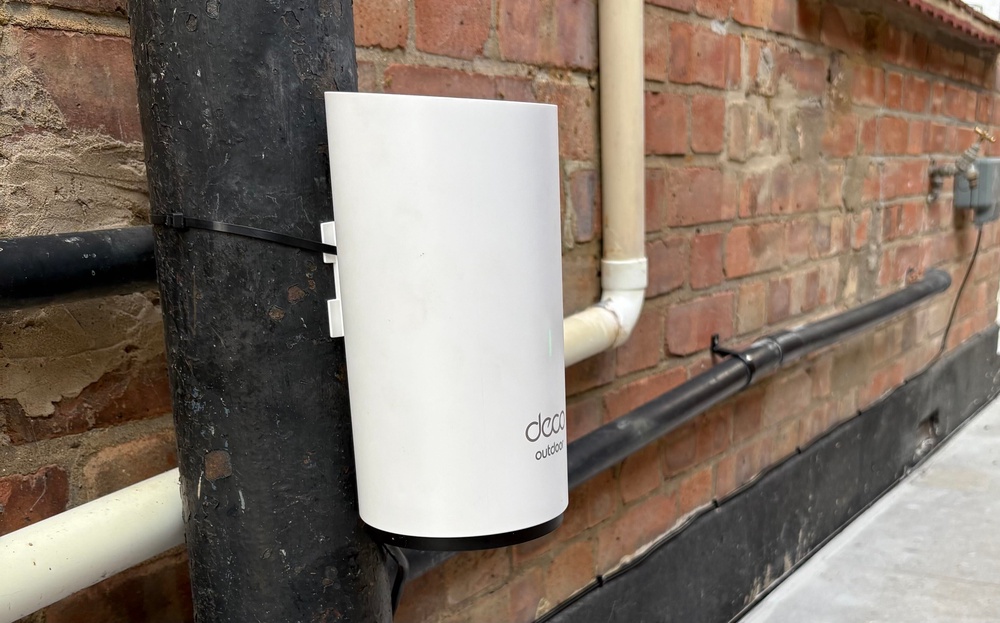
The outdoor unit also comes with a couple of cable ties, meaning you can tie it to a pipe so it’s safely off the ground, more secure and isn’t standing in water. Then, like with the mesh units, you can follow the instructions in the app once it’s powered on to connect it to the home wifi system you’ve installed.
So, with the final mesh unit in my office already plugged in and picking up a signal, that sounds about it, right? Not quite – but this is very handy to know.
In the Deco app, you can see a map of how your new home wifi system is set up and which unit each one is connected to. For example, my map showed that my ‘main’ unit was connected to my router, my kitchen unit was getting its connection from the ‘main’ unit and the remaining two units (in the garden and in my office) were getting their connections from the kitchen unit.
However, the problem still remained – my wifi connection in the office wasn’t very strong. It was getting its connection from the kitchen. No matter though. In the app, you can tell each unit where to get its connection from.
So, I could instruct the unit in my office to get its connection from the unit in the garden instead. Now we’re up and running.
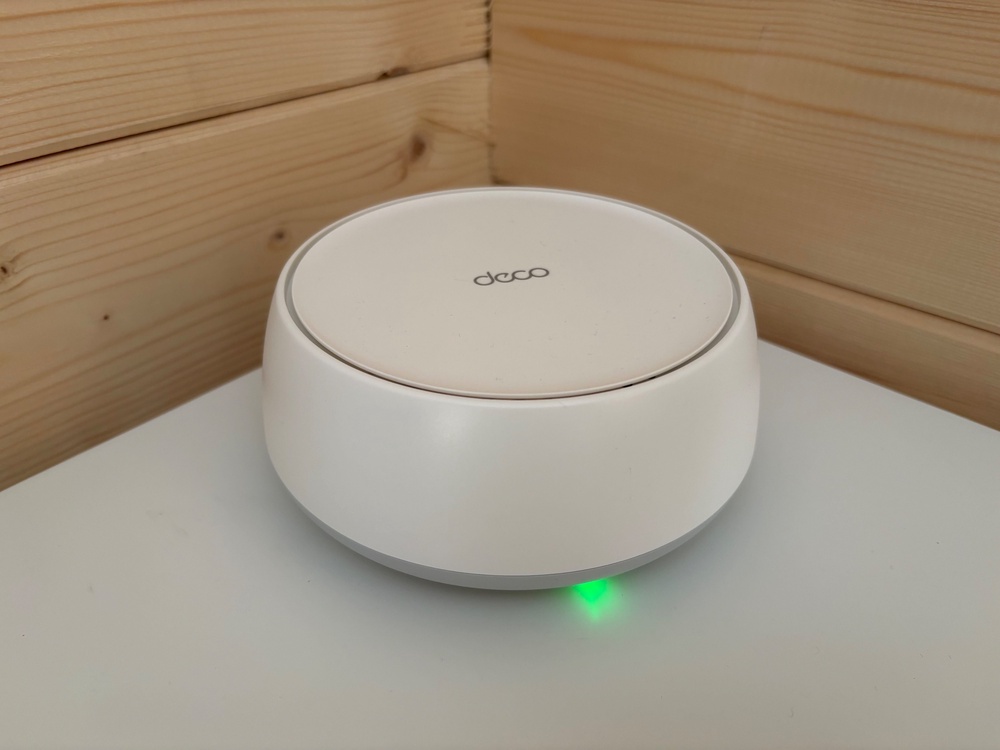
And having done this and installed these units in this way, I’ve gone from not even getting wifi throughout my whole home to having a fast, stable and reliable connection not only throughout my home but also in my new office.
For context, I have a 350Mbps Virgin Media connection and, out in the office, with this new home wifi system in place, my speeds are consistently around the 350Mbps mark.
I’ve had this fully installed for just under a month now and, even through torrential downpours, the connection has not faltered. From start to finish, while taking my time through each step and getting everything exactly how I wanted it, the installation process took around an hour – but it’s a set-and-forget procedure.
In the app, you can see which devices have connected to your home wifi system and manage them, meaning that if there are devices you don’t want using it or don’t recognise, you can manage them accordingly.
The only thing I will say is that the full price of this bundle is usually £469.98, although it’s currently on offer for £299.98. If you can get it at the offer price, absolutely get it while you can – the normal price might seem a little steep, but in terms of the job it does, from my experience so far, it’s genuinely faultless.
Deco BE3600 mesh wifi 7 system: Specifications
Deco BE25-Outdoor BE3600 outdoor/indoor mesh wifi 7 router: Specifications
Buy now £469, Tapo.com
Should you buy the TP-Link Deco BE3600 mesh wifi 7 system?
If, like me, you’re looking to get wifi out to a home office in your garden or simply want a faster, more reliable connection, I cannot recommend the Deco BE3600 mesh wifi 7 bundle highly enough. It’s easy to set up, provides incredible coverage throughout your home and garden, and is simple to manage using the Deco app.
If you’re looking for better coverage just throughout your home, the Deco BE3600 whole-home mesh wifi 7 system would more than likely be enough. You might even only need one or two units instead of a bundle of three, depending on the size of your home.
If you want a better connection just in your garden, the Deco BE25 BE3600 outdoor/undoor mesh wifi 7 Router is the answer. But be warned – if you buy this on its own, you’ll need to connect it to your router with an ethernet cable for both power and connectivity. It’s probably best to connect an indoor unit to your wifi and then connect that to the outdoor router, using mains power, so you don’t have to run long cables or make holes in your home to feed them through.
But for whole-home and garden coverage in one, the Deco BE3600 Mesh wifi 7 Bundle is an absolute no-brainer. Even if its usual price might seem steep, it’s a purchase you won’t regret, as it will get you connected throughout your home and garden with relative ease.
How I tested
I’ve had the Deco BE3600 mesh wifi 7 system installed in my home and garden for three-and-a-half weeks at the time of writing. I’ve been using the connection constantly, connecting all my devices to the new home network.
Most notably, I’ve had my iPhone connected to this network at all times since installation. Even when moving from my front room to the garden at the back of my property, the connection has been seamless, with no dropouts while watching videos, listening to music or playing games.
I’ve also been working exclusively from my garden office using this network and have had no issues across any of my connected devices. Connections have been fast, reliable and stable.
Why you can trust IndyBest reviews
Jake Brigstock is The Independent’s gaming correspondent. While he has spent countless hours putting a full spectrum of consoles and games to the test, he’s also reviewed lots of tech and gaming peripherals.
For more, check out the best WiFi extenders you can buy for a reliable connection throughout your home