How do I create a Newswav Creator account?
To create a Newswav Creator account, please follow these steps:
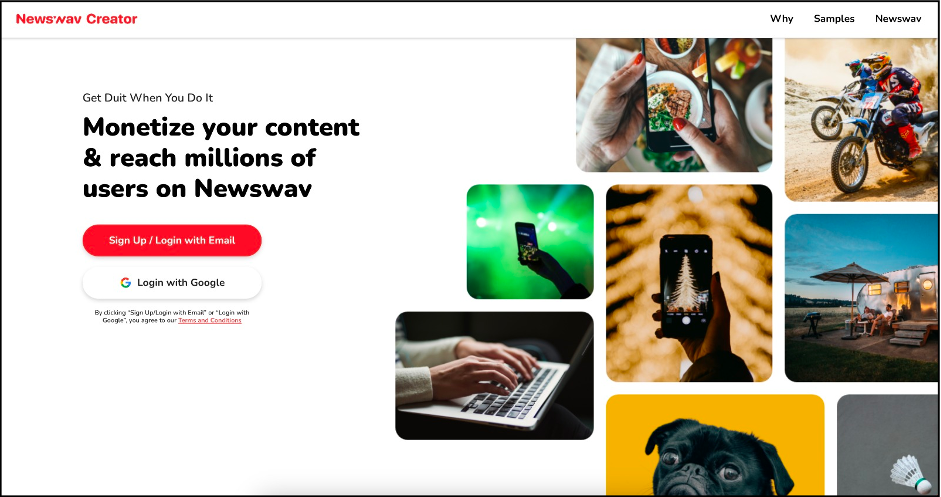
- Open the Newswav Creator login page
- You can choose to login with your Gmail account or sign up using other email providers such as Yahoo! Mail and Hotmail.
- To login with other email, please follow these steps:
(a) Click Sign up / Login with Email
(b) Enter your email address
(c) You will receive a 6-digit code in your email
(d) Enter the 6-digit code
(e) Click Login
How do I set up/ edit my profile?
*Please note that you can only set up your profile one (1) time upon signing up. For subsequent changes, please email us at creator@newswav.com.
To set up your profile, please follow these steps:
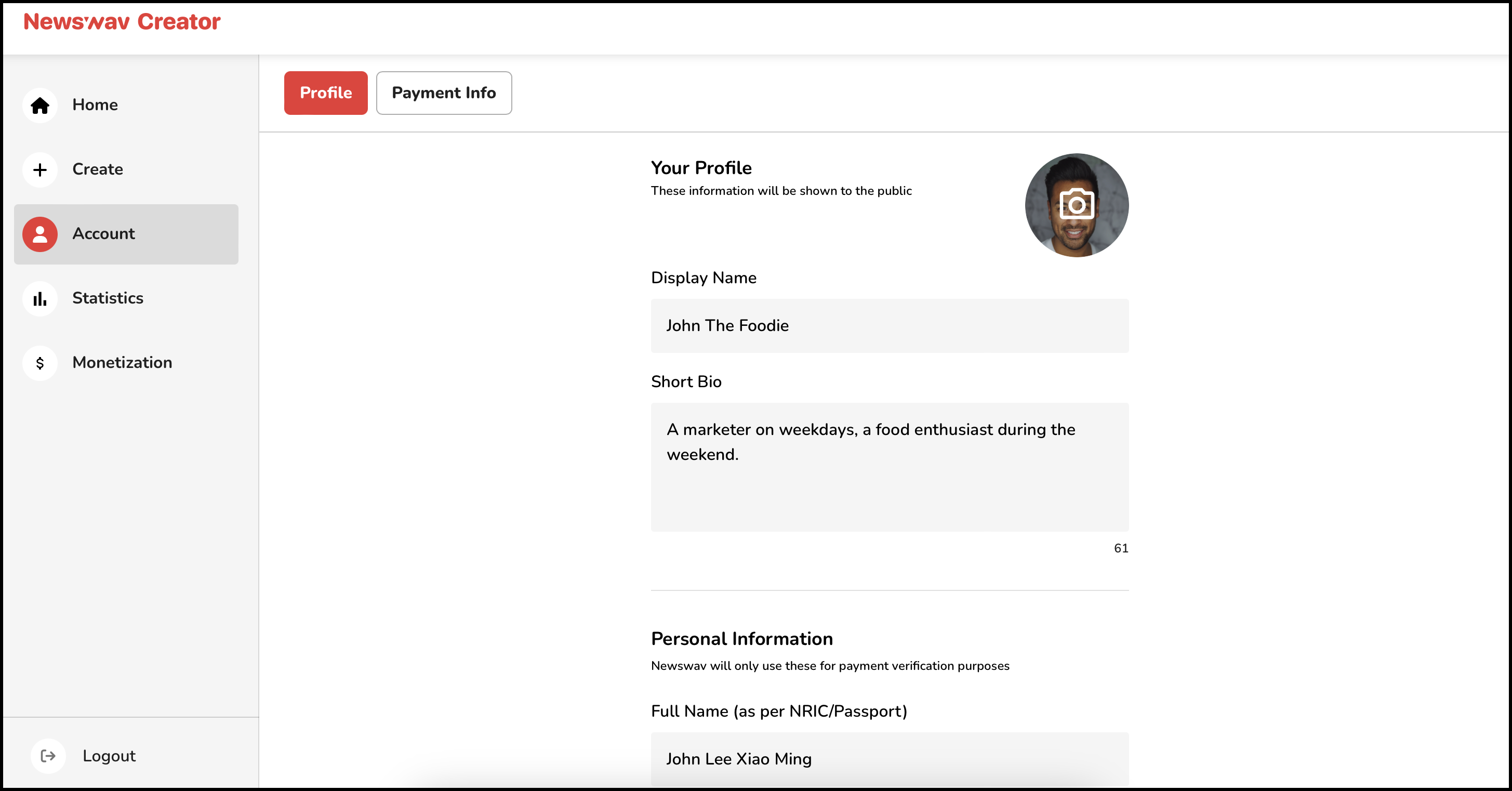
1. Click the Account tab in your creator dashboard
2. Under Your Profile, upload a profile picture of yourself
(a) Please upload image in JPG/JPEG/PNG format only, with maximum file size of 500K (Third-party tool that you may use to compress your profile image: JPG To PNG Converter)
(b) Do upload a photo that clearly shows your face/ you as a person
(c) Do not use images of fictional characters, objects, another person, or plain background without you in it
(d) We highly recommend that you upload a profile picture with a 1:1 ratio to ensure the best possible appearance for your profile
3. Insert your Display Name
(a) EN/BM: Max. 20 characters, including spacing
(b) CN: Max. 10 characters, including spacing
4. Add in a Short Bio that describes yourself as a content creator
(a) EN/BM: Max. 75 characters, including spacing
(b) CN: Max. 35 characters, including spacing
5. Fill in your Personal Information
6. Verify your phone number
(You can check this article for more details on verifying your phone number)
7. Click Save after you are done
Your completed profile must be clear and detailed. If it is vague or incomplete, it may be rejected during the review process, which will prevent your work from being published.
How do I set up/ edit my payment info?
*Please note that you can only set up your payment info one (1) time upon signing up. For subsequent changes, please email us at creator@newswav.com.
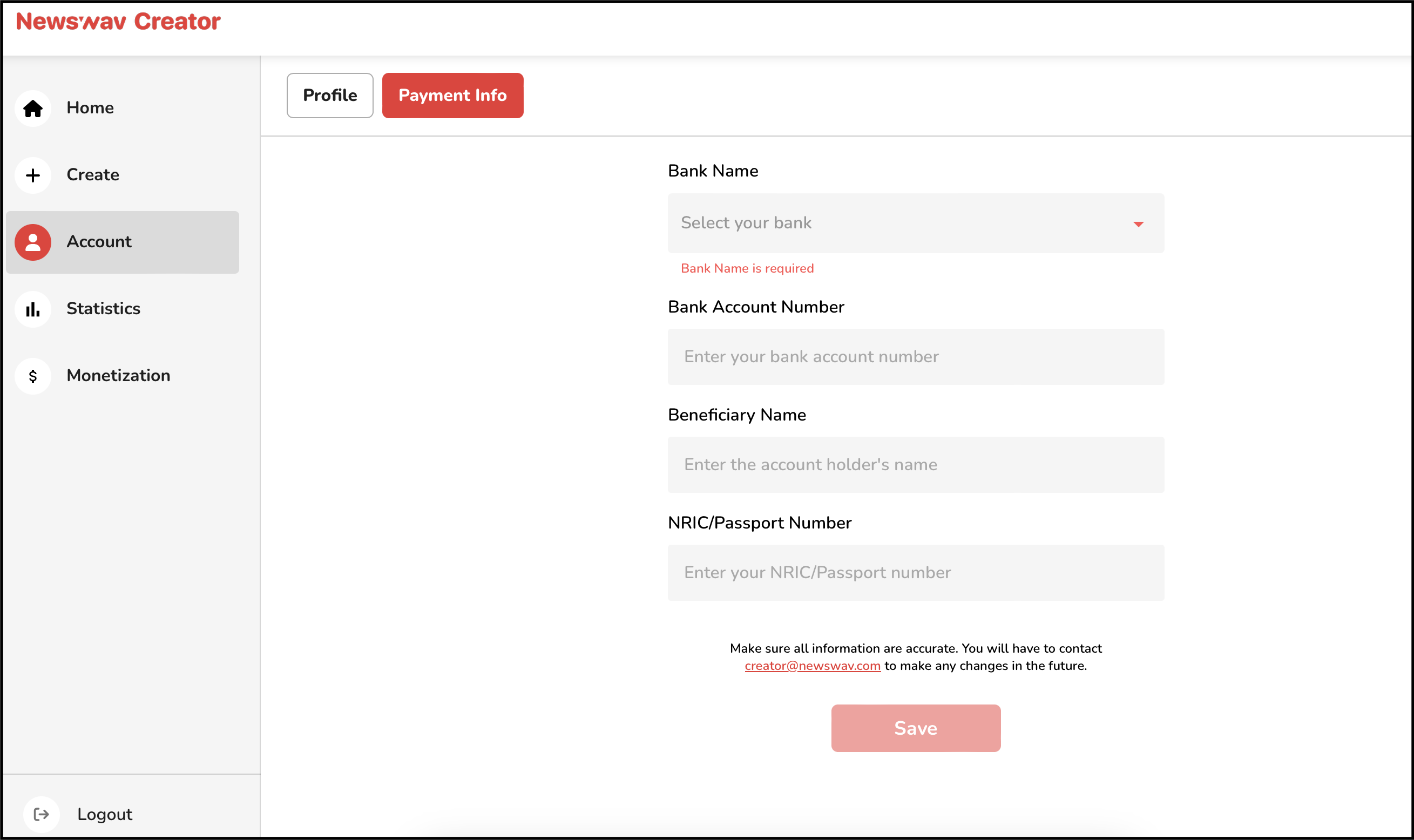
To set up your payment info, please follow these steps:
- Click the Account tab in your creator dashboard
- Click on the Payment Info tab
- Fill in your bank account details
- Click Save after you are done
How do I cancel/ delete my account?
Please send an email request to creator@newswav.com, our team will then take action to disable your account and make it inaccessible.
Need more help?
Return to Newswav Creator Help Centre main page, or email us at creator@newswav.com.
Newswav Creator is a content creator under the Newswav Creator programme, where you get to express yourself, be a citizen journalist, and at the same time monetize your content & reach millions of users on Newswav. Log in to creator.newswav.com and become a Newswav Creator now!
The User Content (as defined on Newswav Terms of Use) above including the views expressed and media (pictures, videos, citations etc) were submitted & posted by the author. Newswav is solely an aggregation platform that hosts the User Content. If you have any questions about the content, copyright or other issues of the work, please contact Newswav.