Drive-thrus are designed to make getting a meal quick and convenient, but a few common customer habits can slow the entire process down. Employees often have to take orders, handle payments, assemble meals, manage special requests, and keep cars moving, sometimes while working with a small team during a rush. What seems like a minor inconvenience from the driver’s seat can create extra work for the people behind the counter and the customers waiting in line. Most drive-thru workers understand that mistakes happen and orders can be complicated. Still, a little preparation and courtesy can make the experience smoother for everyone.
1. Waiting Until the Last Second to Decide
Pulling up to the speaker without knowing what you want can create a bottleneck, especially when several cars are already waiting. Employees may have to repeat menu options, answer questions, and wait while customers debate between meals. Taking a few extra seconds to decide is understandable, but an extended conversation at the ordering point can delay everyone behind you. This is particularly frustrating during breakfast and lunch rushes, when workers are trying to keep orders moving.
If you need time to decide, check the menu before reaching the speaker whenever possible. Many fast-food chains display their menus online, and some offer app ordering that lets you review options before arriving. If you are ordering for several people, ask everyone what they want before getting in line. You do not need to rush through your order, but arriving prepared can save time for you and the employee taking it.
2. Speaking Too Quietly or Talking Away From the Speaker
Drive-thru speakers do not always deliver perfect sound quality. Traffic noise, wind, vehicle engines, and background noise inside the restaurant can make customers difficult to understand. When someone speaks quietly, turns toward a passenger, or talks while looking down at a phone, the employee may have to ask for the order to be repeated. That can lead to incorrect items and longer wait times.
Speak clearly toward the speaker and keep conversations with passengers to a minimum while placing your order. If the employee asks you to repeat something, remember that they may genuinely be struggling to hear you rather than ignoring what you said. You can also pause music or turn down the radio to make communication easier. A clear order at the beginning can prevent confusion when your food is ready.
3. Changing the Entire Order After It Has Been Entered
Making a small adjustment is part of ordering fast food, and employees are accustomed to requests like removing pickles or changing a drink. The challenge comes when customers change several items after the order has already been entered or confirmed. Depending on the restaurant’s system, employees may need to correct the order, notify the kitchen, and make sure the updated instructions reach the right people. During a busy period, those changes can disrupt orders already in progress.
Try to review your choices before confirming them, including drink sizes, sides, sauces, and special instructions. If you remember a change immediately, tell the employee as soon as possible rather than waiting until you reach the payment window. Be specific about what needs to change instead of repeating the entire order unnecessarily. Workers generally want customers to receive the right food, but catching mistakes early makes that easier.
4. Ordering for a Large Group Without Organizing the Details
Drive-thrus can accommodate large orders, but ordering for an entire office, family gathering, or group of friends takes more coordination than ordering a single meal. Problems arise when customers relay items one at a time, repeatedly change who wants what, or cannot remember which person requested a particular drink. The employee taking the order may need to keep track of several meals while entering everything into the system accurately.
Before getting in line, collect everyone’s choices and organize them into a single list. Confirm sizes, sides, drinks, and any necessary modifications so you are not trying to sort everything out at the speaker. For especially large orders, check whether the restaurant recommends using its app, placing a mobile order, or coming inside. That approach may be easier for everyone, particularly when the order involves numerous customized meals.
5. Pulling Forward Before the Employee Finishes Explaining
Sometimes a drive-thru worker will ask a customer to pull into a designated parking space while the kitchen finishes preparing an order. This helps the restaurant continue serving the cars behind them without making the waiting customer feel pressured to leave. Problems can occur when drivers pull forward before receiving instructions, stop in the wrong location, or park where they block traffic. Employees then have to locate the vehicle or coordinate where the order should go.
Listen for the employee’s directions and move only when asked. If you are told to park, use the designated space rather than stopping beside the pickup window or blocking another vehicle. If the instructions are unclear, ask where you should wait before moving. These small details help maintain traffic flow and allow employees to deliver food without creating another problem in the drive-thru lane.
6. Reaching the Payment Window Without Having Payment Ready
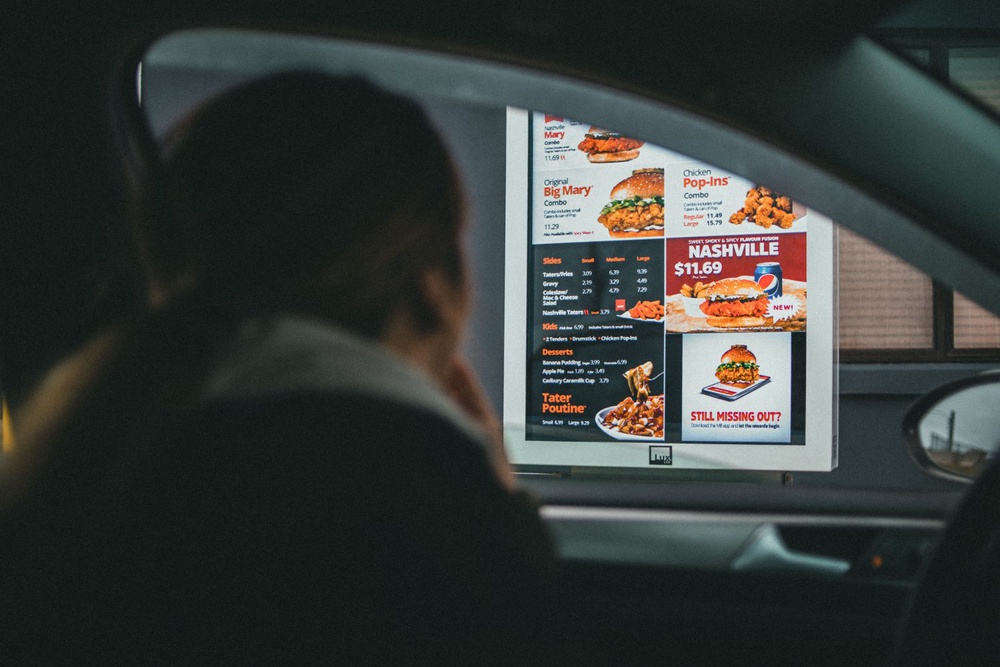
Payment is a routine part of the transaction, but searching through a purse, looking for a card, or trying to load a payment app after reaching the window can slow service. Employees may be waiting to complete the transaction before handing over the order or moving on to the next customer. During a rush, even small delays can add up when every car requires an extra minute or two.
Have your preferred payment method ready as you approach the window, whether you are using a card, cash, or contactless payment. If you are paying with cash, knowing whether you have a large bill can also help you prepare for change. There is no need to rush or feel embarrassed if you have to retrieve something, but getting organized beforehand makes the exchange easier. It also gives the employee more time to focus on making sure you receive the correct order.
7. Taking a Phone Call While Ordering
Trying to place a drive-thru order while talking on the phone can make communication unnecessarily difficult. Customers may miss questions, forget what they requested, or expect employees to wait while they finish a conversation. Workers then have to repeat information or guess what the customer meant, increasing the chance of mistakes. The distraction can also make it harder for drivers to pay attention to the line and surrounding traffic.
Finish the call or put the phone conversation on hold before reaching the speaker. If you need your phone to use a mobile ordering app or digital payment, have the relevant screen ready before you get to the window. This is especially helpful when an order includes several items or customizations. Giving the employee your attention for a brief interaction can save time and reduce confusion.
8. Blaming the Employee for Something They Cannot Control
A long wait, a sold-out menu item, or a kitchen delay can be frustrating when you are hungry and trying to get somewhere. But the employee at the speaker or pickup window may not control staffing levels, food preparation times, inventory, or the restaurant’s ordering system. Taking frustration out on the person delivering the information does not make the food arrive faster. It can also make an already demanding shift harder for someone who is trying to help.
If something goes wrong, explain the issue calmly and give the employee a chance to offer a solution. Ask whether an alternative item is available or whether there is an updated estimate for your order. If you need to make a complaint about a policy or repeated service problem, the restaurant’s manager or customer service team may be better positioned to address it. You can expect accurate service without treating the person helping you as though they personally caused every delay.
9. Driving Away Before Checking the Order
Fast-food workers know that mistakes happen, especially when the restaurant is busy, and several orders contain similar items. However, discovering that a drink, side, or entire meal is missing after driving away can mean another trip through the line or a call to the restaurant. It is often easier to catch an obvious mistake while the order is still at the window, when employees can address it immediately.
Take a moment to check the receipt and confirm that the number of bags, drinks, and major items matches your order. You do not need to unpack every sandwich or inspect every ingredient in the drive-thru lane, but checking the basics can prevent an unnecessary return. If something is missing, mention it politely before leaving. And if you discover a problem later, contact the restaurant calmly so staff can explain the available options.
A Little Courtesy Makes the Drive-Thru Better for Everyone
Drive-thru employees are often balancing speed, accuracy, customer requests, and pressure from a growing line of cars. Customers cannot control every delay, and employees cannot guarantee that every order will be perfect. But being ready to order, communicating clearly, listening to instructions, and staying respectful can prevent many avoidable problems. These habits also make it easier for workers to correct genuine mistakes when they occur.
The next time you pull into a drive-thru, think about the interaction from both sides of the window. You are trying to get your food and get on with your day, while the employee is trying to serve you and everyone behind you. A little patience does not require accepting poor service, and asking for a correction is perfectly reasonable. The goal is simply to make a quick meal stop less stressful for everyone involved.
What To Read Next
6 Things You Should Never Do in a Restaurant Drive-Thru
12 Upscale Dining Spots That Make You Miss Drive-Thrus
7 Wendy’s App Tricks That Can Make a Cheap Meal Even Cheaper
McDonald’s Regulars Know These 14 Ordering Tricks — Do You?
McDonald’s vs. Taco Bell: We Compared What $20 Actually Buys at Each Chain
The post 9 Things Drive-Thru Workers Wish Customers Would Stop Doing appeared first on Grocery Coupon Guide.